
[IAG] Email filtering did not audit the rejection log: the recipient also includes the allowed mailbox
Problem Description
The mail filtering function is enabled, and only the mailbox with the suffix sh6u.com is allowed to send mails. However, mails with other suffixes are not recorded in the rejection log.
Warning Information
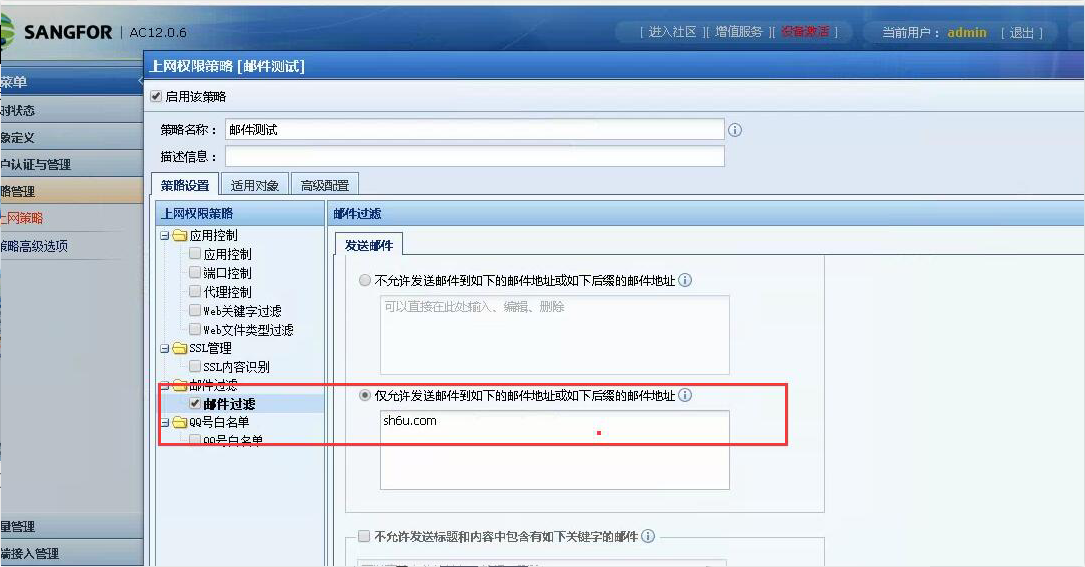
265955ba360e8218bd.png (313.29 KB)
Process——
- Test sending a single email to the rejection mailbox. Check the behavior monitoring log to see the rejection log. The data center also has a rejection log.
- Test that the recipients include the allowed mailboxes and check the behavior monitoring logs to see if the logs are recorded. The data center has logs.
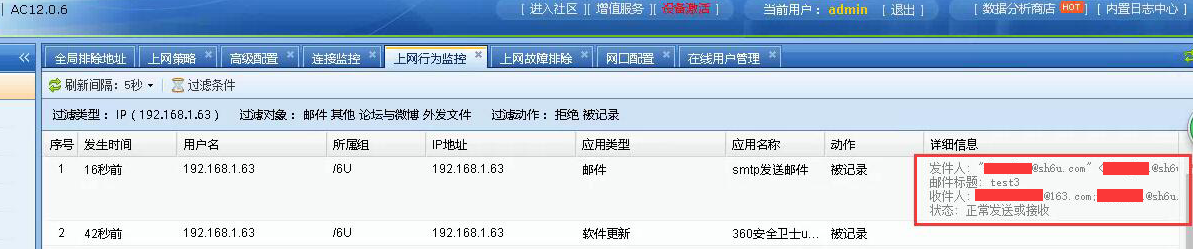
215055ba361cc711e6.png (220.92 KB)
solution
The same email contains mailboxes that are allowed to be sent and mailboxes that are not allowed to be sent. After the email filtering is turned on, the device will filter out the mailboxes that are not allowed to receive emails, and the allowed emails can be sent out. There is actually no rejection, so the device will only record the recorded logs.
Original Link
https://support.sangfor.com.cn/cases/list?product_id=22&type=1&category_id=6501&isOpen=true