
[IAG] Enable SSL content identification, install the certificate, but the browser still issues an alert
Problem Description
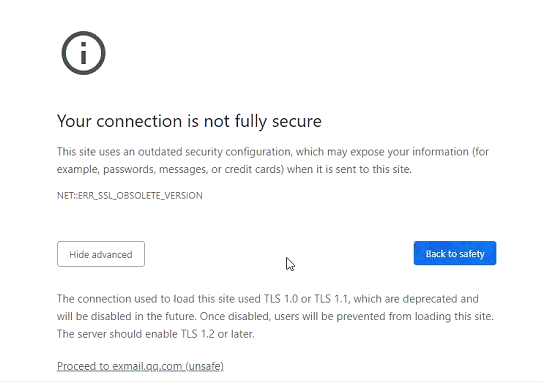
After enabling SSL content identification and installing the certificate, the browser still issues an alert. The alert prompt is as follows
Effective troubleshooting steps
- The reason for the browser alarm is that the tls1.0 version is too low. The browser itself thinks it is unsafe and causes an alarm. You need to use the tls1.2 version to cancel the alarm.
Root cause
Because the openssl library version used by the device itself is too low, our device can only negotiate to tls1.0 when performing SSL content recognition. As a result, although the browser has imported the certificate, there is still an alarm.
solution
IAG12.0.18 has upgraded the openssl library to support tls1.2. It is recommended to upgrade the version to solve this problem.
Original Link
https://support.sangfor.com.cn/cases/list?product_id=22&type=1&category_id=8094&isOpen=true