
[IAG] Error message when opening the security status page with a non-admin account
Problem Description
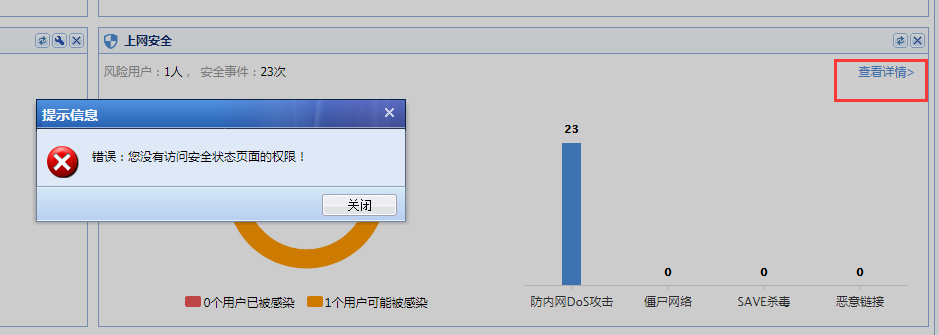
If you use a non-admin account and view details on the homepage Internet Security Point, an error message will be displayed, as shown below:
775165c9c2c7949412.png (36.79 KB)
Process——
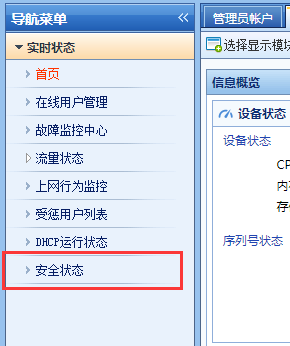
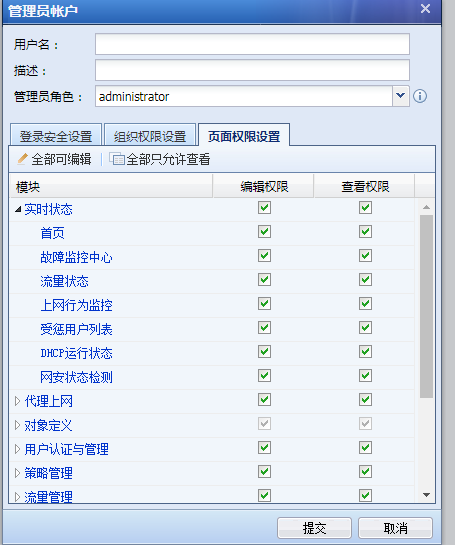
- Check the administrator account. If there is no permission for the security status module, you can give it to other accounts.
331205c9b687e5d517.png (19.64 KB)
747655c9c2c409dee8.png (36.55 KB)
Root cause
In IAG 12.0.18 version, only the admin account has the permission to open the security status page
solution
In IAG 12.0.18 version, only the admin account has the permission to open the security status page
Original Link
https://support.sangfor.com.cn/cases/list?product_id=22&type=1&category_id=6812&isOpen=true