
[IAG] Error when upgrading from IAG12.0.18 to IAG13.0.4
Problem Description
Customers reported that when upgrading IAG devices from IAG12.0.18 to IAG13.0.4, an error message appeared: error Version not supported! Version cannot be lower than 12.0.29!
Warning Information
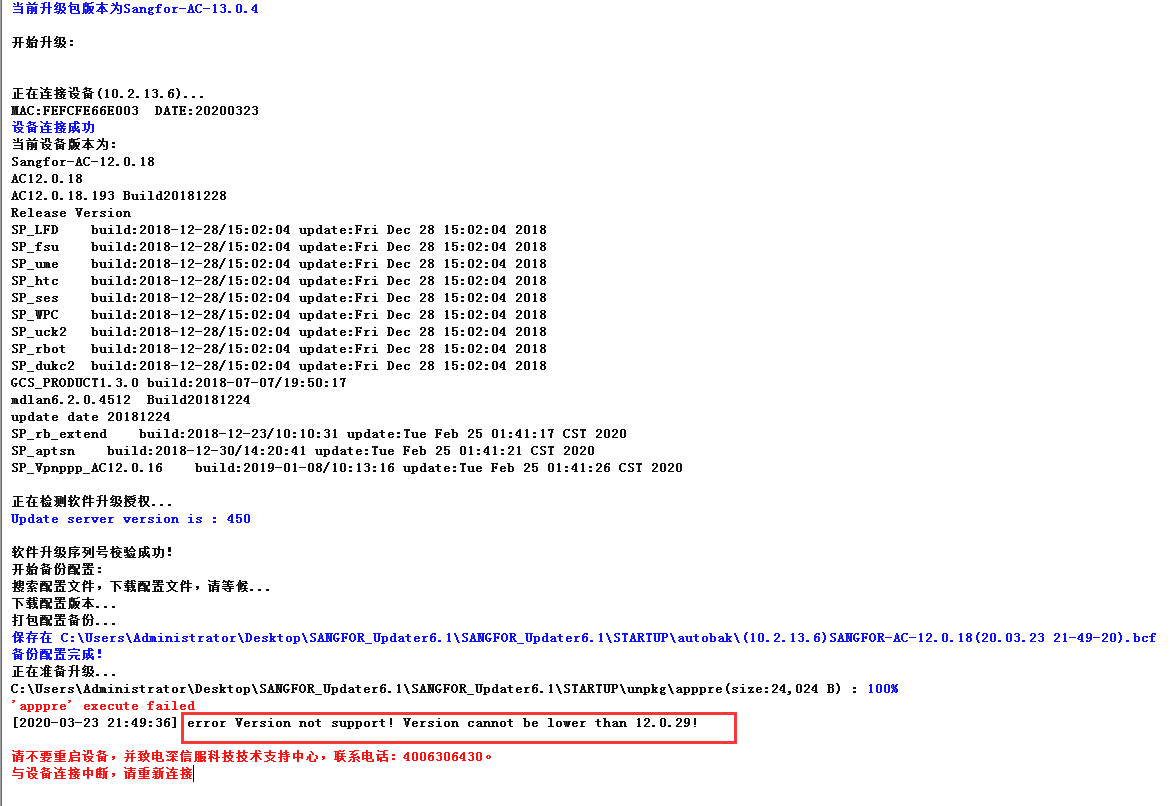
333105e78bf3278ddc.png (64.41 KB)
Root cause
The IAG13.0.4 upgrade package only supports IAG12.0.29, 13.0.1, 13.0.2, and 13.0.3 official version upgrade packages. To upgrade versions 11.0-12.0.26 to version 13.0.4, you need to first upgrade to version 12.0.29, restore to factory settings, and then upgrade to 13.0.4.
solution
Upgrade from IAG12.0.18 to IAG12.0.29, then restore to factory settings, and then upgrade from IAG12.0.29 to IAG13.0.4.
Original Link
https://support.sangfor.com.cn/cases/list?product_id=22&type=1&category_id=7428&isOpen=true