
[IAG] External data center query log is always 0% – the system time zone is wrong
Problem Description
The original problem of the customer is that the external data center query log is always in the loading state of 0%
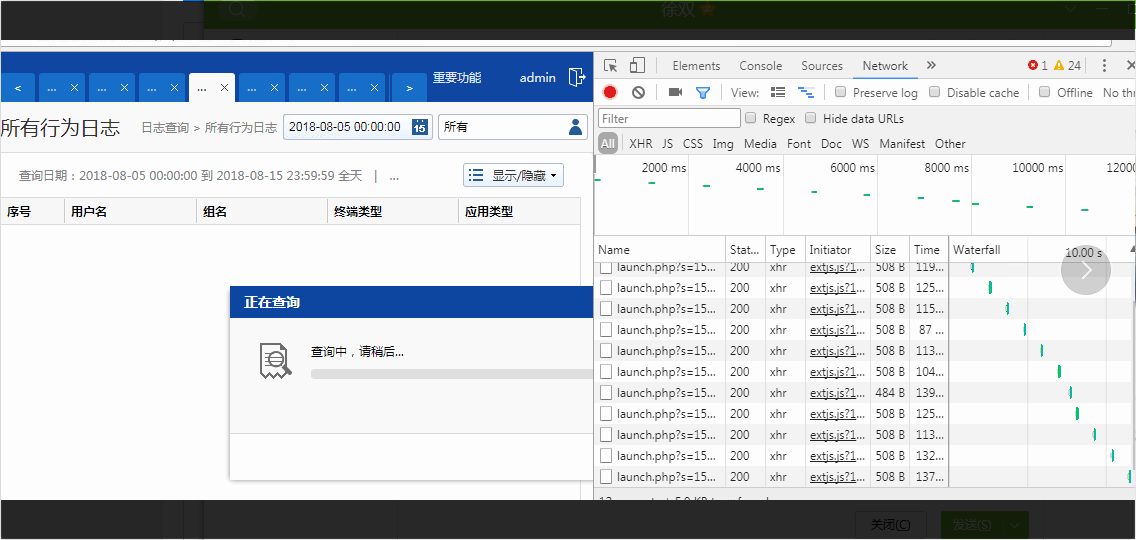
109785b7832fdec4a7.png (91.53 KB)
Process——
1: Test connectivity and check server "services". All data center related services are started normally.
2: The logs are synchronized to the latest version, and the indexes and intermediate tables are generated to the latest version.
3: The time zone settings of the server are as follows:
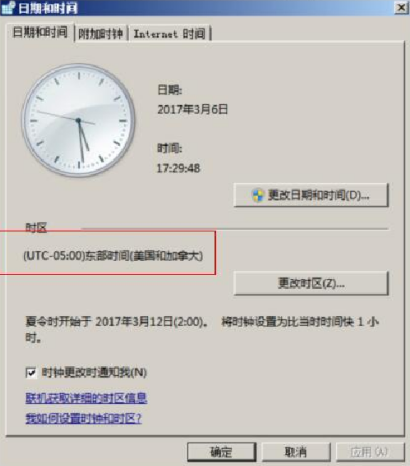
100505b78339b492fa.png (123.33 KB)
4: Modify the time zone as follows:
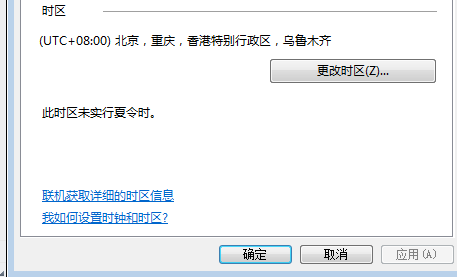
898385b7833bad2f68.png (15.75 KB)
5: At the same time, change the date.timezone field in php.ini and php-cgi-fcgi.ini under \sangfor\datacenter\ldb\php\ to Asia/Shanghai, and then restart all services in the data center to solve the problem
Root cause
Logs are all related to the time zone. If the time zone is incorrect, the log query cannot be loaded.
solution
Modify the server's time zone and time to match Beijing time. At the same time, change the date.timezone field in php.ini and php-cgi-fcgi.ini under \sangfor\datacenter\ldb\php\ to Asia/Shanghai, and then restart all services in the data center to solve the problem.
Original Link
https://support.sangfor.com.cn/cases/list?product_id=22&type=1&category_id=6311&isOpen=true