
[IAG] External data center synchronization log error message indicates that the disk space is full, but the actual space is sufficient
Problem Description
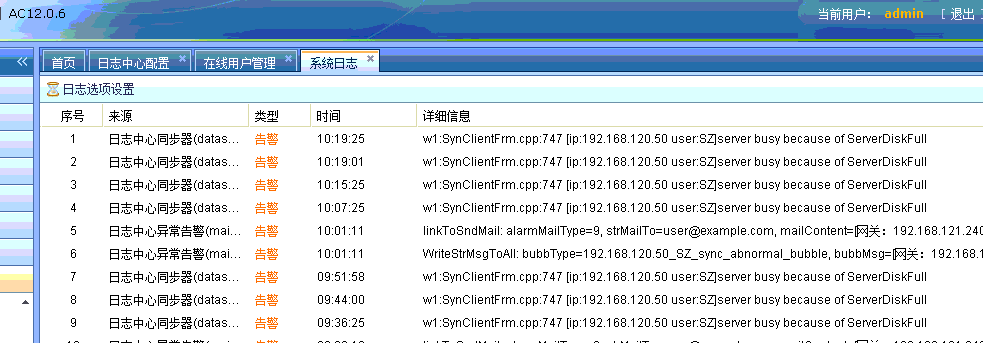
When synchronizing logs between IAG and external data center, it was found that there was a problem with synchronization. The synchronization could not be completed. The log prompts:
Log center synchronizer (datasync) alarm 11:41:02 w1:SynClientFrm.cpp:747 [ip:192.168.120.50 user:SZ]server busy because of ServerDiskFull
Warning Information
925785b4d776690aa4.png (36.67 KB)
Process——
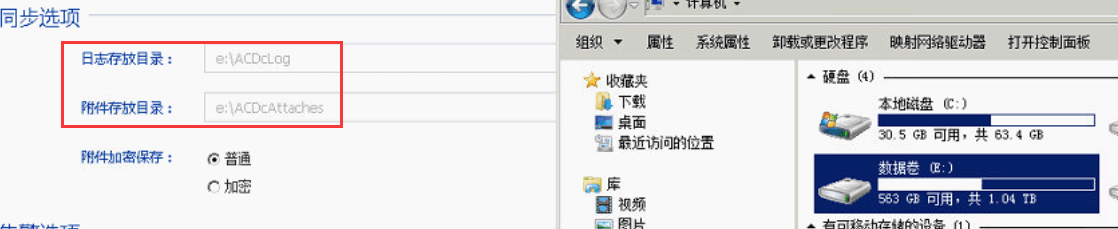
- Check if there is enough space in the external data center. The logs are stored in the E disk. It is found that there is 500G of free space left in the E disk, but the logs cannot be synchronized, and the message prompts that the disk space is full.
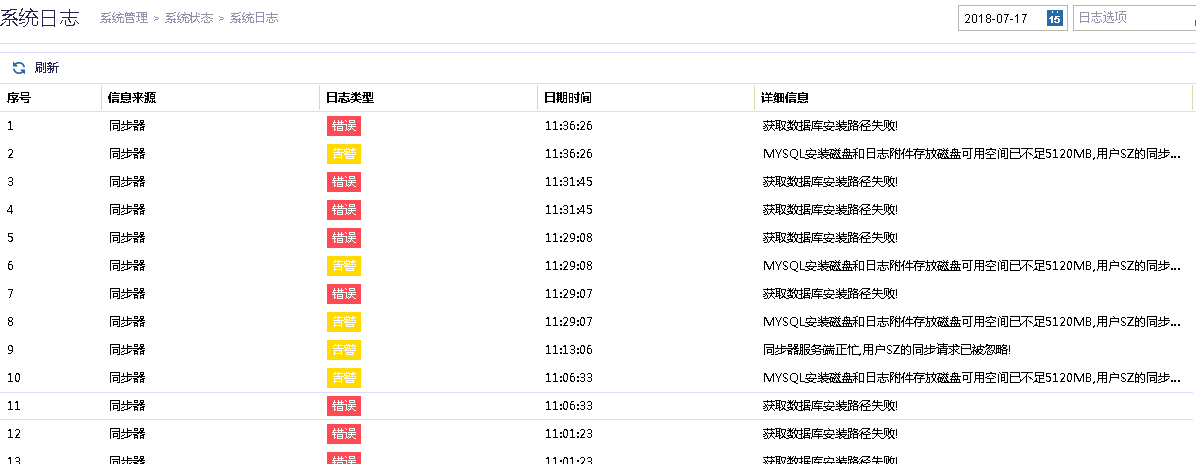
995545b4d906bcc95f.png (124.99 KB) - Check the system log error message of the external data center. The message says: the available space of the MYSQL installation disk and the log attachment storage disk is less than 5120MB. User SZ's synchronous acquisition of the database installation path failed!
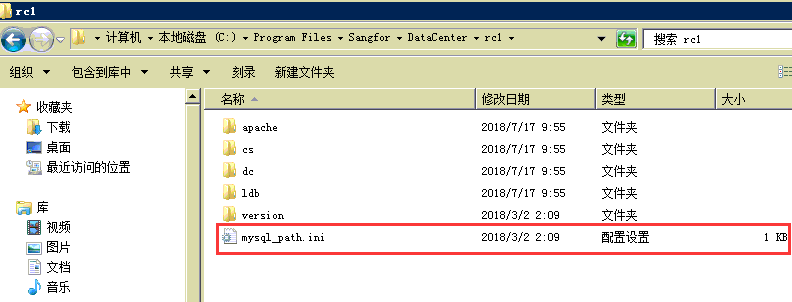
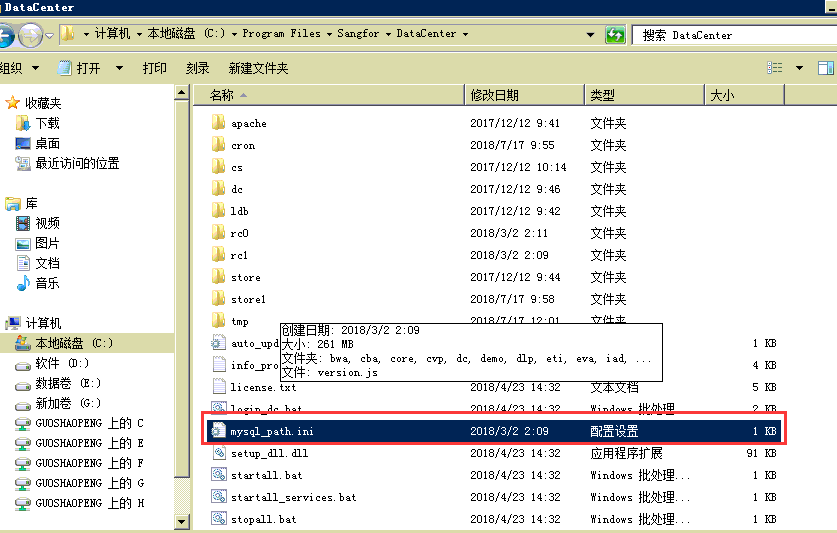
26545b4d77c7ed6e4.png (39.19 KB) - Check the installation directory of the installation disk C drive and find that the mysql_path.ini file is missing under the configuration file path C:\Program Files\Sangfor\DataCenter
- Through file search, it is found that the file has been moved to another directory. Copy the file back, then restart all services in the external data center and wait for 10 minutes. The error disappears and the log can be synchronized normally.
942065b4d77f67a7fe.png (22.58 KB)
solution
Move the removed mysql_path.ini file back to the C:\Program Files\Sangfor\DataCente path
878465b4d7844c7c88.png (48.68 KB)
Suggestions and Conclusion
It is recommended not to move the installation files and storage files of the IAG data center on the external data center server casually, which may cause the log query to fail. When migrating the data center and moving files, consult a company's remote personnel to confirm whether the operation is risky.
Original Link
https://support.sangfor.com.cn/cases/list?product_id=22&type=1&category_id=6020&isOpen=true