
[IAG] Failed to synchronize logs to an external data center for versions below 6.1. Data reception timed out (10004)
Problem Description
Log synchronization failed in the DC6.1 data center
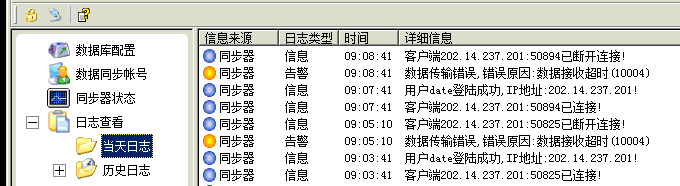
Check the synchronization log, prompt: Data transmission error, error reason: Data reception timeout (10004)
Effective troubleshooting steps
- The external data center has been in use for several years and it was working fine before.
- There is no problem in testing the connectivity between IAG equipment and external data center
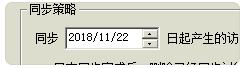
- Check the synchronization account configuration. The setting is to synchronize all logs, starting from November 22, 2018
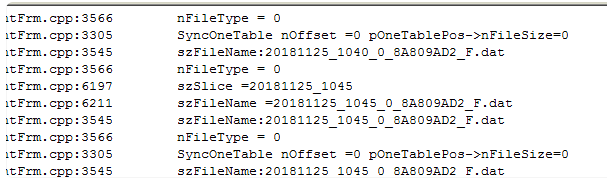
- Log in to the IAG device and open the synchronization debug log, which shows that the F file started in 2018
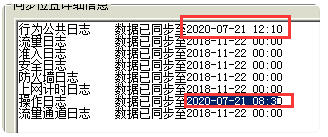
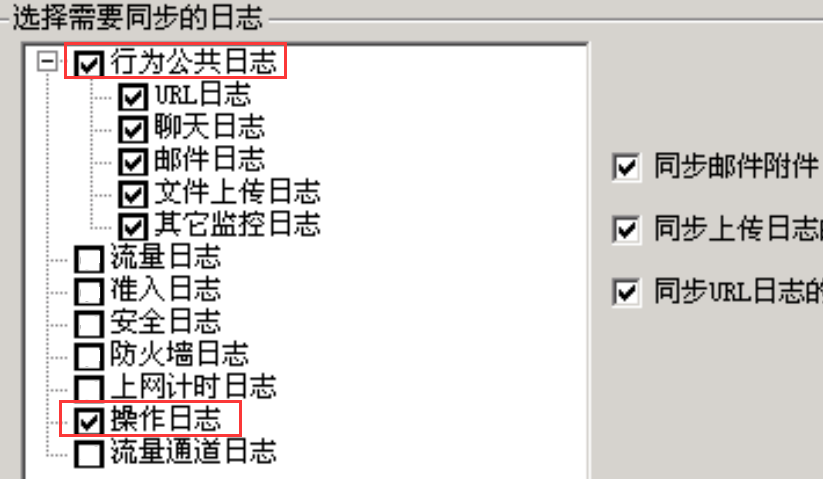
- Check the synchronization status, it shows that only the behavior public log and operation log are synchronized, and other logs are actually not synchronized.
- Check the audit policy to confirm that there is no audit traffic log, Internet access time log, access policy is not enabled, and firewall filtering rules do not enable logs.
Root cause
The synchronization account settings need to synchronize all logs, and some logs have not been synchronized.
The external device is not aware that no corresponding log is generated, which causes the traversal to time out.
solution
Modify the configuration of the synchronization account and just check the synchronization behavior public log and operation log.
Original Link
https://support.sangfor.com.cn/cases/list?product_id=22&type=1&category_id=8318&isOpen=true