【NGAF】Client Has Configure SSL VPN But Found That Unable To Access The Web UI Through LAN IP
Issue Description
Client has configured SSL VPN for LAN segment, it included the LAN IP of the NGAF. All other connection is normal but when user want to use the LAN IP to manage the NGAF, he found that he not able to access the web UI.
Handling Process
- Try direct access from the LAN, it able to access to the web UI as usual.
- Try ping to the LAN IP through SSL VPN, ping is successful.
- Try telnet to the 80 and 443 port, found that it unable to telnet 443 port.
- Check on the SSL VPN resources configuration, it configured as L3VPN with all port.
- Try to enable troubleshooting pass-through, found that it able to access web UI after enable pass-through.
Root Cause
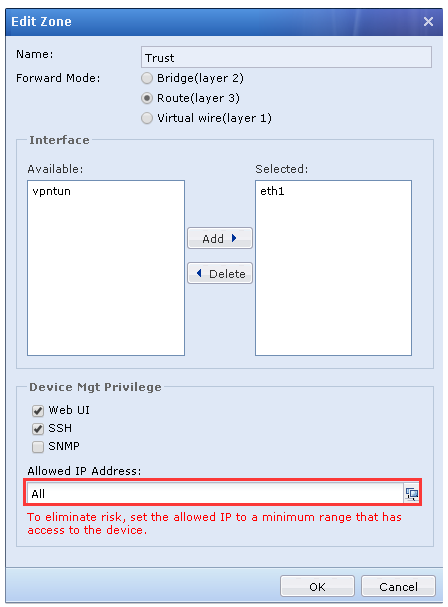
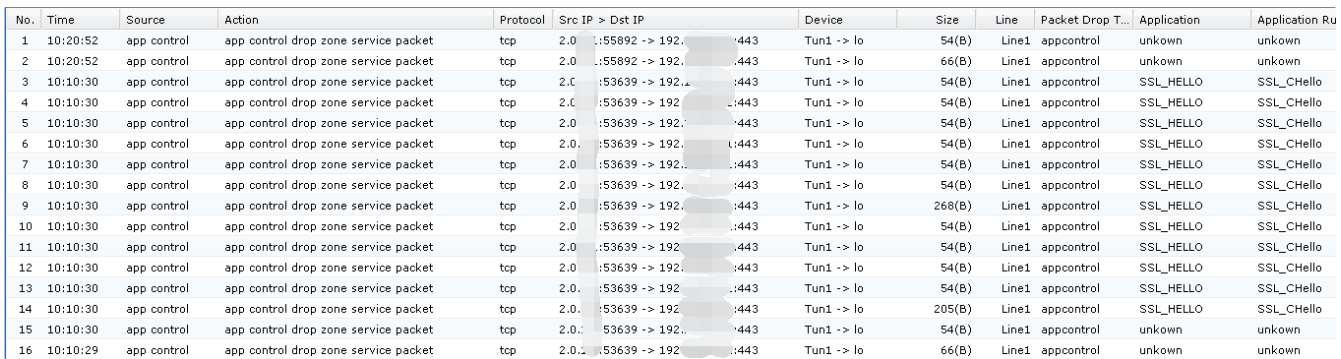
Found that it has packer drop by zone service, check on the zone configuration and found that the Allow address to the zone is not include the VPN virtual ip segment.
Solution
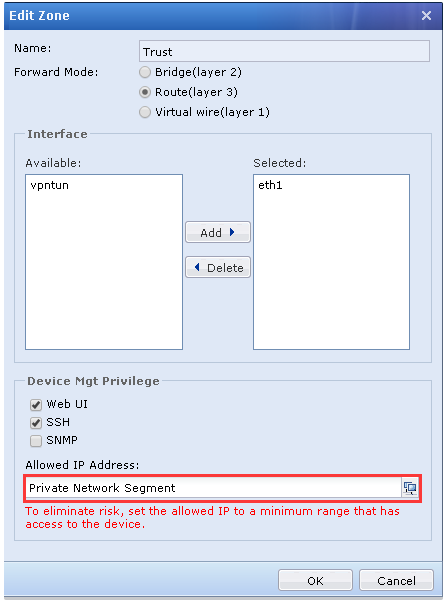
You can change the Allow IP Address to All or you can add an IP group for the SSL virtual IP.