
【NGAF】SNAT Configuration Guide_V8.0.47
Introduction
Source Network Address Translation (SNAT)
It is a method used in computer networking to map and translate private IP addresses within a local network to a single public IP address. It allows multiple devices within the local network to share a common public IP address when accessing resources on the Internet.
Purpose
Organizations or individuals often have more devices in their local network than the number of unique public IP addresses they own. SNAT helps conserve public IP addresses by allowing multiple devices with private IP addresses to access the Internet through a single public IP address.
Configuration Guide
Scenario
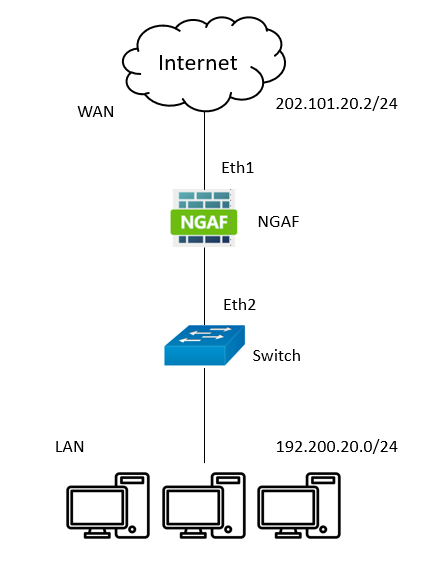
Step 1. First, ensure that two zones (internal and external) have been created. In this scenario, LAN (eth2) and WAN (eth1) zones were established.
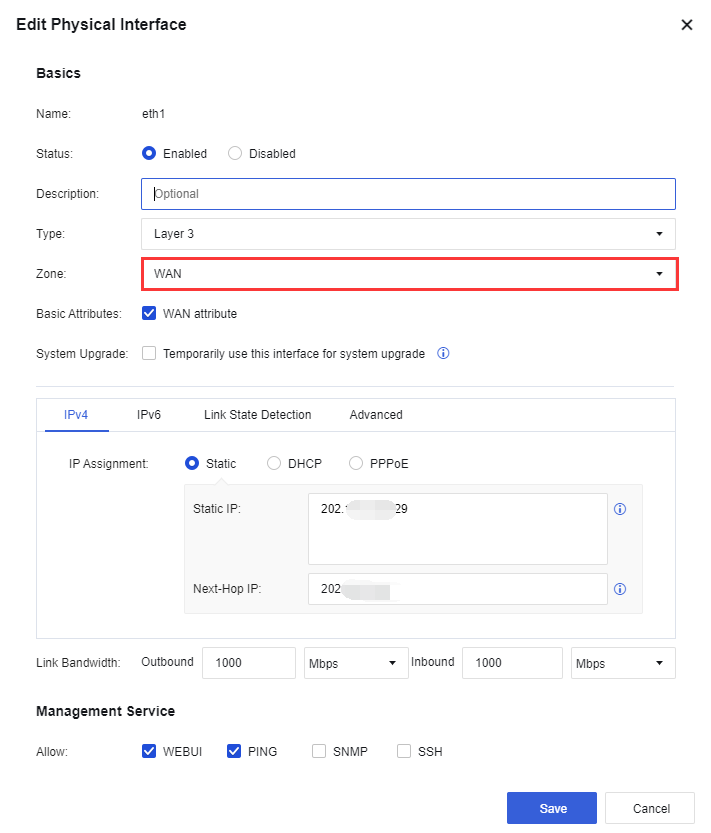
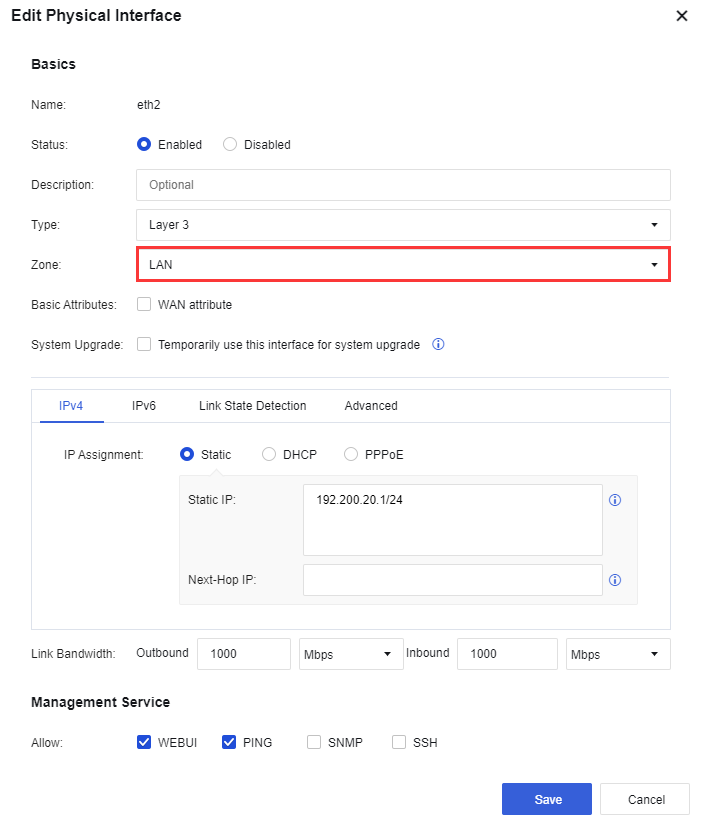
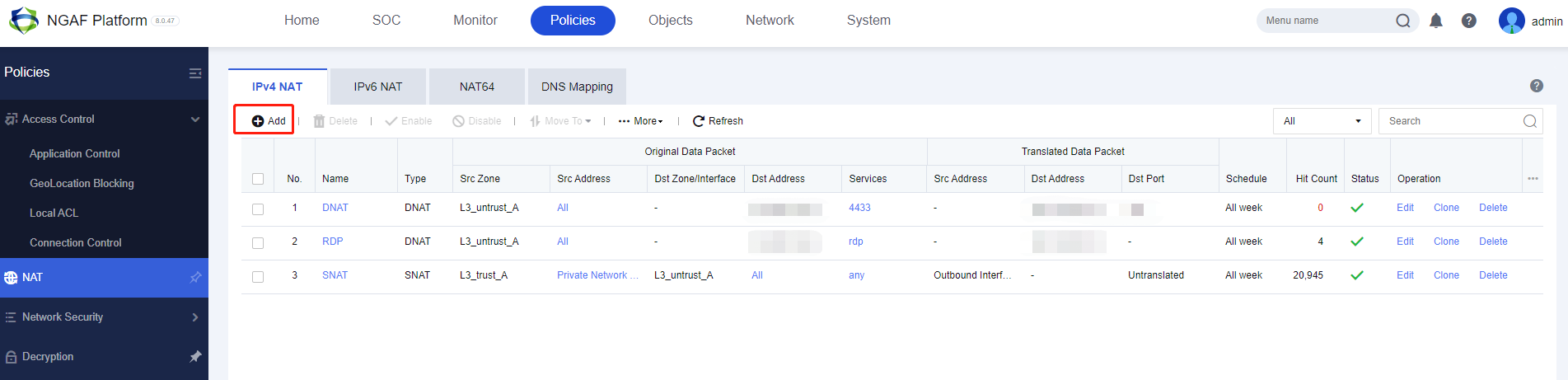
Step 2. Navigate to the NGAF Policies > NAT > IPv4 NAT module and click Add to create a new NAT policy.
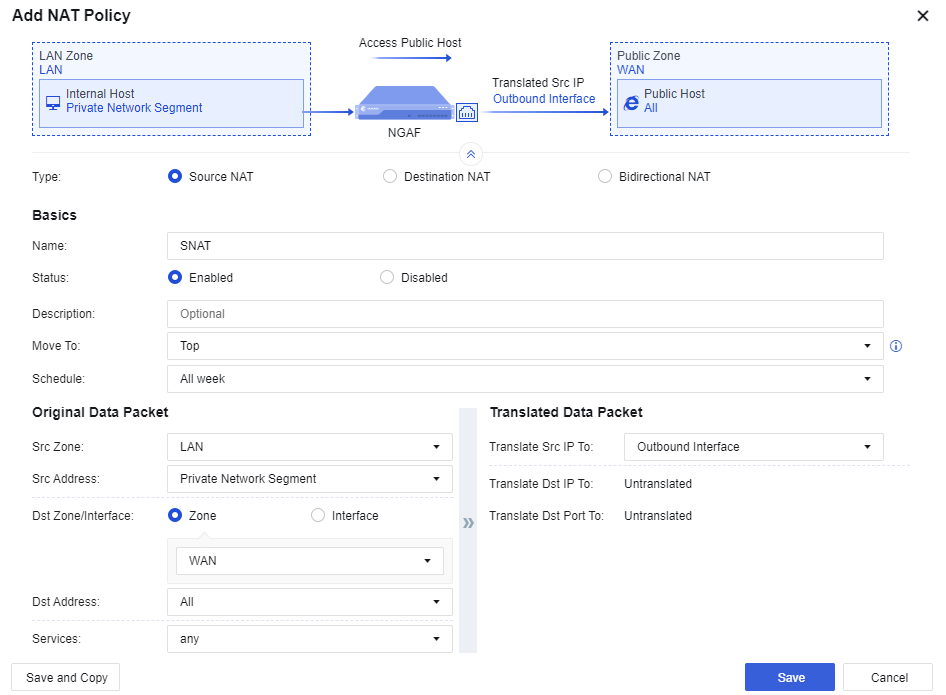
Step 3. The following pop-up window will appear. Kindly select Source NAT and enter the necessary details to proceed.
-
Type: Choose Source NAT(SNAT).
-
Name: Name for the SNAT policy.
-
Status: Enabled
-
Src Zone: LAN zone(Zone where users require access to the Internet).
-
Src Address: Private Network Segment(IP addresses or IP range of the LAN users who need Internet access).
-
Dst Zone/Interface: WAN zone(Destination zone or interface that needs to be accessed).
-
Dst Address: All(IP group that wants to access the Internet. It is set to All by default and can be changed manually).
-
Services: Any (Service that users use to access the Internet. It can be changed manually according to requirements).
-
Translate Src IP To: Outbound Interface(Specify source IP addresses from the LAN to be translated to the designated outgoing interface. Typically, the Outbound interface)
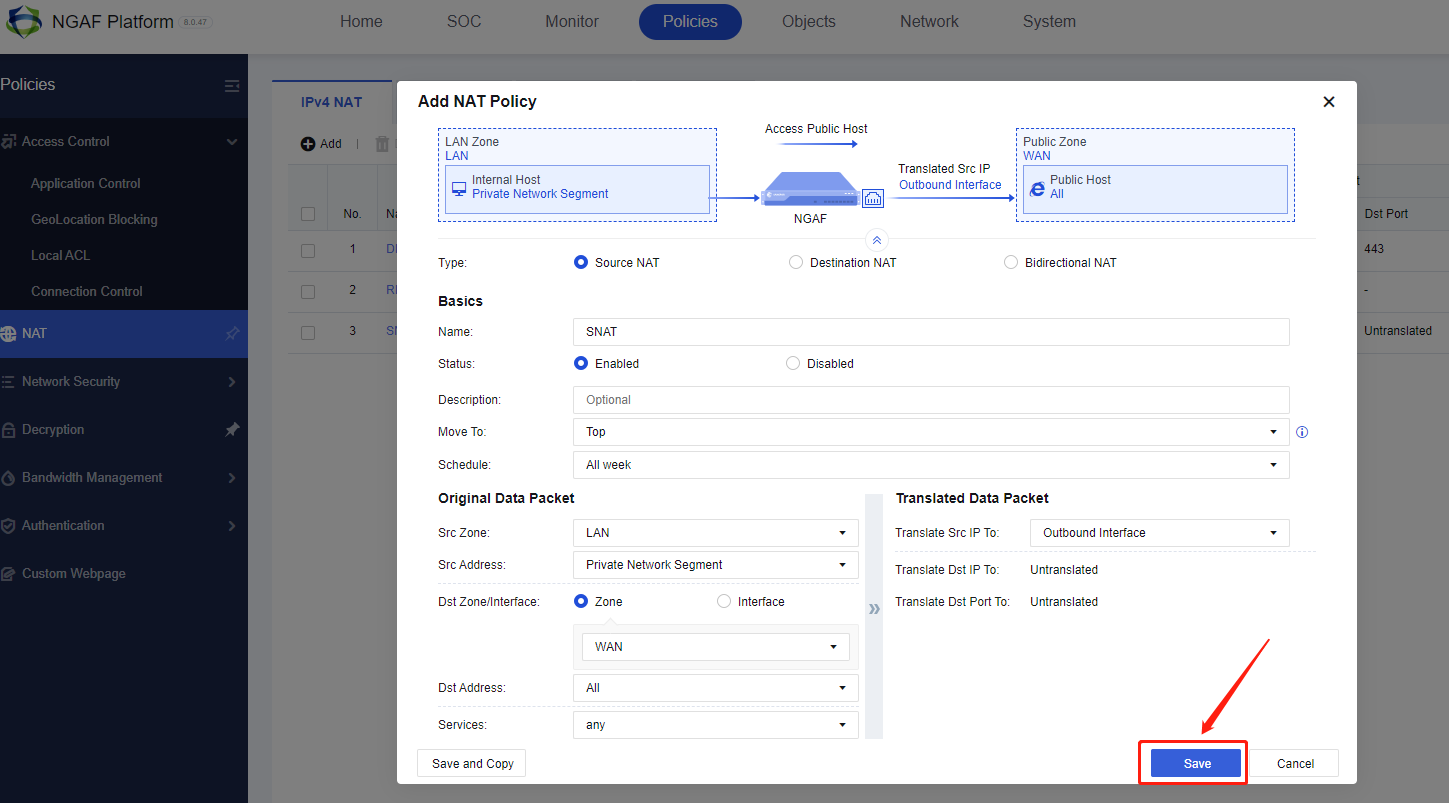
Step 4. Then, click Save to proceed.
Result
Step 1. Verify whether the LAN users can access the Internet.
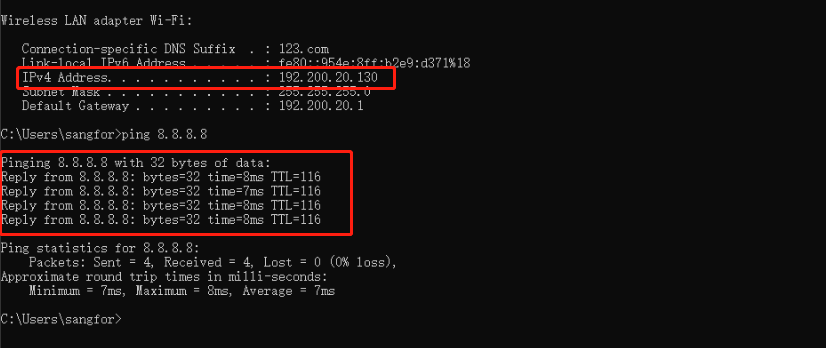
Step 2. A hit count will be recorded when traffic passes through the policy, indicating that the NAT policy is functioning.

Precautions
- LAN PC must be able to reach the gateway(NGAF).
- Ensure that the NGAF device can access the Internet.
- Ensure there is an application control to allow the internet access.
