【NGAF】SSL VPN LDAP Authentication Integration Guide_V8.0.47
Introduction
What is LDAP
LDAP (Lightweight Directory Access Protocol) authentication verifies the identity of a user or entity attempting to access a system, application, or network service by querying a central directory server.
LDAP Integration with SSL VPN
Integrating LDAP with Sangfor SSL VPN allows organizations to use their LDAP directory service for user authentication and authorization when accessing SSL VPN. It allows users to use their existing LDAP credentials to access the VPN.
Configuration Steps
Authentication Method
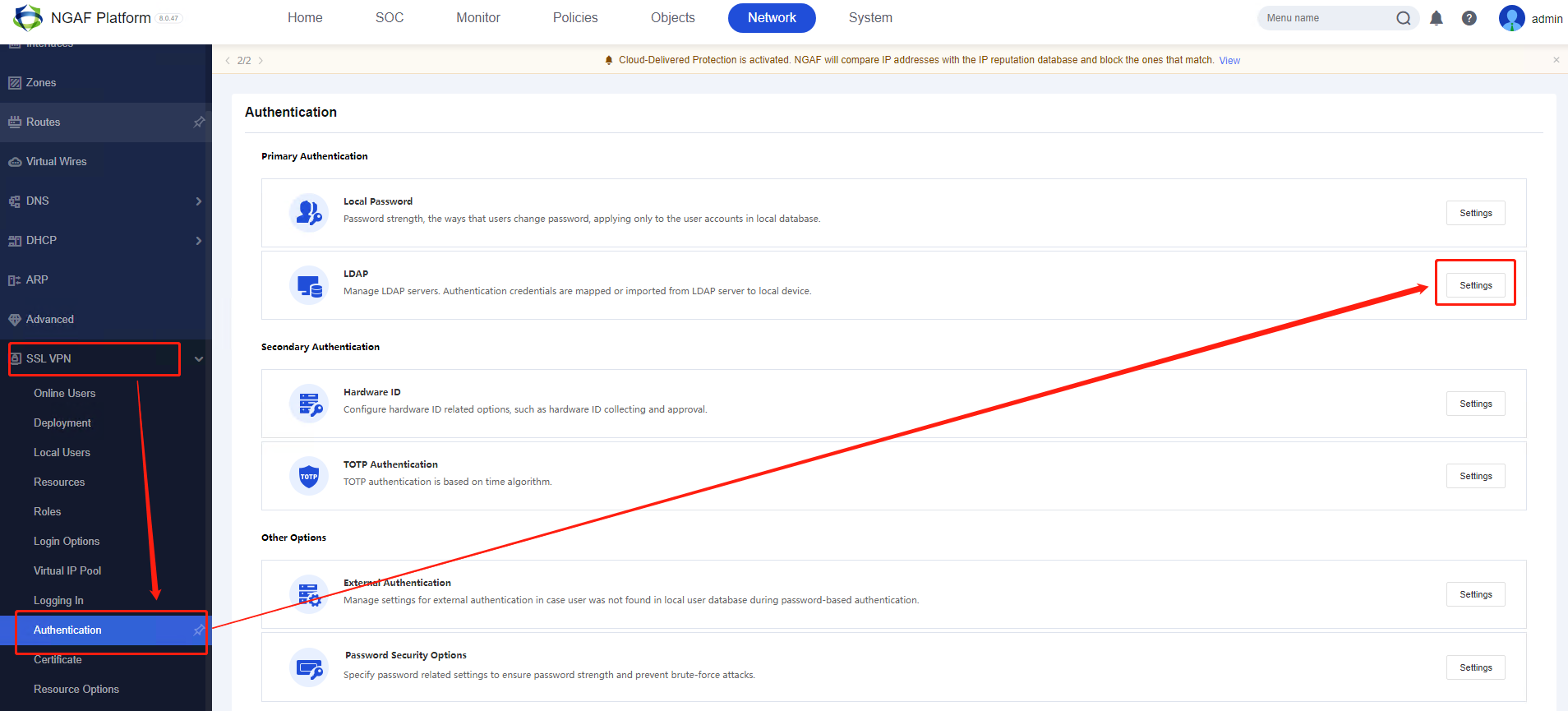
Step 1. Navigate to NGAF Network > SSL VPN > Authentication module. Select LDAP, then click the Settings button.
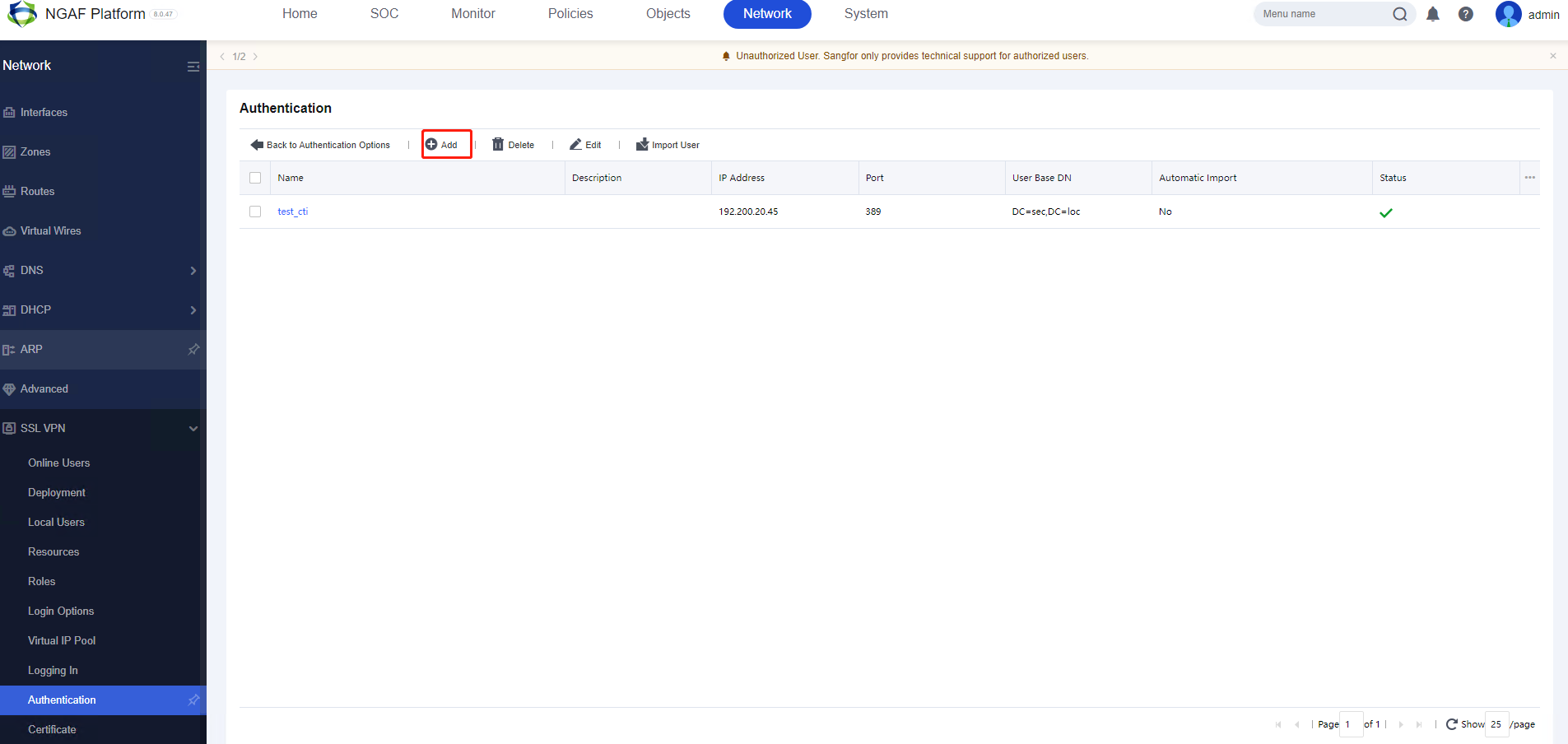
Step 2. Click Add to add the Active Directory (AD) Domain.
Step 3. The following page will appear. Now, enter your Server Name.
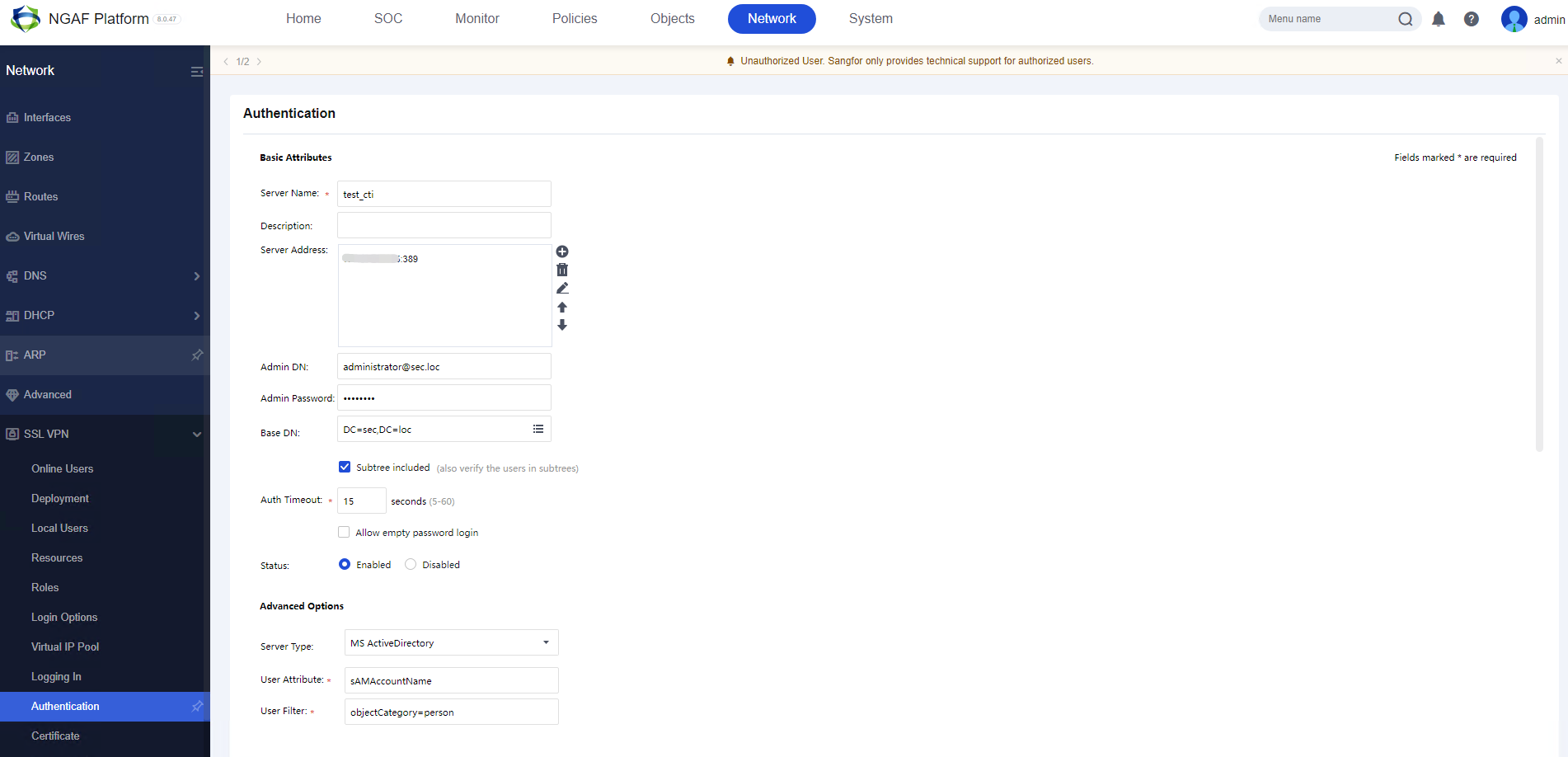
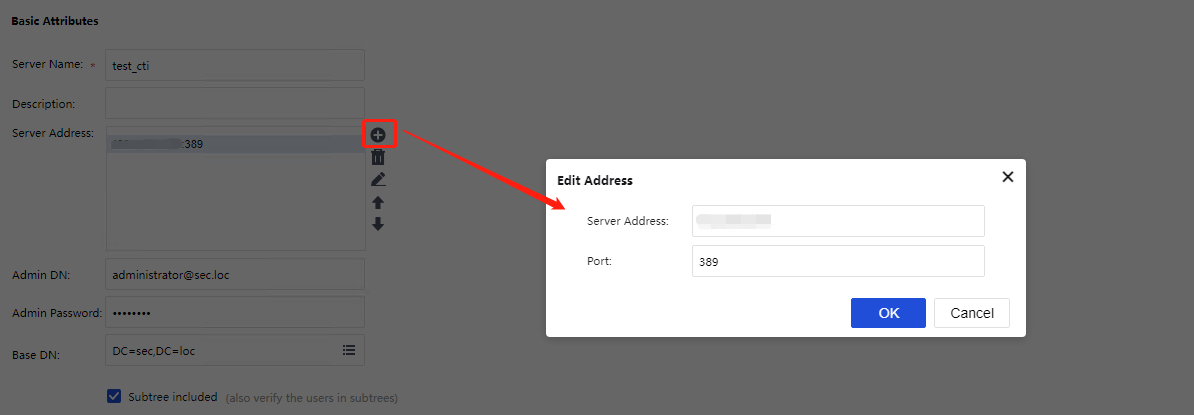
Step 4. In Server Address, click the + button to enter the server’s IP address and port.
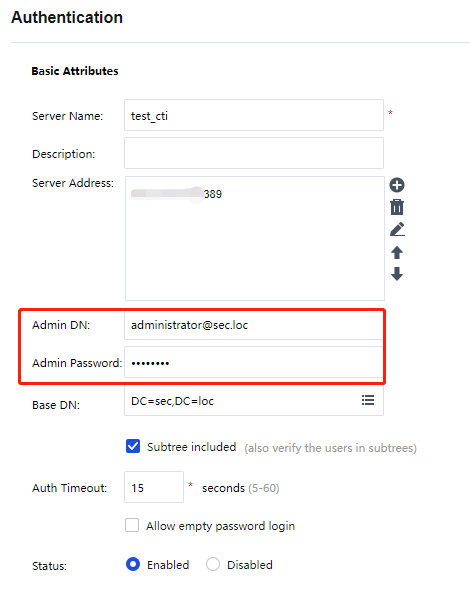
Step 5. Enter the Admin DN and Admin Password, ensuring the details are correct and the domain account has sufficient permission to read user data from the AD server.
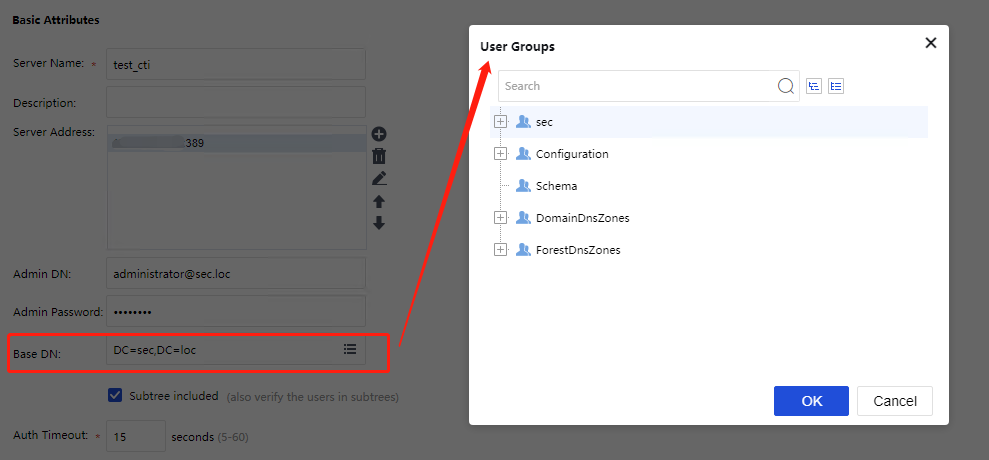
Step 6. In Base DN, select the specific user group from the LDAP server.
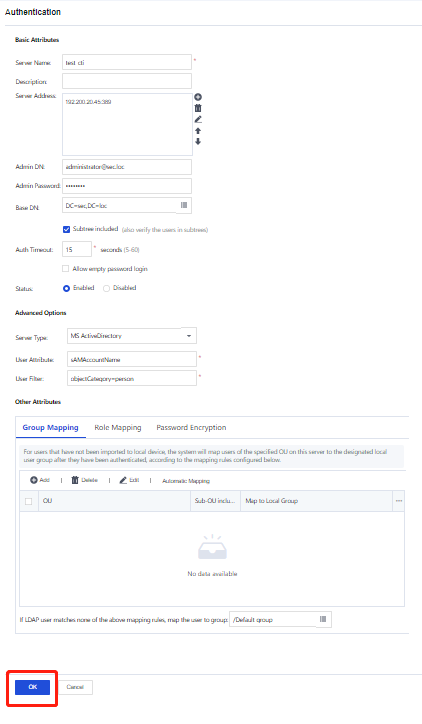
Step 7. Click OK at the bottom of the page to proceed.
Import LDAP Users as Local Users
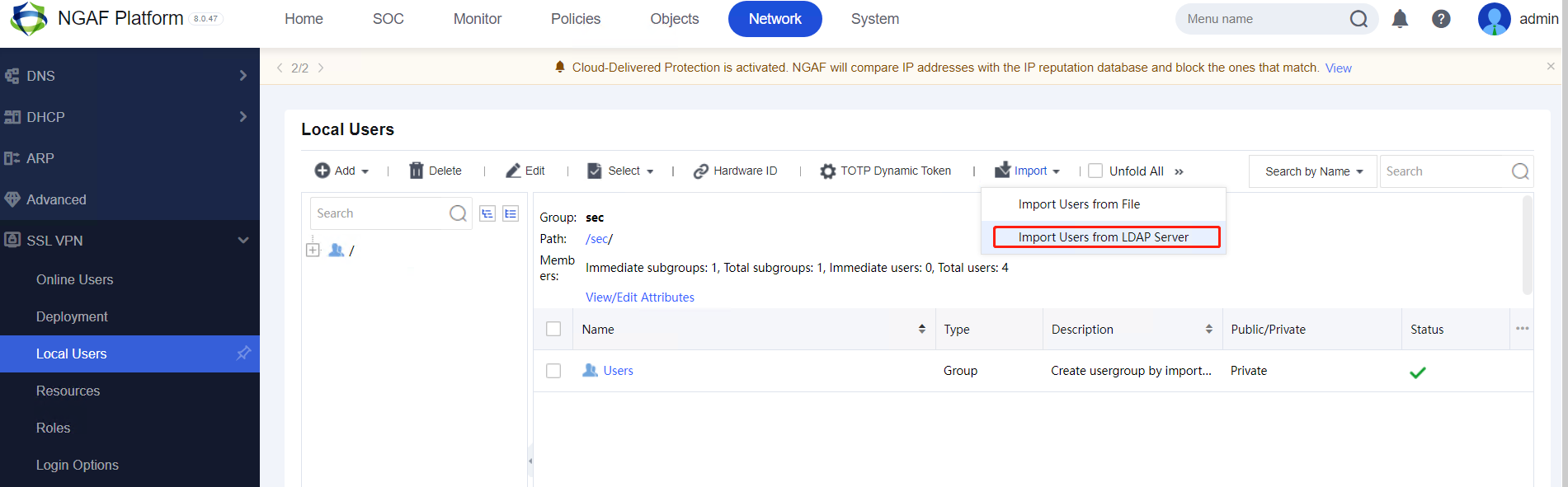
Step 1. On the Local Users page, click Import. Select Import Users from LDAP Server, as shown in the figure below.
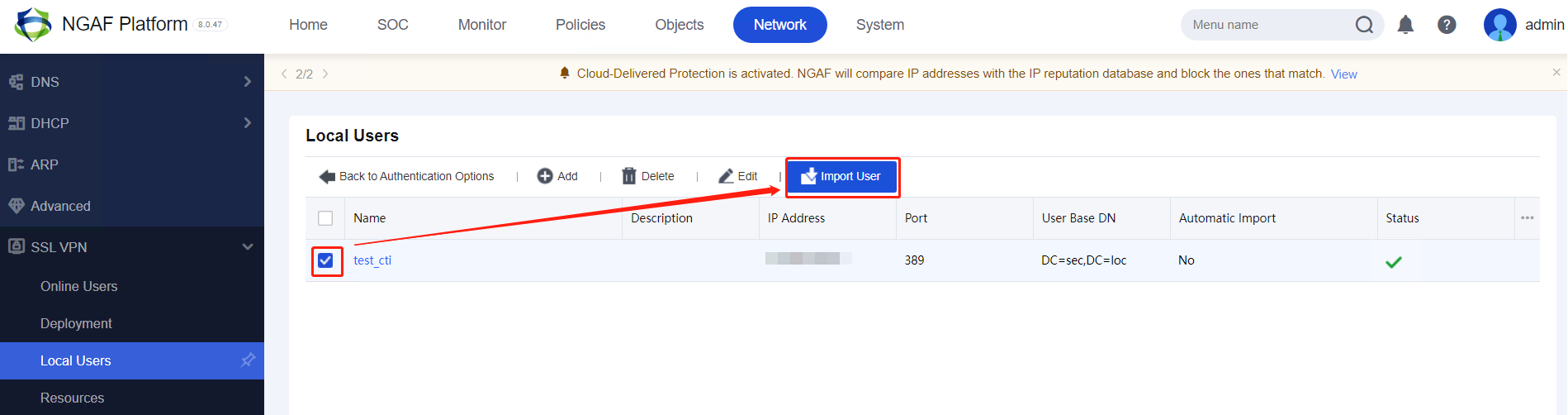
Step 2. Select the existing LDAP server, which was created in the previous steps. Then, click Import User to import LDAP users to the local device.
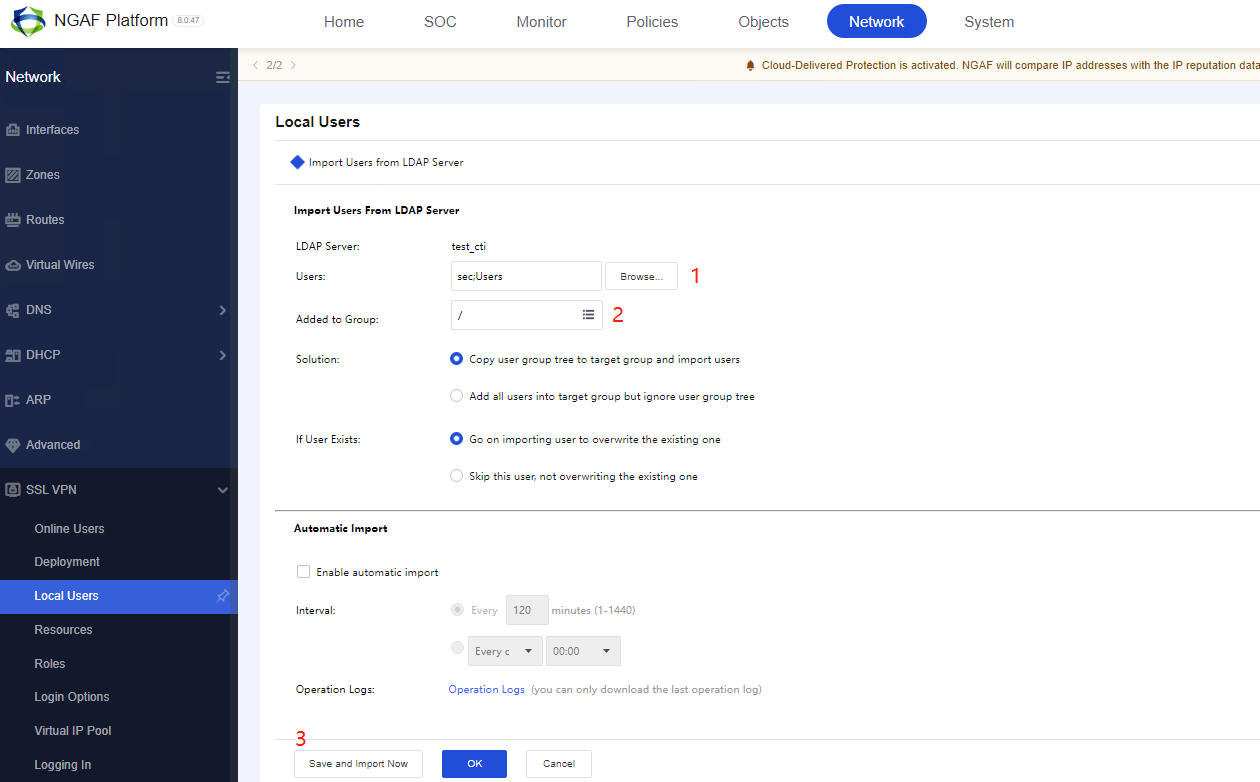
Step 3. You will see the following page.
-
Select the specific user group you wish to import into NGAF from LDAP. Only the Organizational Unit (OU) is available.
-
Select the specific group path on the local device to import the LDAP users.
-
Click Save and Import Now to proceed.
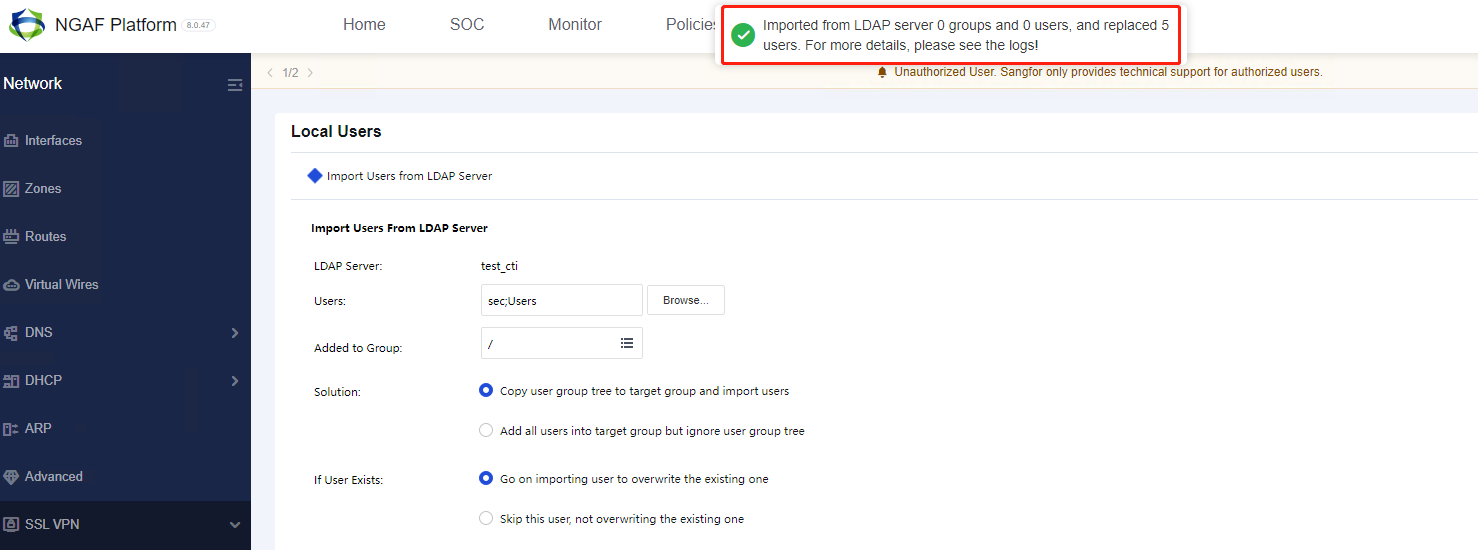
Step 4. If the LDAP users are successfully imported, a message banner will appear on the screen, as shown in the figure below.
User Status
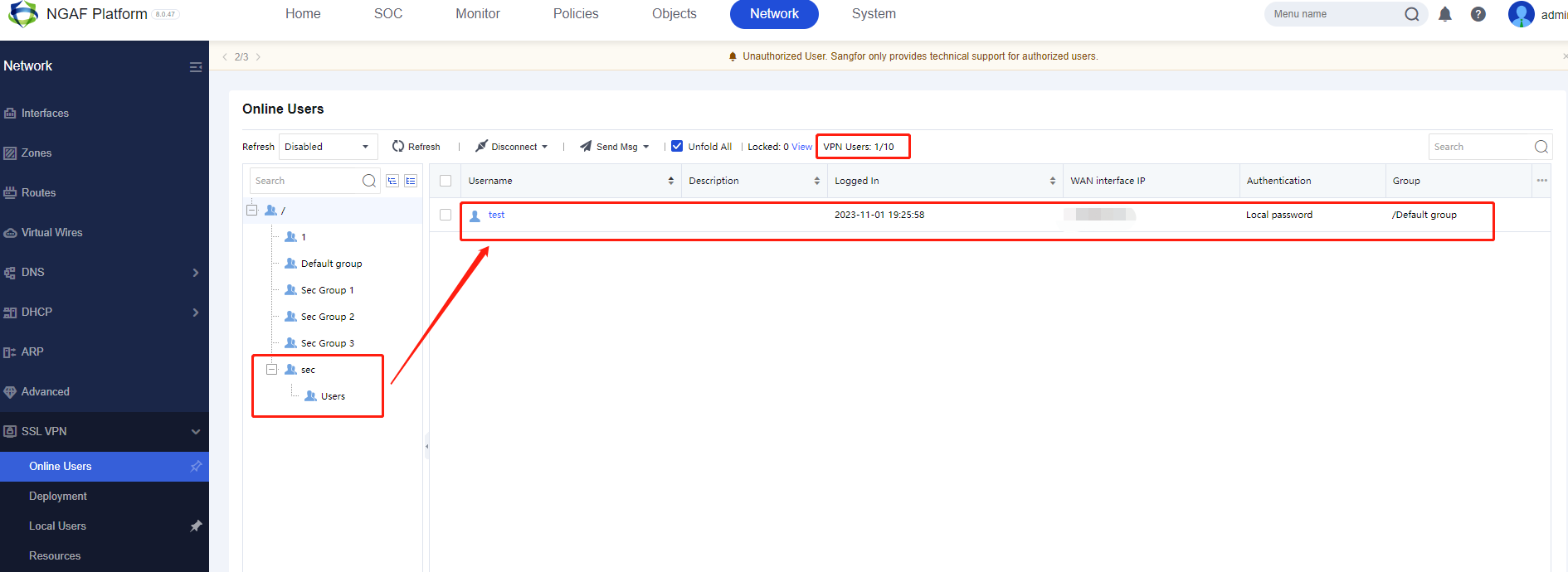
On the Online Users page, you can check the status of the LDAP users once they are online.