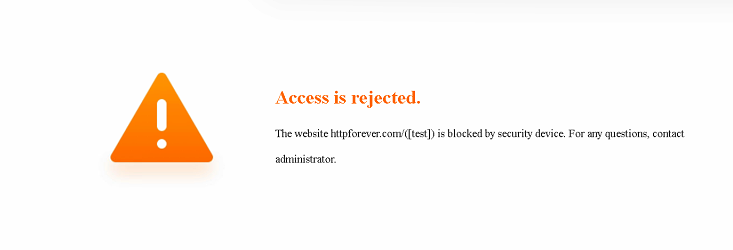
【NSF】Block page redirection configuration guide.
Description
This article demostrate the configuration for the block page redirection when user access the restricted website.
Error/Warning Logs
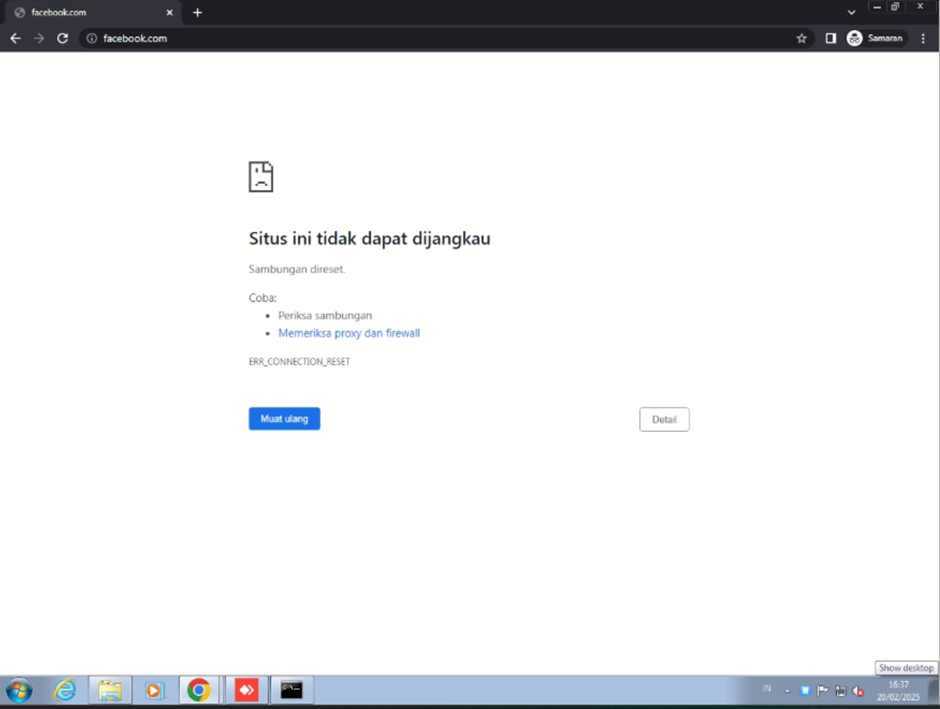
Requirement
- NSF version 8.0.95
- Installed KB_AF_support_urlfilter_https_redir_8095 and SP_AF_OS_Spree_03_8095.
Configuration
-
Configure Block QUIC policy
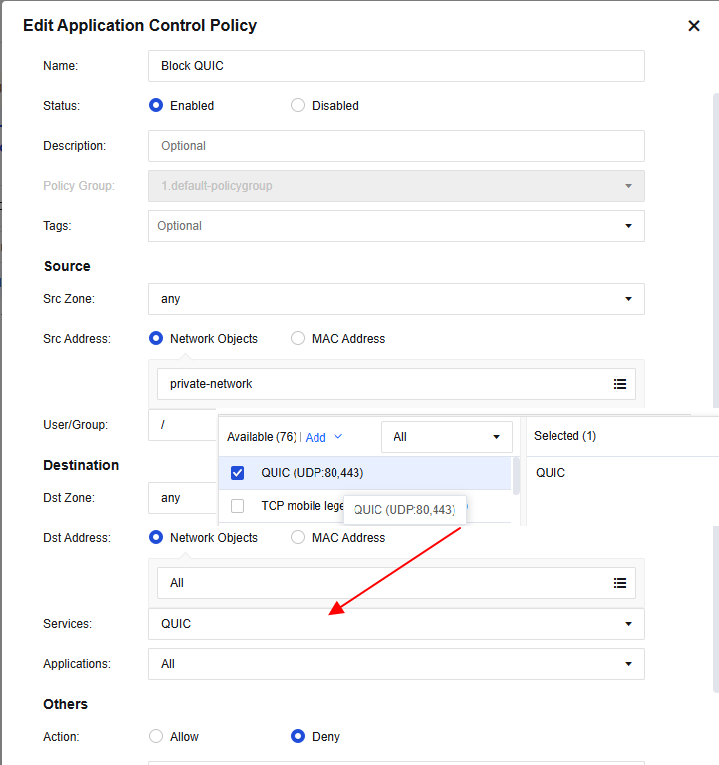
-
Configure Block DoH and Cloudflare
https://kb.sangforsupport.com/support-center/nsf/knowledge-base-nsf/nsf-unable-access-legit-websites-due-to-cloudflare-ech-com-blocking/ -
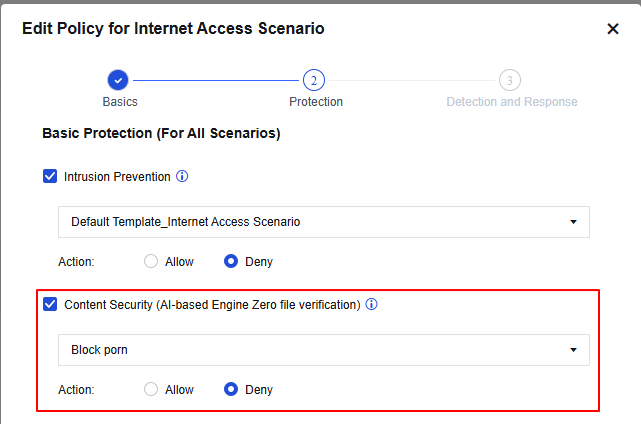
Configure the content security template and implment it on network security policy.
Content security template
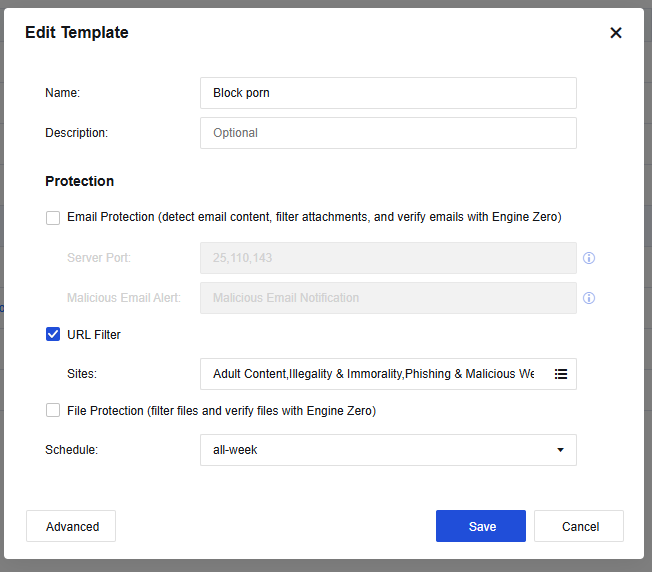
Network security policy
-
Configure the Decryption policy
The decryption consume device resource. We suggest to evaluate if device able to support to configure full decryption and matching the daily traffic flow handling, instead may specific the several category of the website to reduce the resource usage.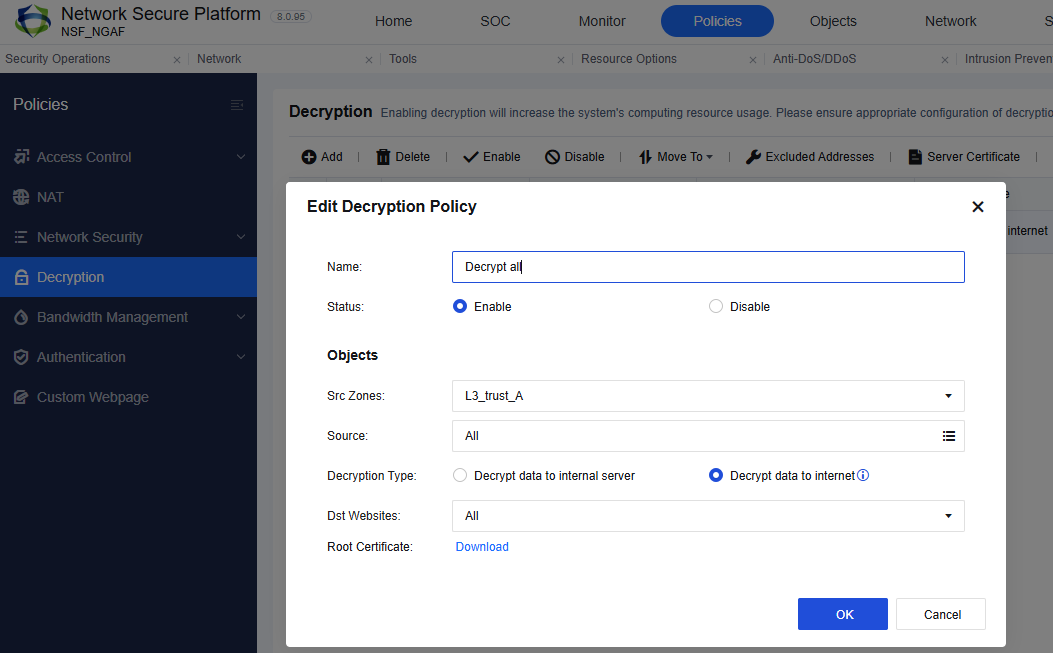
-
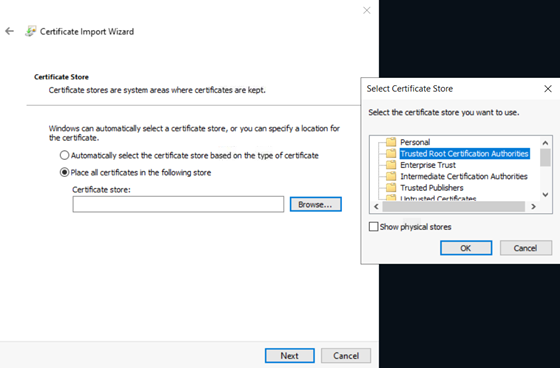
Install the SSL cert under trusted root certificate authorities on PC
-
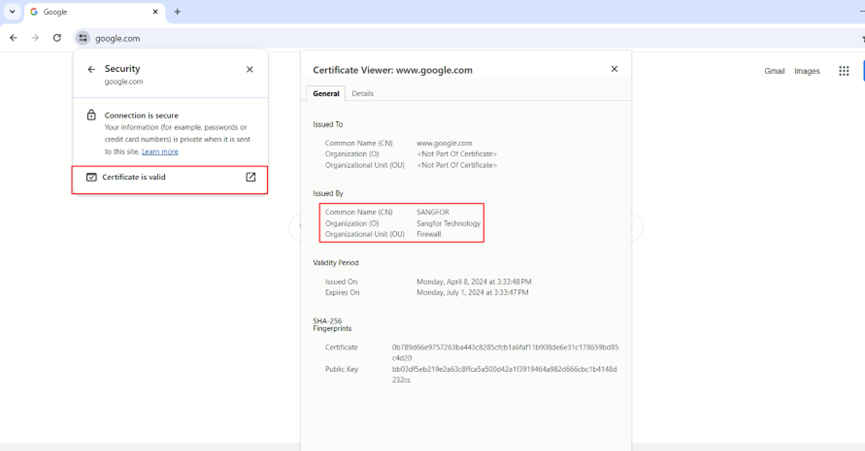
Ensure the website able be decrypted.
When the website is decrypted by NSF you may observe the SSL cert CN is SANGFOR.
-
Require ensure the webpage is blocked by content security.
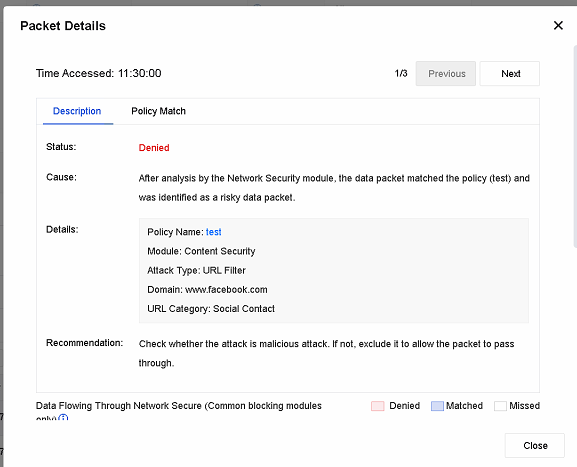
Output