
[NSF] Configure SSL VPN Full Tunneling
Requirement
To route SSL VPN user Internet access traffic via VPN gateway.
- When the NSF configured as corporate ofiice or Data center perimeter firewall, the SSL VPN users connected to NSF will access internet through the same NSF.
- Customer does not want VPN users to access internet in split-tunnel mode. For internet access audit purposes and to apply specific security filters and content based filtering, internet traffic must route via the VPN gateway.
Configuration Steps
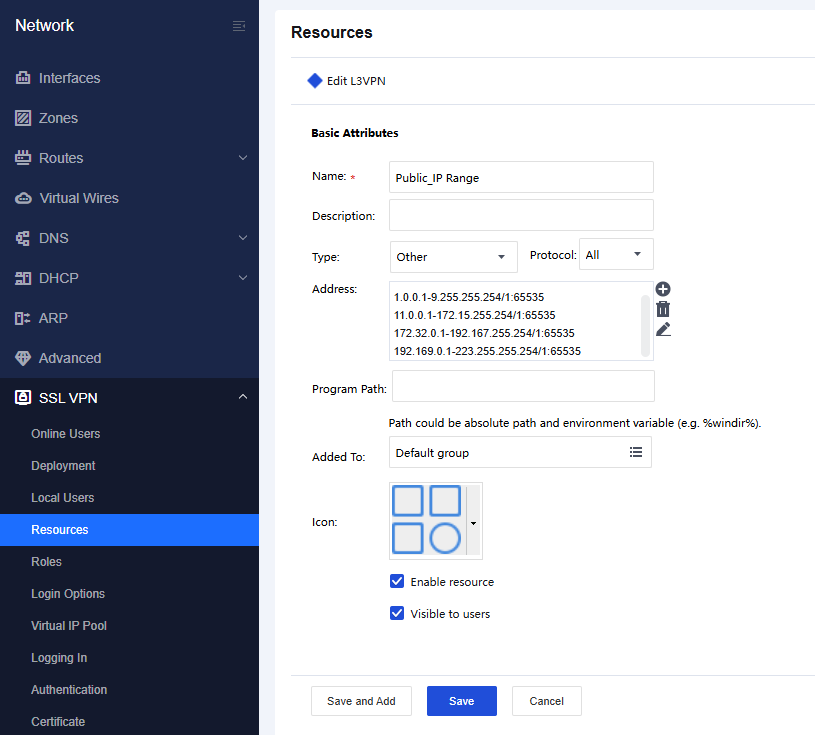
01. Configure Resource with Public IP range.
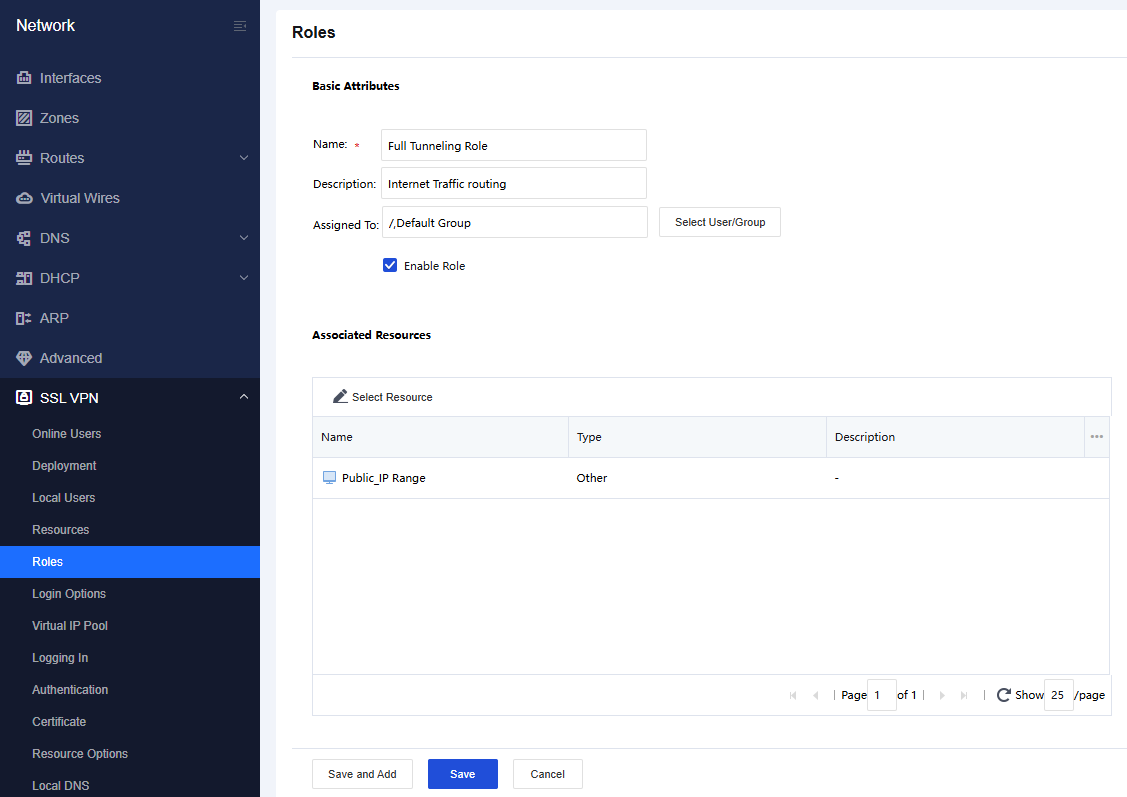
02. Map the Public IP resource with the users who need to route internet traffic via VPN gateway.
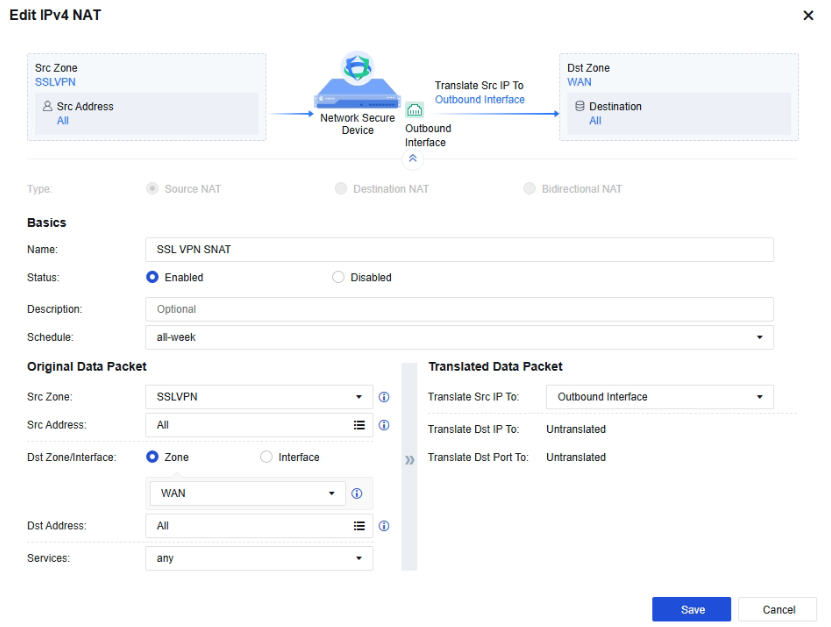
03. Create Source NAT to translate SSL VPN to WAN.
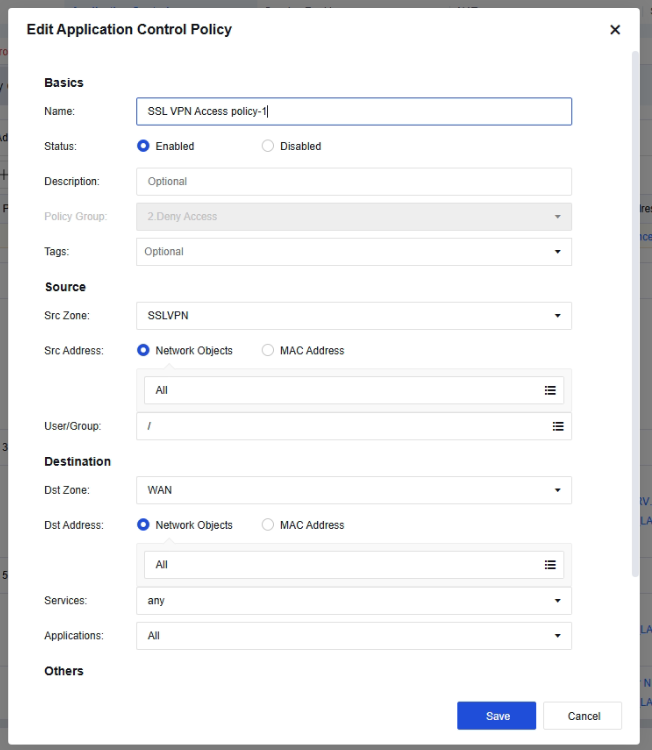
04. Create Application Control Policy to forward SSL VPN traffic towards WAN zone.
Testing
After the configuraiton is completed, Assigned user can connect to the SSL VPN and once checked the Public IP, should be reflect the Public IP of the same ISP link terminated at the VPN Gateway environment.