
【NGAF】Remove Certificate Warning Using Self-Signed Certificate Configuration Guide_V8.0.47
What is Certificate Warning
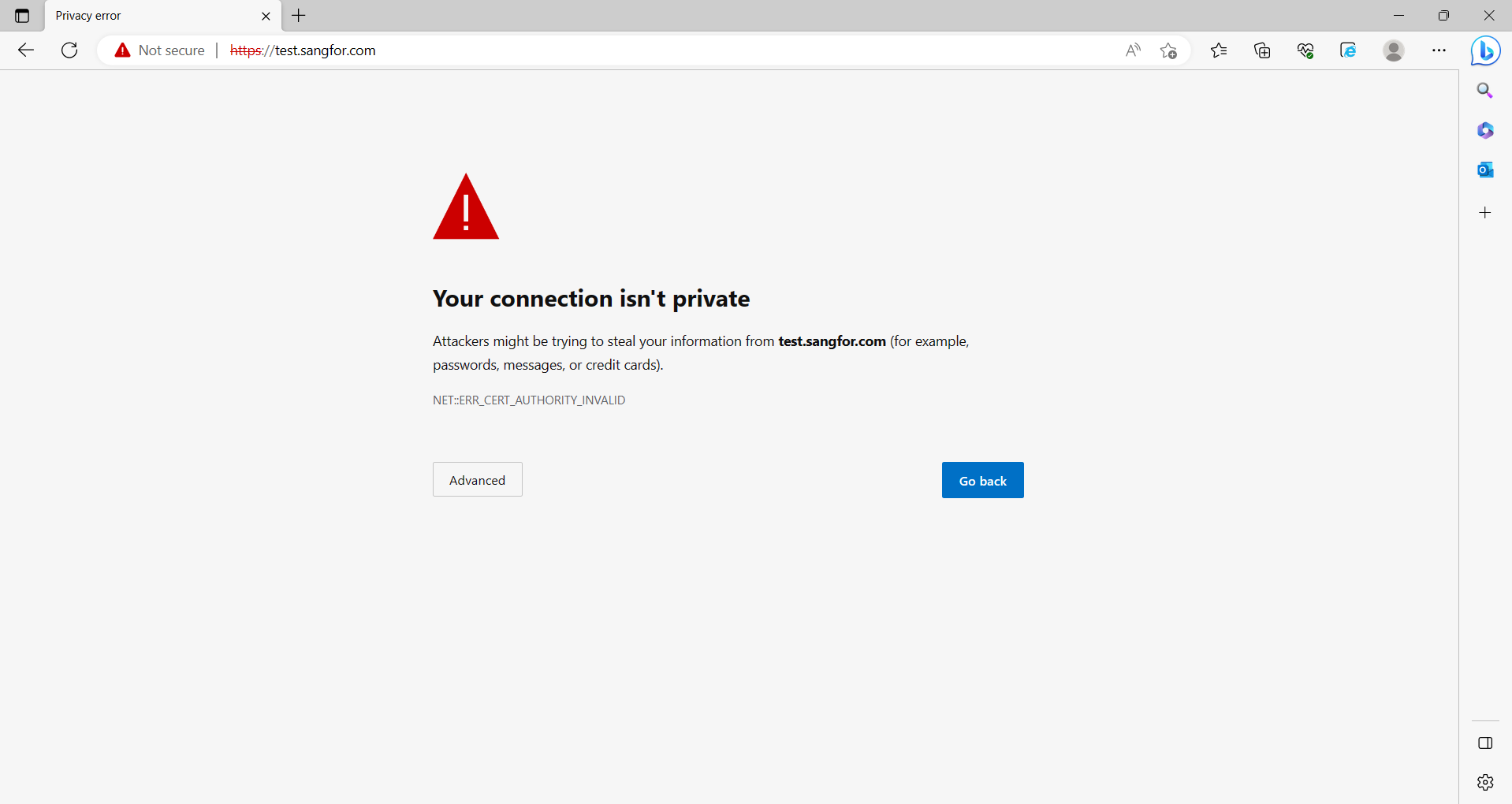
Accessing the device login page uses the HTTPS protocol. However, when the browser cannot verify the server’s certificate, the endpoint will think the connection to this server is insecure. Therefore, the warning box will pop up.
You may remove the certificate warning by updating the device certificate.
Principle of Certificate
The warning box is a security measure taken by Microsoft for security purposes. If you ignore these prompts, you can still visit the website.
After installing Windows, over 100 certificates will be built into the system. These certificates are the root certificates of world-renowned companies, enterprises, or institutions. When we visit certain websites encrypted by the certificates issued by these certificate authorities, the error message will not appear. This is because the root certificates in this machine’s trusted root certificate authority are equivalent to those issued by the root certificate authority.
For example, the certificate issuing authority is the Ministry of Public Security, and each person’s ID card is equivalent to their unique certificate. In many circumstances, to prove your identity, you must show your ID card because it contains some of our basic information sufficient to verify your identity. It is similar to the browser checking whether a specific certificate is legal because we all know that the authoritative department of the Ministry of Public Security issues the ID card. The ID card issued by this department must be real and valid, so it is natural to think you are who you are.
Similarly, over 100 trusted root certificate authorities pre-installed in this machine are equivalent to the Ministry of Public Security. When the browser detects a new certificate, it returns to see whether the certificate issuer is the trusted authority. If yes, it will trust the certificate; If not, it will prompt the certificate warning, informing you that the certificate detected by the browser is not a trusted root certificate.
In summary, to remove the certificate warning box during login, the following two conditions must be met:
-
The device proves its certificate, meaning it issues a certificate to itself.
-
The local browser trusts the issuing authority of the device certificate, and the Trusted Root Certificate authority in the client’s browser has a root certificate that issues the device certificate.
Remove the Certificate Alert
There are two ways to remove the certificate warning box:
-
Use a self-signed certificate.
-
Import the certificate purchased from a trusted authority.
Note:
This document only describes removing the warning through a self-signed Certificate.
The principle of the self-built CA removing the certificate alarm box is manually importing the device’s self-signed certificate into the browser’s trusted root certificate authority.
-
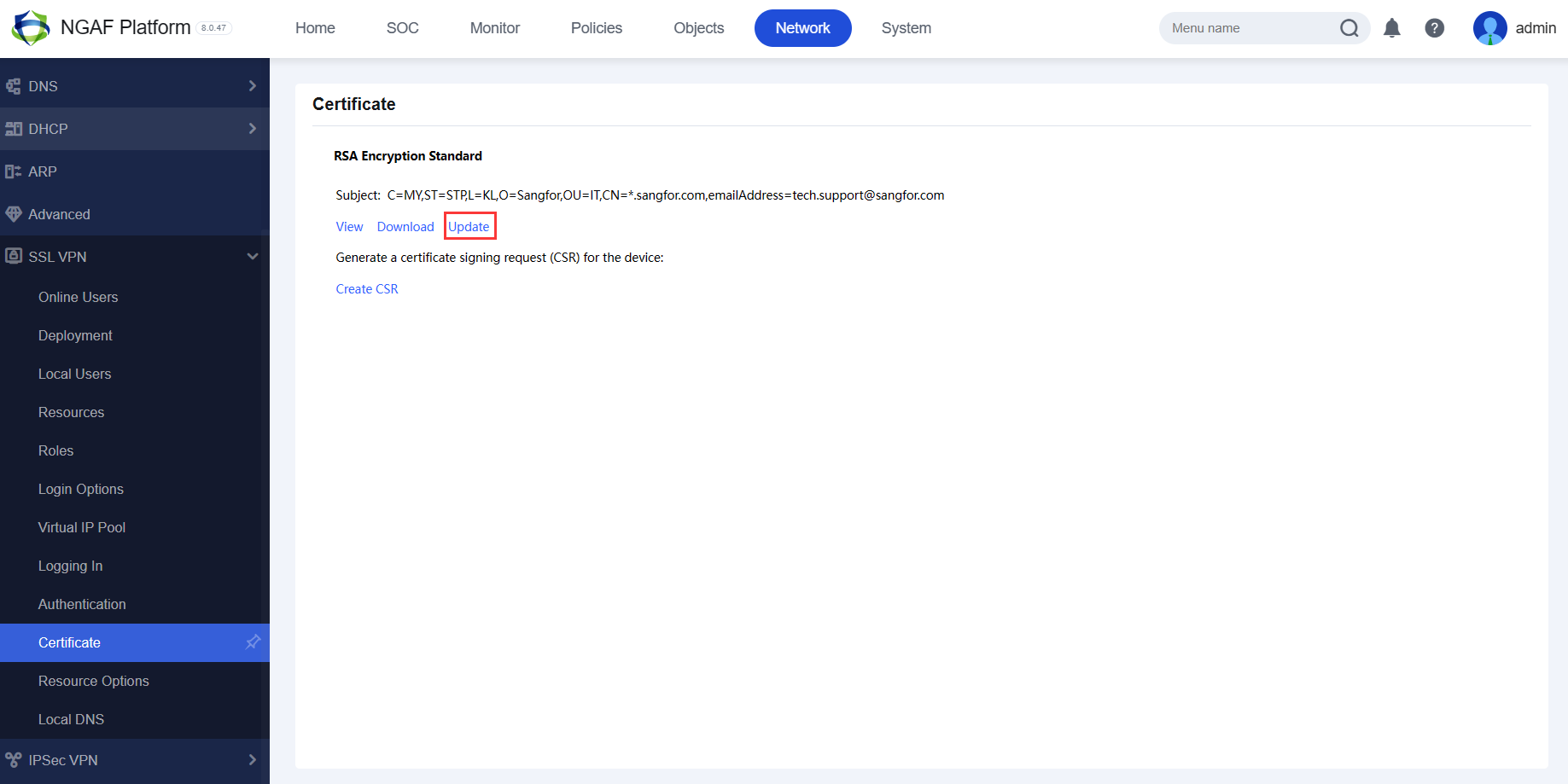
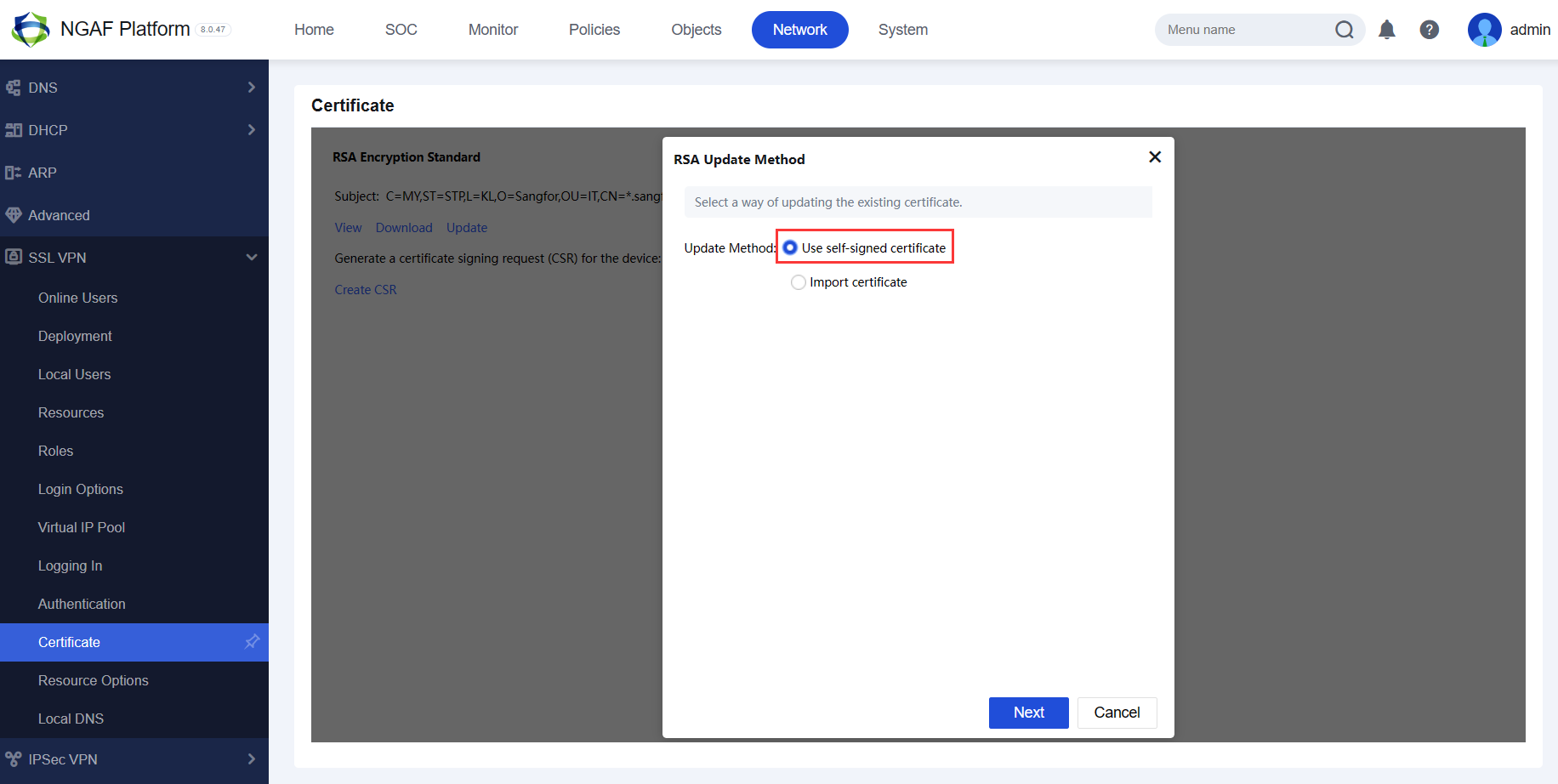
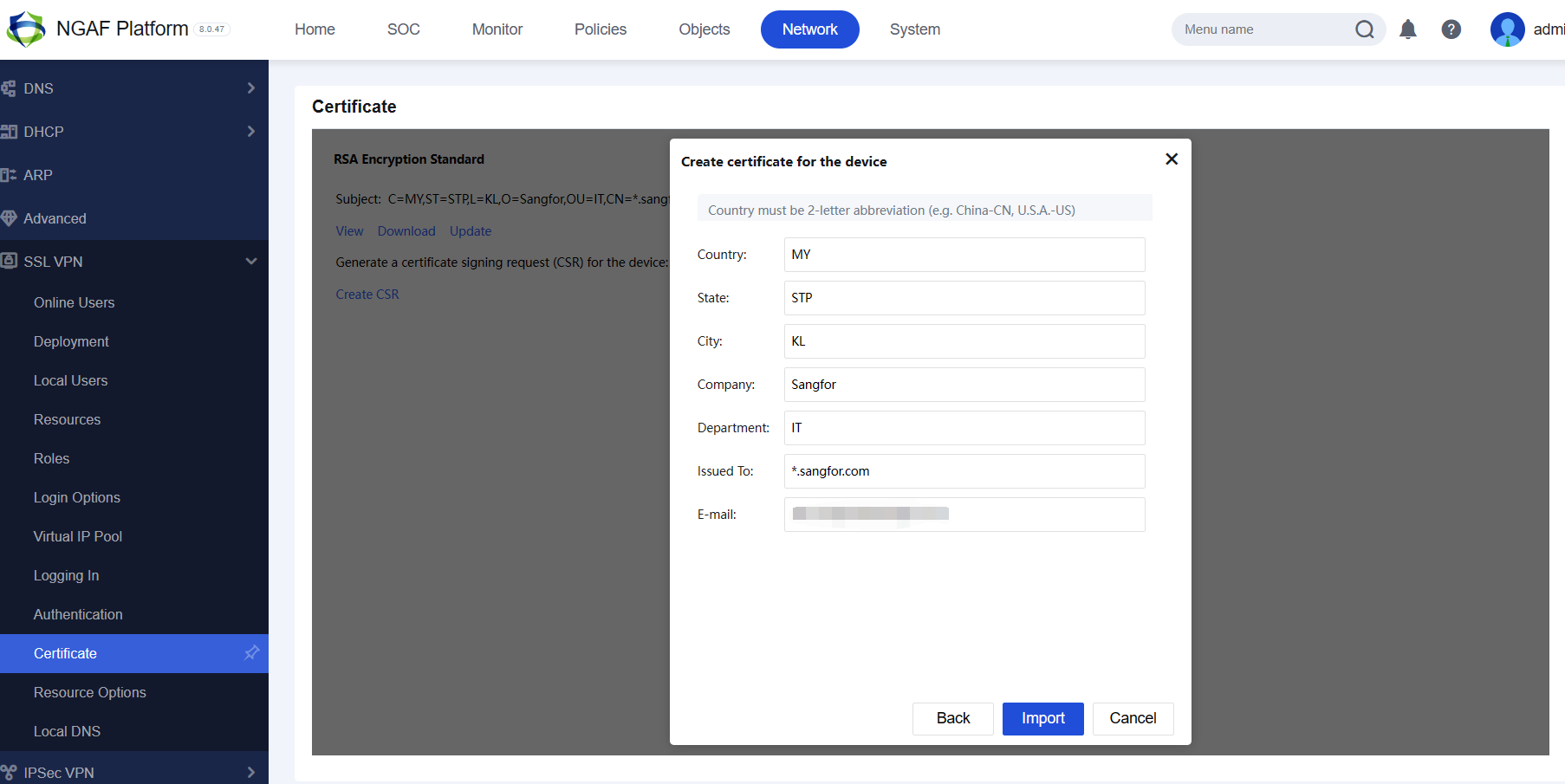
On the NGAF device, go to Network > SSLVPN > Certificate, then choose the Update > Use self-signed certificate and configure as shown below:
-
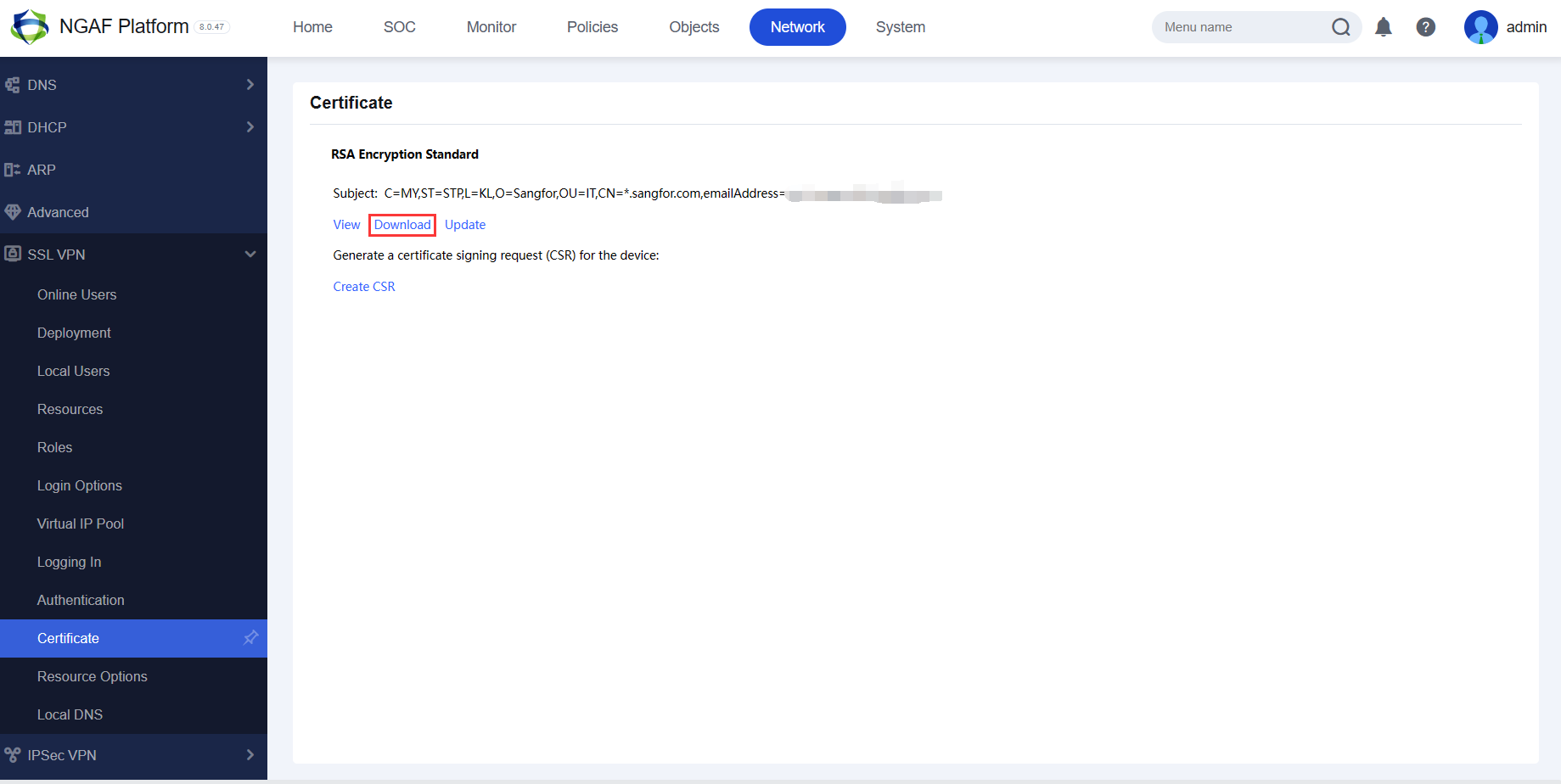
After updating the self-sign certificate, click the Download button to download the certificate:
-
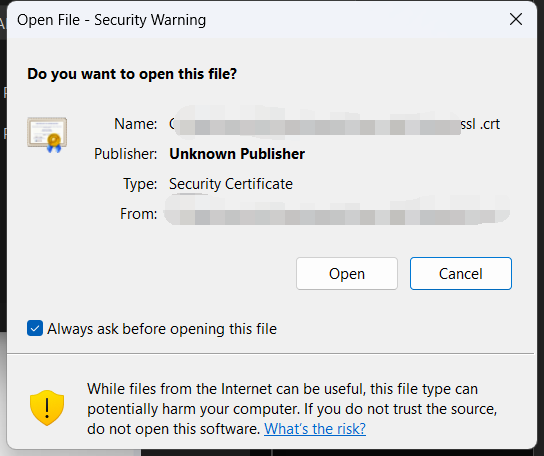
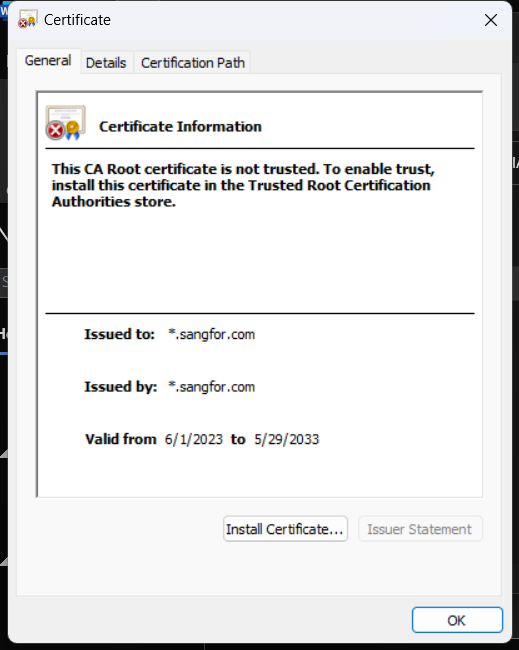
Double-click the certificate and click Open to install the certificate:
-
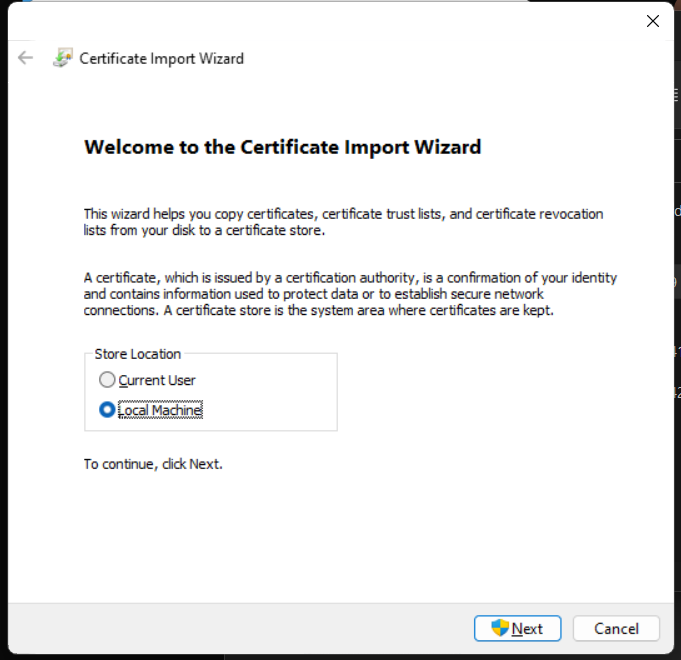
Select Local Machine for Store Location.
-
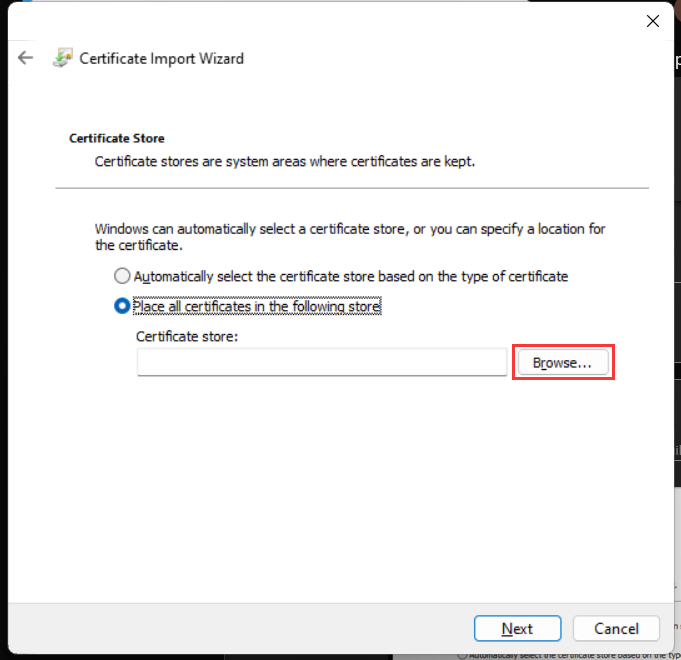
Select Place all certificates in the following store and click Browse.
-
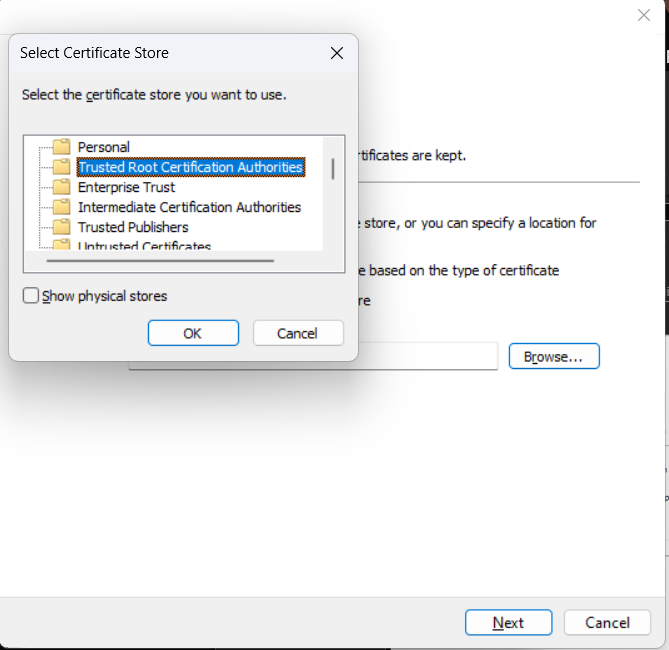
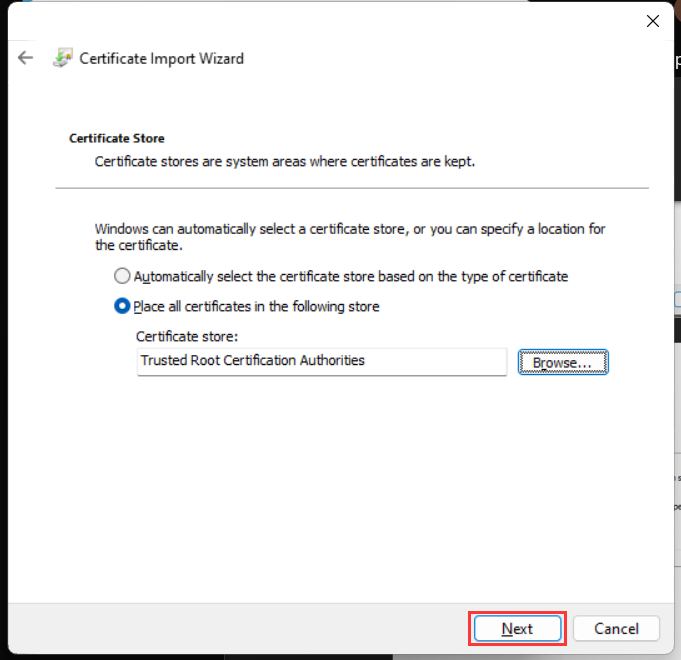
Select Trusted Root Certification Authorities and click Next.
-
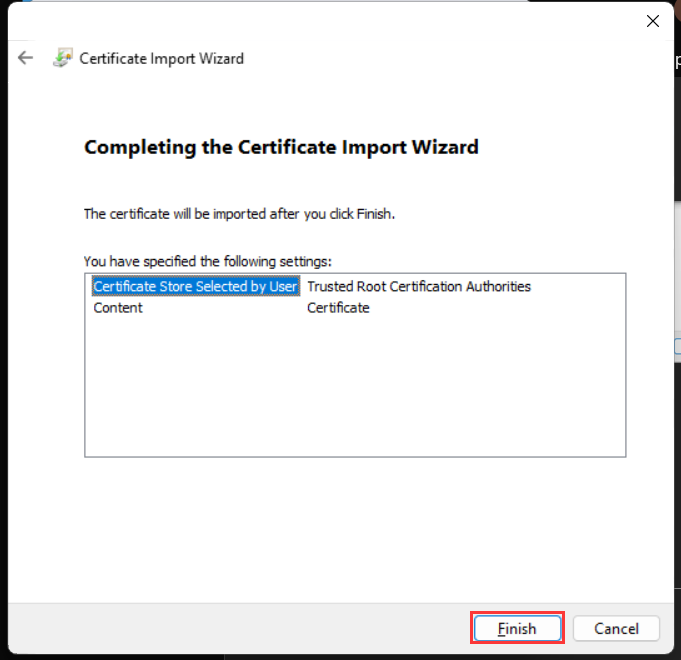
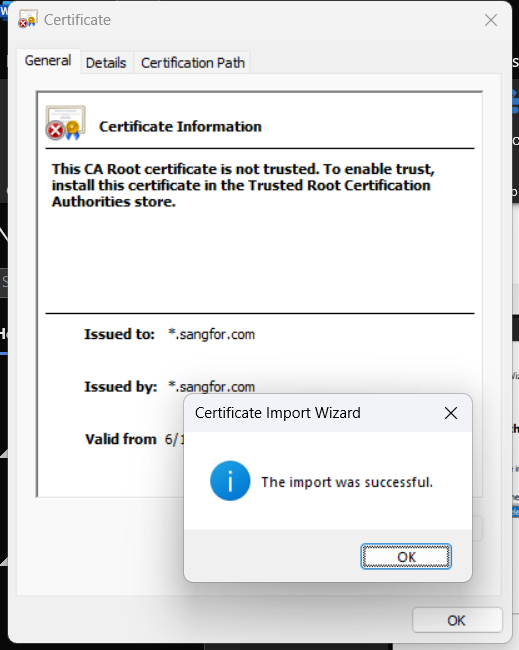
The certificate has been successfully imported.
-
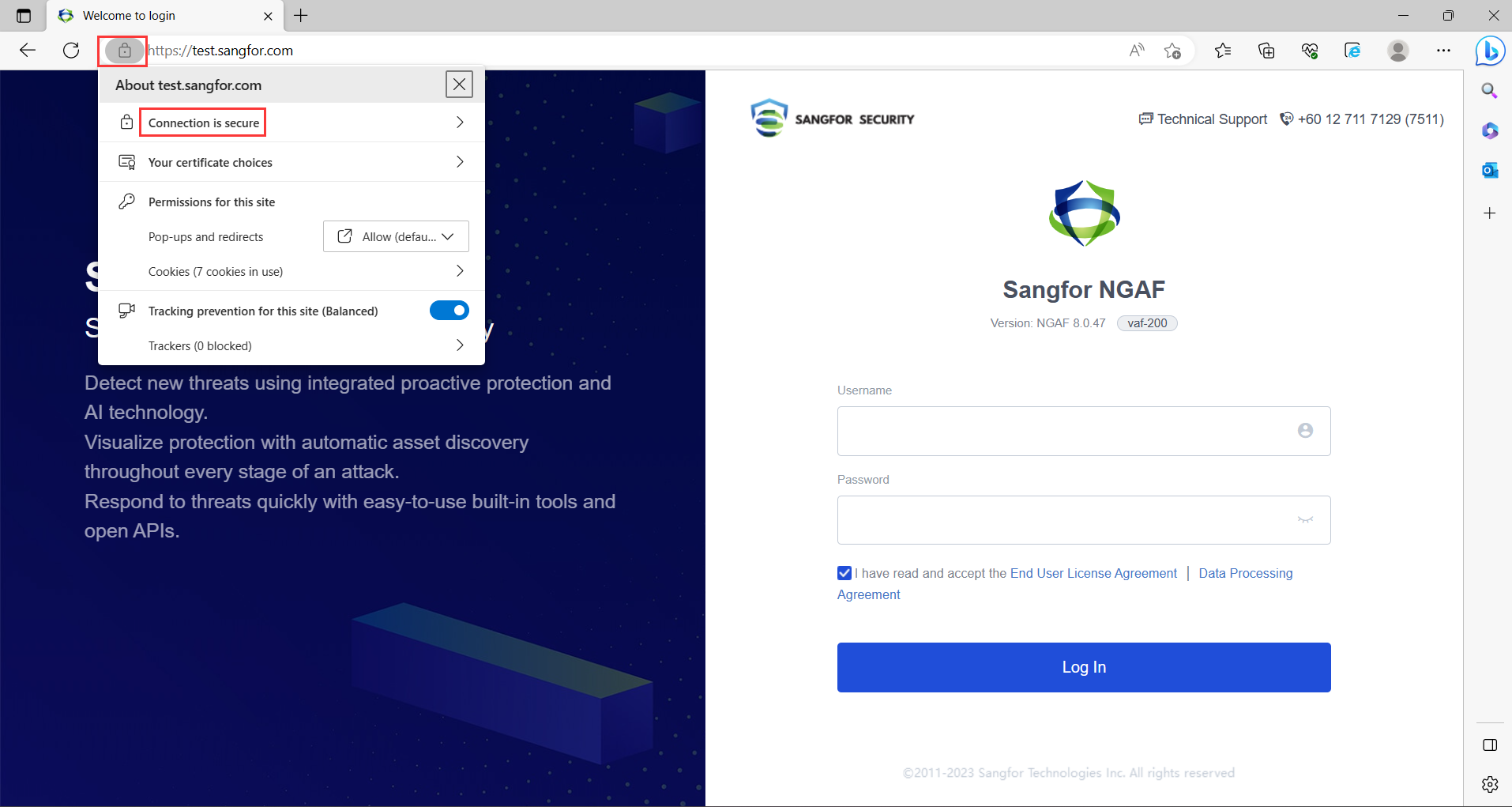
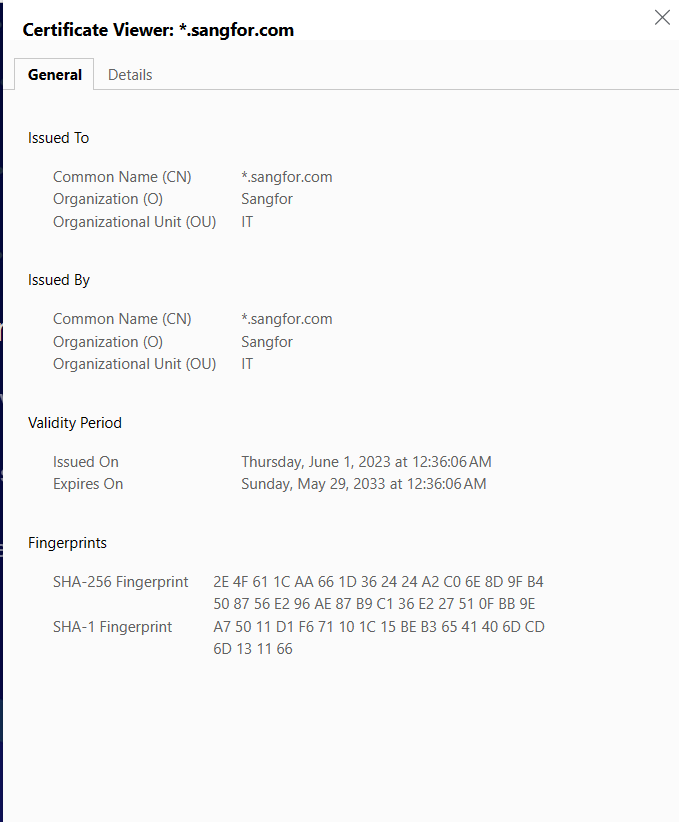
After installing the certificate, try access to the web console using its domain name. Now you can see that the Connection is secure.
Precautions
-
In the HA deployment scenario, you only need to update the device certificate on the active device. The active device will synchronize the configuration to the standby device.
-
Updating the device certificate requires restarting the SSL VPN service, which will disconnect the online users.
-
Back up the configuration before updating the certificate is recommended to ensure no other abnormalities occur after updating the device’s certificate.