
[AF] 8.0.85 Access to XDR prompt: Linkage bus failed to access because aksk is unavailable
Problem Description
Local 8.0.85 access xdr prompt: Linkage bus access failed because aksk is unavailable
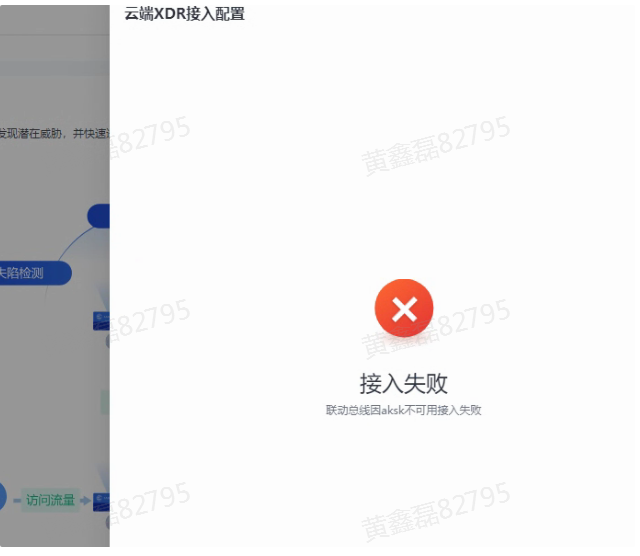
Effective troubleshooting steps
- Test whether Network connectivity is normal. You can directly click the connectivity test on the 85 start interface. If the interface test is unstable, you can test it again with wget in the background.
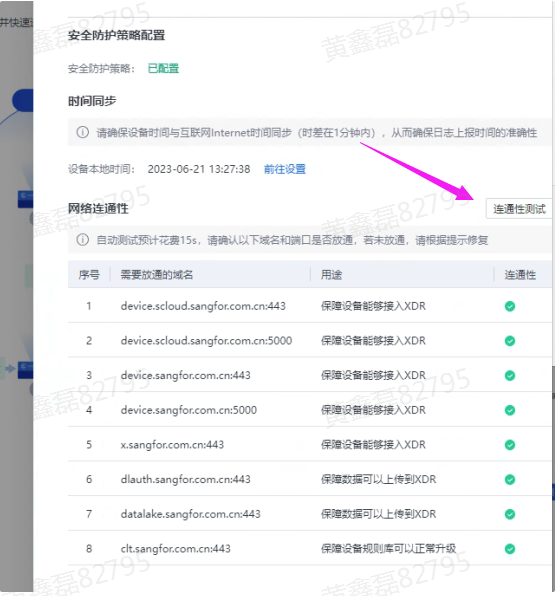
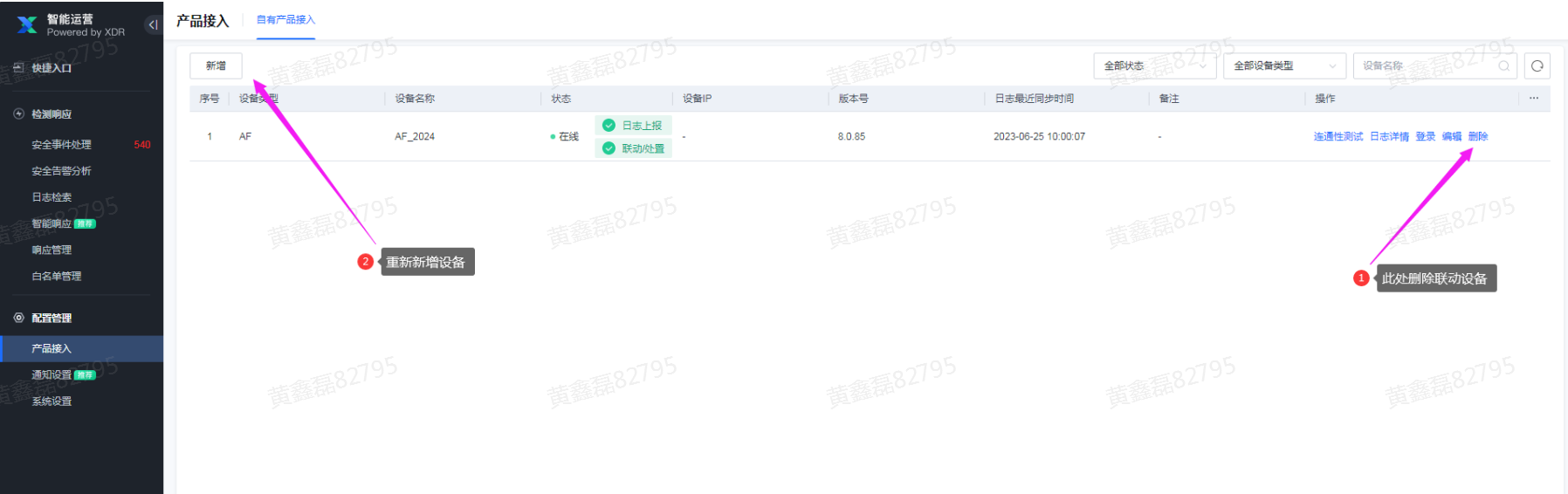
- Network is normal. This error is generally caused by expired Authentication Info. For example, a Local device was added to xdr a long time ago, and the Authentication Info expired, resulting in an error. At this time, try to delete the device management firewall on xdr and add it again to work normally.
Root cause
Access failure caused by Authentication Info
solution
Delete the device on xdr and add it again.
Suggestions and Conclusion
Local xdr log view:
New structure: /sfdata/log/slog_client/log/
Old architecture: /fwlog/slog/log/
Original Link
https://support.sangfor.com.cn/cases/list?product_id=13&type=1&category_id=23118&isOpen=true