
[AF] Access Logs only records the rejection Logs but not the permission Logs
Problem Description
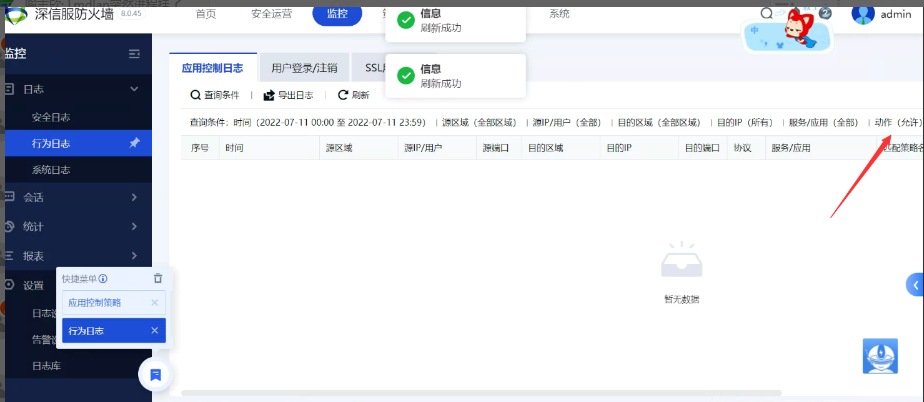
AF8.0.45 application control Policies Logs retrieval can only see the log of the rejection Policies, and cannot view the log of the allowed action
Effective troubleshooting steps
- The troubleshooting Policies and there is no abnormality in the configuration.
- The background is matched normally through debugging and analysis Policies

Start debugging ps: Background debugging is a High operation. Please confirm the device CPU and traffic status before operation. Remember to turn off debugging after the operation.
echo 1 >/proc/open_debug
echo "debugon -Session Initiation Protocol source IP -dip destination IP" > /dev/sinfor/fw/firewall
Turn off debugging:
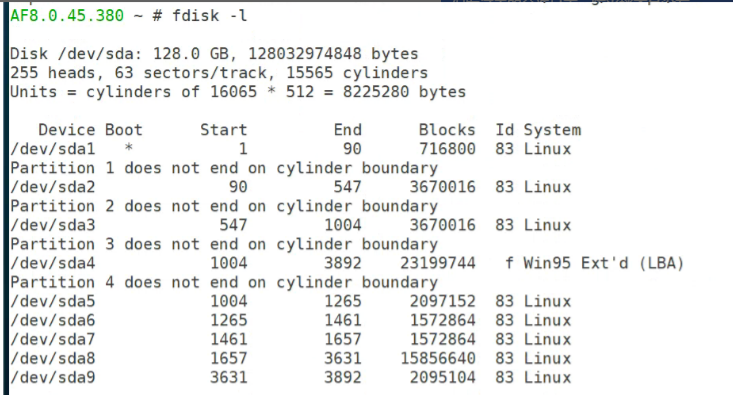
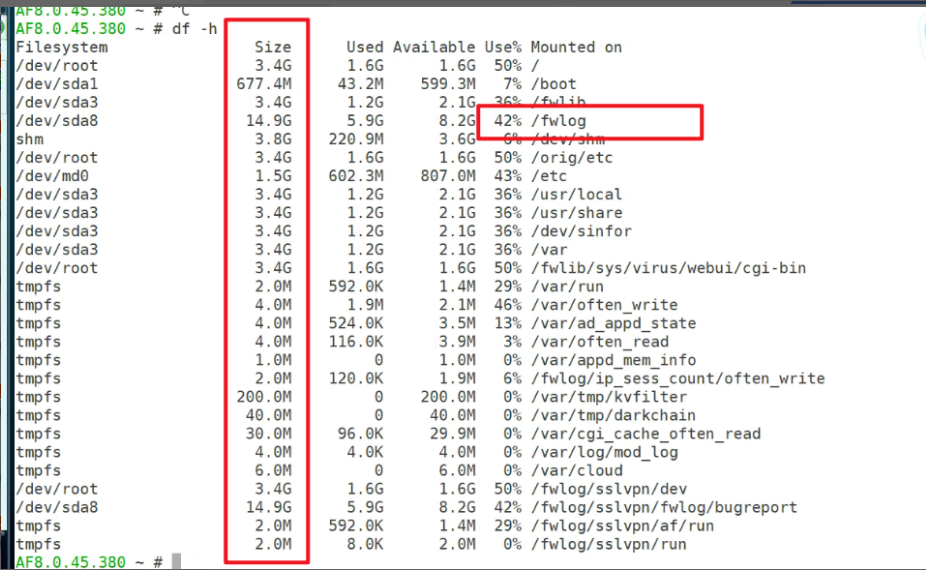
echo 0 >/proc/open_debug - Run fdisk -l in the background to check that the disk is SSD and the fwlog partition is 15G. Locate the cause of the problem. The device judgment condition is that the disk/fwlog partition space is greater than 25G (25*1024*1024) to record the application control Policies permission log.
Root cause
The AF device judgment condition is that the disk/fwlog partition space is greater than 25G (25*1024*1024) to record the application control Policies permission Logs, and less than or equal to 25G to record only the rejection Logs
solution
Communicate with customers to explain the principles of the equipment judgment mechanism
Original Link
https://support.sangfor.com.cn/cases/list?product_id=13&type=1&category_id=2125&isOpen=true