
[AF] Active trapping Policies does not work
Problem Description
After configuring the active trapping Policies, access to the forged trapping port is blocked
Effective troubleshooting steps
- Check active trapping configuration
To trap the external network, you can use the real business IP and a common port other than the business port.
Traps the intranet, uses other Network Segment the same network segment as the server, treats them as fake IPs, and uses business ports as ports

-
Use telnet to test on the intranet and the extranet, access the fake address and port respectively, and the access fails.
-
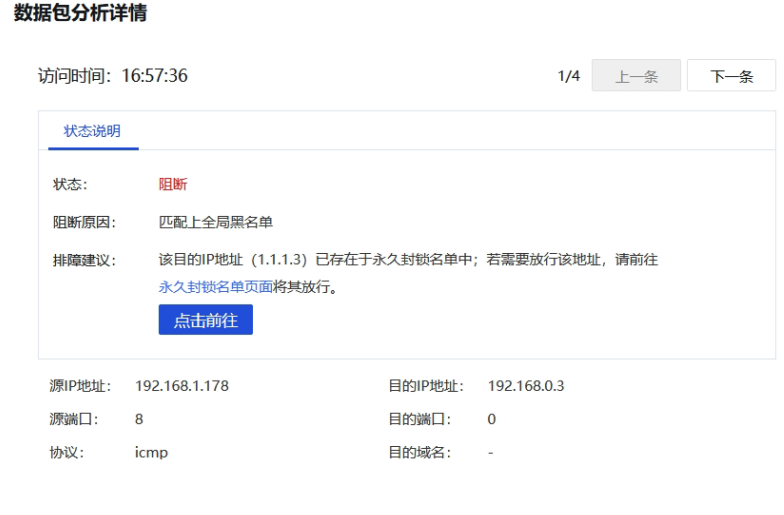
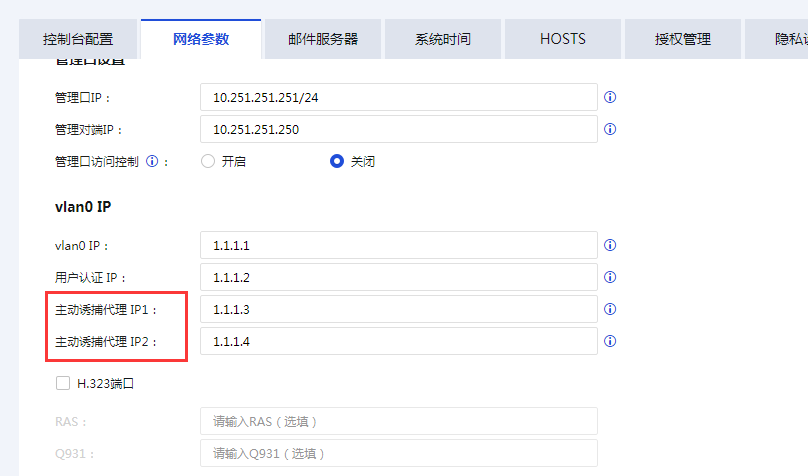
Start the direct test and find that Local actively traps the proxy IP Address 1.1.1.3 and adds it to the Blacklist
ps: The default proxy addresses of the Local are 1.1.1.3 and 1.1.1.4, which are used in different deployment scenarios
-
After disabling the address from the Blacklist, the port can be accessed normally and the trapping Policies takes effect.
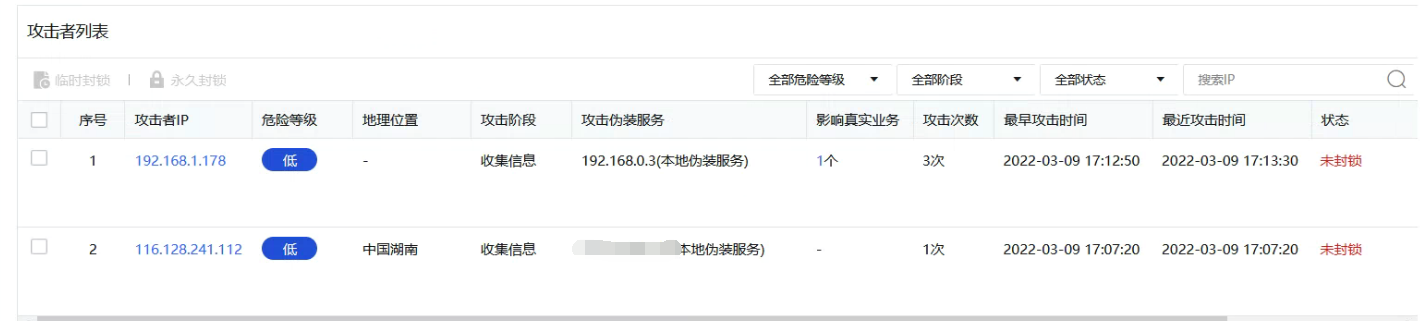
Check the log in the trap overview and find the address and region of the attack
ps: The Logs phenomenon has a delay, and the test port will not appear immediately
Root cause
Local has two active trapping proxy addresses:
IP1: Used for Layer 3 forwarding to access fake services in routing mode Services
IP2: Used for Layer 2 forwarding to access fake services in transparent mode Services
PS: If you change the proxy address, you cannot use the 127.0.0.0 Network Segment and other addresses that are already in use.
solution
Check whether Sensitive Local decoy proxy address in the blacklist. If so, you can disable it.
Original Link
https://support.sangfor.com.cn/cases/list?product_id=13&type=1&category_id=1504&isOpen=true