
[AF] AF and AC failed to establish a standard IPSEC VPN due to multiple lines
Problem Description
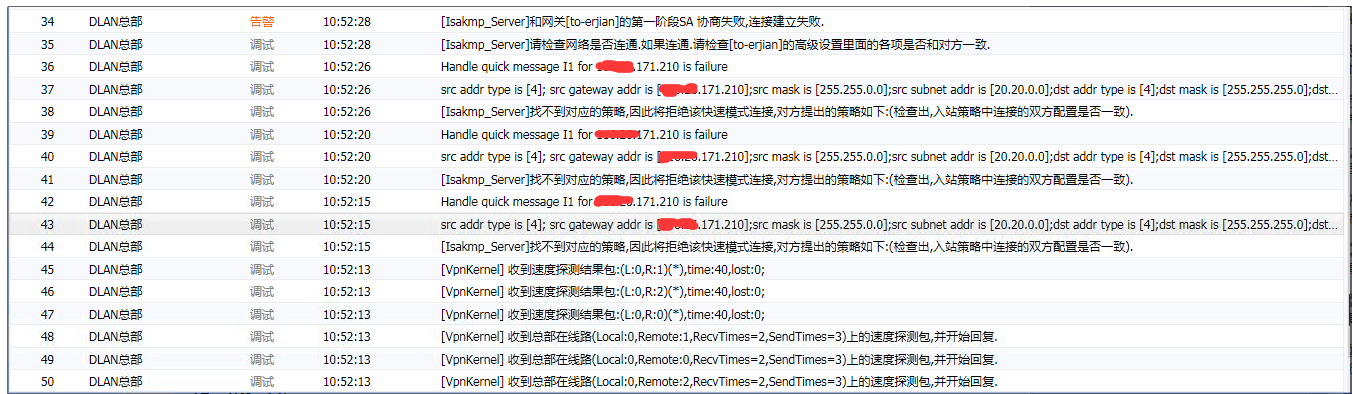
AF and AC connection failed, System fault log prompts
418015b56c44b165e5.png (285.21 KB)
Process——
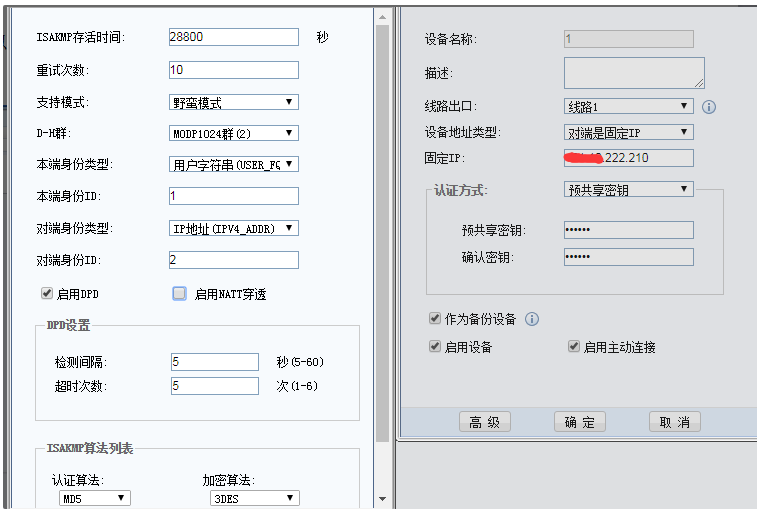
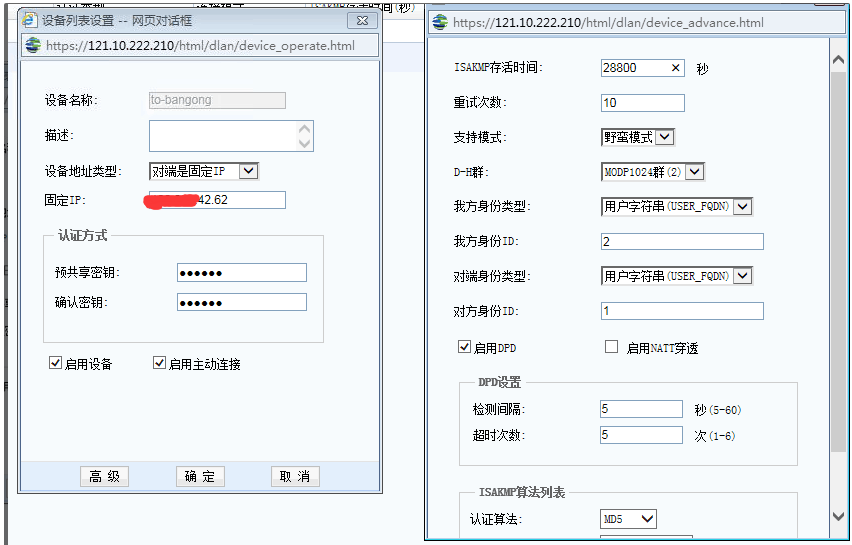
- Check the first and second stage configurations of AF and AC
- AF configuration
397085b56c47b8b8dc.png (32.76 KB)
[attach]210588[/attach]
2) AC configuration

751215b56c4a50ff81.png (27.86 KB)
646015b56c4dadea6a.png (67.57 KB)
[attach]210591[/attach]
2. Check the System
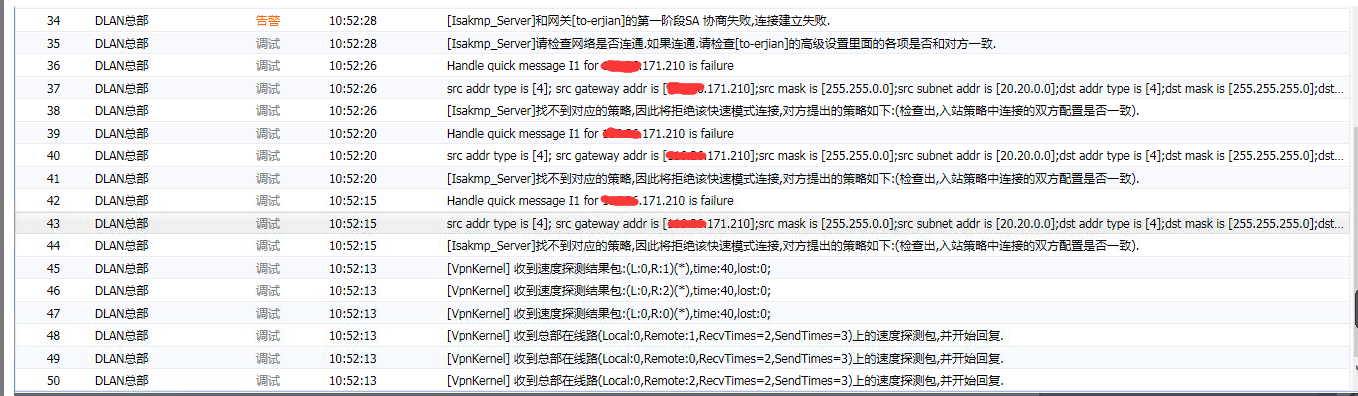
- AF System fault log
567545b56c528c3e66.png (285.89 KB) - AC System fault log
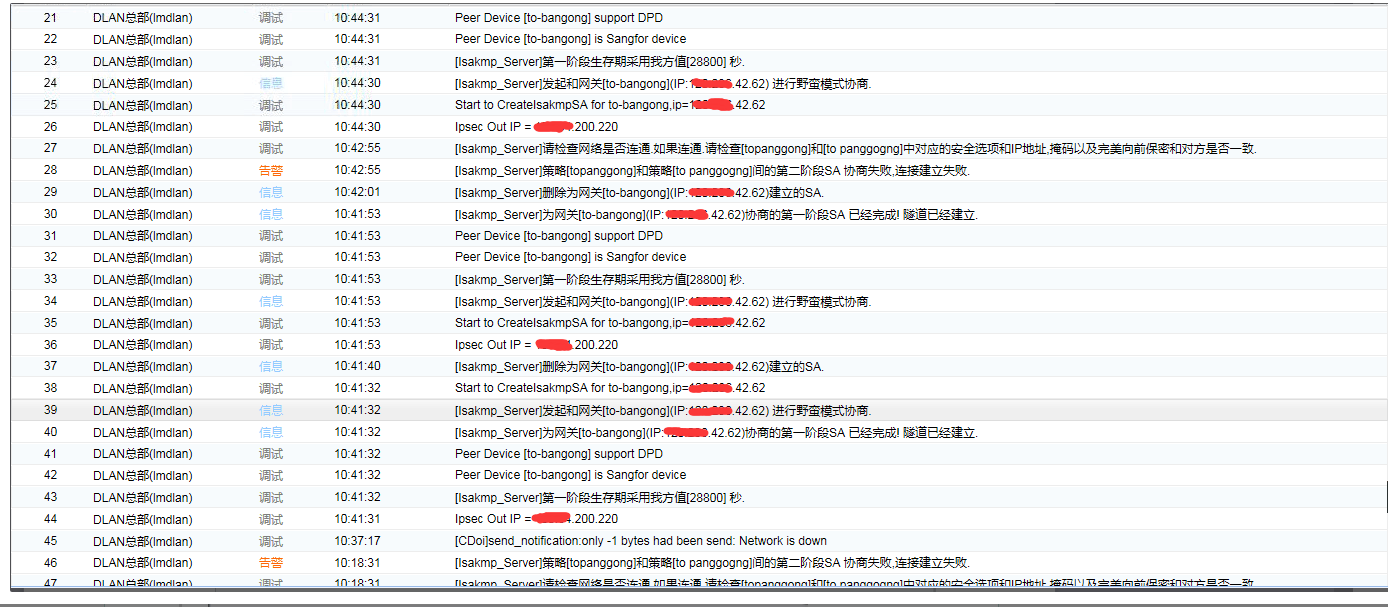
364065b56c59c67f76.png (199.54 KB)
Check the AF System fault log and find that the address from the other end is not the IP configured in the first stage. It is suspected that the AC has multiple outlets and matches other lines, resulting in a connection failure.
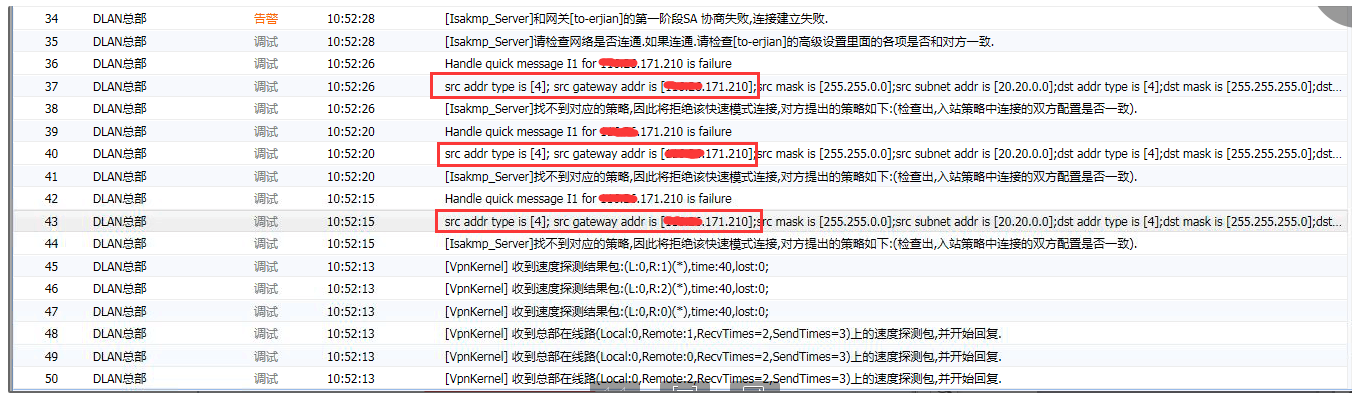
607645b56c5e636fc0.png (284.3 KB)
- Check the AC Deployment
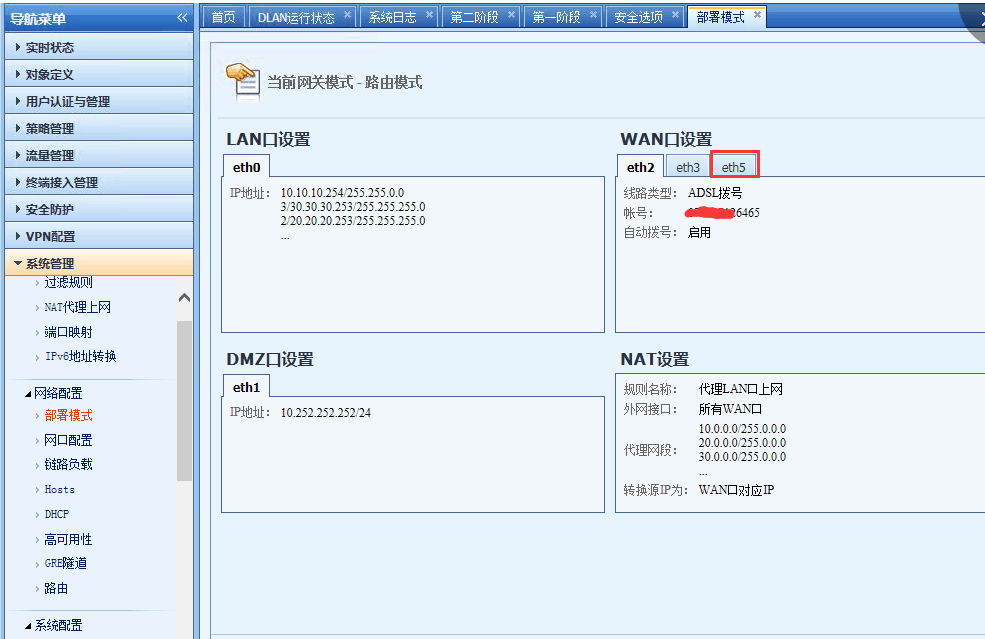
220365b56c6040c316.png (101.75 KB)
Root cause
The AC device has multiple outlets, and the public network IP connected to the AF is not line 1, so the negotiation fails.
solution
- Adjust the third-party connection to the corresponding line.

924045b56c63063134.png (27.23 KB)
Suggestions and Conclusion
- When Sensitive multiple external network lines, you need to pay attention to VPN line selection
Original Link
https://support.sangfor.com.cn/cases/list?product_id=13&type=1&category_id=97&isOpen=true