
[AF] AF exported reports from 1 month ago with some missing data
Problem Description
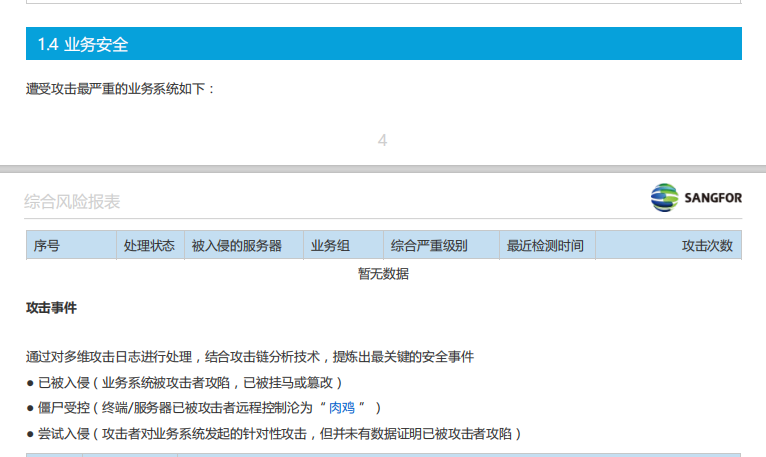
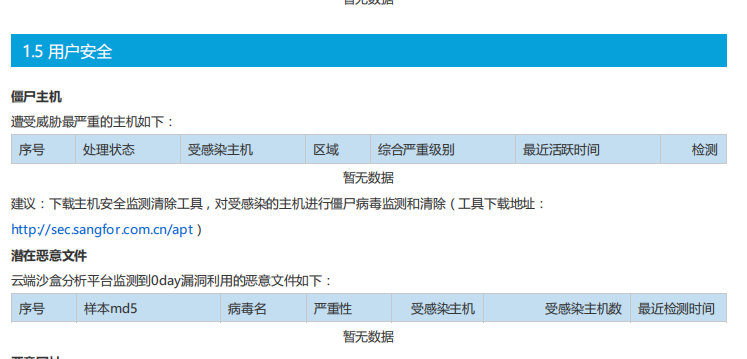
When I log in to the NGAF manager export Report from one month ago, I find that the data for Business Asset Security, User Security, business risk details analysis, and user risk details analysis are empty;
Effective troubleshooting steps
- On October 13, I logged into AF and exported the comprehensive risk reports for July, August, and September. I found that the Report for Business Asset Security, User Security, business risk details analysis, and user risk details analysis in the July and August reports were empty, but the September Report was normal.
-
Enter the Monitor center to query the Logs and find Security Logs from July and August;
-
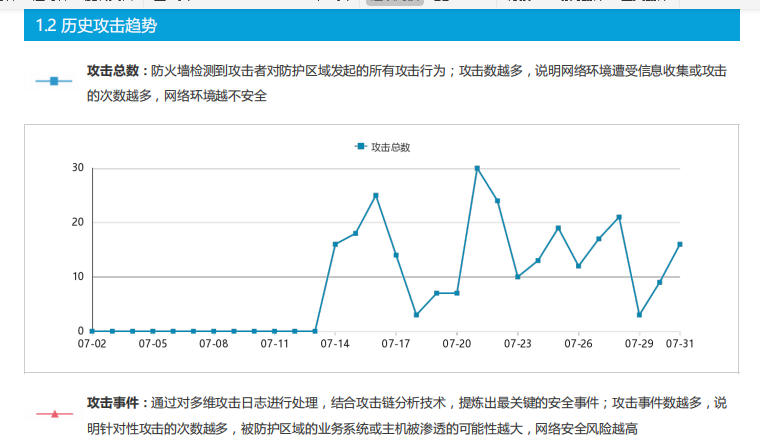
Analyze the reports for July and August to find historical attack trends and vulnerability security data;
Root cause
Report AF comprehensive risk report can only display the Business Asset Security, User Security, business risk detail analysis, and user risk detail analysis data for the past 30 days. Data older than 30 days will be automatically cleared to prevent excessive data from affecting the device.
solution
Manually export Report in a timely manner, or configure Report Subscription to automatically generate monthly Report;
Original Link
https://support.sangfor.com.cn/cases/list?product_id=13&type=1&category_id=1339&isOpen=true