
[AF] AF linkage sase-edr sends a check prompt linkage scan failure
Problem Description
AF linked sase-edr, edr has been displayed as normal online, but User Security position sends a linkage check and kill prompt to the risk user, and the linkage scan fails
Warning Info
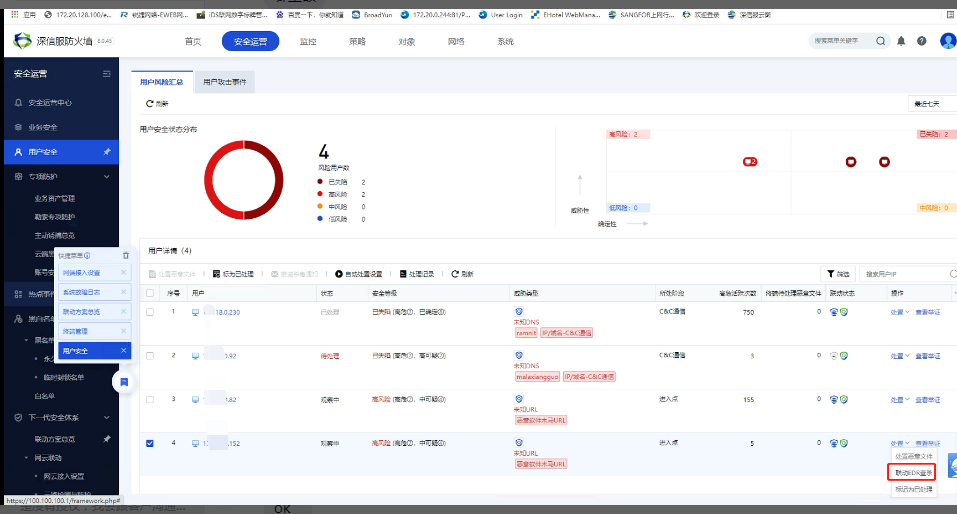
Scanning Processing Chart.png (146.03 KB)
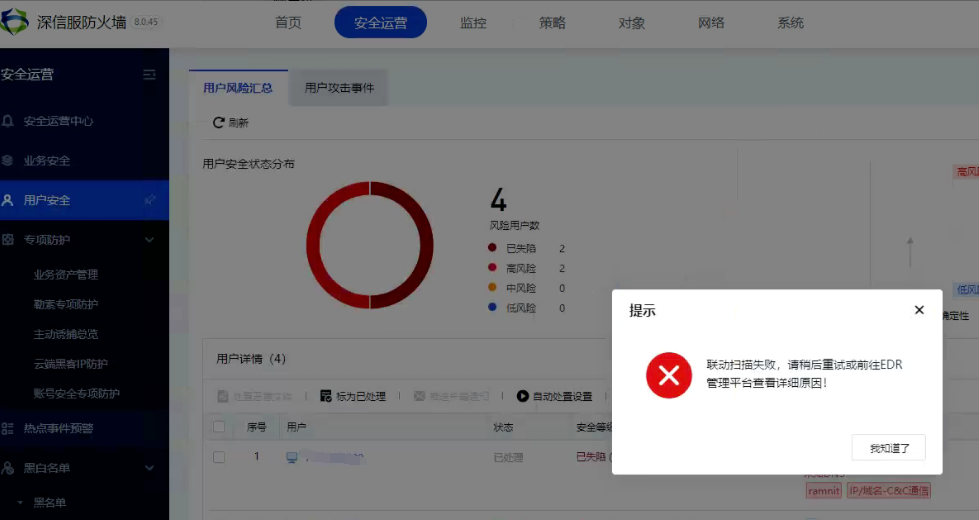
Scan failed image.png (160.06 KB)
Effective troubleshooting steps
- Check that AF has been connected to sase-edr normally, and the corresponding client is displayed online on the central end.
- Manually sending scanning tasks to the corresponding terminals on the sase-edr center is normal
- Press F12 on the browser to debug the error page, which prompts token: 1043. Confirm with R&D that it is because EDR has no authorization.
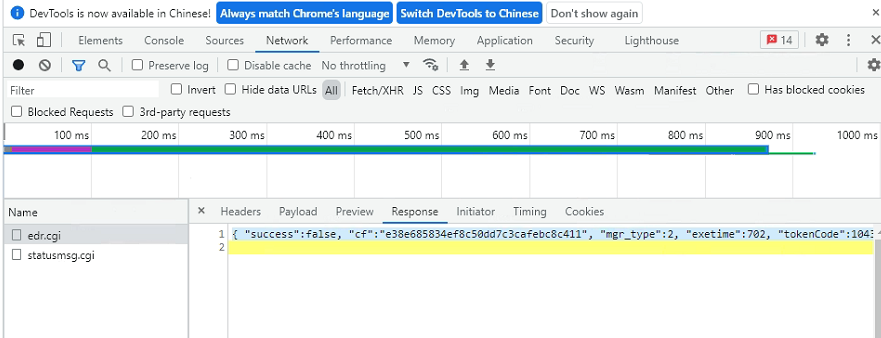
F12图.png (110.55 KB)

f12 debug Info (10.87 KB) - Check the EDR center authorization. The PC version is authorized with the basic version, which does not support the Endpoint Protection function.
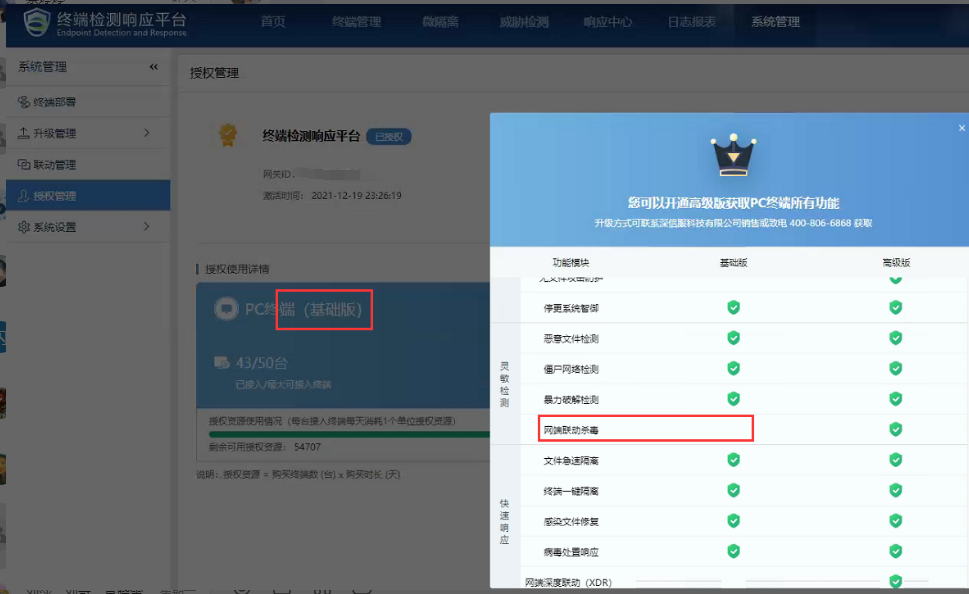
Authorization image.png (197.53 KB)
Root cause
The EDR terminal does not have Endpoint Protection authorization
solution
The EDR center PC needs to activate the advanced version license
Original Link
https://support.sangfor.com.cn/cases/list?product_id=13&type=1&category_id=1451&isOpen=true