
[AF] AF tamper-proof log and tamper-proof client are inconsistent
Problem Description
The AF anti-tampering Logs and the anti-tampering client display are inconsistent.
Effective troubleshooting steps
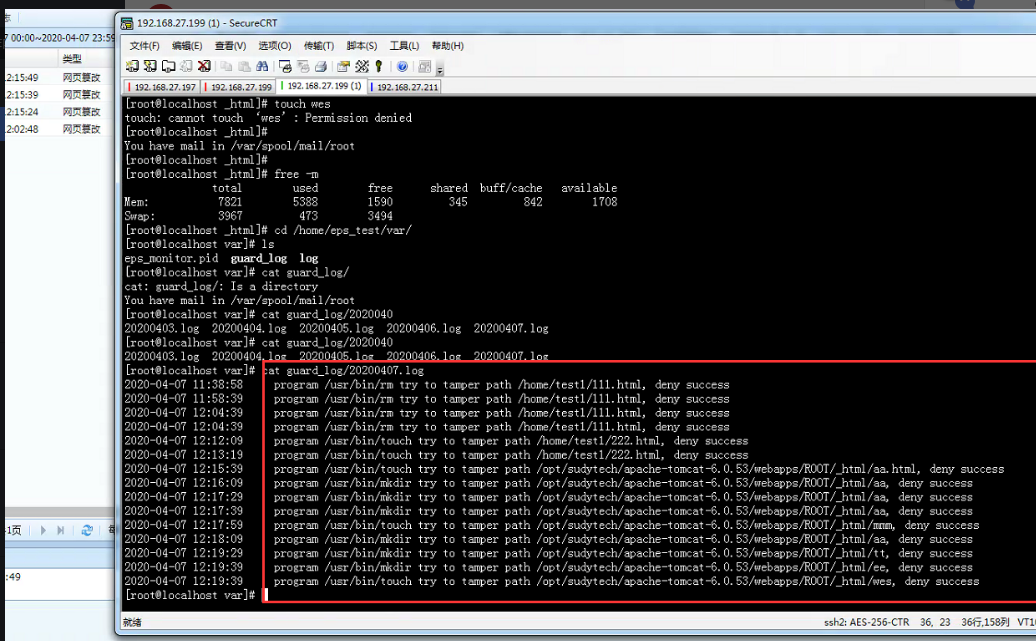
- Create a file in the protection directory and view the anti-tampering log for the Logs:
Client.png (359.25 KB)

The Linux anti-tampering client log Logging Location in /var/guard_log/ under the corresponding installation directory;
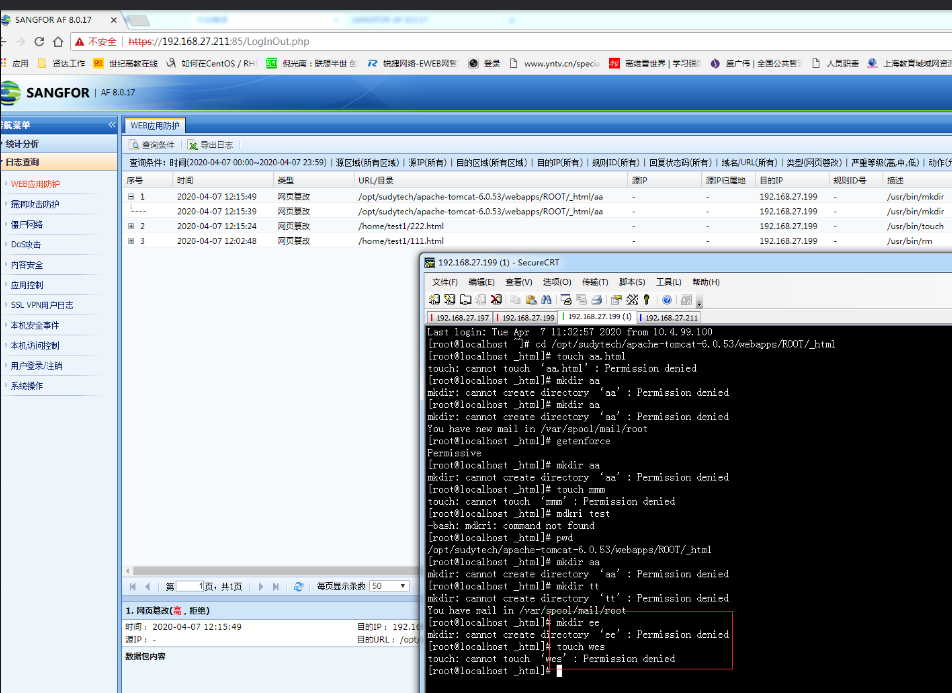
2. Check the AF anti-tampering Logs and find that the logs displayed on both sides are different, and some Logs are not transmitted:
Log.png (190.48 KB)
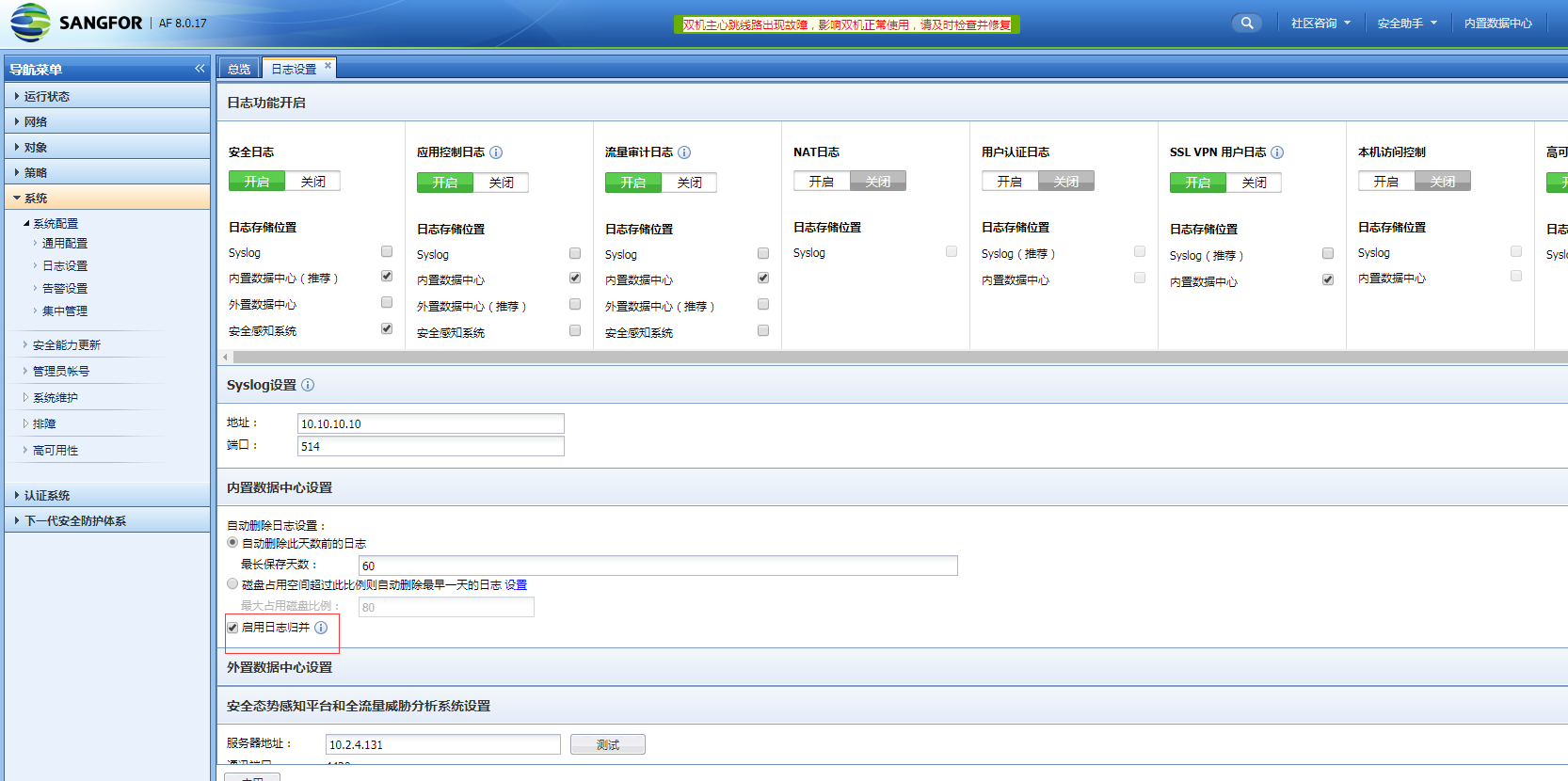
3. According to Logs, we can see that the customer has enabled Logs merging. If Logs merging is disabled, the Logs transmission is normal:
Log merging.png (105.69 KB)
Root cause
The principle of Logs merging is to match the Policies name + original destination IP + original destination port within the time window. If these are consistent, multiple logs will be merged into one log or two Logs within a time window.
solution
Disable Logs merging or directly view the logs of the tamper-proof client.
Original Link
https://support.sangfor.com.cn/cases/list?product_id=13&type=1&category_id=867&isOpen=true