
[AF] AF was discovered by Session Initiation Protocol to be attacking the intranet server: Threat intelligence warning caused
Problem Description
The intranet Anheng Session Initiation Protocol device discovered that AF was attacking the intranet server. 172.16.10.59 is the AF interface IP. The customer needs to check the cause.
Warning Info
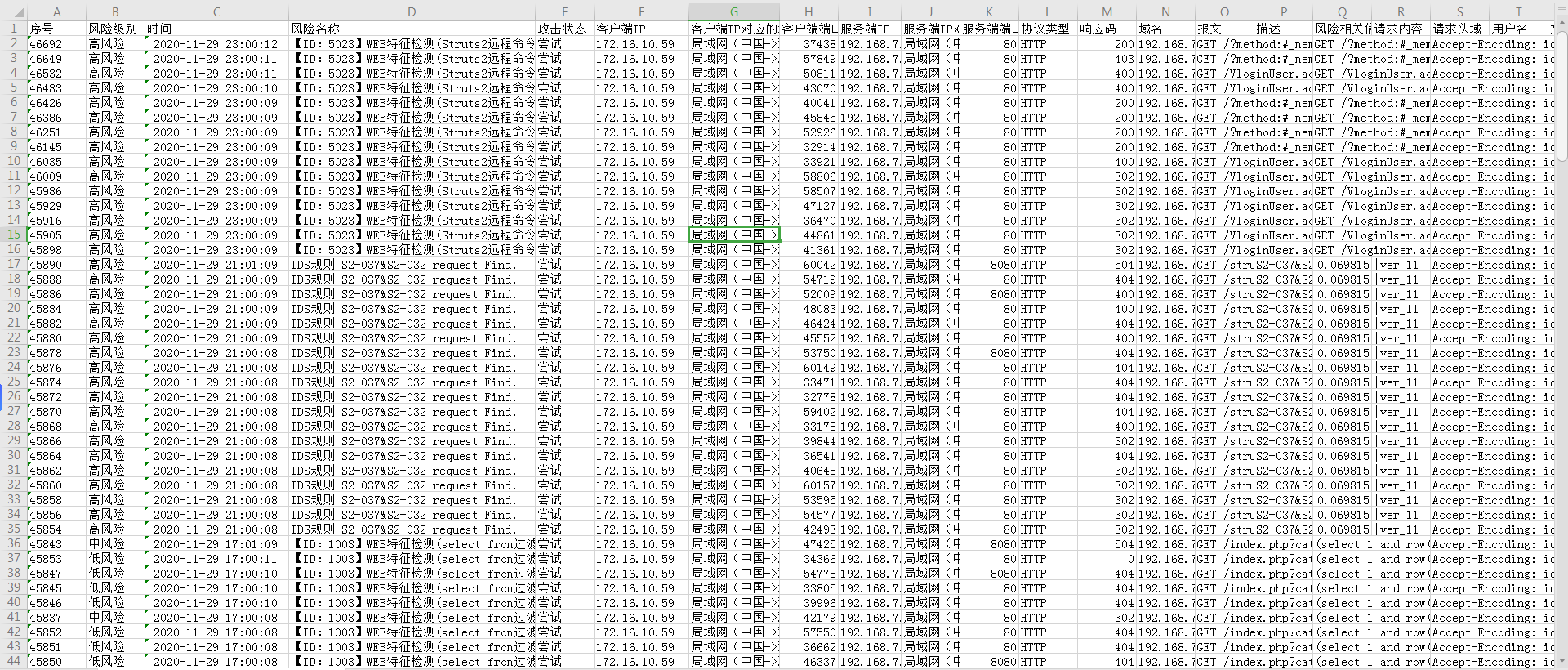
Effective troubleshooting steps
- Understand the Network topology. AF is accessed Layer 2 mode. 172.16.10.59 is the IP Address of the Management Interface of AF. No corresponding NAT mapping is done on AF.
- Check the corresponding logs, which are attack tests on the vulnerability. It is inferred that it is caused by [Threat Intelligence Warning]. There are no automatic scan records available for query on the interface.
- Check the result file directory of automatic scanning;
ls /fwlog/log/sec_event/result/ -lsh,
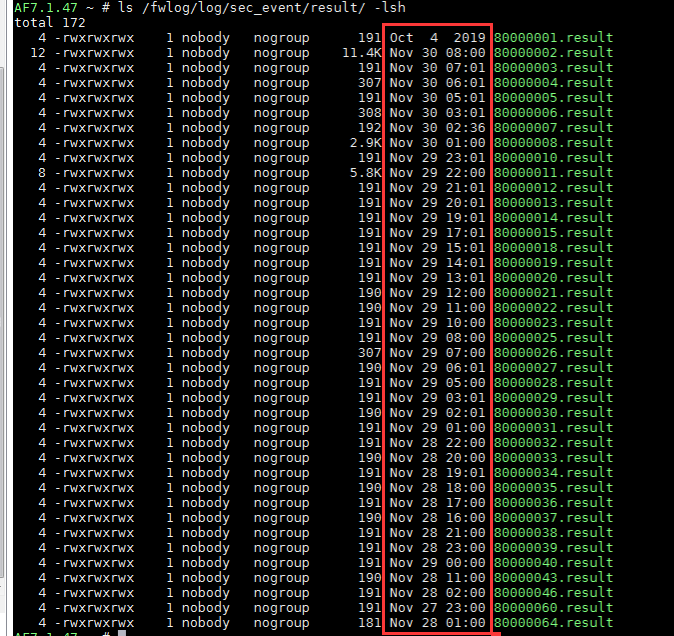
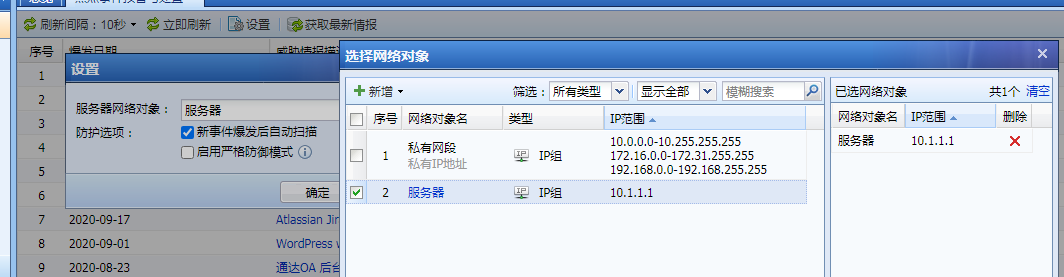
By comparing the time of the result file, it was determined that it was a [Threat Intelligence Warning] scan, not an Scheduled Active Scan caused by the AF attack. - If you do not want to scan Network, you can set [Server Network Objects] to scan the specified server.
Root cause
Threat intelligence warning automatically scans intranet vulnerabilities and is identified as an attack by Ahnheng Session Initiation Protocol devices
Suggestions and Conclusion
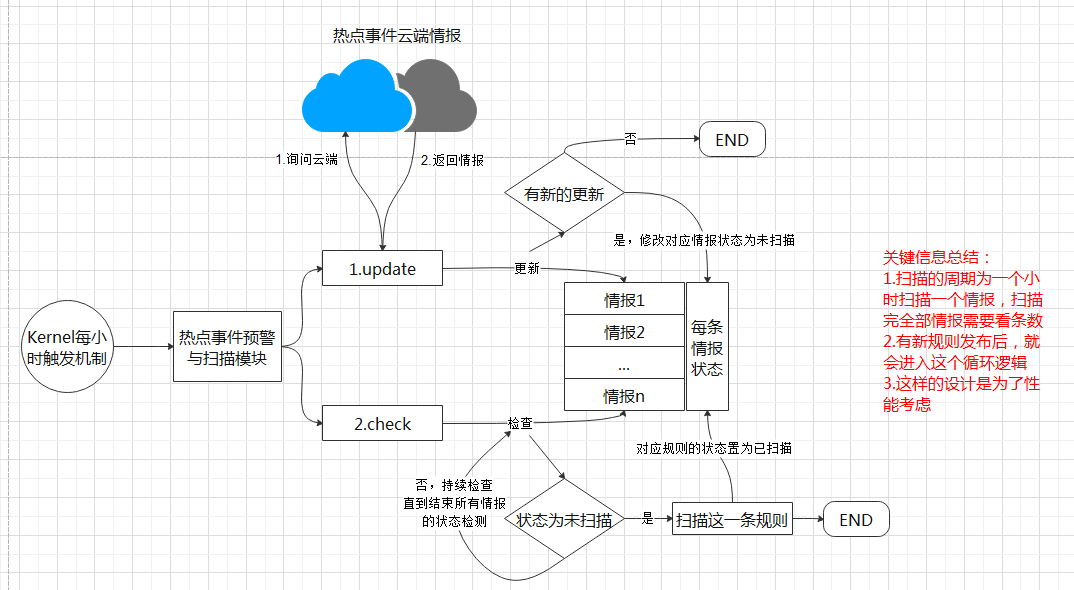
- [Threat Intelligence Warning] As long as there are unscanned vulnerabilities, they will be scanned one by one after they are put on the shelf, and check every hour to see if there are any unscanned vulnerabilities. Note: If the status is protected or unprotected, it means that it has been scanned.
- After the product is put on the shelves, you need to explain to customers the functions that will Scheduled Active Scan: [Specialized Protection], [Asset Management], [Threat Intelligence] ([Threat intelligence warning] is renamed [Threat Intelligence]).
- Principle of [Hotspot Time Warning and Disposal]:
Original Link
https://support.sangfor.com.cn/cases/list?product_id=13&type=1&category_id=1076&isOpen=true