
[AF] AF8.0.59 inter-tunnel routing configuration does not take effect
Problem Description
sangfor vpn, headquarters agent branch Internet access. The corresponding inter-tunnel routing is configured, and the tracking traffic still goes through the default Layer 3 eth1 port.
Effective troubleshooting steps
-
Check whether the sangfor VPN is established normally and whether the communication with the headquarters is abnormal. Ping or access the headquarters' services.
-
Check whether the corresponding inter-tunnel Layer 3 configured correctly.
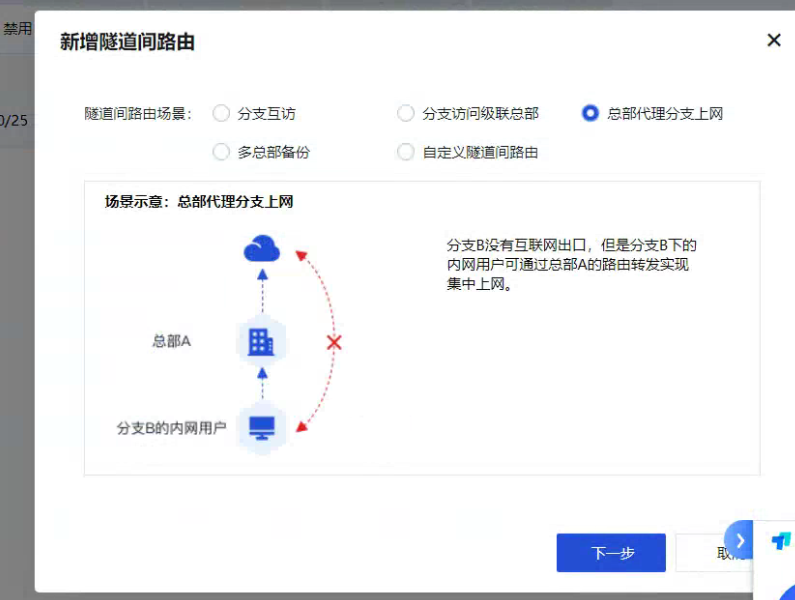
Selection mode.png (162.87 KB) -
All Routes and test the route to see if there is a corresponding VPN line——All Routes there is no corresponding VPN line, but Layer 3 test shows that there is a VPN line.
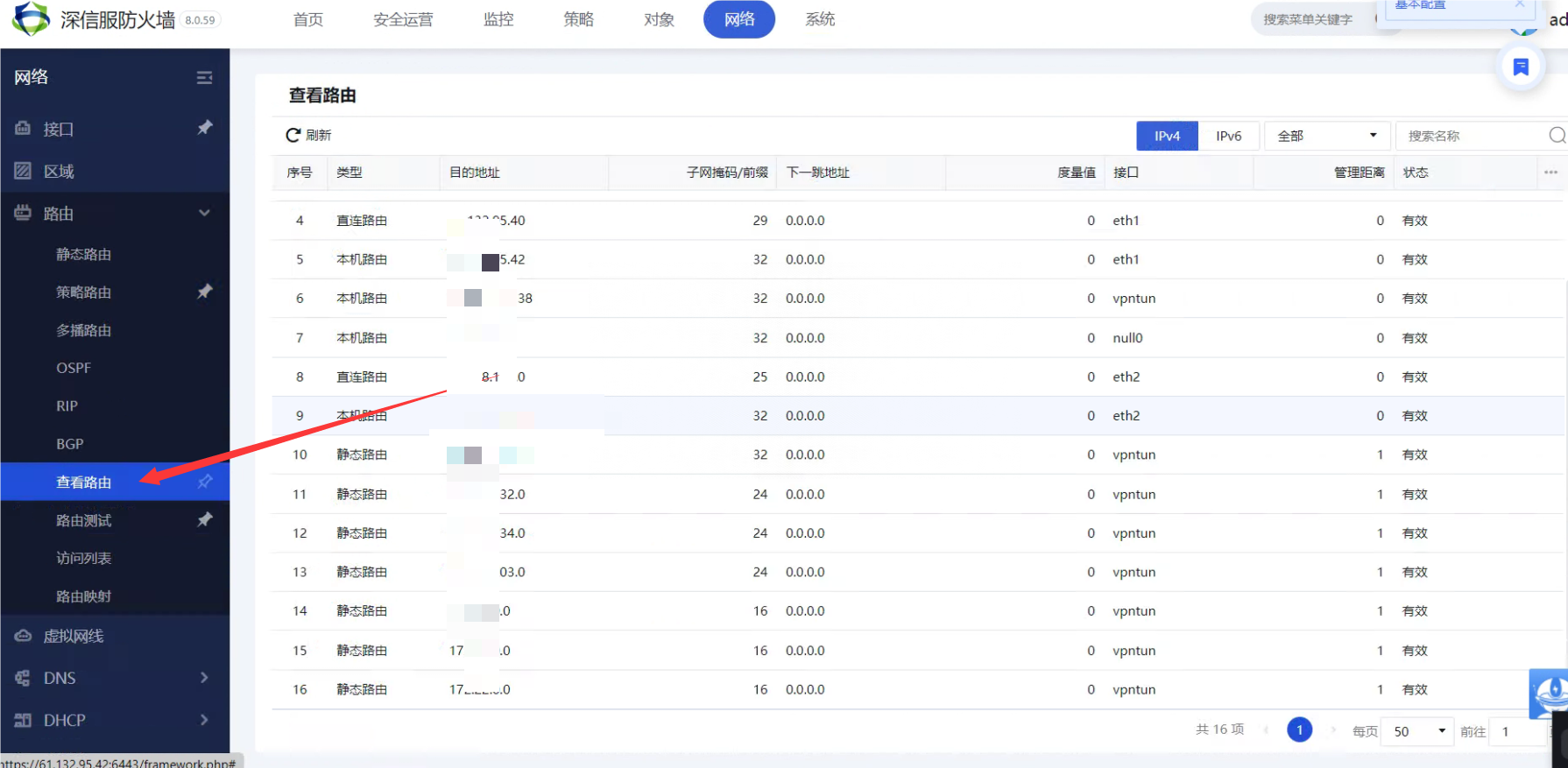
View the corresponding Layer 3 (627.54 KB)
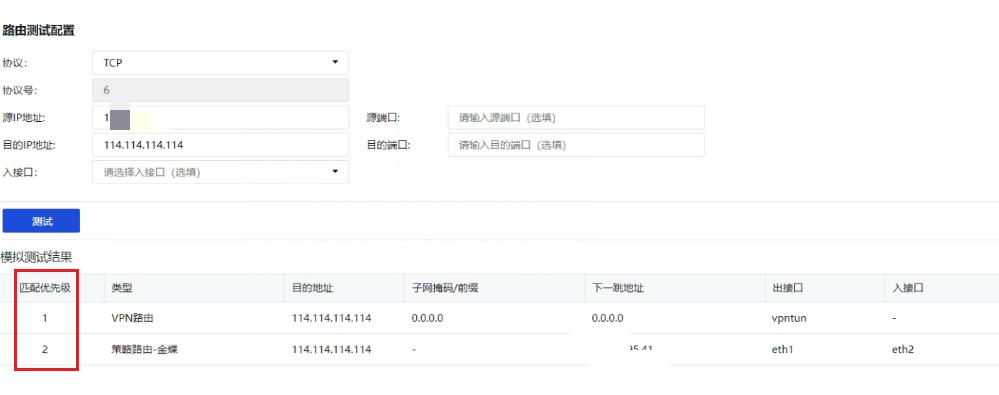
Layer 3 test.jpg (25.71 KB) -
Adjust the corresponding Layer 3 Priority and increase the VPN Layer 3 Priority.
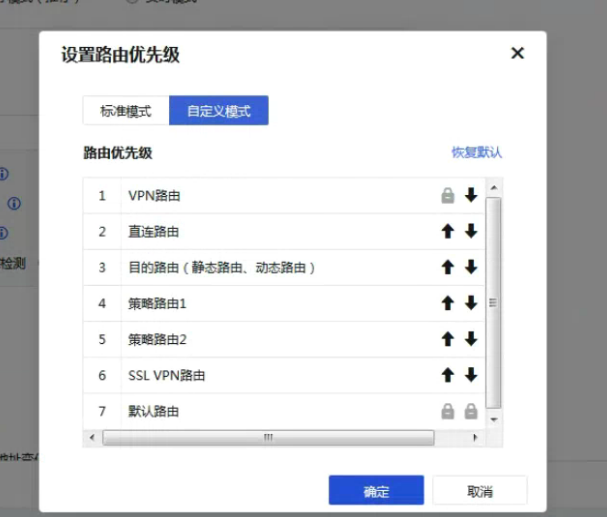
Layer 3 Priority (110.76 KB) -
Capture the data of the intranet, extranet, and vpntun Interfaces for comparison. It was found that the data did not enter vpntun, but went through eth1.
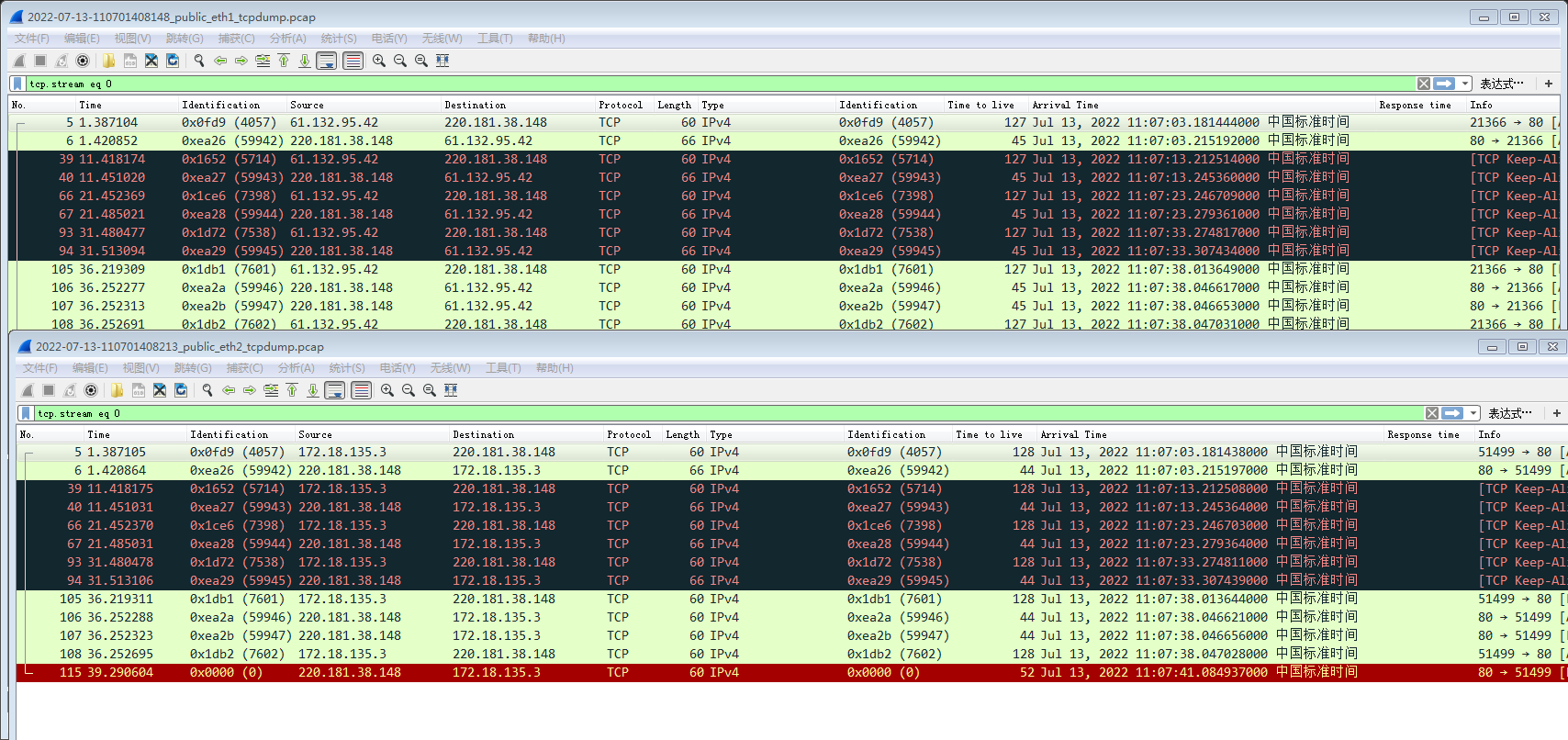
Capture packets for comparison.jpg (219.49 KB) -
Enter the background to test the corresponding Layer 3. After checking, it was found that eth1 was still used.
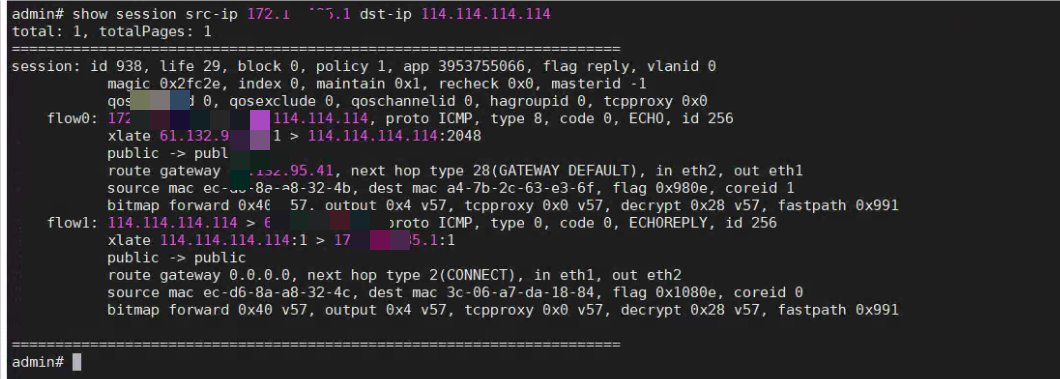
Background test source.png (320.27 KB)
solution
Through coordination with R&D, we found that the inter-tunnel Layer 3 Priority is lower than Policies Layer 3 Priority, and changing the corresponding Layer 3 Priority is useless. Policies with the customer and delete the corresponding policy Layer 3 to solve the problem.
Original Link
https://support.sangfor.com.cn/cases/list?product_id=13&type=1&category_id=1806&isOpen=true