
[AF] After AF 8.0.59 is connected to the Syslog server, logs are generated but not sent to the Syslog server normally
Problem Description
AF8.0.59 is configured to send Logs to the Syslog server, and Logs are generated. But it is not sent to the Syslog server.
Effective troubleshooting steps
-
Check the connectivity between AF and the Syslog server;
-
Check whether the device has any logs generated;
Capture relevant data packets on the AF side: tcpdump -i any host192.168.253.32 -c 20 -nnv

Snipaste_2022-09-30_23-26-25.png (546.08 KB) -
After capturing the packet, it is found that the source IP Address is the IP Address of the Local intranet. Local uses the eth3 Interfaces (172.16.1.9) to send logs to Syslog (192.168.253.32);
-
Confirm with the customer that the Syslog server has restrictions and can only communicate with the Local out-ofManagement Interface (192.168.253.251), so the data packets sent by the Local to Syslog need to go through the out-Management Interface. For the new architecture, the out-ofManagement Interface of AF can be individually set to allow certain services to go through the management area or the business area.
Root cause
The interface AF uses to send data to the Syslog server and the interface IP address used as the source address to send data to the Syslog server are selected based on the Layer 3 (query the Layer 3 sent to the Syslog server to see which corresponding interface is used).
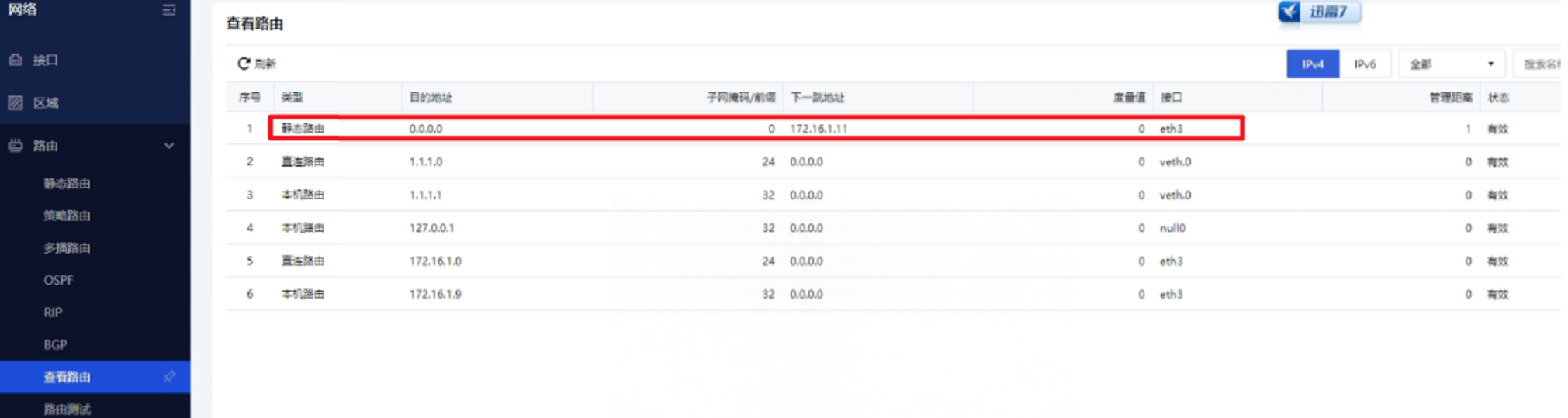
Snipaste_2022-09-30_23-38-48.png (163.5 KB)
solution
It is necessary to configure an out-of-Management Interface separately on the new architecture AF:
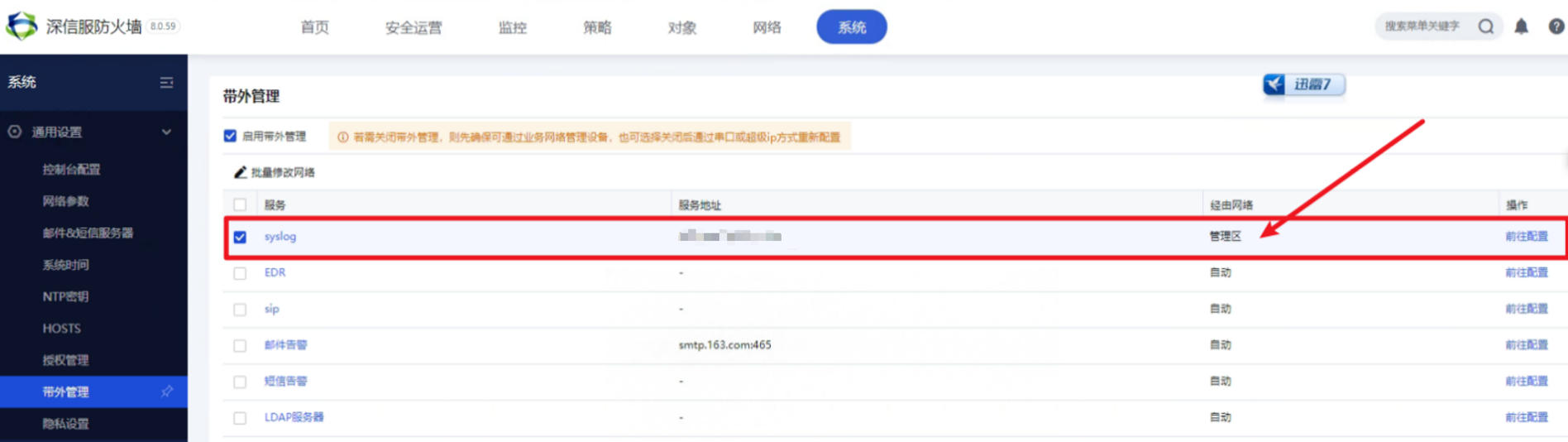
Snipaste_2022-09-30_23-37-01.png (182.02 KB)
After modifying the configuration, capture the packet to verify that the source IP Address has been changed to the IP Address of the Management Interface port:
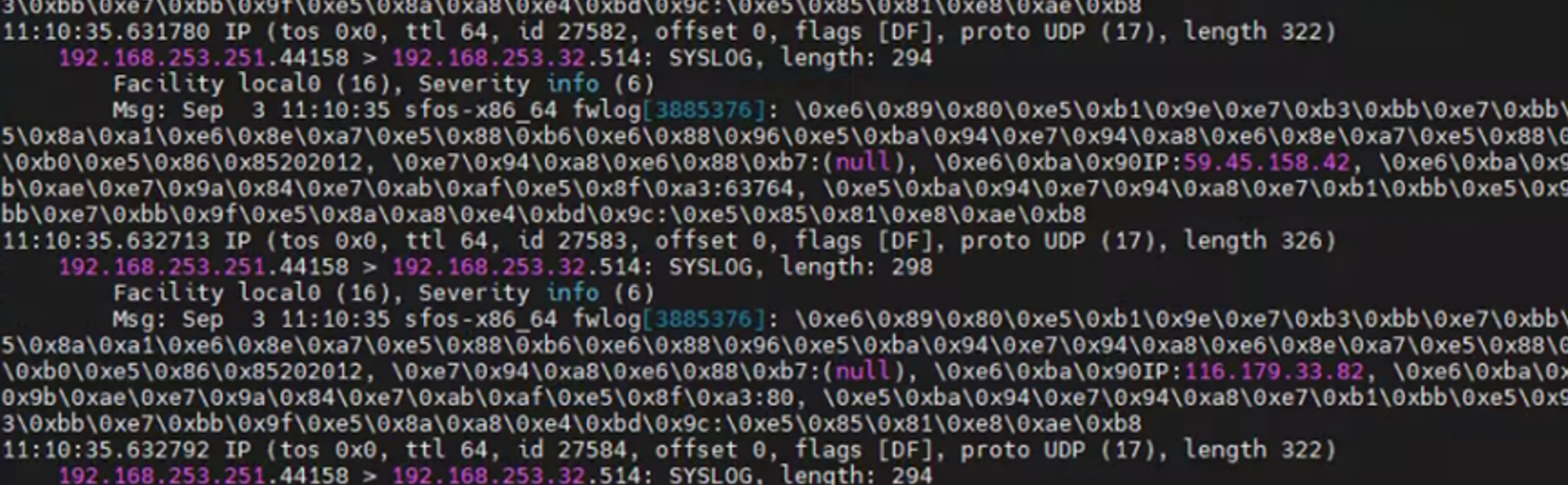
Snipaste_2022-09-30_23-38-12.png (1.5 MB)
Original Link
https://support.sangfor.com.cn/cases/list?product_id=13&type=1&category_id=1970&isOpen=true