
[AF] After AF and Local are connected to IPSEC VPN, access to OA System is slow
Problem Description
After the Hangzhou Sangfor Local and the Shanghai Huawei Local established IPSec VPN, we tested the mutual access between the intranet Network Segment both sides, the corresponding business ports were interconnected, and the delay was normal. However, it took 5-10 minutes for the Shanghai PC to load the OA web page jump page.
Effective troubleshooting steps
The path topology of Shanghai PC accessing Hangzhou OA is as follows:
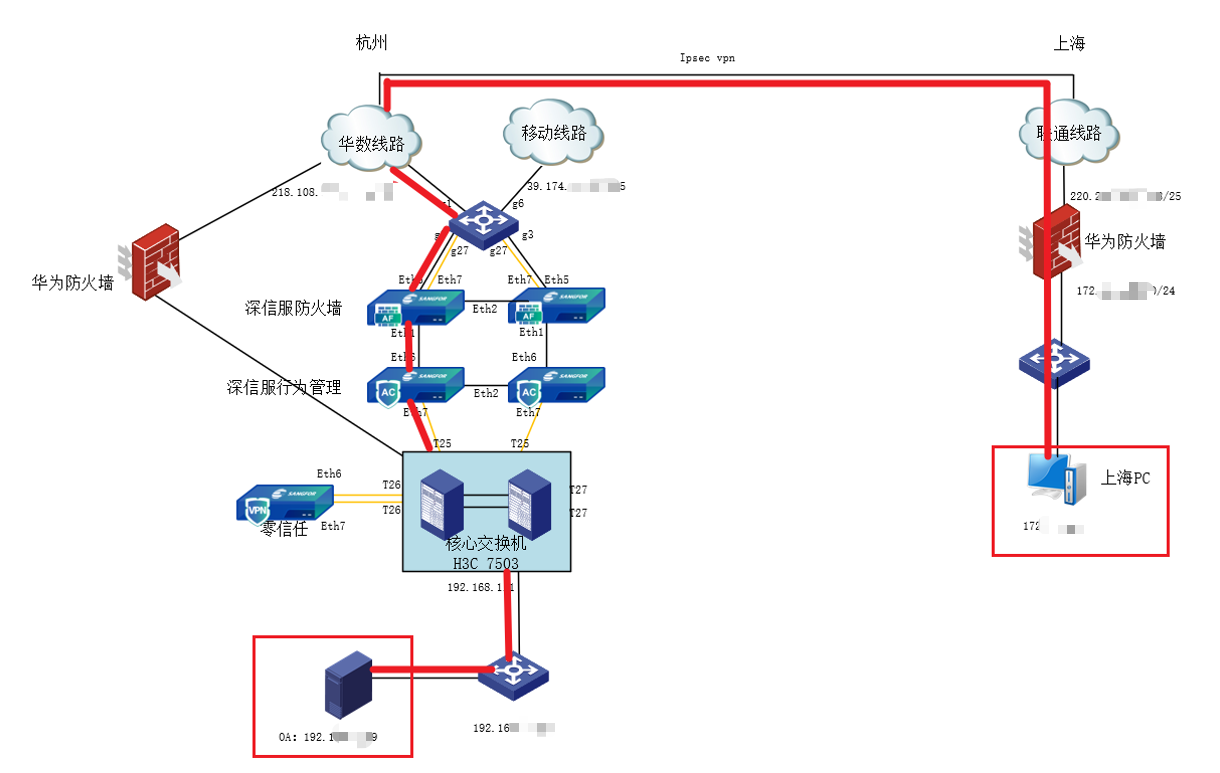
1.png (165.27 KB)
The troubleshooting steps are as follows:
-
After testing the Sangfor Local and Internet behavior management that may have policy interception on the path, the problem still Sensitive;
-
After temporarily opening System and testing it, the problem still Sensitive;
-
Adjust the MTU value test, the problem still Sensitive;
-
After installing the wireshark Packet Capture on the Shanghai PC, the Shanghai PC started to capture packets while accessing the OA, while the Sangfor Local captured packets on the VPNTUN port. After comparing the data packets, it was found that a js file loaded very slowly, there was packet loss, and an ACK packet was sent from the PC, but the packet was not received at the VPNTUN port of the Sangfor Local.
The specific cause cannot be located based on the existing packet capture results. We only know that some packets sent by the PC were not received by the Sangfor Local. We cannot determine which link in the link caused the packet loss or whether it is because the data packet is encrypted and cannot be read. -
In contrast, when Hangzhou used Huawei Local to establish IPSec VPN with Local, and used the same operator and Network Segment IP Address, Shanghai PC could access the OA page normally. The path is as follows:
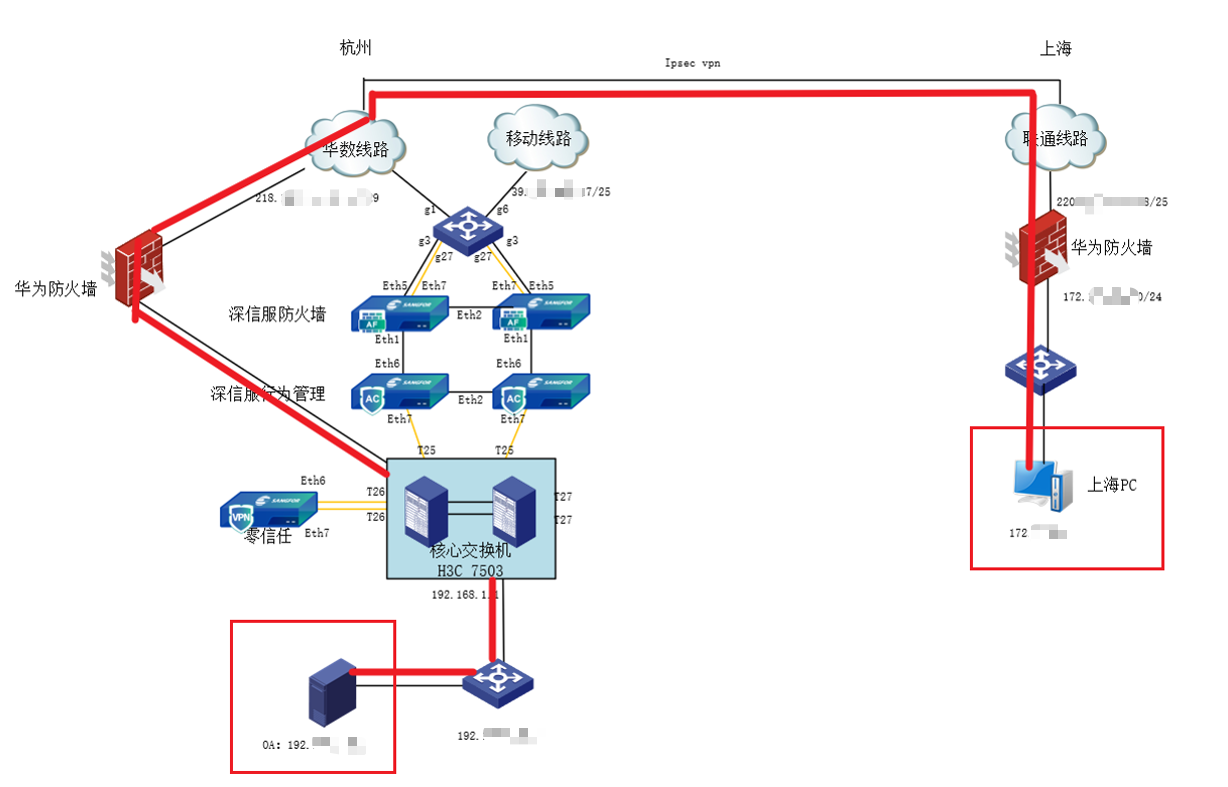
2.png (201.75 KB) -
Use the Sangfor Local to connect to an idle telecom public IP in the Hangzhou data center for comparative testing, and use the equipment from the same manufacturer to directly connect to it for troubleshooting. Test Sangfor AF and existing environment AF to build a test ipsecvpn, connect the user's IPSec VPN computer to the LAN port of the borrowed Local to access the OA System test:
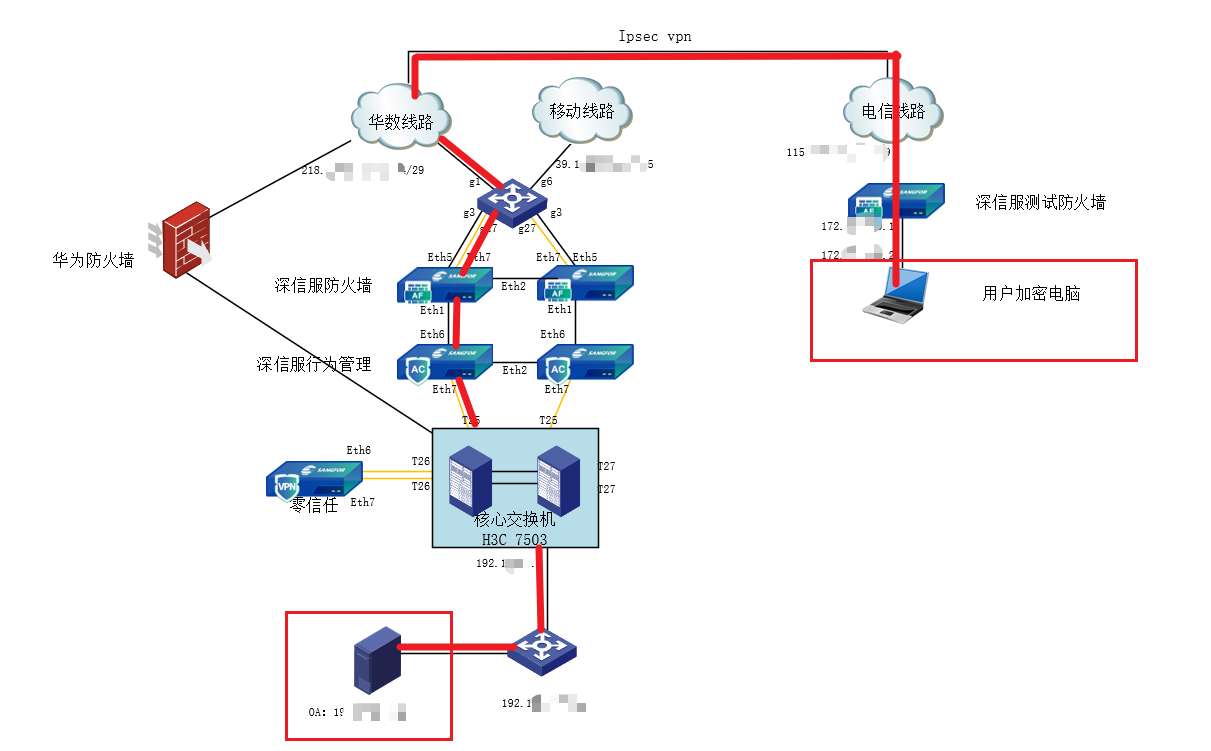
3.png (90.76 KB)
The user of the test encrypted computer accessed the OA webpage normally
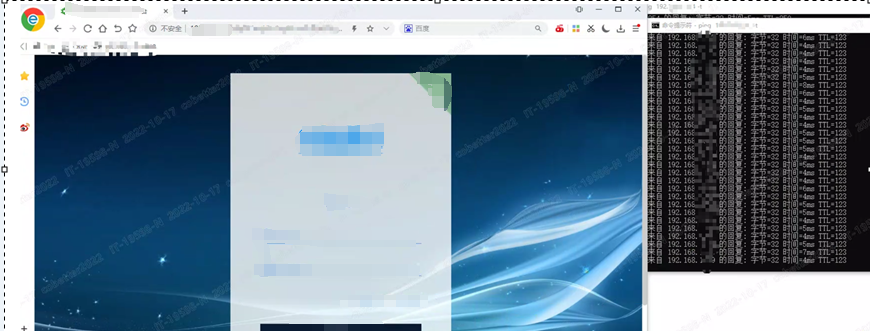
4.png (1.07 MB) -
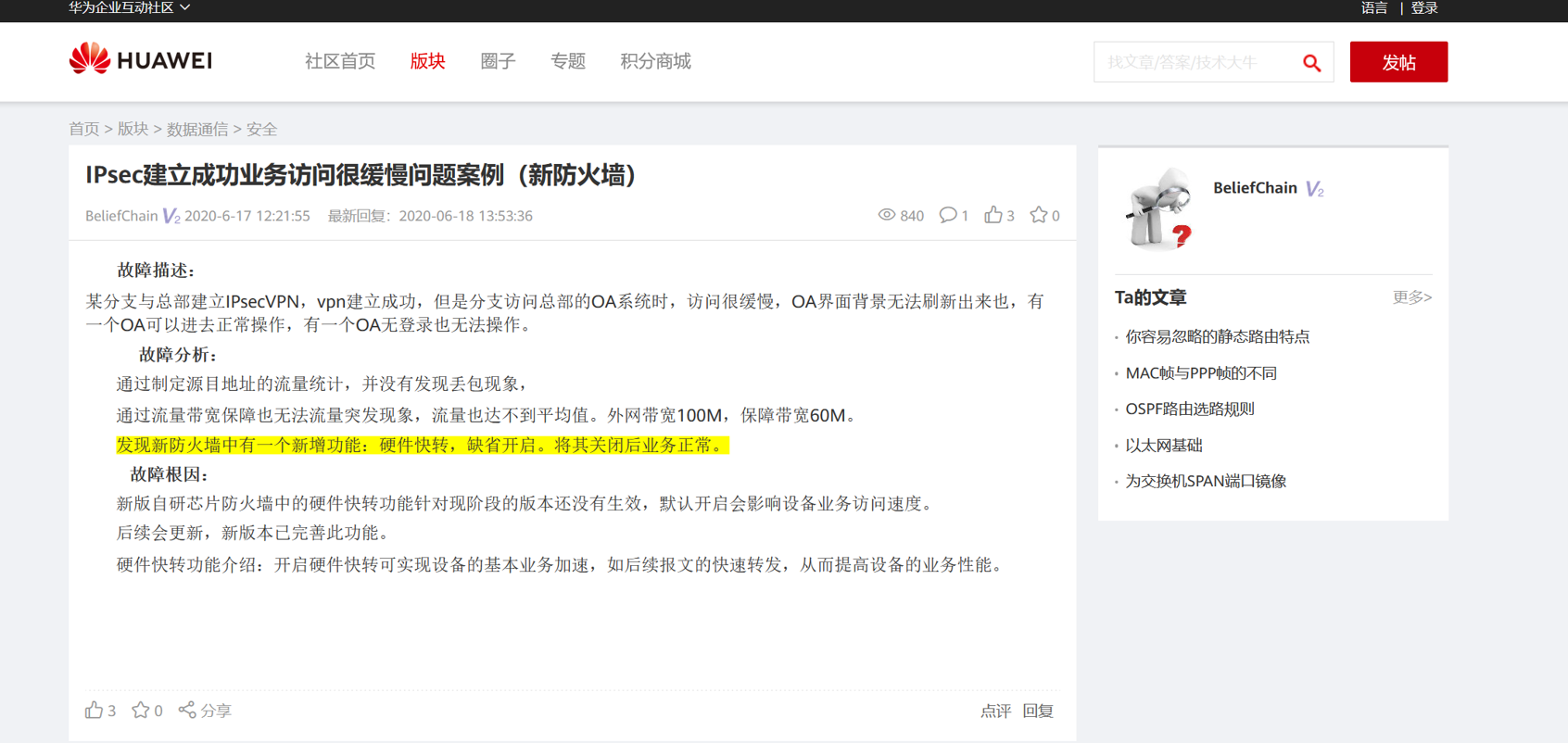
The tests in steps 5 and 6 show that there is no interception or restriction on the link. There should be a problem with the compatibility or connection settings between the manufacturers' equipment. After querying the Huawei case library, there are related cases that recommend turning off the [Hardware Fast Forward] function on the Huawei Local and then testing. It is found that this function is enabled by default on the Huawei firewalls in Shanghai and Hangzhou.
5.png (289.15 KB) -
At night, after the ipsec vpn line is switched back to the Sangfor Local, close the Shanghai Huawei Local. [Hardware Quick Forward]
After the function is enabled, the test access to the OA page is normal.
solution
The [Hardware Fast Forward] function of Huawei Local is enabled by default. When the Huawei firewall is connected to the Huawei Local and both are enabled by default, there may be no problem with mutual access. When connecting to a third party such as Sangfor Local, it will cause slow service access. According to Huawei's case library, this function can be turned off to enable normal service. If you want to enable this function, you need to upgrade Huawei Local to the new version.
Original Link
https://support.sangfor.com.cn/cases/list?product_id=13&type=1&category_id=2009&isOpen=true