
[AF] After AF cutover, the customer OA System interface is submitted, and the log prompts that the parameter 403 is returned. It was normal before the replacement.
Problem Description
The AF export maps the business of the intranet OA System. The mapping is successful, but when submitting using the OA System, the log will show a 403 error. If the business is switched to the H3C Local, it will be normal.
Warning Info
\u001f?\b\u0000\u0000\u0000\u0000\u0000\u0000\u0000\u0000?\fPp?\u000fr?tqq?\u0003\u0000\u0000\u0000\u0000
Effective troubleshooting steps
Check that the address submitted by OA is a public network address, so capture the packet on the intranet port and filter the public network address submitted to access
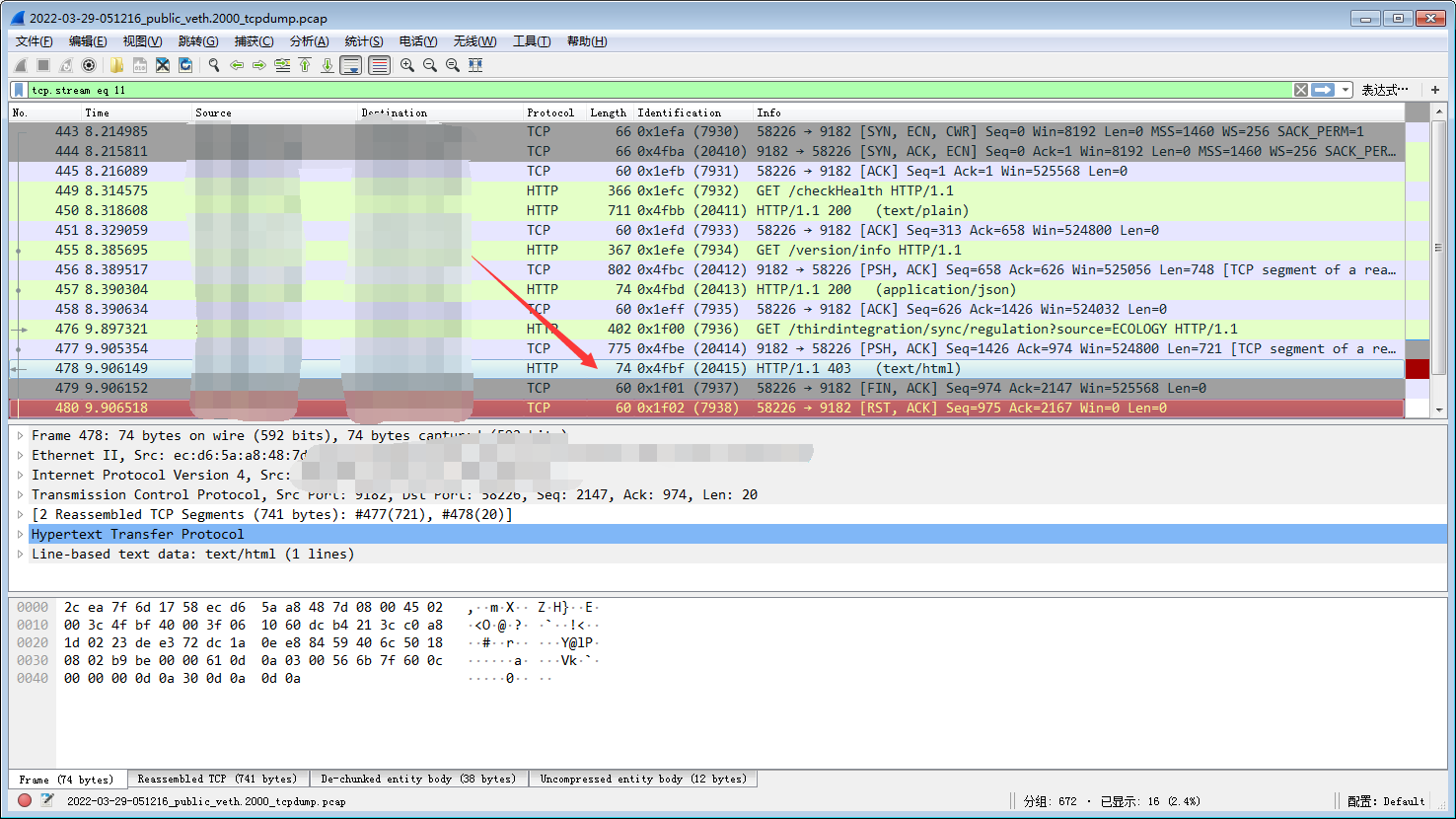
Tracking Flow
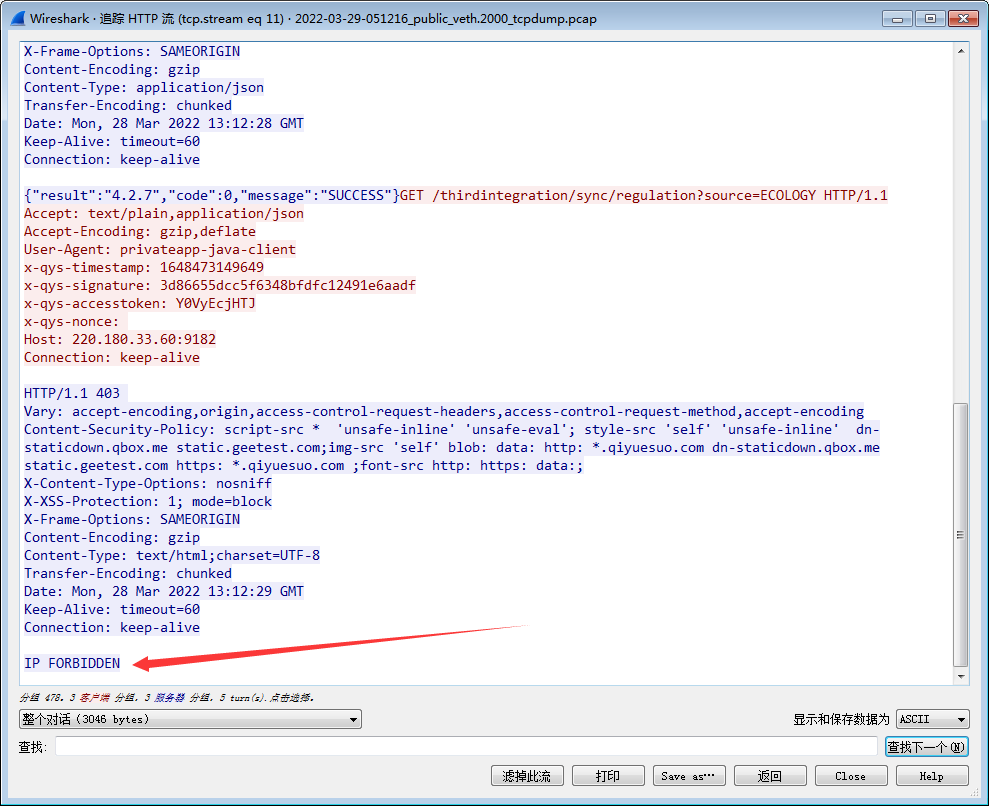
You can see that the business server replies with IP FORBIDDEN and the address is denied access.
Root cause
The server to which the business was submitted denied access to the network port address in the Local. It is speculated that there is a Policies blocking. Since AF is configured with Bidirectional NAT, it may be caused by a large number of visits.
solution
After changing the source Bidirectional NAT, the OA system is successfully submitted after the Interfaces address is changed to the specified IP address as another private network address. To completely solve the problem, the customer needs to check the Policies configuration on the server.
Operation Impact Scope
The source address of bidirectional address access will change
Original Link
https://support.sangfor.com.cn/cases/list?product_id=13&type=1&category_id=1611&isOpen=true