
[AF] After application control prohibits port 445, logs accessing port 445 can still be seen in the Network logs
Problem Description
Sensitive application control that denies all access to port 445, but in the abnormal Suspicious Traffic Network of the botnet, traffic accessing port 445 can be seen
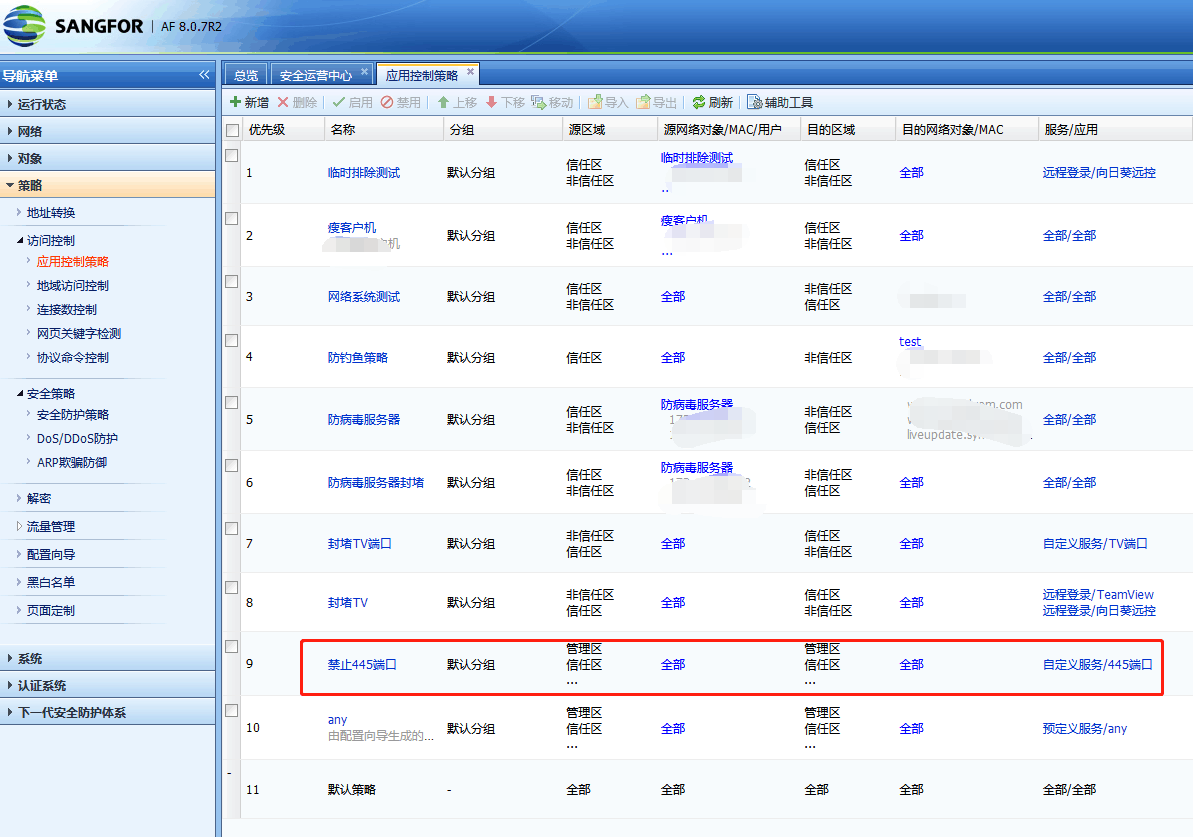
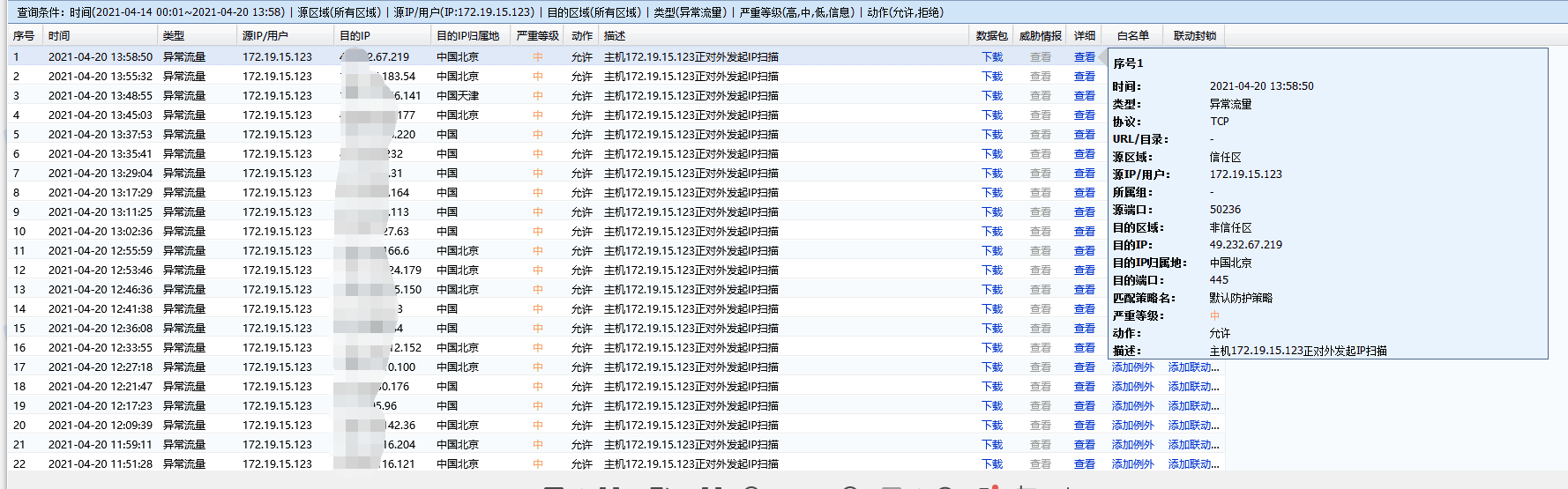
Effective troubleshooting steps
First, use the source IP, port, and region in the Zones to Test Policy Match in application control, and find that the first Policies does match is this policy that Access DeniedPolicies

After packet capture, we found that the IP indeed had a lot of data accessing the external network port 445, and the data was allowed to pass by the Local without being intercepted. However, when we opened the data packets, we could see that the data was basically disconnected directly after the three-way handshake was successfully established.
I checked the application control policy again and found that in the policy that prohibits port 445, there is a Policies that denies all IPs from using TV remote application control. Although this type of application-based Application Control Logs uses a rejection Policies, it will first allow the three-way handshake and then intercept the subsequent application layer data packets. Therefore, the three-way handshake that accesses port 445 will match this Policies and be allowed.
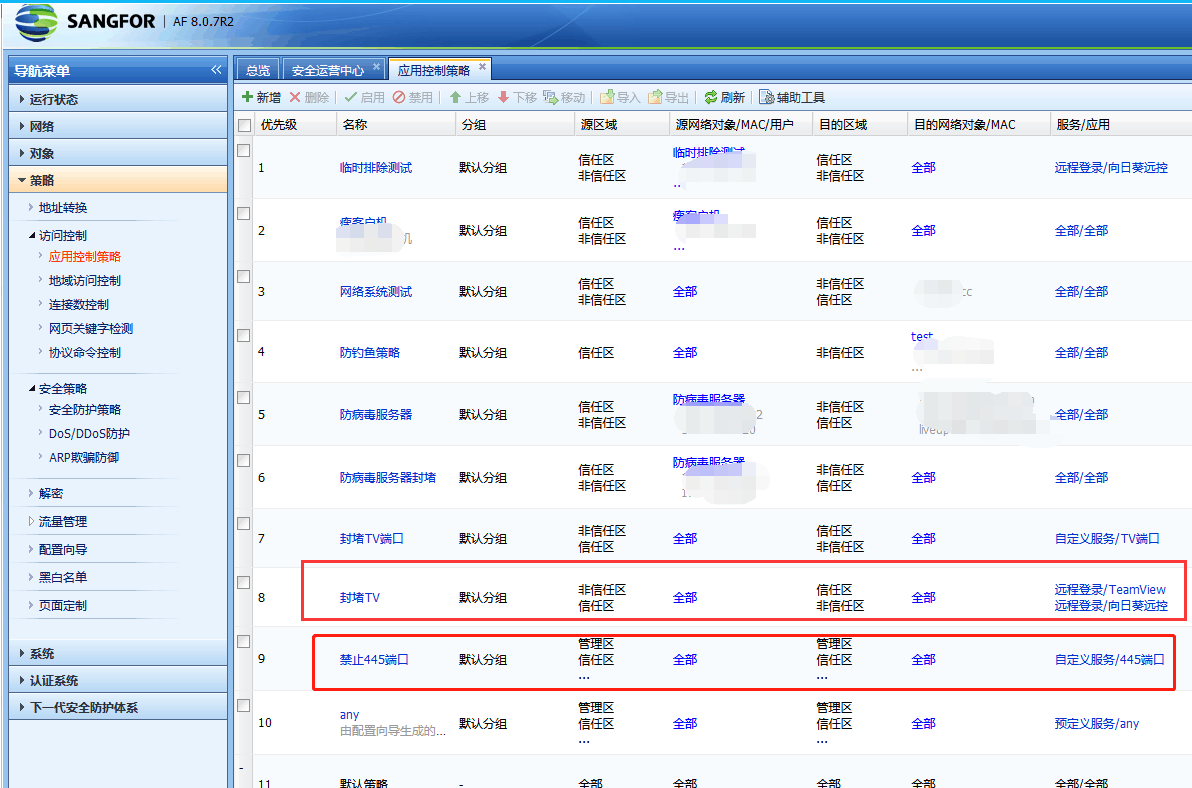
After setting the application control Policies denies port 445 to the top, the traffic accessing port 445 cannot be captured on the external network port.
Root cause
Suspicious Traffic is all three-way handshake data, which is allowed to pass if it matches the application control policy based on the application.
solution
Increase the priority of the application control Policies 445 and put it before application-based application control.
Original Link
https://support.sangfor.com.cn/cases/list?product_id=13&type=1&category_id=1155&isOpen=true