
[AF] After configuring the Anti-Tampering 2.0 Policies, the website Home cannot be accessed
Problem Description
After configuring the website tamper protection 2.0 Policies AF, external network users cannot open the website Home, but can open other links on the website. After disabling the tamper protection policy, it is normal.
Warning Info
none;
Process——
- Check the Anti-Tampering 2.0 Policies and find that the website management URL is filled in as the website domain name;
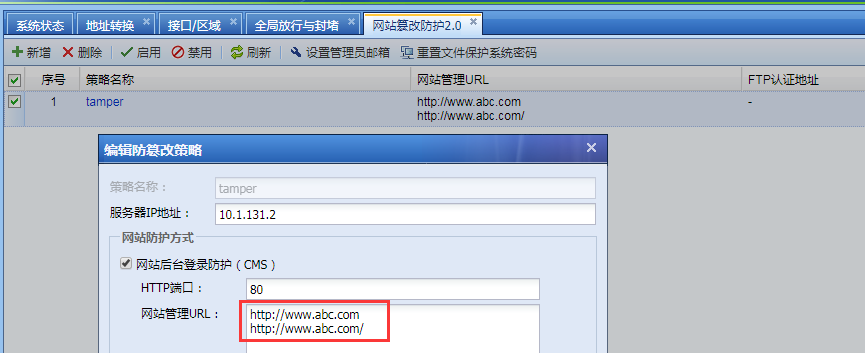
637835b4dee2903425.png (55.33 KB)
- After communication, the website management URL is not filled in with the website domain name and the website Home link, but the URL of the website backend management page address. After modification, the anti-tampering Policies, and external network users can access normally;
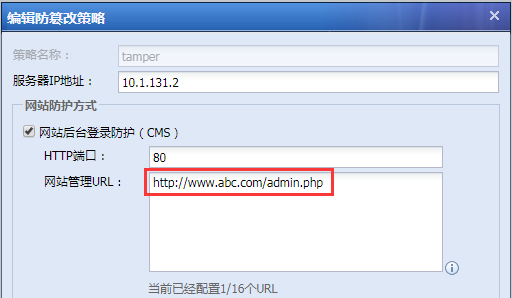
555915b4deed076239.png (27.41 KB)
Root cause
The website management URL of the Website Tamper Protection 2.0 Policies is incorrectly filled in as the website domain name.
solution
Modify the website management URL address of the tamper protection Policies.
Original Link
https://support.sangfor.com.cn/cases/list?product_id=13&type=1&category_id=166&isOpen=true