
[AF] After connecting to sangfor vpn, the console cannot log in due to routing conflicts
Problem Description
After using AF to establish sangfor vpn, the computer is configured with a wired network card IP of 10.251.251.2/24, and then connected to the device's eth0 port via a network cable. However, it is not possible to log in to the device console via 10.251.251.251, but it is possible to log in to the console via the device's internal network port or external network port IP
Process——
-
Open the computer's cmd and ping 10.251.251.251 and you will see a message "Request timed out"
-
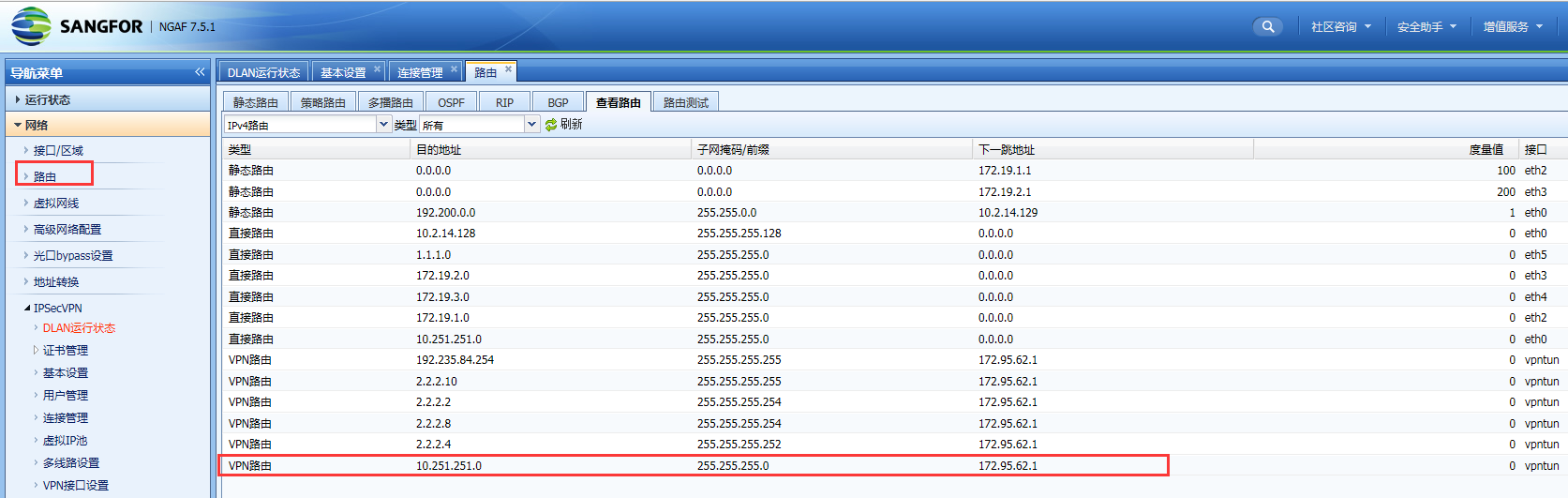
Log in to the console through the device's internal or external IP port and All Routes. You will find a VPN route of 10.251.251.0/24Layer 3
959645baae7fd3fd8a.png (142.51 KB) -
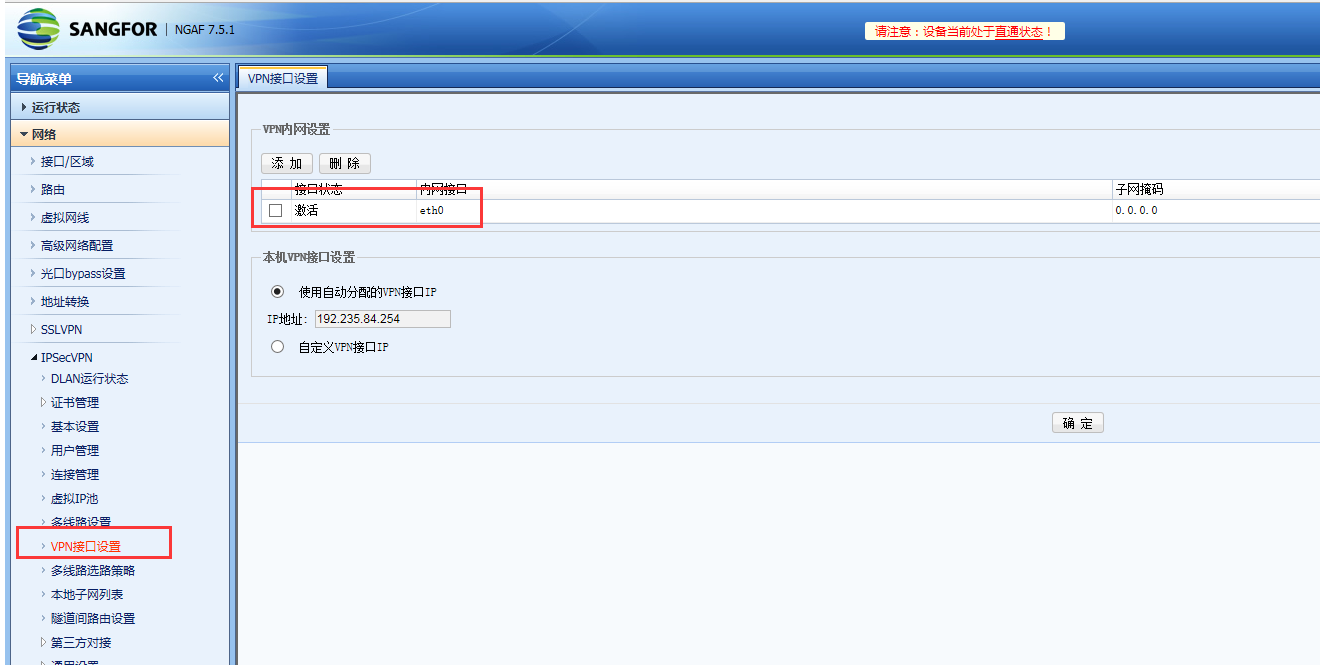
Check the VPN interface settings of the sangfor VPN peer device and find that the eth0 port is set
200885baae83ac9b66.png (96.74 KB)
Root cause
AF learned a VPN route of 10.251.251.0/24 through sangfor VPN. Since the VPN Layer 3 Priority High priority than Layer 3 direct route, the data accessing 10.251.251.251 through eth0 enters the VPN tunnel and cannot access the console.
solution
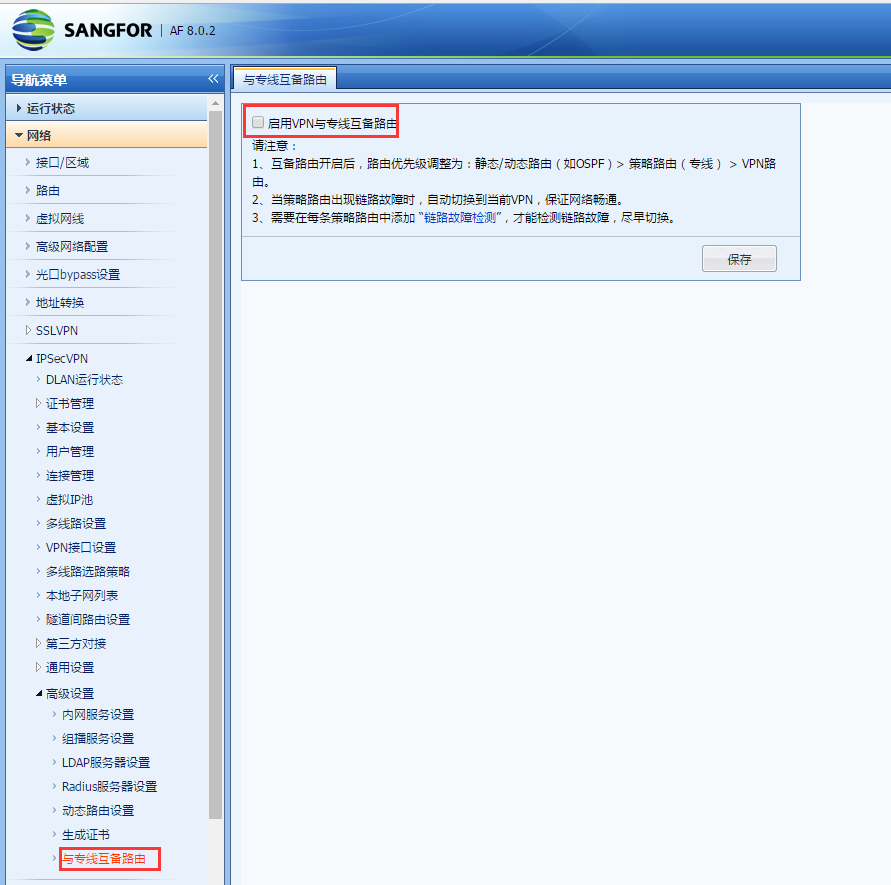
After enabling the device's dedicated line backup Layer 3, logging into the console from the eth0 port is normal
533845bad9071e96b7.png (127.05 KB)
Suggestions and Conclusion
- Priority for different types of routing: static routes/dynamic routes (OSPF) > policy-based routes (leased link) > VPN tunnels, from high to low.
- VPN Layer 3 should avoid sending the two network segments 1.1.1.0/24 and 10.251.251.251 to the VPN tunnel.
Original Link
https://support.sangfor.com.cn/cases/list?product_id=13&type=1&category_id=408&isOpen=true