
[AF] After PDLAN is connected to VPN, the virtual IP of the intranet resources cannot be accessed. The virtual IP is 1.1.1.1
Problem Description
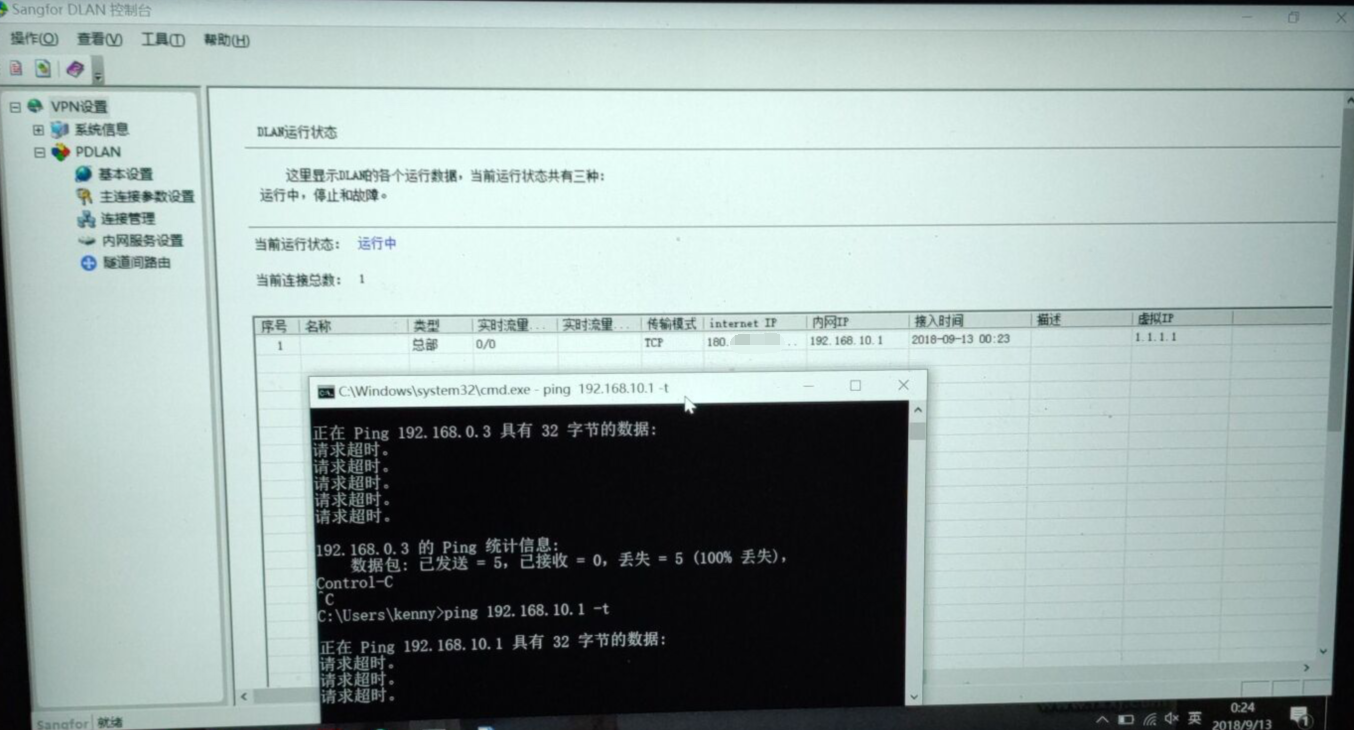
After PDLAN is connected to VPN, it still cannot access the intranet server (Server Network is 192.168.0.0/24), as shown below:
471125b9b9d3d3310b.png (1004.35 KB)
Process——
-
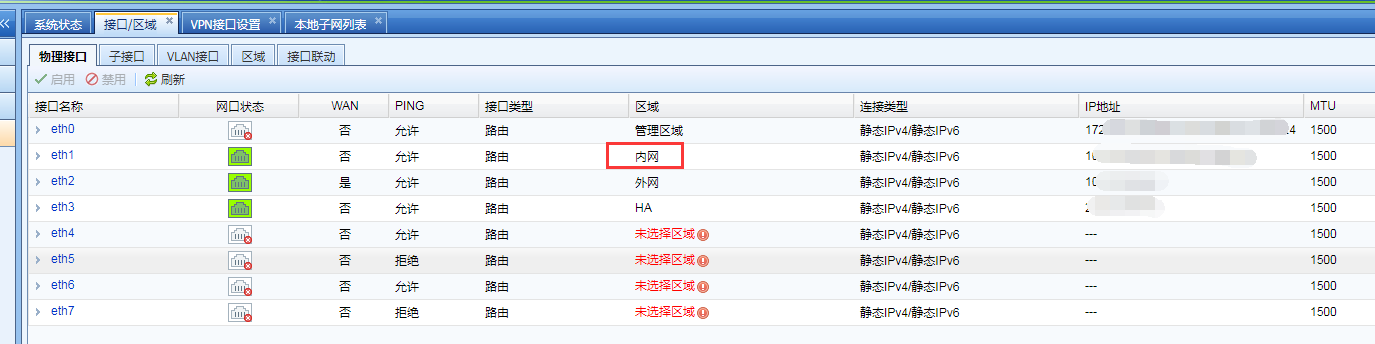
Take the standard version AF7.3 as an example: In [Network Configuration] – [Interfaces/Zones] – [Physical Interface]Medium confirm that the internal network port is eth1, as shown below:
328775b9b9f03e00ed.png (69.59 KB) -
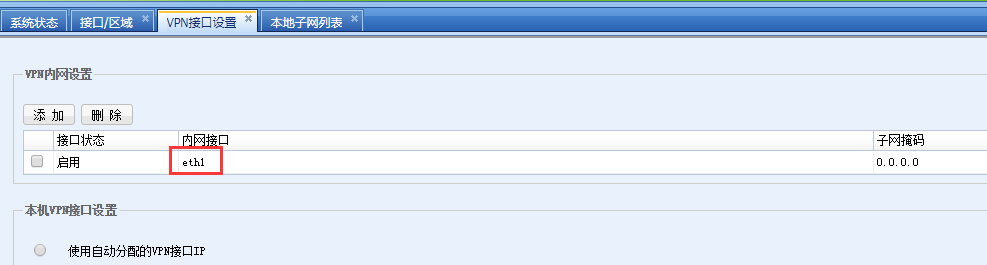
Take the standard version AF7.3 as an example: In [VPN]-[IPSec VPN]-[VPN Interfaces Settings]Medium confirm that the VPN Interfaces is set to the internal network port eth1, which is normal, as shown in the following figure:
848365b9b9ff74274d.png (19.03 KB) -
Take the standard version AF7.3 as an example: Check in [VPN]-[IPSec VPN]-[Local Subnet List] that the local Subnet is configured normally and the Server Network has been released, as shown in the following figure:

485355b9b9e3fee186.png (15.8 KB) -
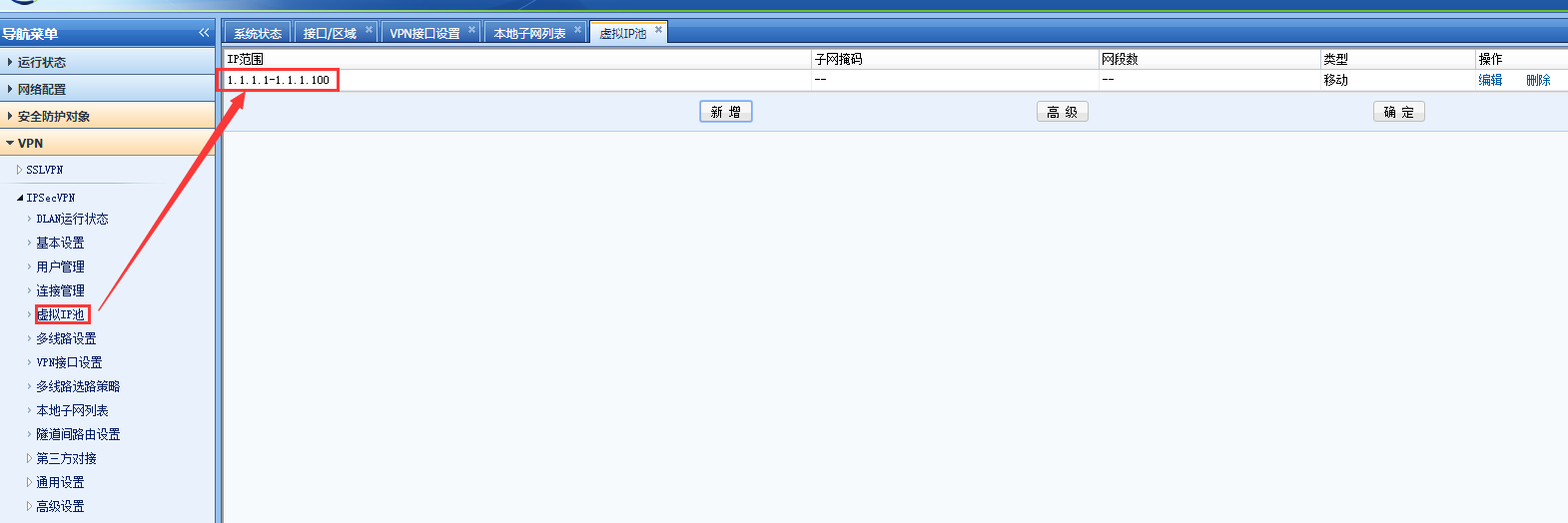
Take the standard version AF7.3 as an example: Check in [VPN]-[IPSec VPN]-[Virtual IP Pool] and find that Virtual IP Pool is configured as 1.1.1.1-1.1.1.100. After changing Virtual IP Pool to other network Network Segment, PDLAN can connect to VPN and access the intranet server normally.
718425b9ba06e54bce.png (54.13 KB)
Root cause
By default, the AF device background has the IP addresses 1.1.1.1 and 1.1.1.2, and will automatically generate a direct route 1.1.1.0/24 pointing to the device itself. If Virtual IP Pool is configured as 1.1.1.0/24, after the PDLAN user Obtain the 1.1.1.1 address, it conflicts with the device backend routing and makes it impossible to access the intranet server.
solution
Change the Network Segment in [VPN] – [IPSec VPN] – [Virtual IP Pool] to a Network Segment other than 1.1.1.0/24 that does not conflict with the internal Network Segment.
Original Link
https://support.sangfor.com.cn/cases/list?product_id=13&type=1&category_id=382&isOpen=true