
[AF] After upgrading from version 8.0.2 to version 8.0.45, the new Policies Layer 3 prompt configuration check is abnormal
Problem Description
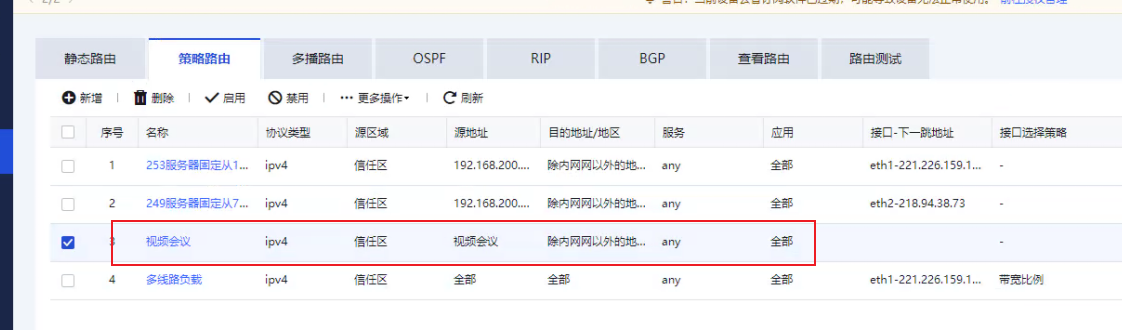
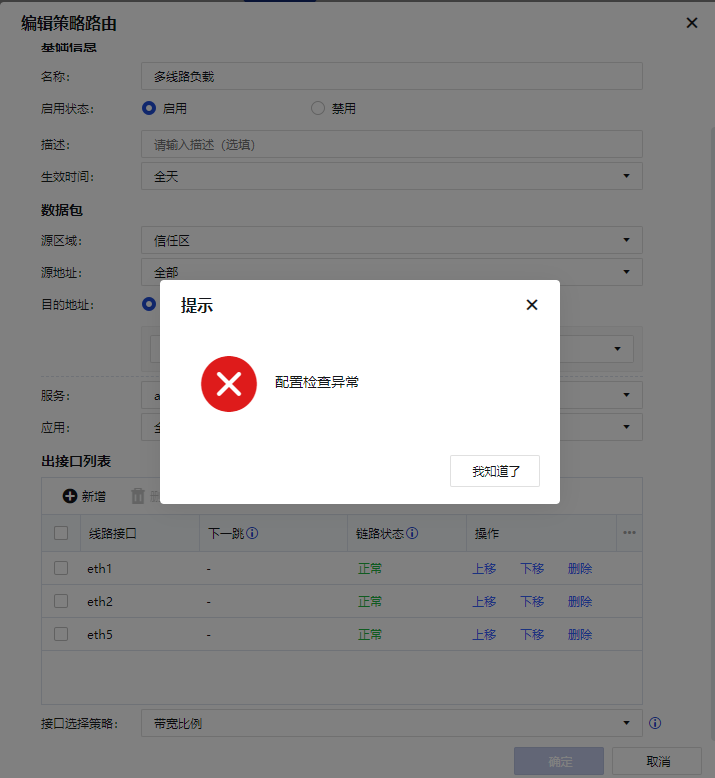
Local from version 8.0.2 to version 8.0.45, it was found that Layer 3 the optical port lines before the Policies routing became blank; when adding a new Policies to add an optical port, it prompted that the configuration check was abnormal.
Effective troubleshooting steps
-
The device needs to be upgraded from version 8.0.2 to 8.0.32 and then to 8.0.45 to check the configuration
-
Check the Policies Layer 3 and find that the associated Interfaces of the "Video Conference" Policies Layer 3 becomes blank
- Create a new policy route for the "Video Conference" entry and add the optical port line. The configuration check is abnormal.
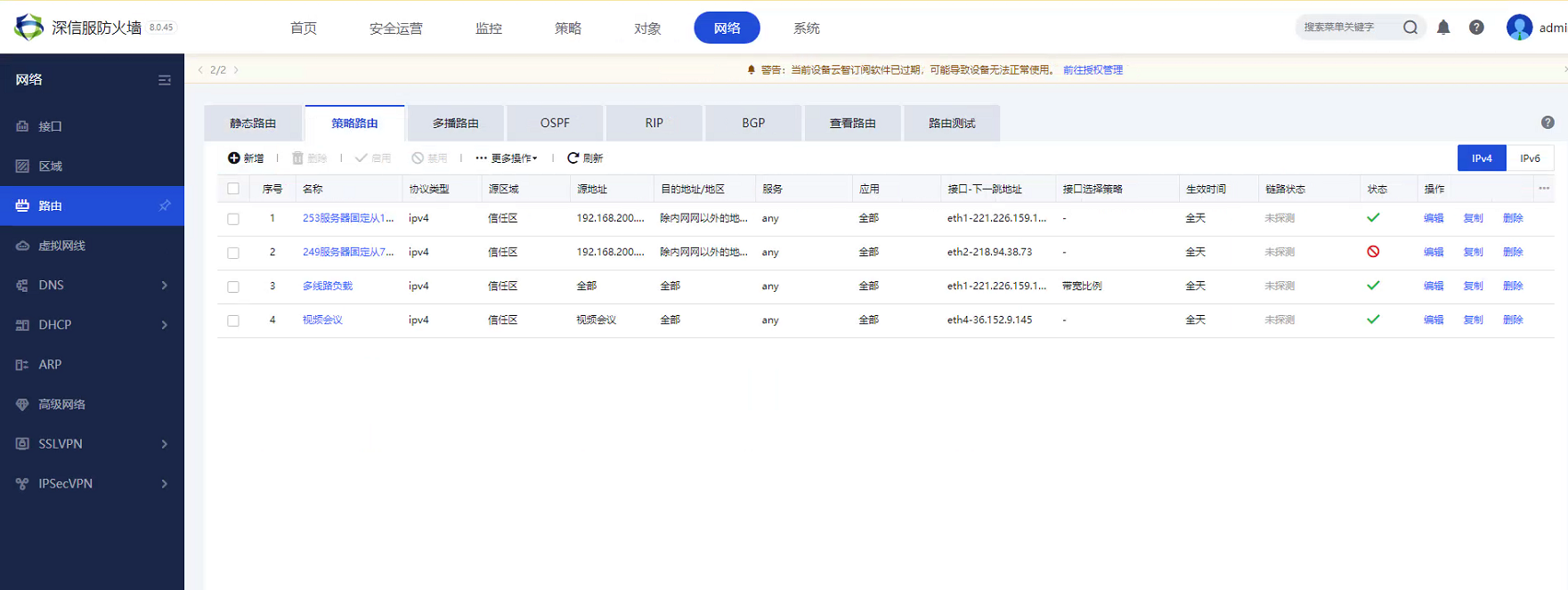
- After deleting the third video conference Policies Layer 3, re-creating the fourth Policies Layer 3 succeeded without error.
Root cause
The third "video conference" Policies has insufficient detection Policies Layer 3 in version 8.0.2 and does not have a next-hop entry. Versions above 8035 have detection restrictions, which results in an exception. We also confirmed with R&D that if the next-hop Interfaces the Policies Layer 3 is blank, the Layer 3 status is invalid.
solution
Delete Policies Layer 3 with a blank next-hop Interfaces for policy Layer 3 and reconfigure Policies Layer 3.
Operation Impact Scope
N/A
Original Link
https://support.sangfor.com.cn/cases/list?product_id=13&type=1&category_id=1664&isOpen=true