
[AF] After using AF to replace other vendors’ Local, the ERP system cannot be accessed from the public System
Problem Description
After replacing other vendors' firewalls with AF, the ERP system cannot be accessed from the public System. The old Local was working fine before;
Warning Info
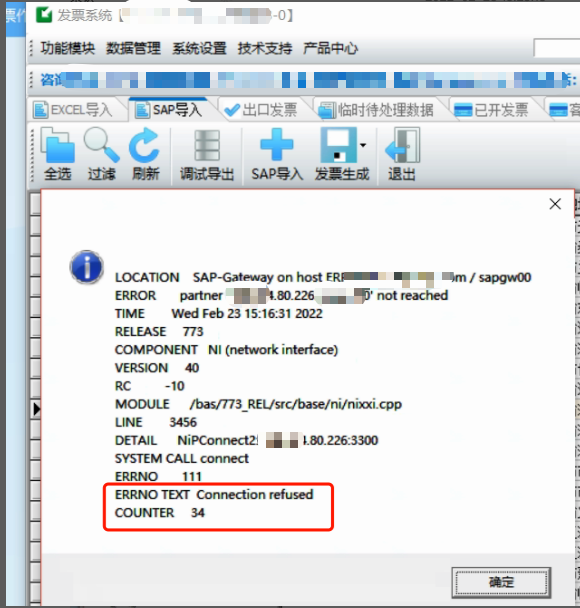
Accessing the erp system from the public network shows that the port has been reset:
Effective troubleshooting steps
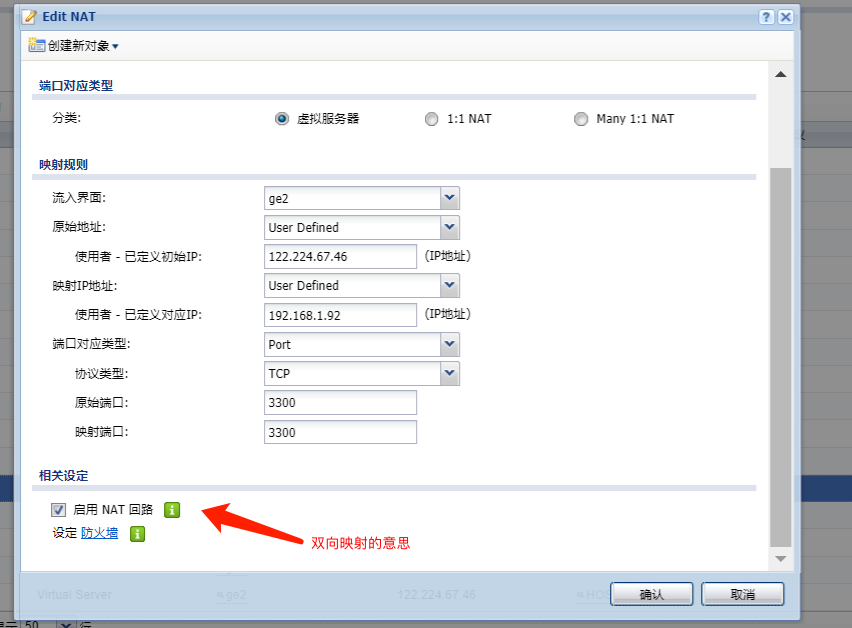
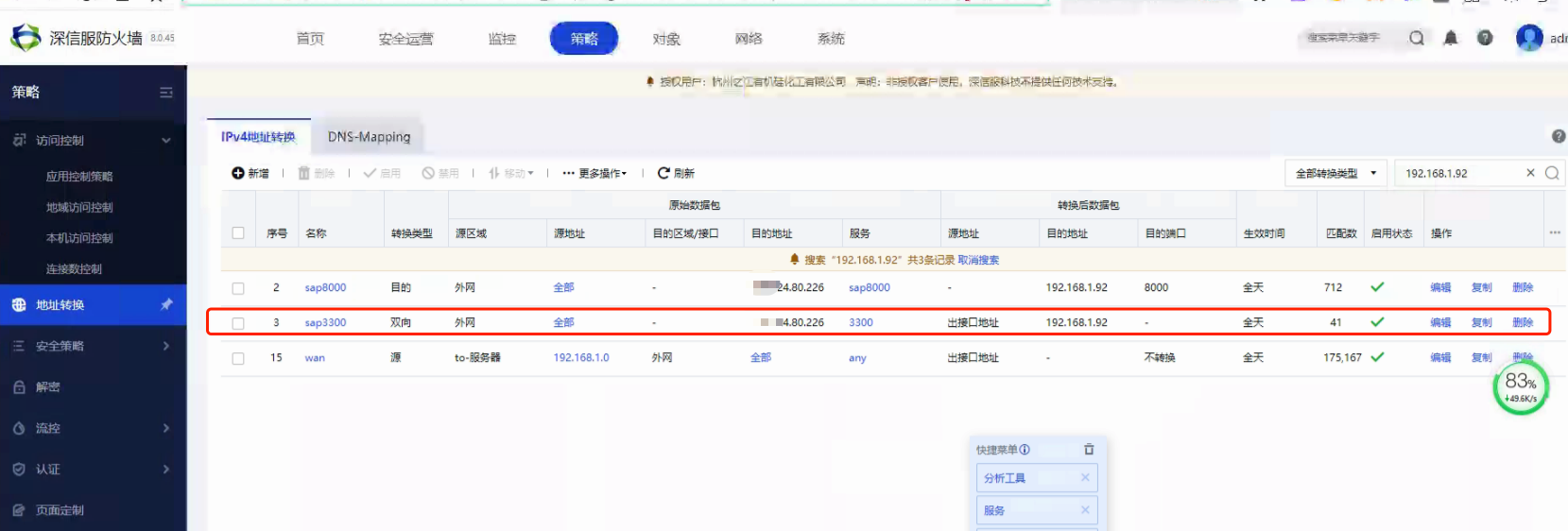
- Check that the old Heqin Local is configured with bidirectional mapping. Changing the original destination mapping of AF to bidirectional mapping does not work:
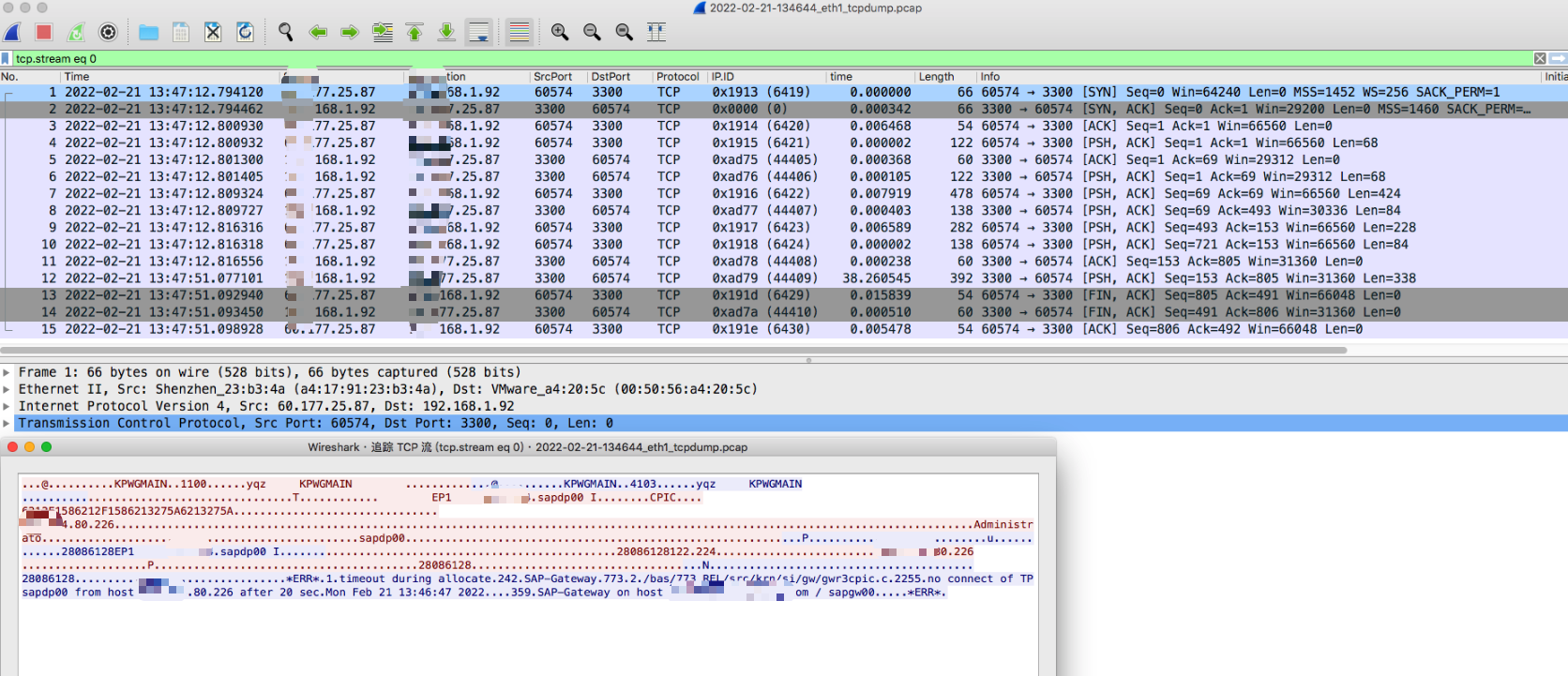
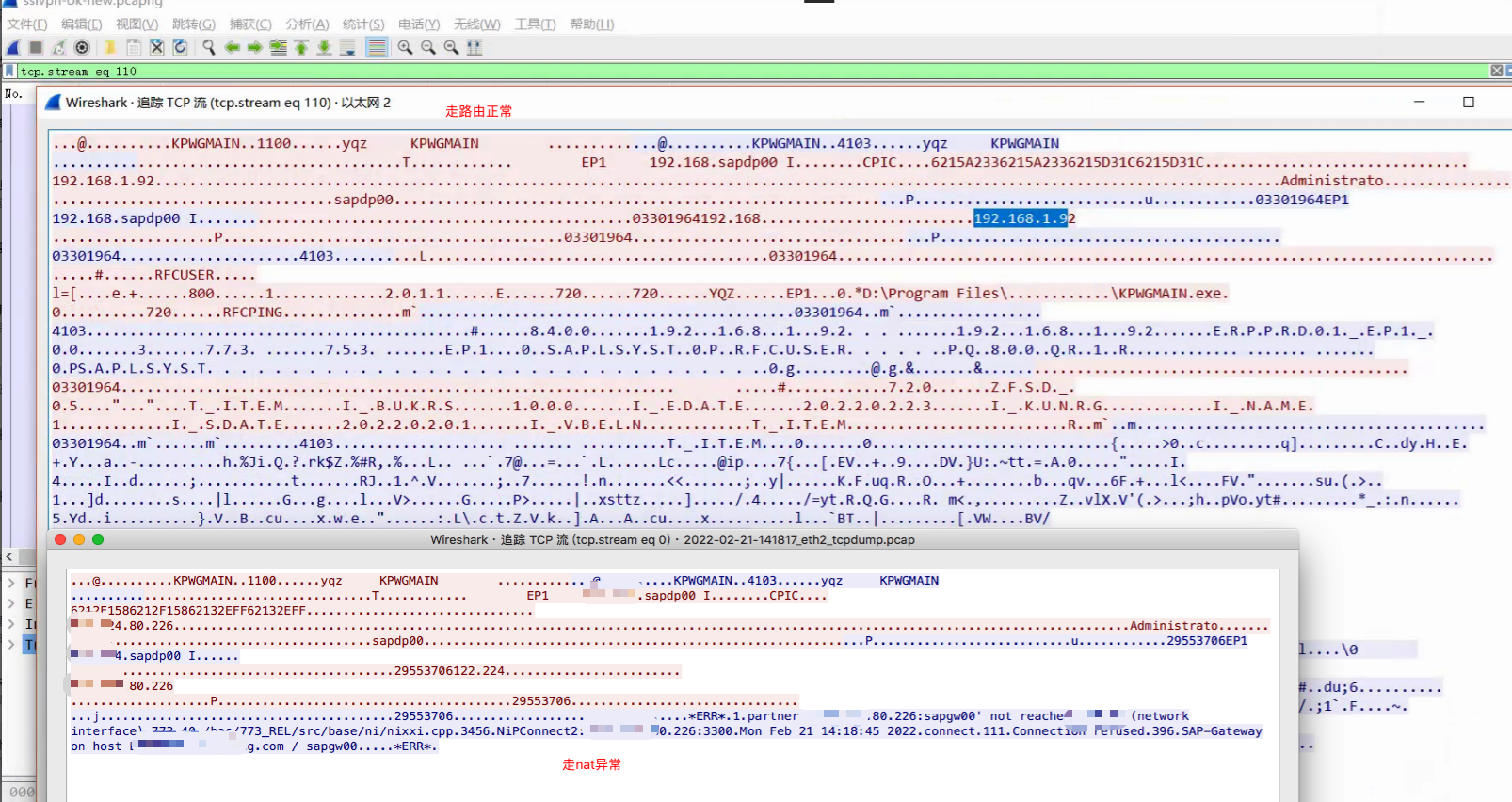
2. Comparing the packet capture and flow tracking from PC and AF, it is found that the data packet returns rejection Info abnormal, but the data packet is not abnormal; it is forwarded normally on AF;
- It is found that the public network can access the server through the real SSL VPN information after dialing in using SSLVPN. The packet capture and comparison show that the real IP information of the server is accessed normally. It is inferred that application layer conversion is required.
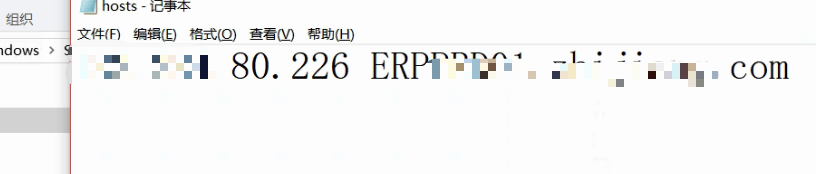
- Coordinate with the manufacturer to confirm. The suggestion is to modify the hosts of the computer. After adjusting it to 192.168.1.92, it still does not work:
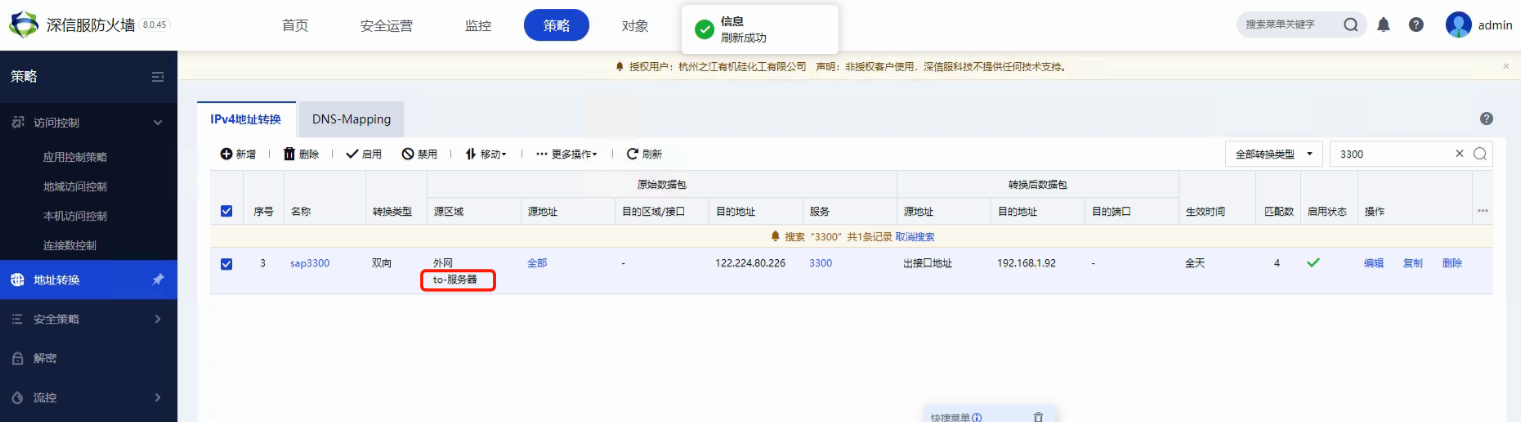
5. Check the AF packet capture again. When the spa loads data, there is also a packet from the server accessing the AF port 3300 mapping. However, because Zones Policies source area does not select lan, it is blocked by rst:

It is speculated that this ERP service is special. When the data packet from the public network accesses the server through NAT to Services server, Services server will access port 3300 of the exit address to detect whether it is accessible. In other words, it accesses itself. If it is accessible, it will return data to the external network client.
- Add the LAN Zones to the source area of the bidirectional mapping and it will be normal;
Root cause
This ERP service is special. When the data packets from the public network access the server through NAT to Services server, Services server will access port 3300 of the exit address to detect whether it is accessible. In other words, it accesses itself. If it is accessible, it will return data to the external network client.
solution
Adding the LAN zone to the source area of the bidirectional mapping will work fine;
Original Link
https://support.sangfor.com.cn/cases/list?product_id=13&type=1&category_id=1471&isOpen=true