
[AF] Application control Policies cannot be synchronized to the external data center
Problem Description
Application control Policies Logs not synchronized to the external data center, while IPS, botnet and other Logs are synchronized normally
Process——
- Check [System] – [System Configuration] – [Log Settings] to see if the application control Policies to the built-in data center and the external data center.
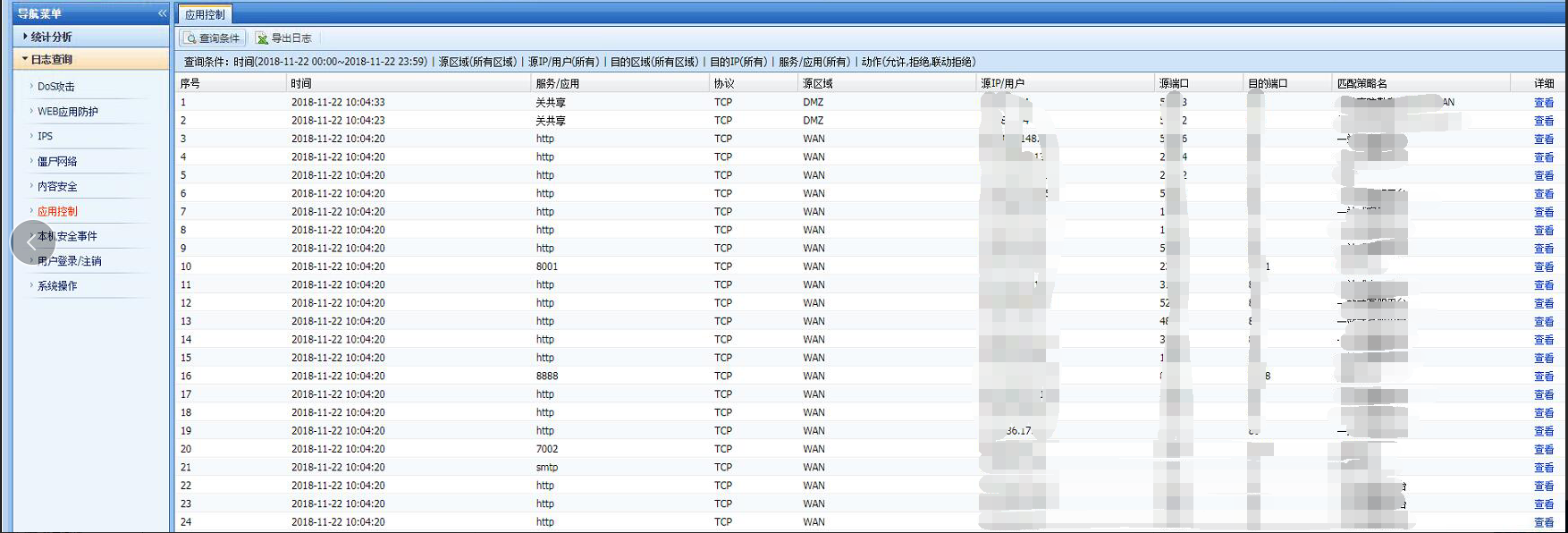
- In the built-in data center, you can see that application control policy Policies generated
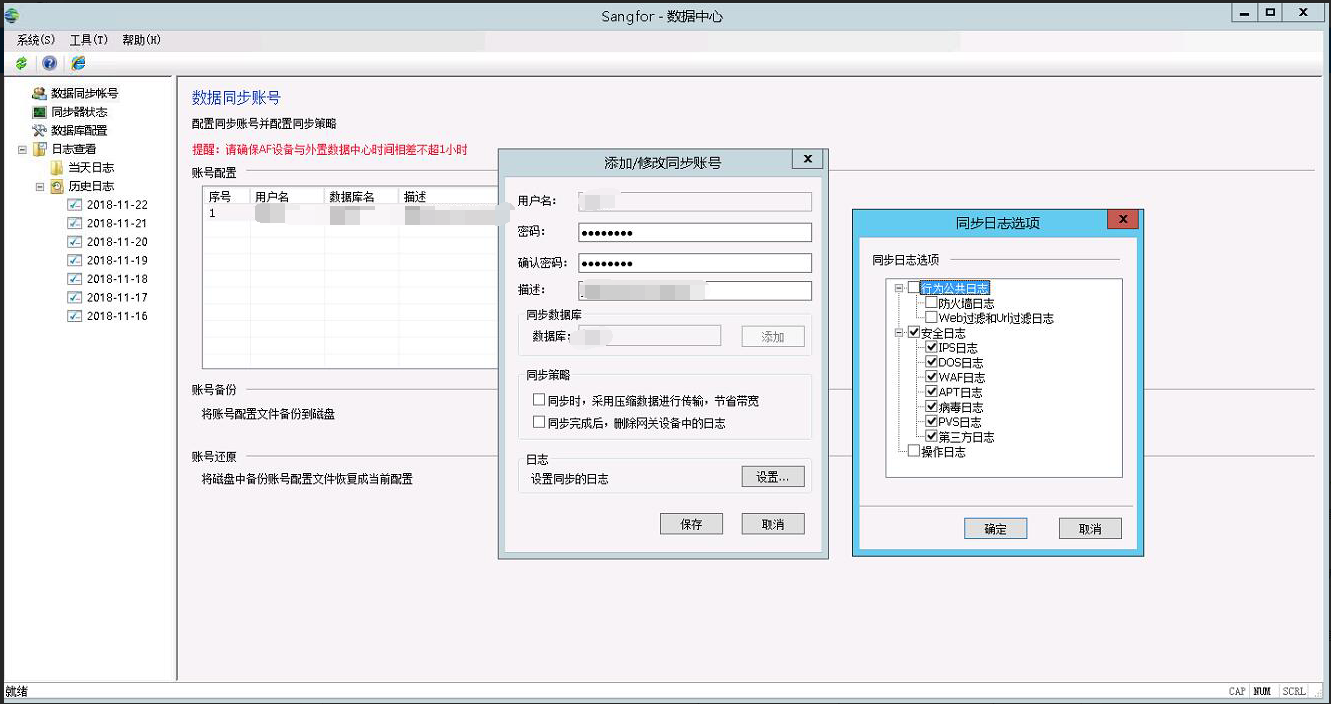
409095bfa9ad162fd2.png (544.38 KB) - Check the [Data Synchronization Status] of the external data center client, double-click the user, click to set the synchronized Logs, and find that [Behavior Public Log] is not checked.
918065bfa9c143a812.png (303.17 KB)
Root cause
Application control Policies Logs in external data centers belong to the [Behavior Public Logs] type
solution
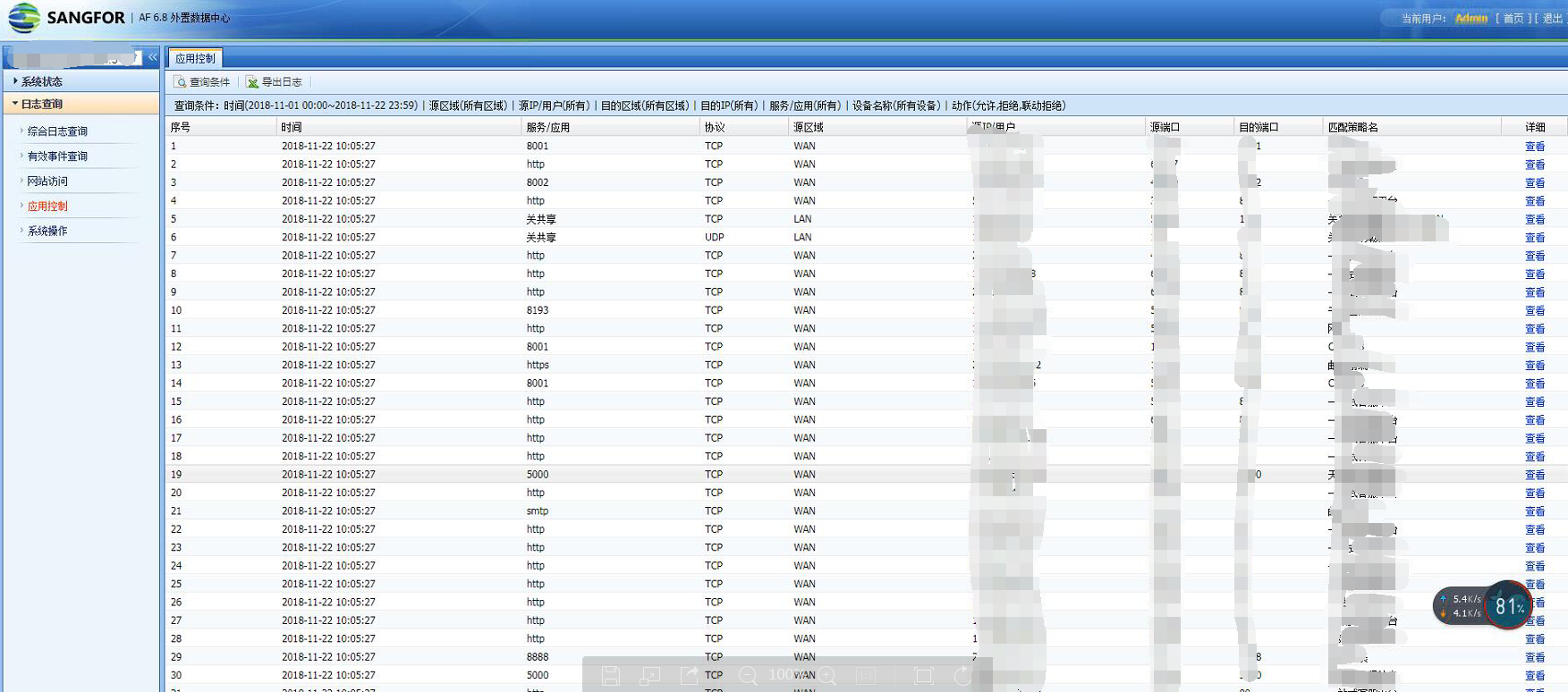
In the external data center client [Data Synchronization Status], double-click the user, click to set the synchronized Logs, check [Behavior Public Logs], and the external data center will synchronize the application control Policies Logs normally.
180435bfa9cbe442dc.png (690.84 KB)
Original Link
https://support.sangfor.com.cn/cases/list?product_id=13&type=1&category_id=495&isOpen=true