
[AF] Application control Policies denial port does not take effect due to application identification Policies in the first place
Problem Description
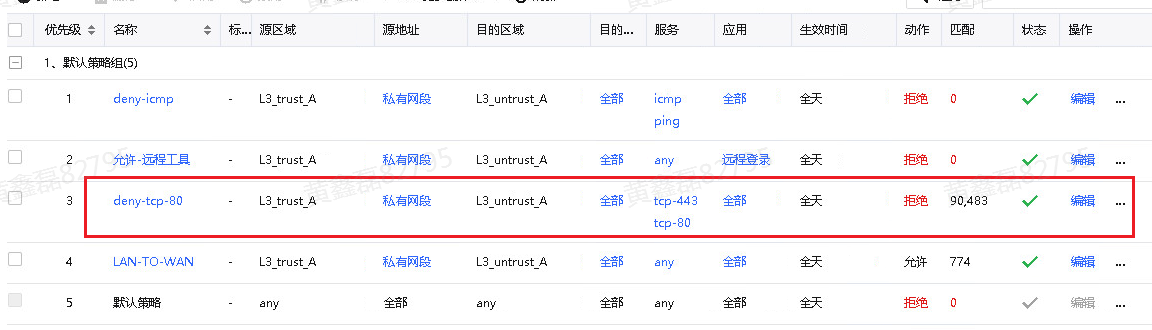
Customer feedback: For a user on the intranet accessing a fixed address on the external network, an application control Policies rejection Policies was implemented. The corresponding policy can be matched through Policies simulation. The 80 port is still accessible through telnet test. Under normal circumstances, the 80 port should be tested as unavailable.
Effective troubleshooting steps
- Check that there is no problem with the configuration Policies itself
- Capture packets to confirm that data passes through Local
- Confirm the problem point through show session conference query: Sessions session displays: policy 0, app 0,
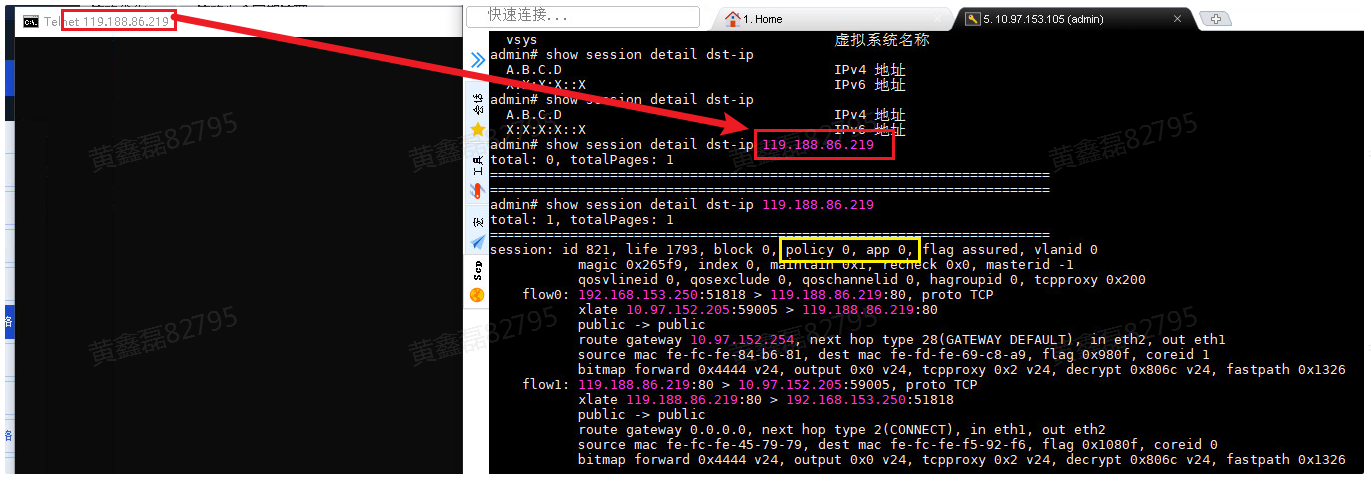
- If policy is 0, it means that no policy match is performed. The possible reason is that the local message is configured with a background policy to allow the NAT policy to pass, mirror traffic, and the application identification fails to identify the background to allow the traffic to pass.
- If app is – (or 0), it means it is being recognizedMedium
For more details, please visit: https://support.sangfor.com.cn/cases/read?product_id=13&category_id=1928
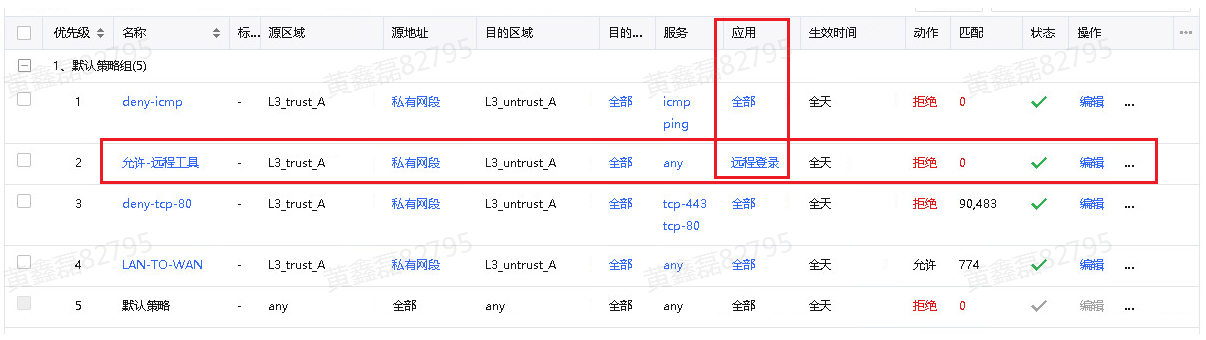
Combined with the above content, check the application control policy again and find that before the customer's corresponding rejection Policies, there is an application control Policies configures the application
Root cause
Therefore, when data matches Policies, application identification is performed first. Before application identification, the corresponding data packets will be released (regardless of whether the Policies is to release or deny). At most, more than 20 packets will be released, which leads to the situation that users can only pass when testing through telnet.
solution
There is no good solution at present: you can only put the corresponding policy for allowing applications after the Policies for denying applications and adjust the order of Policies.
Original Link
https://support.sangfor.com.cn/cases/list?product_id=13&type=1&category_id=23122&isOpen=true