
[AF] Application control Policies does not take effect because Objects Network object is added to the Whitelist
Problem Description
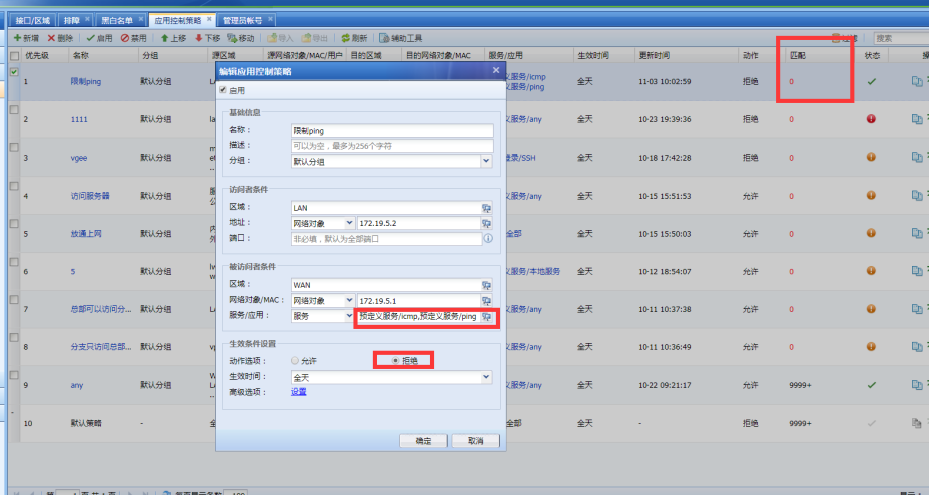
The gateway IP that the intranet PC pings Policies not blocked by the application control policy, and Policies has no matching number, as shown in the following figure:
831525bdd53dbc5142.png (148.64 KB)
Process——
-
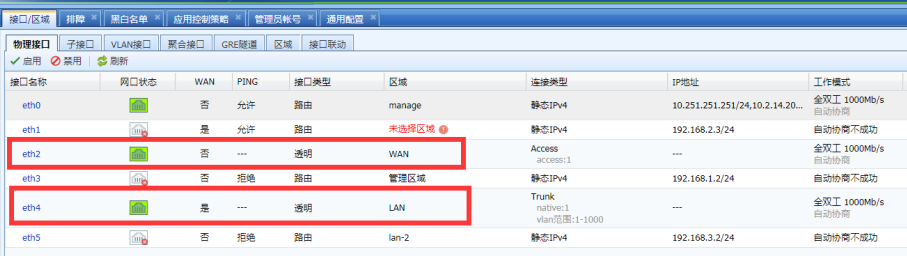
Deploy AF Layer 2 mode and check that there is no problem with the application control Policies. The source Zones is Zones LAN where the PC is located, the destination Zones is the WAN where the gateway is located, the source Network Objects is the IP of the PC, the Network Objects gateway IP, the Services is ICMP, and the action is Reject, as shown in the following figure:
464185bdd540b3e00a.png (85.64 KB) -
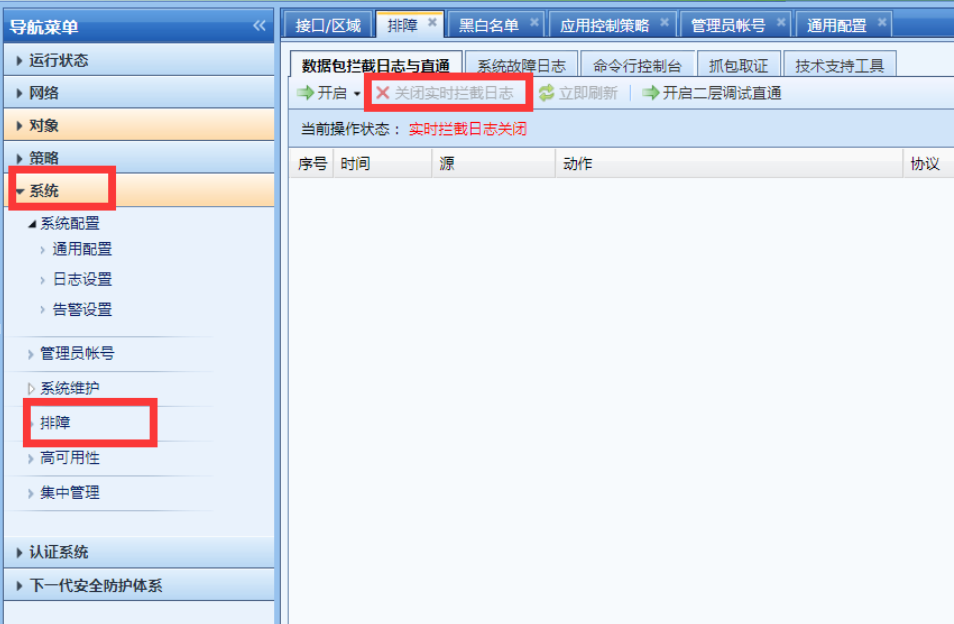
If Policies configuration is OK, check whether the device has enabled direct pass and global exclusion. Go to [System]-[Troubleshooting]-[Packet Interception Log and Direct Pass] to check whether direct pass is enabled, as shown in the following figure:
880745bdd54c923f64.png (131.22 KB) -
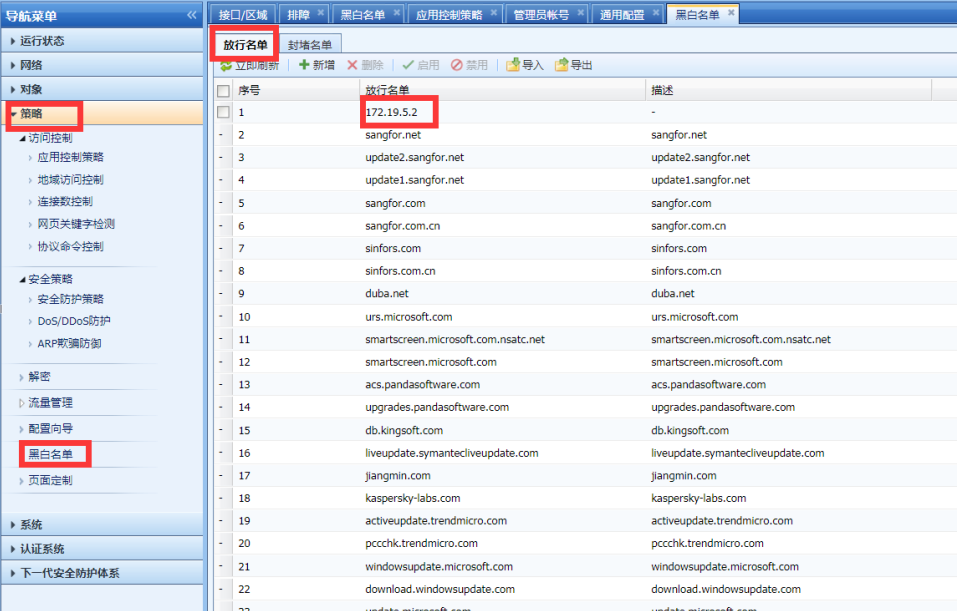
Check whether the Objects IP is added to the release list. In [Policies]-[Black Whitelist]-[Release List], you can see that the PC's IP Address is added to the global exclusion, as shown in the following figure:
308805bdd54e556c5d.png (201.98 KB)
Root cause
The IP addresses Medium the global exclusion (release list) are not controlled by the device Policies.
solution
Disable or delete the Objects IP Medium the Whitelist.
Original Link
https://support.sangfor.com.cn/cases/list?product_id=13&type=1&category_id=463&isOpen=true