
[AF] Application Hiding HTTP headers failed because filtering HTTP headers is not enabled
Problem Description
AF is configured with a Web App Firewall Policies protect the website. The WAF Policies enables HTTP Application Hiding, but HTTP header fields can still be seen when accessing from the external network.
Warning Info
Open the IE browser, press F12 to debug the web page, and then visit the website. You can still see the software Info field in the HTTP header.
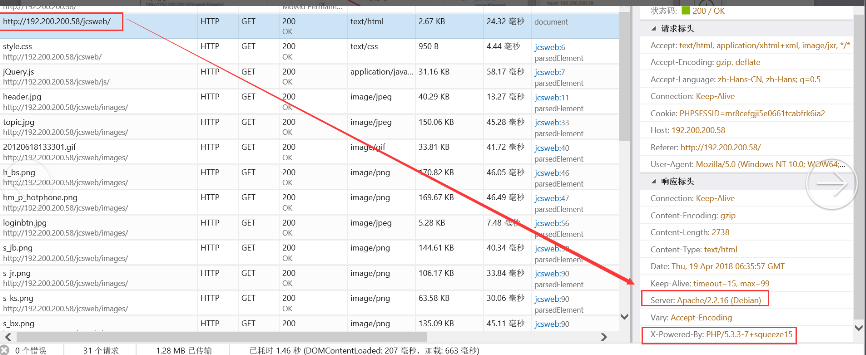
122615b5be64b1e0ea.png (115.78 KB)
Process
-
Check the corresponding Web App Firewall Policies
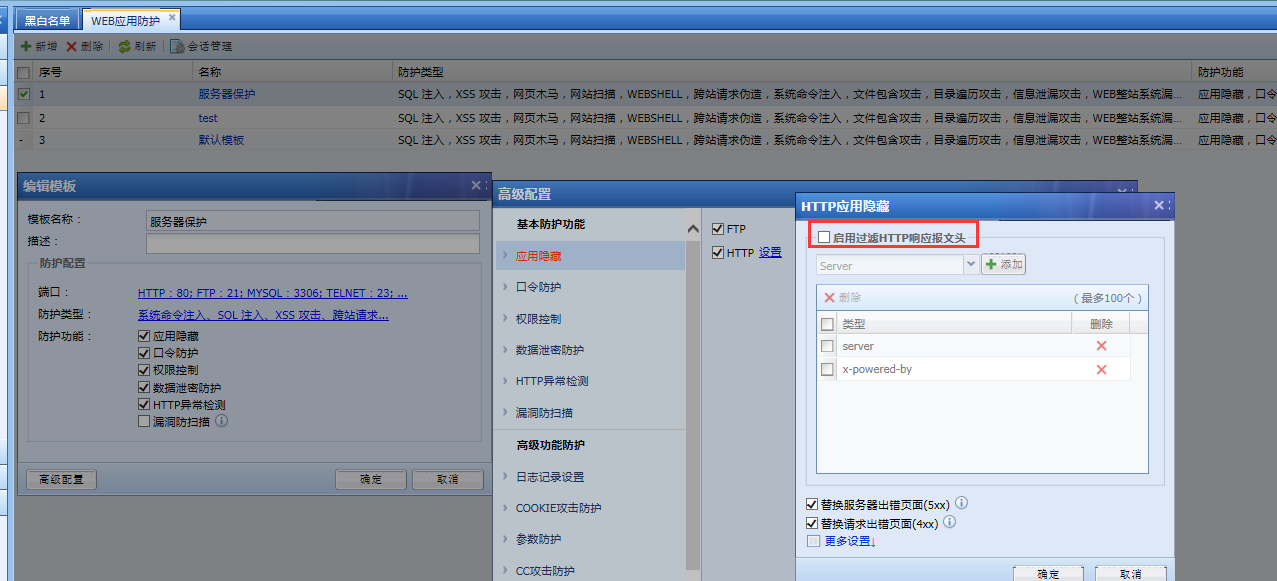
712985b5be6da31f27.png (139.11 KB)
It is found that [Enable filtering HTTP header response message header] is not checked. It needs to be checked to enable the hiding function for the corresponding HTTP header field. Test again after checking
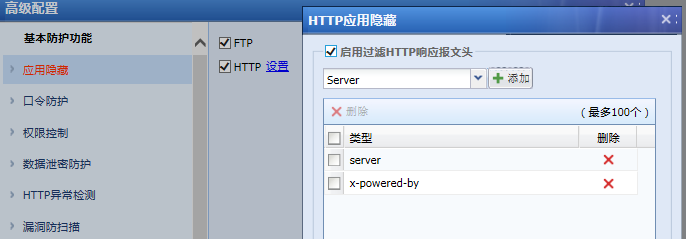
50475b5be750ccef9.png (37.1 KB) -
Revisit the test and find that the HTTP header field has been hidden
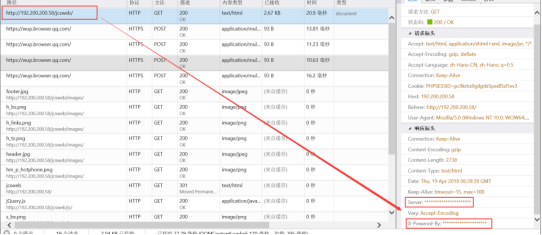
73315b5be7aab8ed8.png (64.89 KB)
Root cause
Application Hiding is checked, and [Enable filtering of HTTP header response message headers] is not checked.
solution
Policies checking [Enable filtering HTTP header response message header] for the corresponding policy, the corresponding field will be hidden after testing again.
Suggestions and Conclusion
When a client accesses a WEB website, the HTTP information returned by Services server will contain corresponding fields containing software Info, such as Server, which will leak the server's software Info. Attackers can use Services server's software Info to find vulnerabilities in the corresponding software and attack it. AF application Application Hiding can prevent attacks by hiding these fields.
Original Link
https://support.sangfor.com.cn/cases/list?product_id=13&type=1&category_id=207&isOpen=true