
[AF] Bandwidth Management does not work for single IP restrictions due to configuration issues
Problem Description
The Bandwidth Management Policies is configured and restrictions are imposed on a single IP. However, in actual speed measurement, a single IP in the intranet can fully utilize the channel.
Effective troubleshooting steps
- Check whether the virtual line rules are correct

- Check that the Bandwidth Channel does restrict a single IP address.

- Check direct access and Whitelist confirmation, none
- In fact, find a computer to test the speed on the speed test network and it still exceeds the limit value, confirming that the traffic is passing through the Bandwidth Management channel
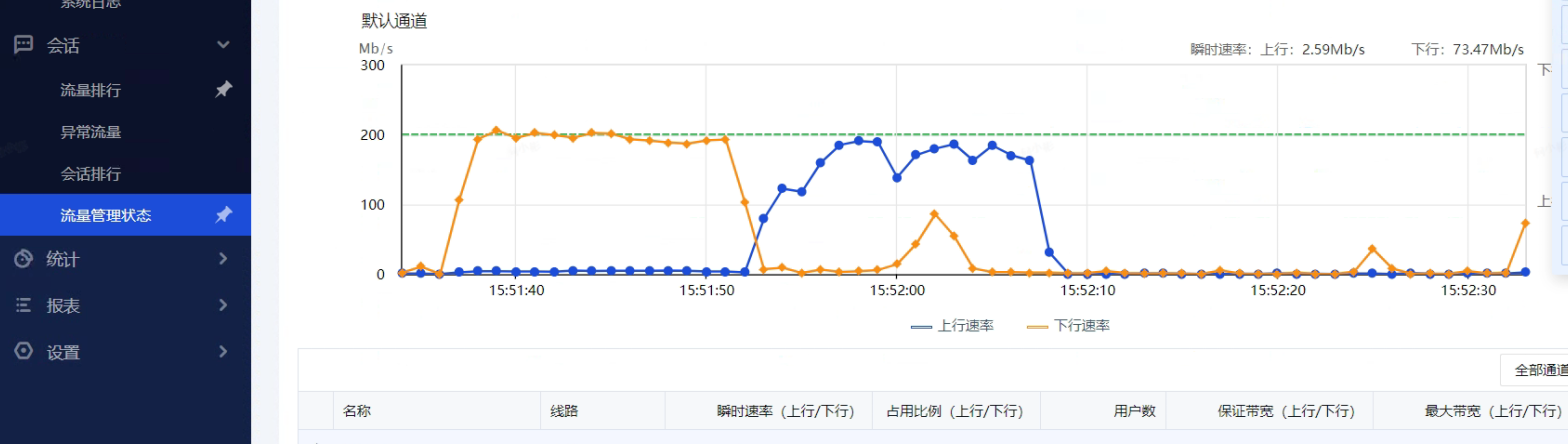
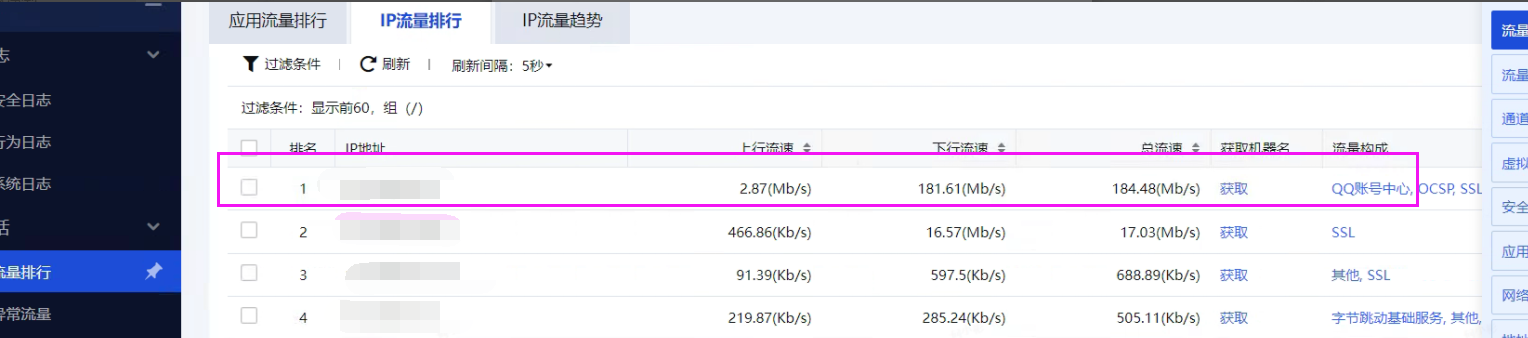
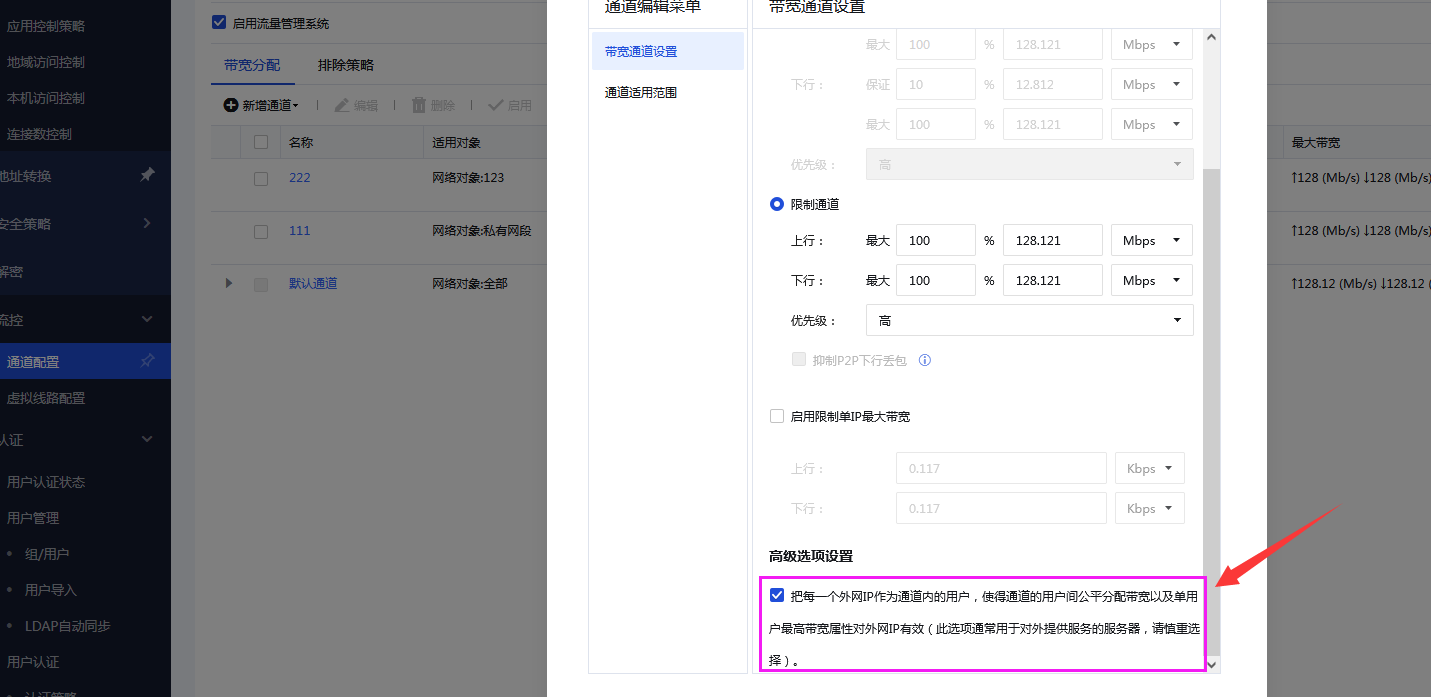
- Check Bandwidth Channel to confirm that the advanced settings are checked. (If this option is checked, each external IP will be treated as a user in the channel, so that bandwidth is fairly distributed among users of the channel and the maximum bandwidth attribute of a single user is valid for the external IP. This option is usually used for Services that provide Services the outside world.)
Root cause
Since the Bandwidth Management channel settings have the advanced options checked, it is generally for server scenarios, the Bandwidth Management direction is opposite, and restrictions will be made on the external network IP. When testing the speed on the speed test network, it is actually our internal network IP that performs SSL protocol transmission on multiple public network IPs at the same time.
solution
After canceling the advanced option settings of the Bandwidth Channel configuration, test again to limit it to the maximum value of the single IP setting
Original Link
https://support.sangfor.com.cn/cases/list?product_id=13&type=1&category_id=1501&isOpen=true