
[AF] Business Asset Security IP appears in Policies Zones configuration error
Problem Description
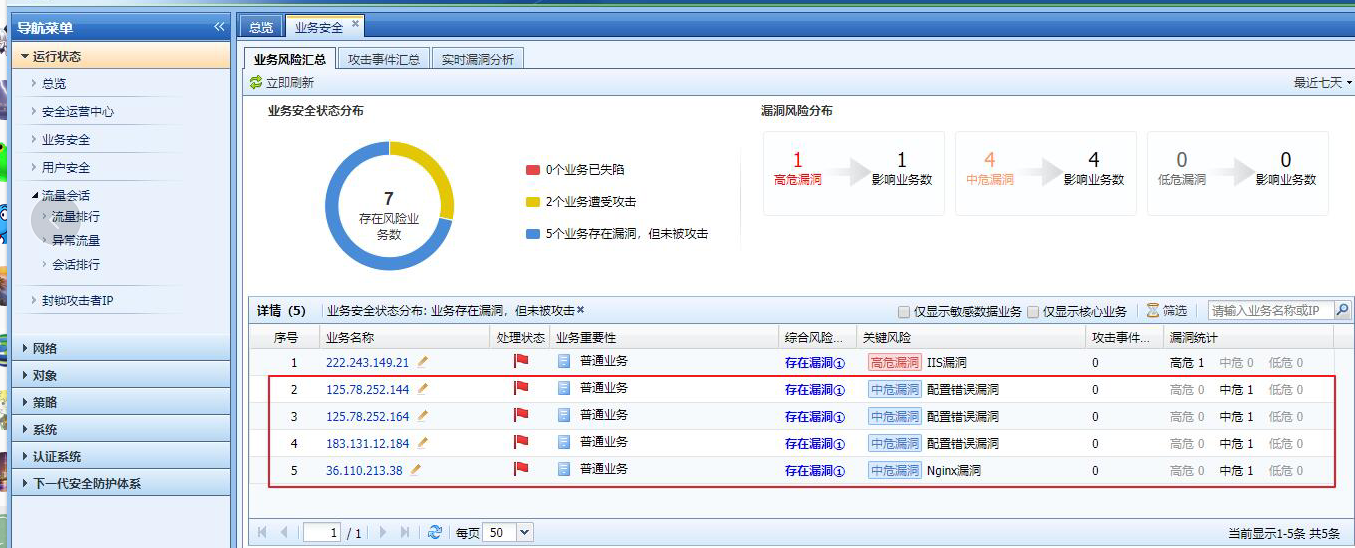
A lot of external IP Business Asset Security appears in the device's business Info
Warning Info
358995bf65e5f40afb.png (476.57 KB)
Process——
-
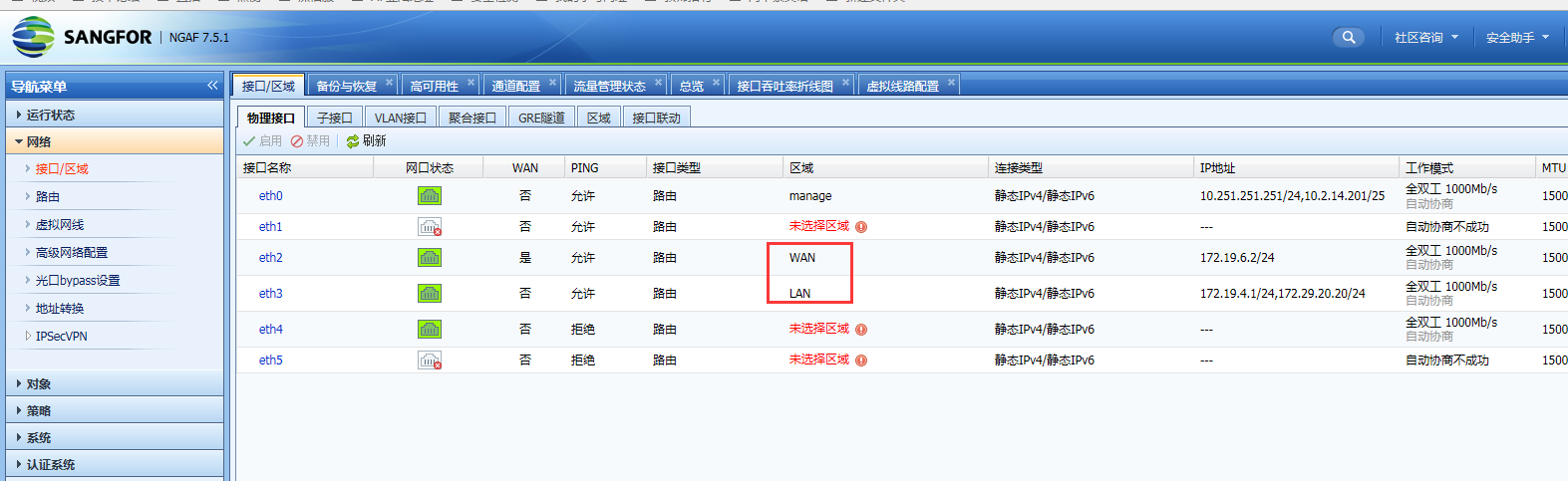
Check Zones Interfaces area, there are external network Zones and internal network Zones
247945bf65edc84e0c.png (141.78 KB) -
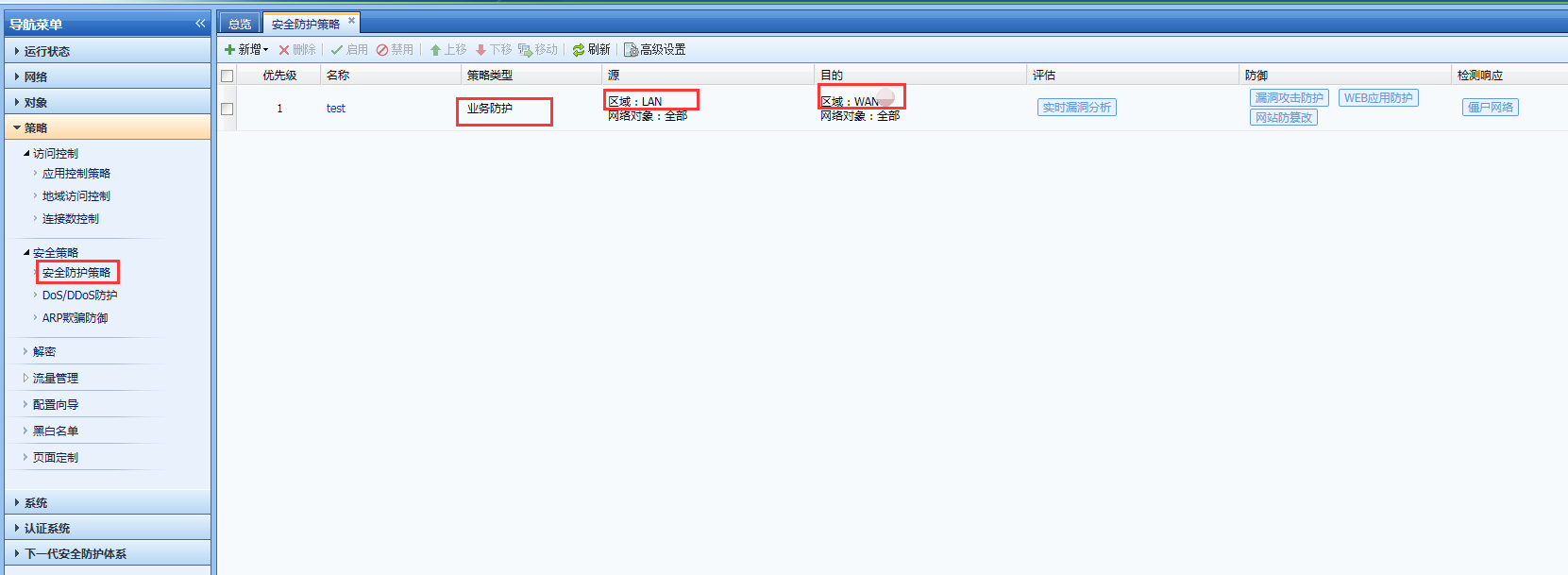
Check the security Policies configuration and find that the source and destination Zones Policies business protection policy are the intranet Zones and the extranet Zones respectively.
925905bf66035105b4.png (75.61 KB)
Root cause
The business protection Policies Zones is incorrect. In the correct configuration, the source Zones are the external network Zones and the internal network Zones
solution
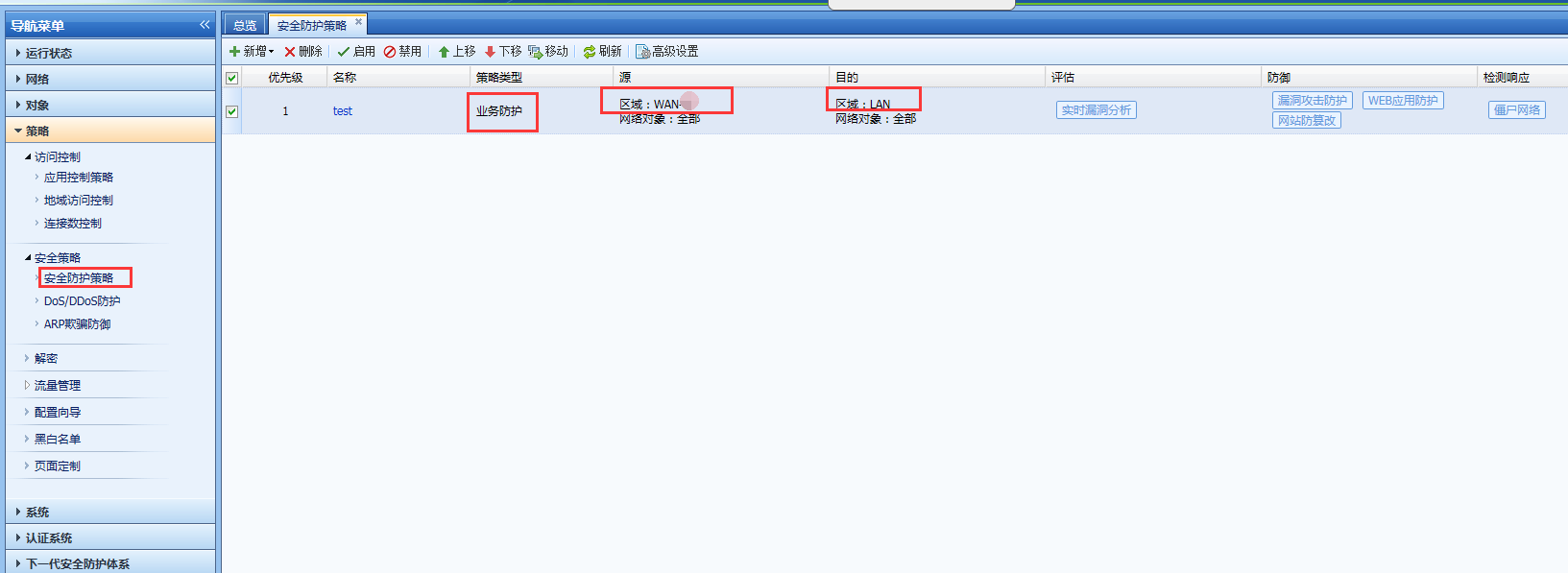
Modify the business protection Policies, change the source and Zones to the external network Zones and the internal network Zones respectively, and wait for seven days for the new Logs to overwrite the old Logs
153845bf660ca67f23.png (76.21 KB)
Original Link
https://support.sangfor.com.cn/cases/list?product_id=13&type=1&category_id=505&isOpen=true