
[AF] Business Asset Security prompt server “No security policy configured”
Problem Description
[Operation Status] – [Security Operation Center] – Prompt that the server is not configured with a security Policies
Warning Info
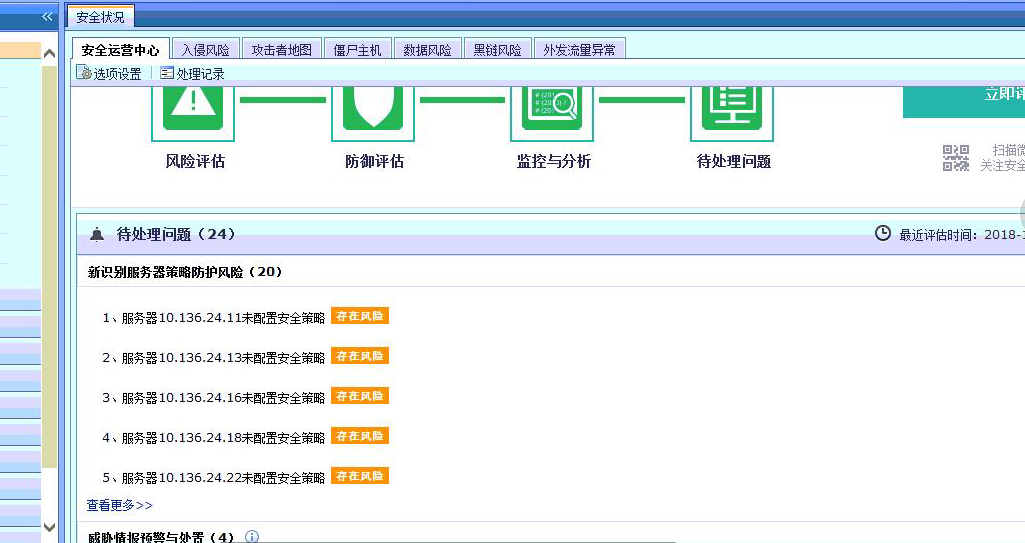
324835c1b7d6e276fb.png (222.31 KB)
Process——
- Check that the corresponding configured security policy is correct

126335c1cd079adad2.png (46.17 KB) - Click to enter and view the object as IP group
Other viewing paths: [Objects] – [Network Objects]
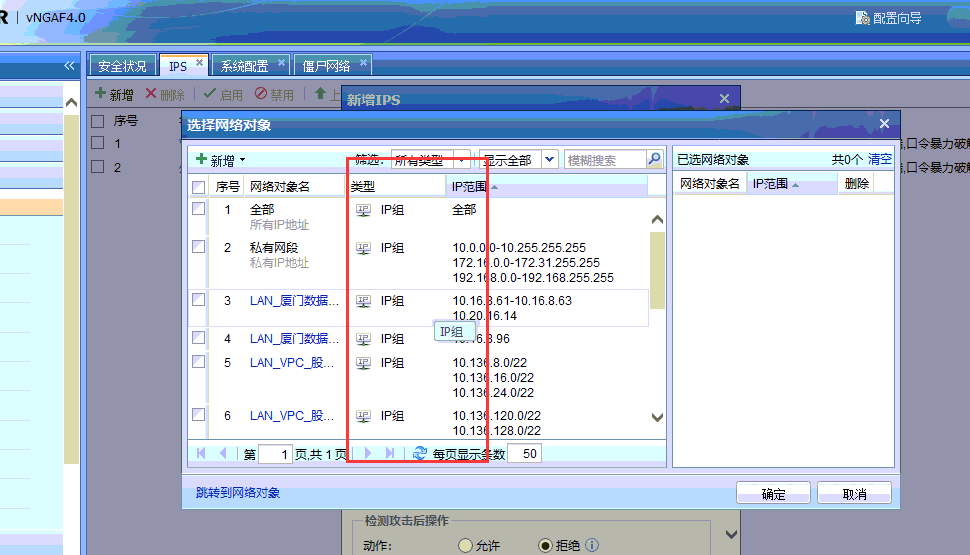
515825c1b7bdca8565.png (69.62 KB)
Root cause
The corresponding detection business group of Security Operations does not detect the IP group
solution
Method 1: Add the server IP to the business group and reconfigure the security Policies
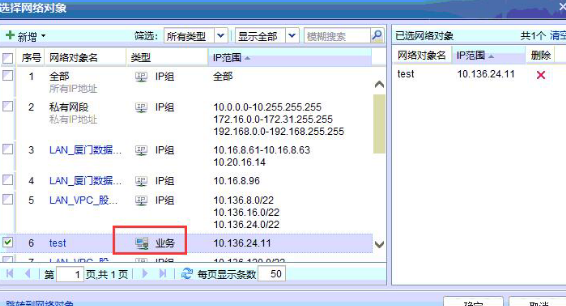
676835c1cd1b08954d.png (174.75 KB)
Method 2: If the corresponding policy has been configured using the IP group, click "Ignore" on the right.
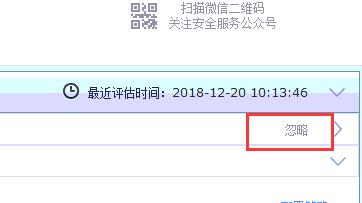
621305c1b7e3556718.png (6.35 KB)
Original Link
https://support.sangfor.com.cn/cases/list?product_id=13&type=1&category_id=578&isOpen=true