
[AF] Click on SSL VPN and get an error: Please configure the “Deployment” of SSL VPN first
Problem Description
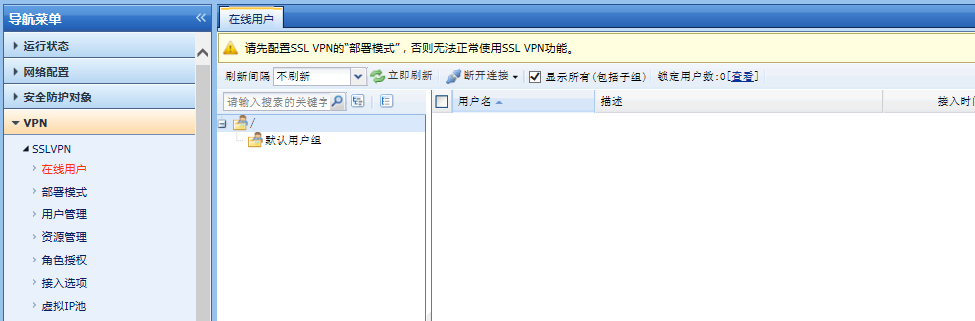
AF has been configured. I want to configure SSL VPN. When I click on the SSL VPN page, there is an alarm Info: Please configure the "Deployment" of SSL VPN first, otherwise the SSL VPN function cannot be used normally.
531145b94cc96e8c3a.png (47.87 KB)
Process——
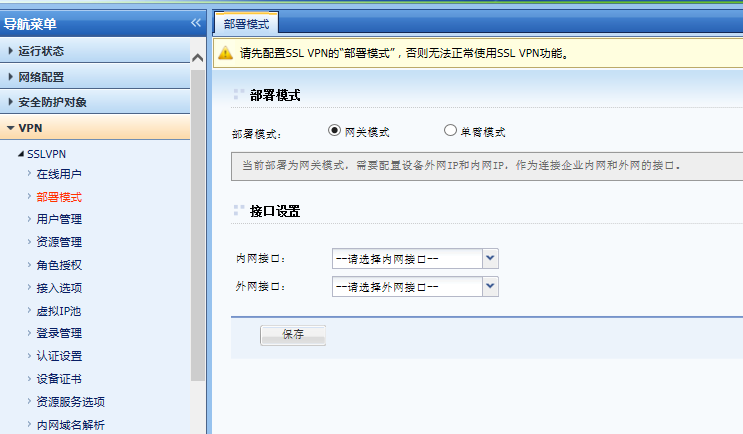
- To use the SSL VPN function, you must first configure the Deployment
990285b94cd117e300.png (52.83 KB)
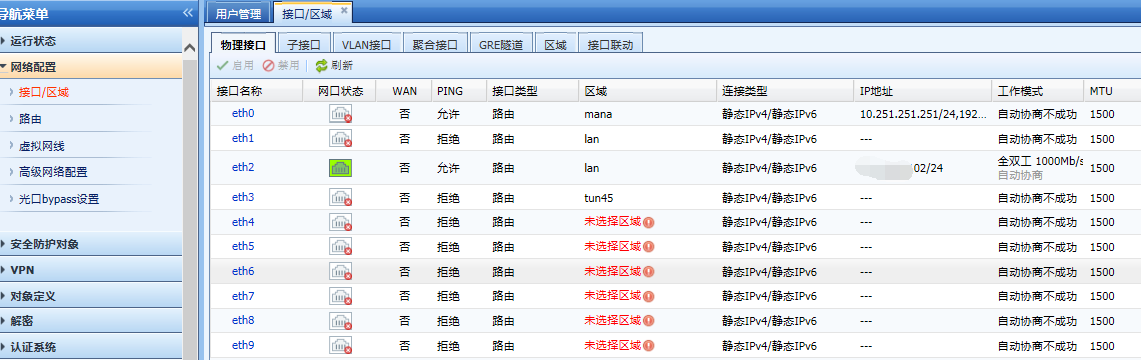
The gateway mode is used when there is an intranet port and an extranet port; the single-arm mode is used when there is only one intranet Layer 3 port connected, and the front-end NAT device maps the public network IP to the single-arm Layer 3 port of AF. - Check the device Interfaces
971295b94d0396e048.png (102.84 KB)
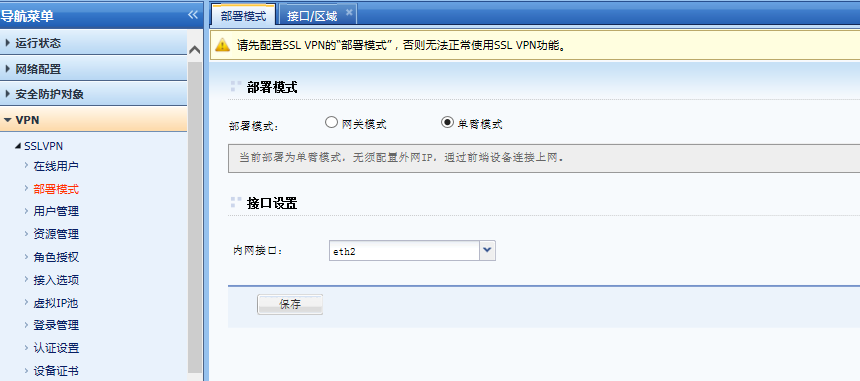
AF is a single-arm deployment, connected to only one intranet router port - Select [Single-arm mode] for Deployment mode, and select the Interfaces port ETH2 for the intranet interface in [Interface Settings].
176185b94ce2c652a5.png (45.5 KB)
After [Save], the warning message will not be prompted, and you can configure the SSL VPN settings
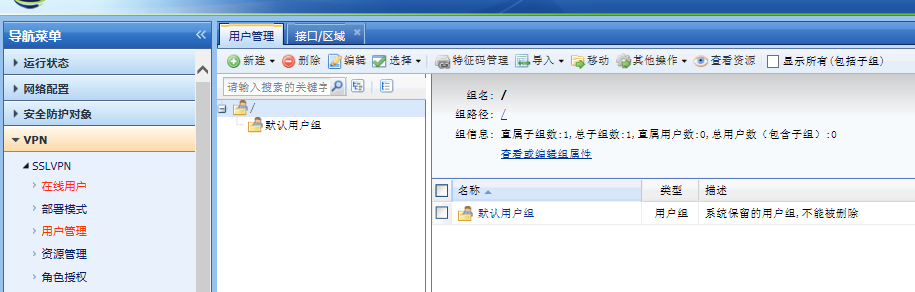
624865b94ced1a7a9b.png (67.35 KB)
Root cause
AF's SSL VPN needs to configure the [Deployment] first before configuring other Policies
solution
First configure [Deployment] and select [Single-arm Mode]. In [Interfaces Settings], select the intranet router port ETH2.
Original Link
https://support.sangfor.com.cn/cases/list?product_id=13&type=1&category_id=360&isOpen=true