
[AF] Concurrent Sessions have data for 24 hours and long connections cause
Problem Description
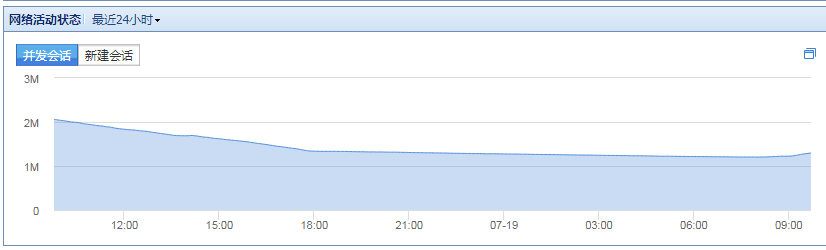
Local [Operation Status] – [Network Activity Status] – the number of Sessions in the last 24 hours has been continuously recording data, including during the evening off-get off work hours.
Warning Info
QQ screenshot 20180719094140.png (14.09 KB)
Process——
- Initial suspicion is that it is caused by Suspicious Traffic. Confirm with the customer that all computers are turned off at night and no traffic will occur.
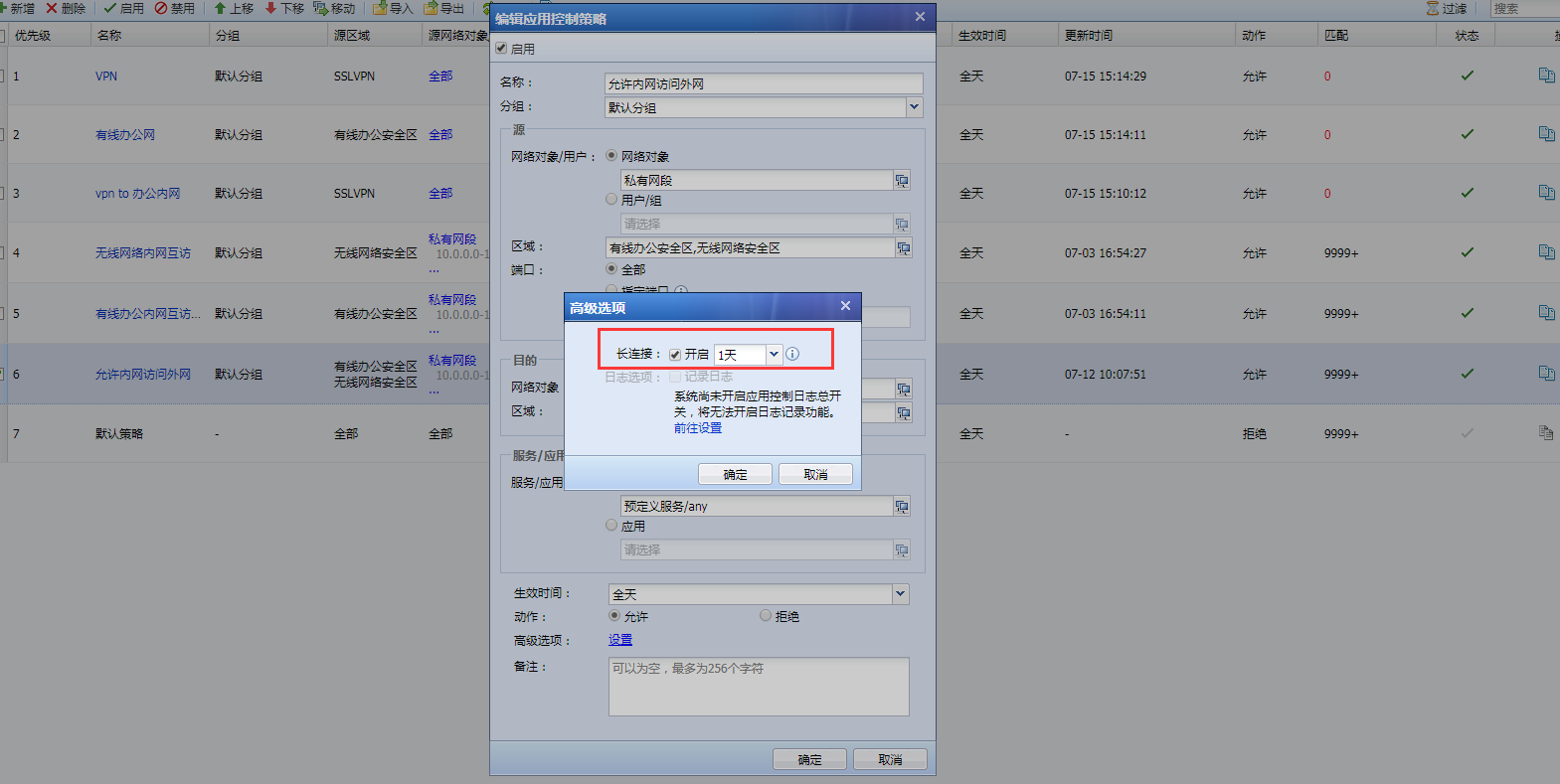
- Check the application control policy and find that long connection is checked.
- Uncheck the long connection option and wait for a while for the number of Sessions to decrease.
Root cause
Before AF standard version 7.4, the default AF long connection time is 24 hours. It is not recommended to open a long connection. Without a long connection, TCP is 1800S, UDP is 180S, and ICMP is 30S.
Starting from AF standard version 7.4, the default AF persistent connection time is one day. The number of days for the corresponding long connection can be modified according to the specific situation
solution
- As shown in the figure, uncheck the long connection.
QQ screenshot 20180719094222.png (122.44 KB)
Suggestions and Conclusion
The long connection function is only used to support special servers with long connection requests, so that the connection request is not affected by timeouts and the corresponding connection is maintained for a long time. Please enable it with caution.
Original Link
https://support.sangfor.com.cn/cases/list?product_id=13&type=1&category_id=138&isOpen=true