
[AF] Configuring Policies does not display the next hop Interfaces
Problem Description
After Policies is configured, the Interfaces list does not display the next hop. 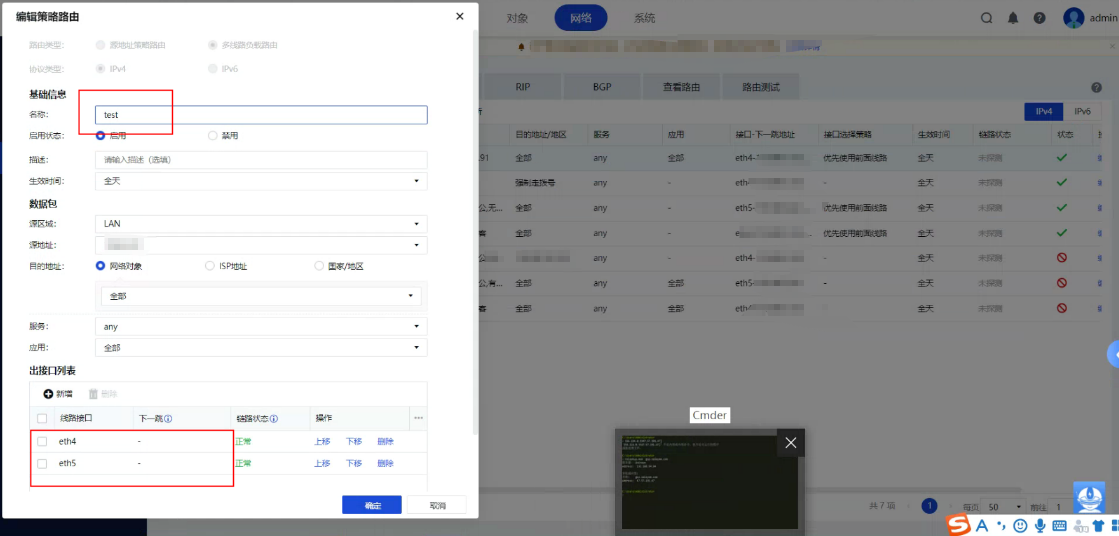
Effective troubleshooting steps
- Check other Policies Layer 3 and find that some are displayed and some are not.
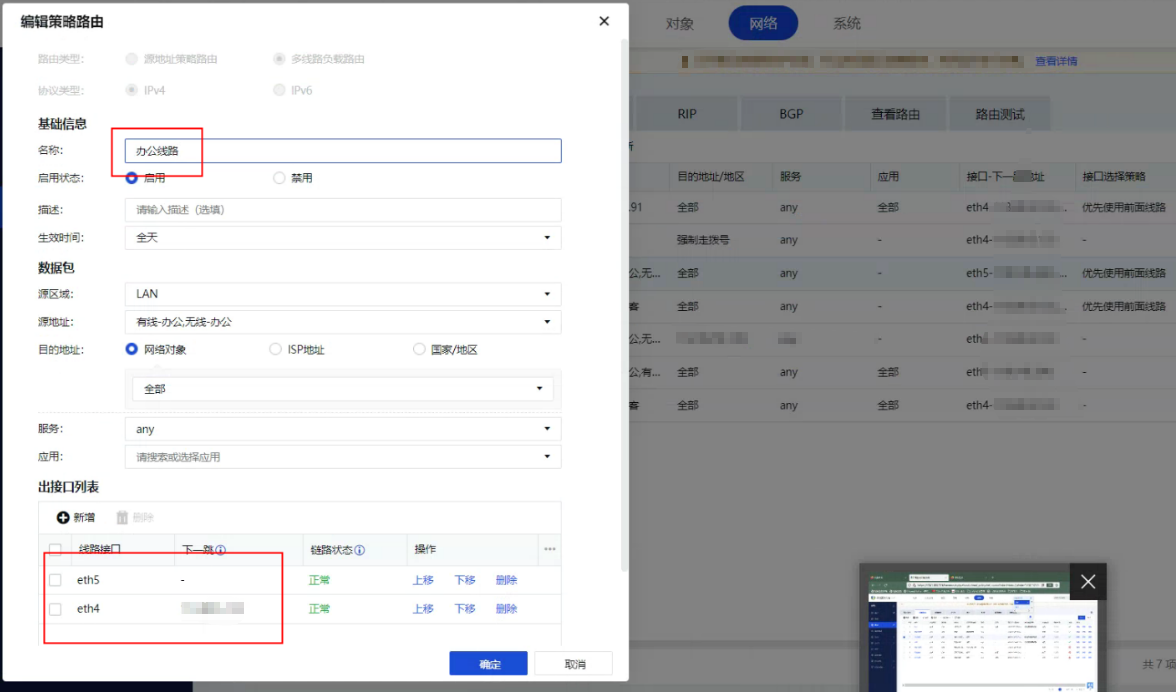
- Check Interfaces and find that one is PPPoE and the other is a static address.
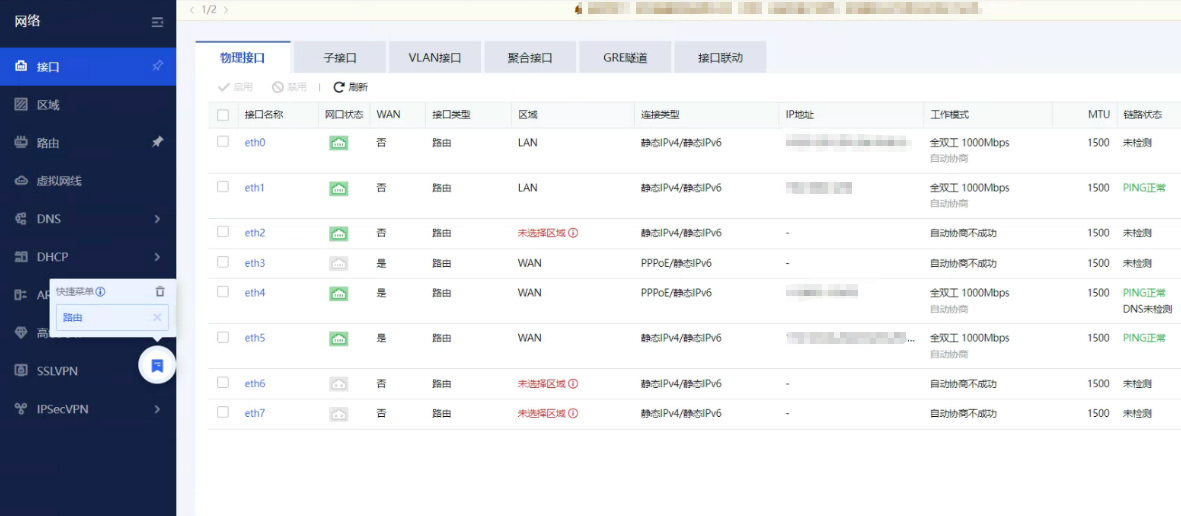
- Layer 3 tracking and Policies Layer 3 are effective normally.
Root cause
- When Interfaces is configured with a static IP, it will only be displayed when configured on the Command Line.
- The Interfaces is an IP automatically Obtain by PPPoE or DHCP. The internal implementation mechanism is that it will not be displayed when the Policies is configured for the first time, but when the dial-up port re-Obtain IP, it will be written back to the configuration center and it will be displayed at this time.
solution
This problem is a display problem and you don't need to worry about it. Static Interfaces need to be configured using the Command Line, and dynamic addresses need to be re-Obtain.
Operation Impact Scope
Re-Obtain the address will cause business disconnection, so it is recommended to implement it during off-peak hours! ! !
Original Link
https://support.sangfor.com.cn/cases/list?product_id=13&type=1&category_id=1624&isOpen=true