
[AF] Custom WAF Signature rules
Problem Description
The client wants to achieve:
Allow access to all resources under the path http://123.com/webqq/3333/,
Access Denied http://123.com/webqq/
Effective troubleshooting steps
- You cannot simply use the URL protection function. Configure to allow in the front, and then configure to deny below:
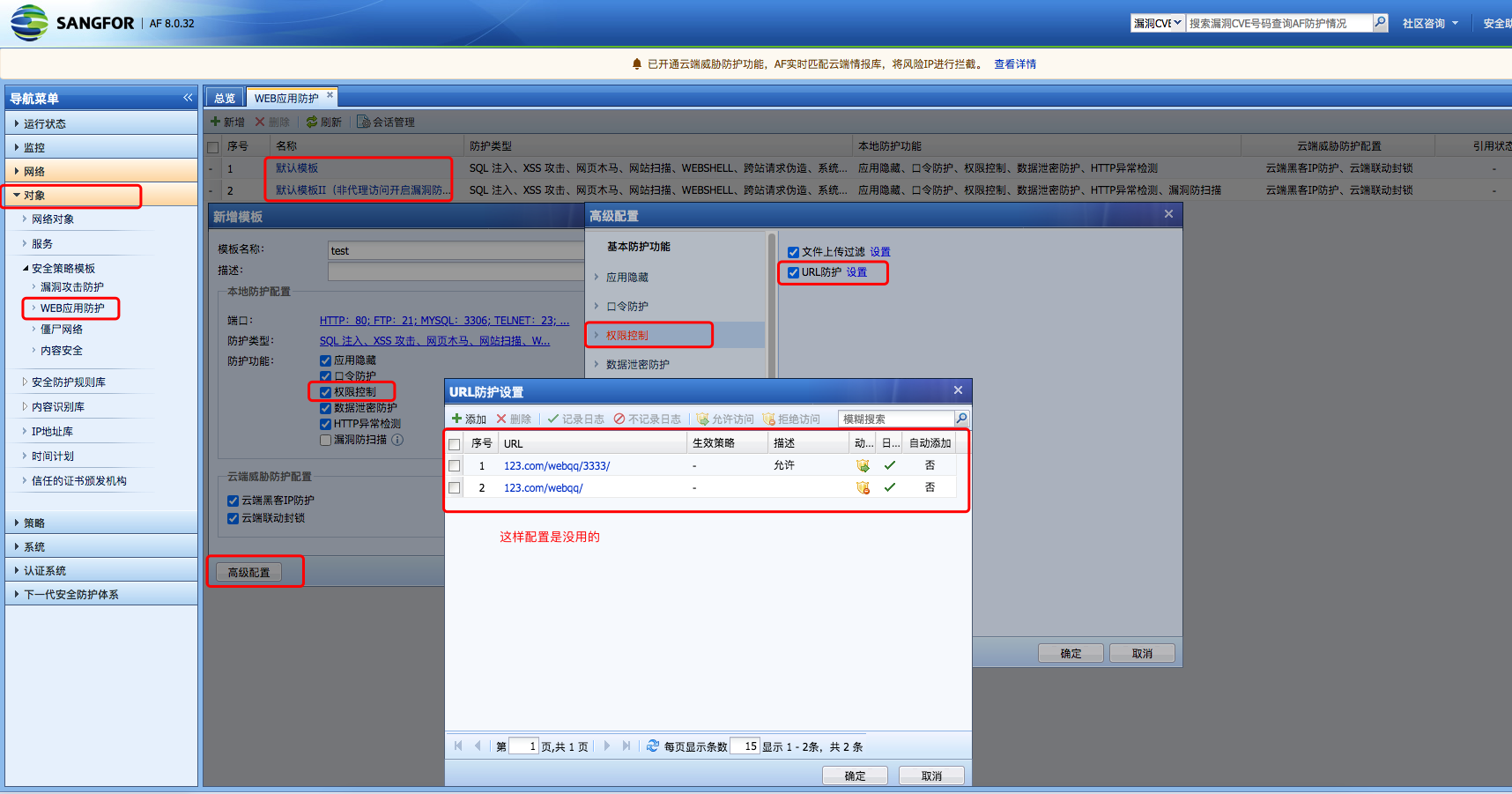
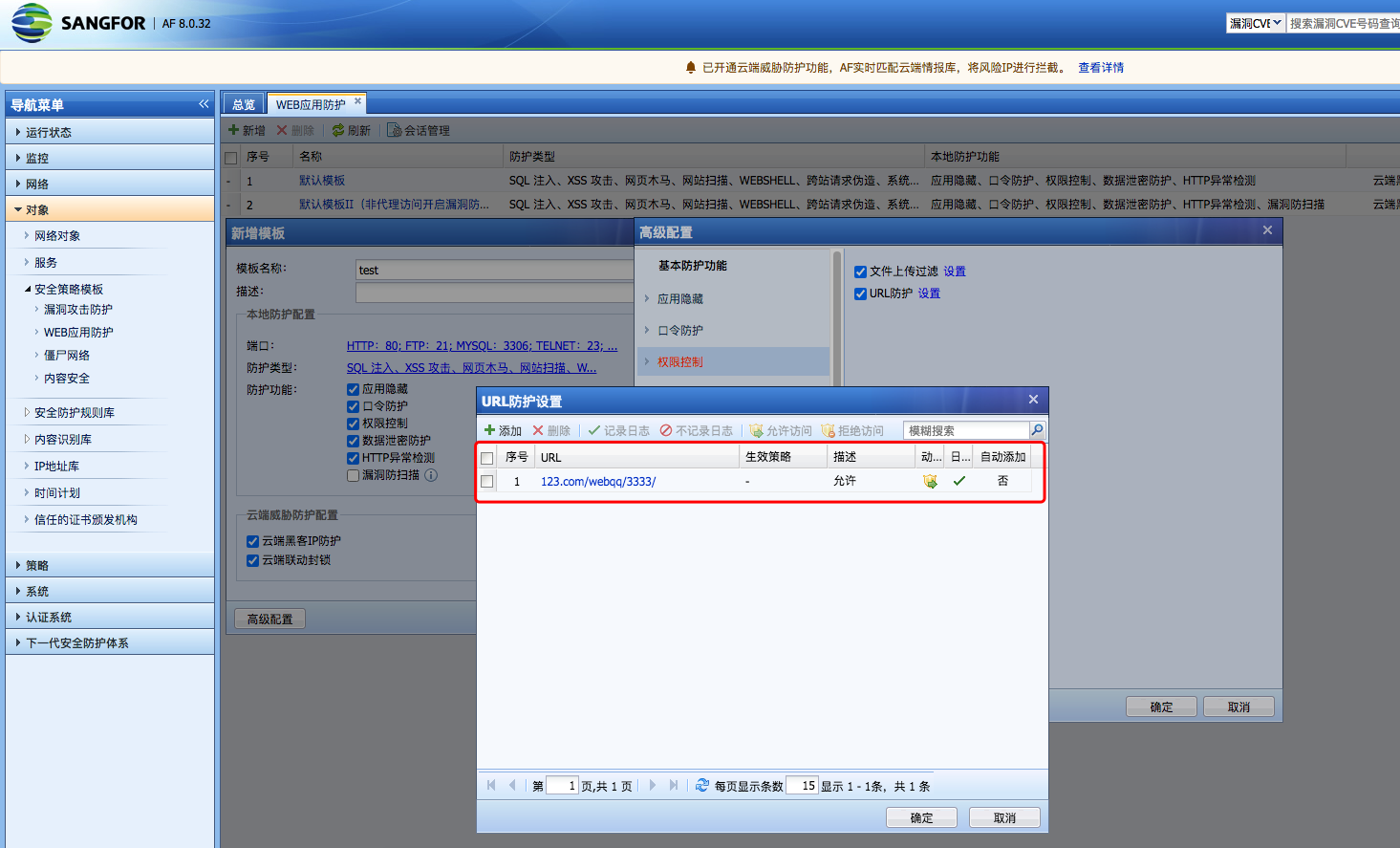
2. You need to configure URL protection to allow webqq/3333/. URL protection has the highest Priority, and then configure it to deny in the custom WAF:
Then configure a rule Medium deny webqq/ in the custom WAF:
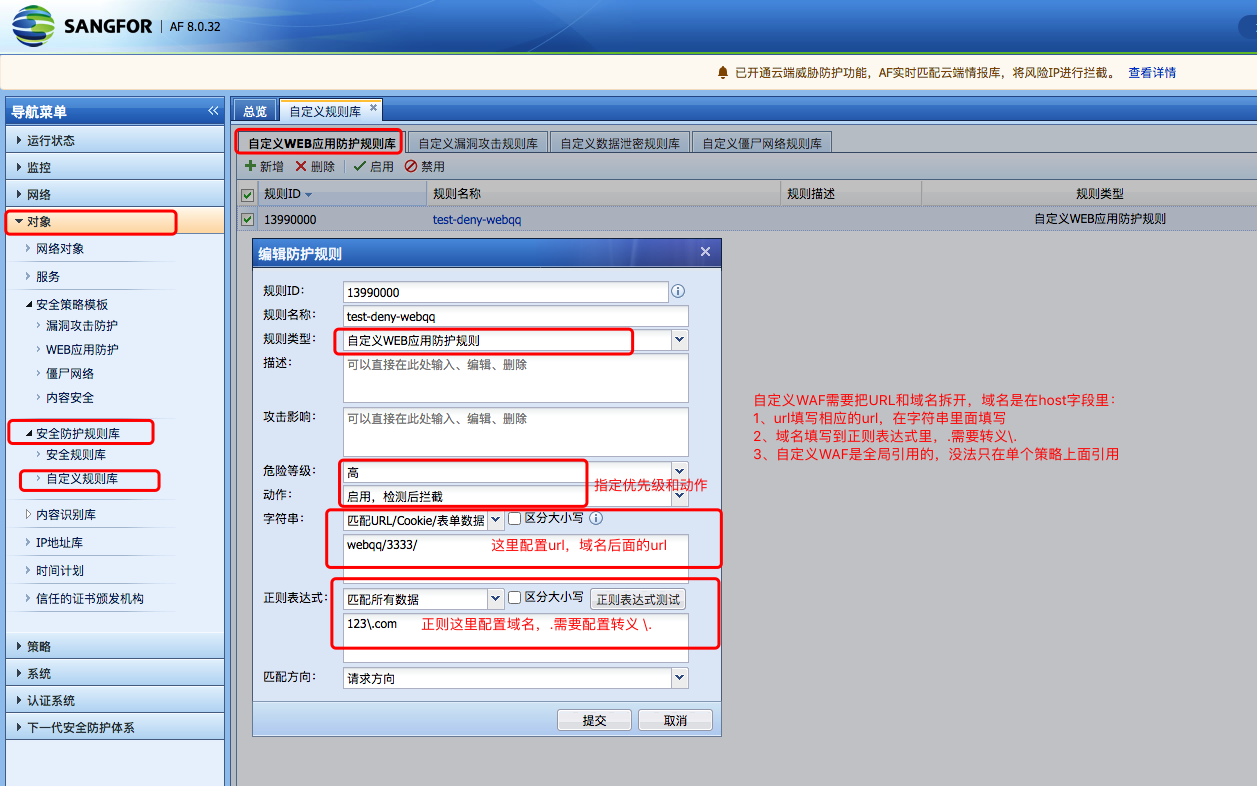
The . in the domain name needs to be escaped \.
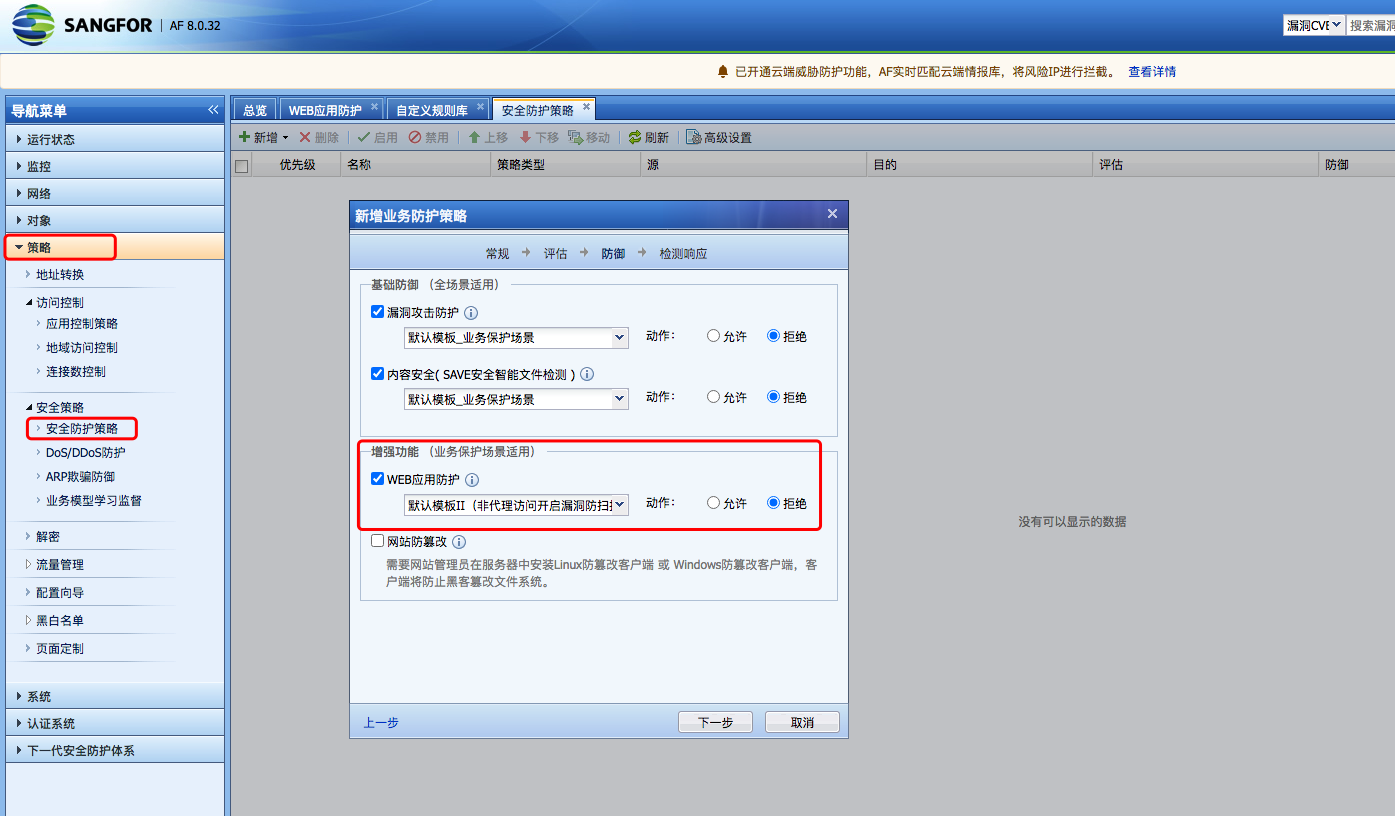
Finally, check the corresponding security Policies to see if it is configured correctly:
illustrate:
- Write the domain name and URL separately, and write the URL in the string above.
- The domain name part is written in the regular matching data below
- After configuration, there is no need to quote separately. Policies will be automatically quoted. At this time, you can access the data for testing;
solution
After the configuration is completed, you can achieve:
Allow access to all resources under the path http://123.com/webqq/3333/,
Access Denied http://123.com/webqq/
Original Link
https://support.sangfor.com.cn/cases/list?product_id=13&type=1&category_id=1306&isOpen=true