
[AF] Dedicated GeoLocation Blocking exception after configuring regional access control
Problem Description
After configuring GeoLocation Blocking for user access, dedicated intranet access is abnormal and the PC on the other end cannot access the local server.
Process——
- Users access the Internet through a dedicated line, so the area where the dedicated line is located belongs to the external network Zones.
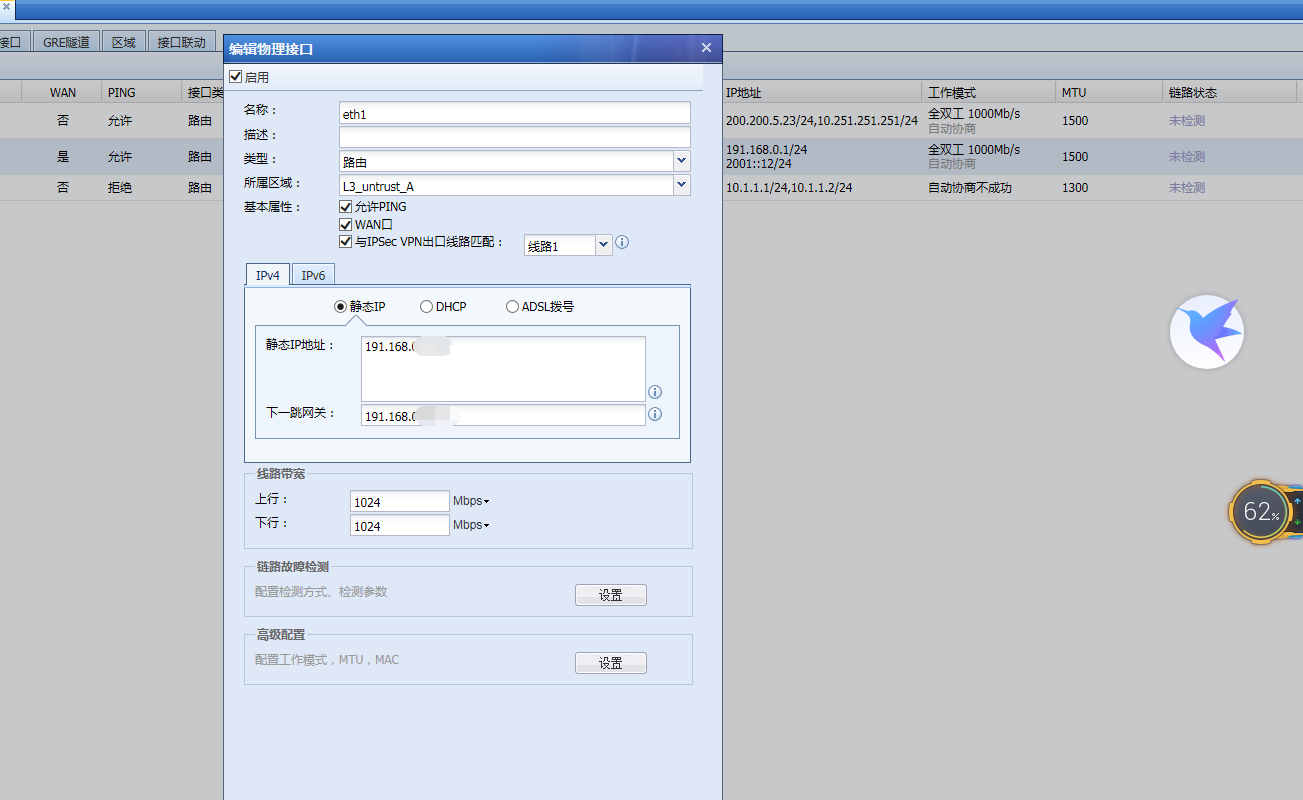
914215e4b594c77621.png (108.35 KB) - GeoLocation Blocking configuration only allows access from mainland China.
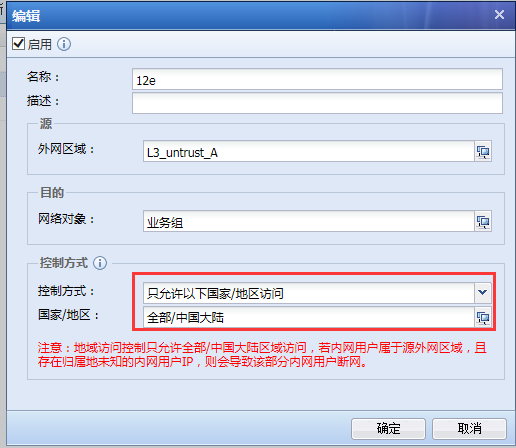
203815e4b59e1de44f.png (39.5 KB) - Confirm that the IP of the PC end of the dedicated line belongs to the intranet IP, which will cause the users of the intranet IP to be disconnected from the Internet.
Root cause
The dedicated line user IP belongs to the intranet IP. In the Geolocation Lookup, most of the intranet IPs do not belong to mainland China. Most of them belong to unknown locations or the United States.
solution
- Add location exclusion Policies
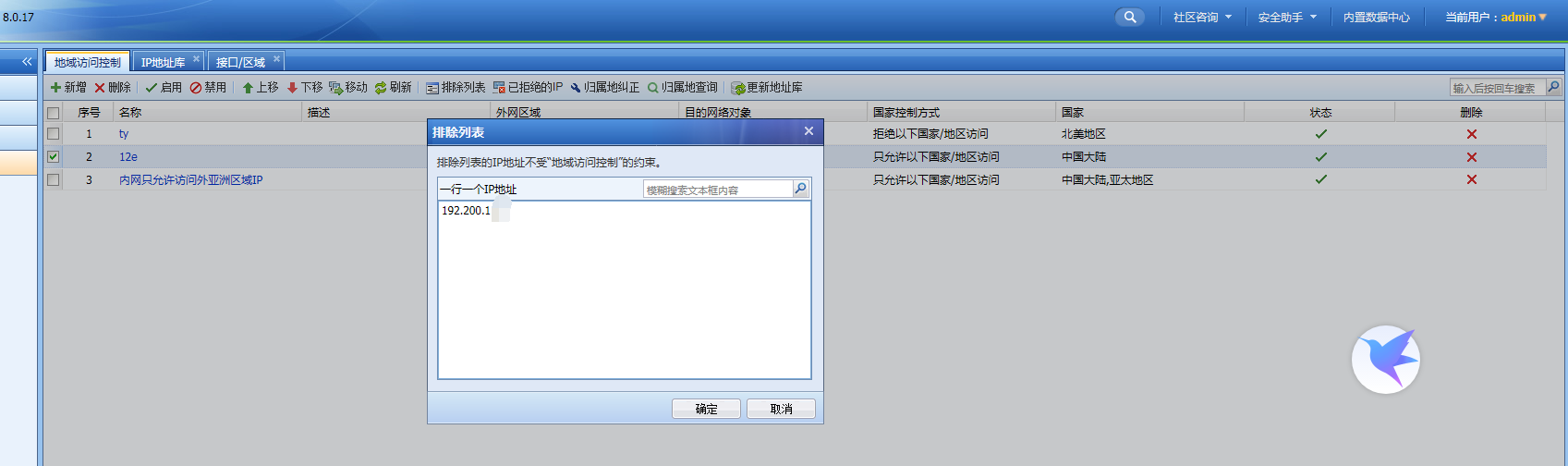
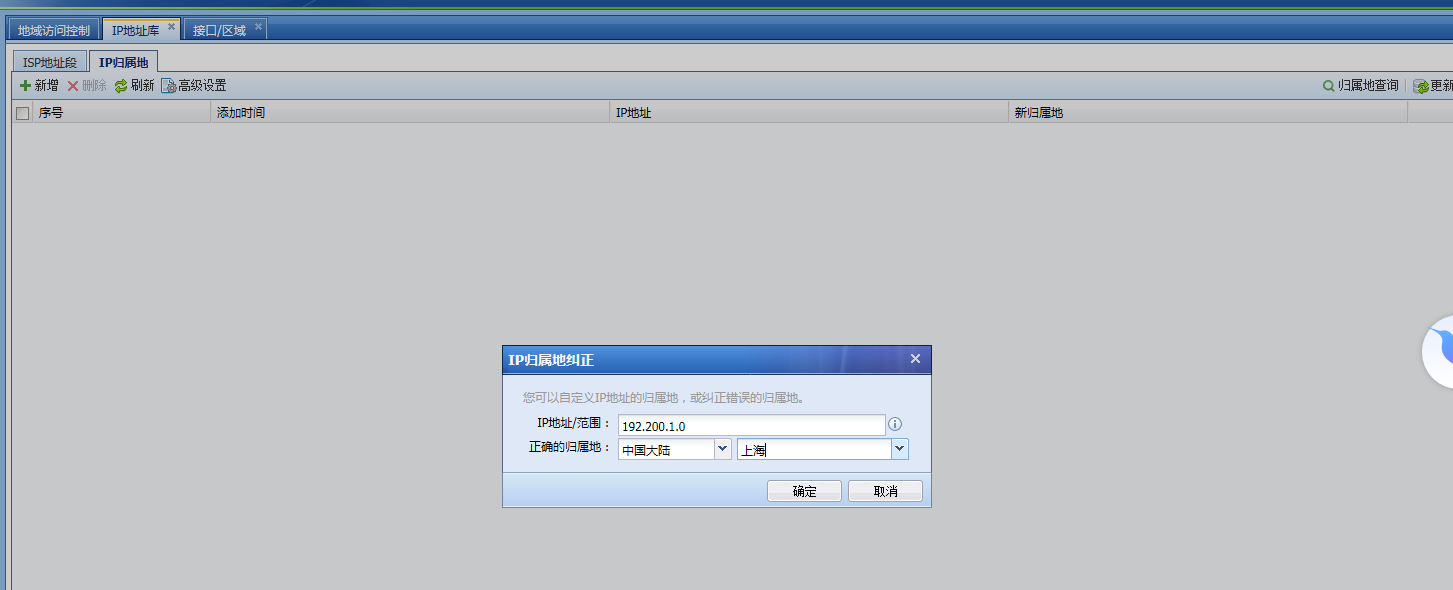
72115e4b5b3821802.png (103.19 KB) - Correct the Change IP Location and fill in the address segment of the dedicated intranet
366795e4b5b8a96725.png (59.91 KB)
Suggestions and Conclusion
Note that GeoLocation Blocking only allow access from All/China, which may make some internal users unable to access the internet if they belong to WAN zone and own IP addresses with unknown location.
Original Link
https://support.sangfor.com.cn/cases/list?product_id=13&type=1&category_id=791&isOpen=true