
[AF] Email alert: Cannot receive alert email: Email anti-spam rejection
Problem Description
AF has set up an email alert. I sent a test email, but I did not receive the alert email.
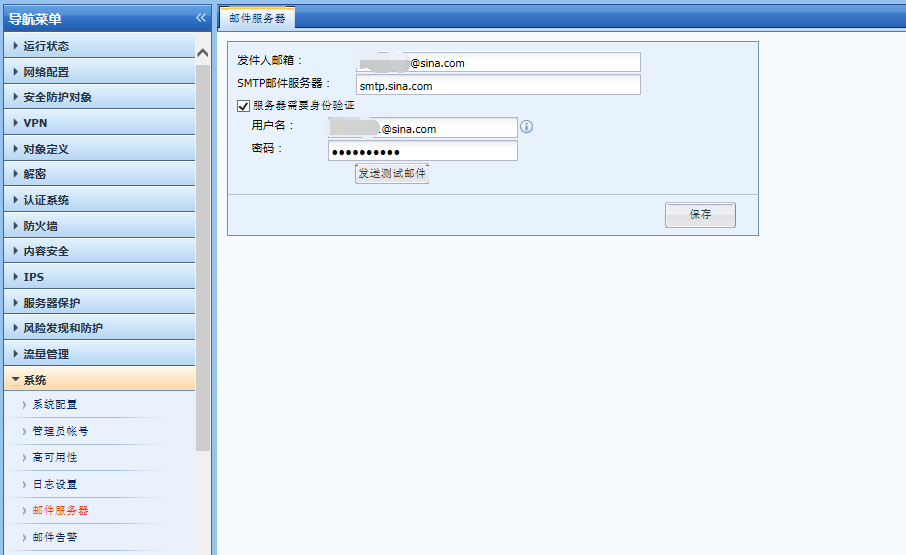
879805bb9dc0b754f1.png (56.08 KB)
Process——
- Use the FOXMAIL email client to set up the SMTP and POP3 of the mailbox to receive emails. It is found that the bounce email of the test email is received.
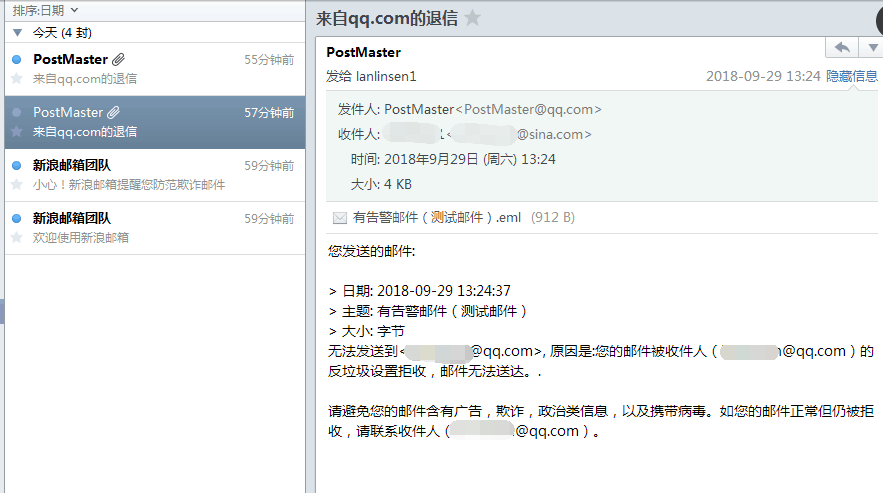
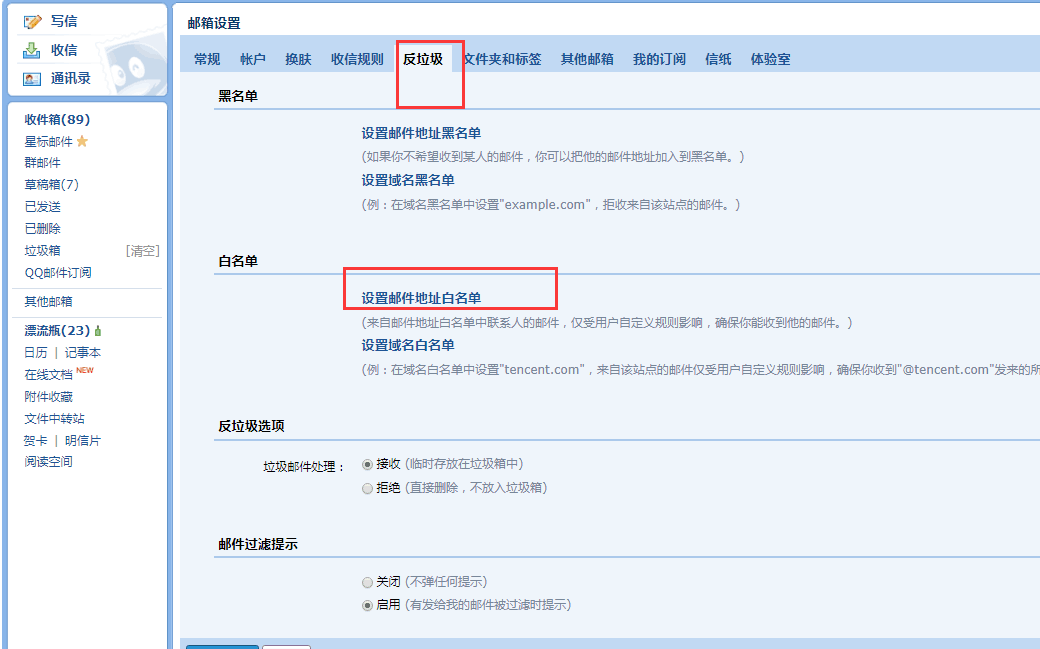
189555bb9dd79223d6.png (75.92 KB) - Modify the anti-spam settings of QQ mailbox and add a Whitelist
714305bb9dde73b970.png (100.08 KB)
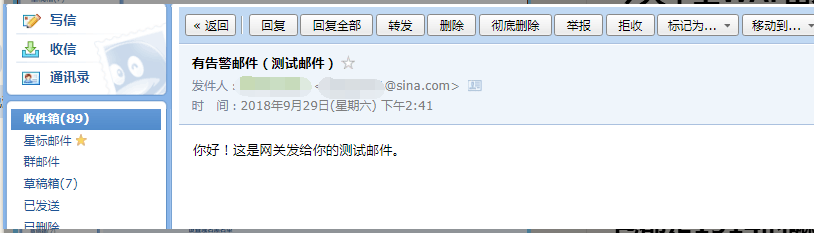
Test again and it will be received normally
817065bb9de38db137.png (43.76 KB)
Root cause
AF's email alerts are sent using the standard SMTP protocol. The frequency and content of the alert emails may be blocked by anti-spam settings.
solution
Adjust the anti-spam settings of the test email inbox. After adding the email address to the Whitelist, it can be received normally.
Suggestions and Conclusion
- AF's email alerts are sent using the standard SMTP protocol, which requires AF to be able to log in to the mailbox normally and use the SMTP protocol to send emails.
- It is recommended to set up an email whitelist in the mailbox and inbox where the alarm email is Whitelist
Original Link
https://support.sangfor.com.cn/cases/list?product_id=13&type=1&category_id=423&isOpen=true