
[AF] Enabling Email Protection in special environments where VLAN inconsistencies in round-trip traffic occur
Problem Description
The customer's email service was blocked from passing through Local port, but was restored after being directly connected, and there was no direct connection Logs.
Effective troubleshooting steps
Using telnet to test the client’s email port 143 and 25 on the external network, both were blocked. Packet capture on the Local showed that there were packets on the external network port but no packets on the internal network port, which was a typical Local interception.
After checking Blacklist, IP Blocking, and application control configuration, no interception policies were found. After disabling the security Policies, the business returned to normal. It was located that the problem was caused by the security Policies. However, the security Policies generally does not directly block port tests such as telnet.
Comparing the data packets during normal business hours with those during abnormal business hours, we found that the VLANs of the normal data, the packets sent by Services to access the server, and the Services returned by the server are inconsistent.
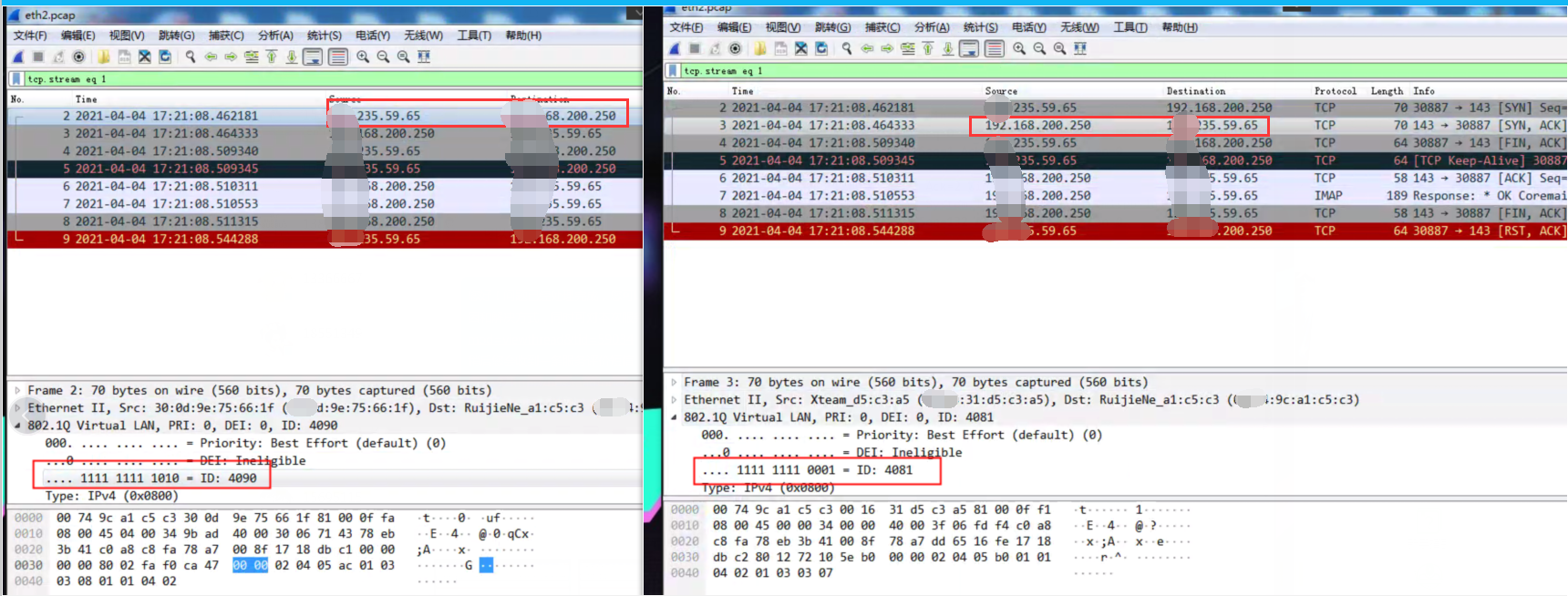
After Policies, there is no packet from the network port in the Local, but the network port will also return packets to the client. The VLAN of the returned packet is the same as the VLAN of the packet accessed by the client.
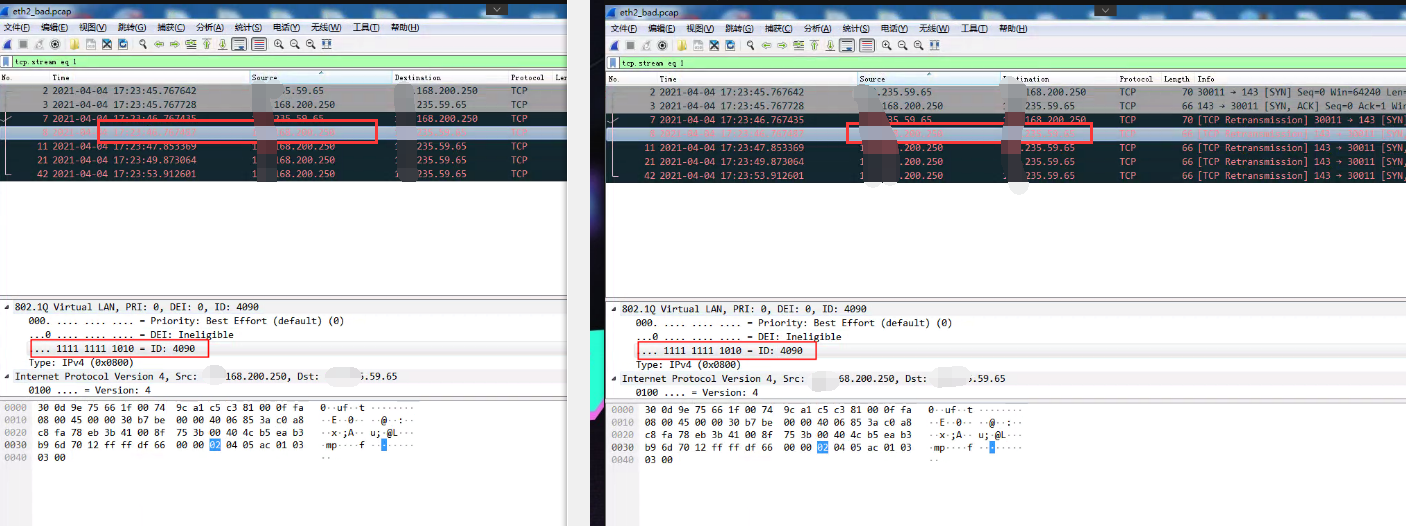
Root cause
The customer's business scenario has inconsistent VLANs for round-trip traffic, which causes the AF's email proxy to be directly dropped by the Services device when replying packets on behalf of the server.
solution
Solution 1: Disable Email Protection security
Solution 2: Adjust the Network environment to make the traffic VLAN consistent
PS: For a short-term solution, you can use solution 1. For a complete solution, you are recommended to use solution 2. Because the inconsistency of VLANs of round-trip traffic is not a normal environment, there may Sensitive other problems.
Original Link
https://support.sangfor.com.cn/cases/list?product_id=13&type=1&category_id=1156&isOpen=true