
[AF] Error in Services via AF MAC address in dual-machine environment MAC Address
Problem Description
The customer environment is as follows:
Services dual-machine environment: Session Initiation Protocol host – IP: 172.16.7.97 – MAC: 00:50:56:8A:6B:70, Session Initiation Protocol host – IP: 172.16.7.98 – MAC: 00:50:56:8A:16:15, the server will generate a floating IP – 172.16.7.99 – without a virtual MAC, whichever is the host, the floating IP will run on that machine.
Current problem phenomenon: Some phones on the user side fail to register, but after a period of time these phones register normally, while others fail to register; or after trying to register several times, they can occasionally register successfully.
Effective troubleshooting steps
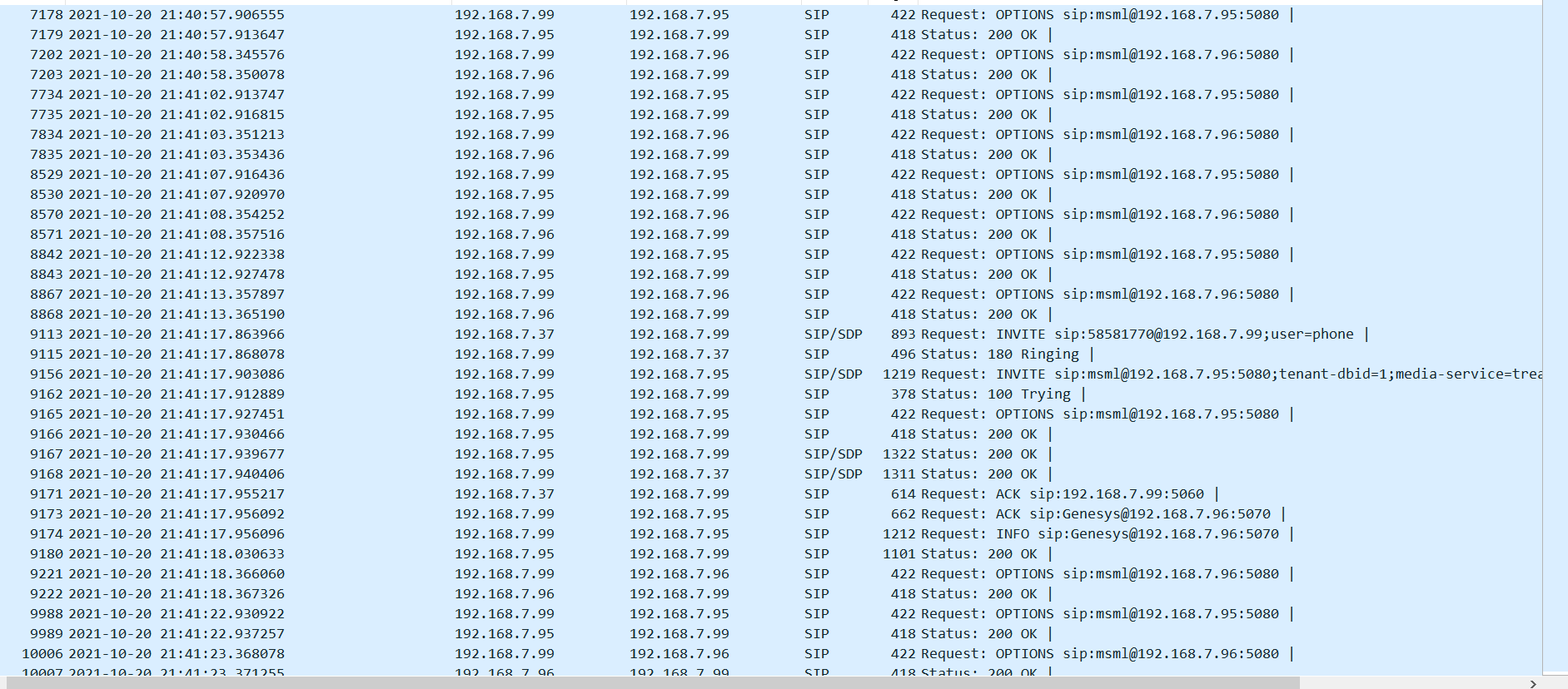
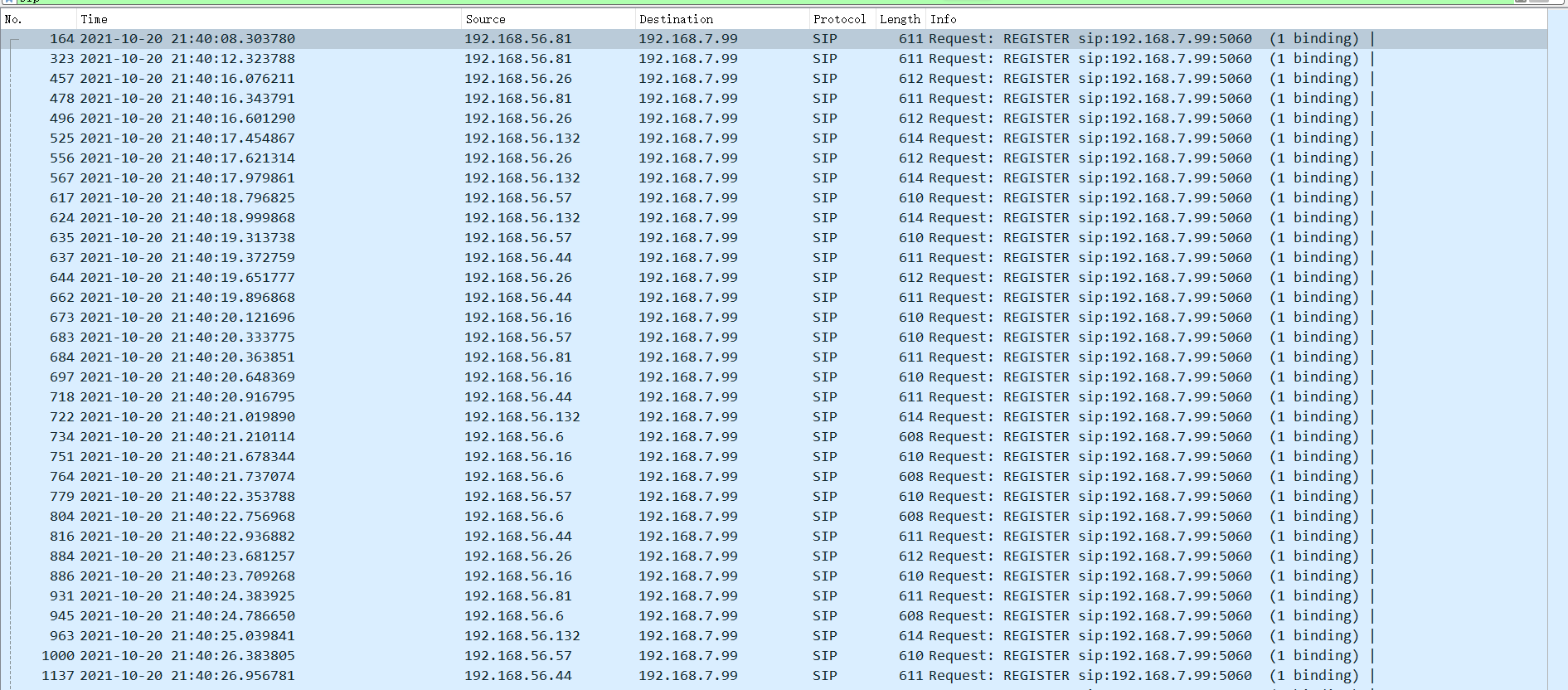
- When the phone sends a registration message (the registration address is the floating IP: 192.168.7.99), the phone, Session Initiation Protocol-01, and Session Initiation Protocol-02 are captured simultaneously. It is found that the phone's registration message is not sent to Session Initiation Protocol-01, but to Session Initiation Protocol-02.
The Session Initiation Protocol-01 packet capture screenshot is as follows: No register message was received
The Session Initiation Protocol-02 packet capture screenshot is as follows, and the register message is received
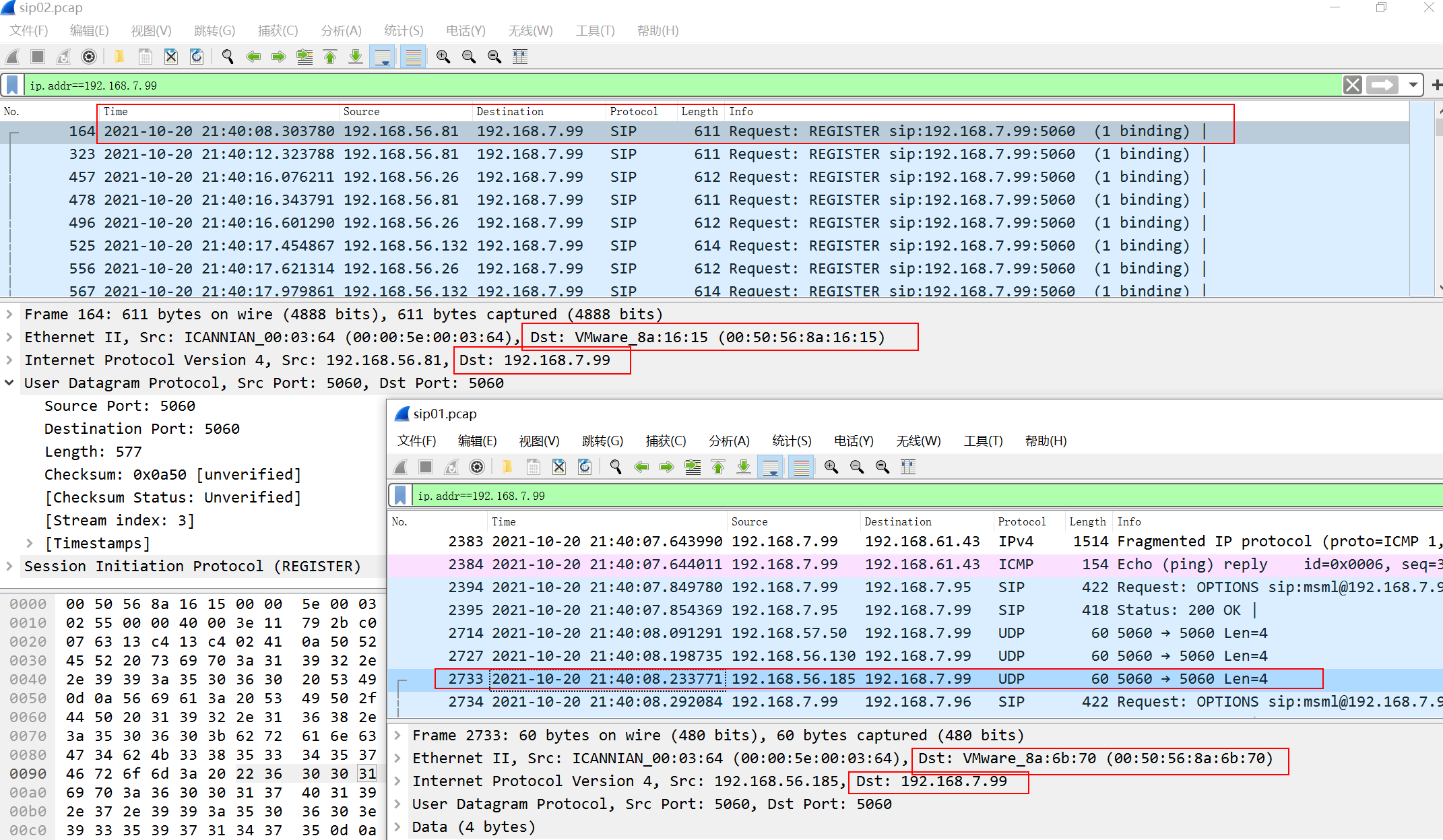
- Comparing the captured packets of Session Initiation Protocol-01 and Session Initiation Protocol-02, we found that the MAC Address of floating IP 192.168.7.99 has two different results:
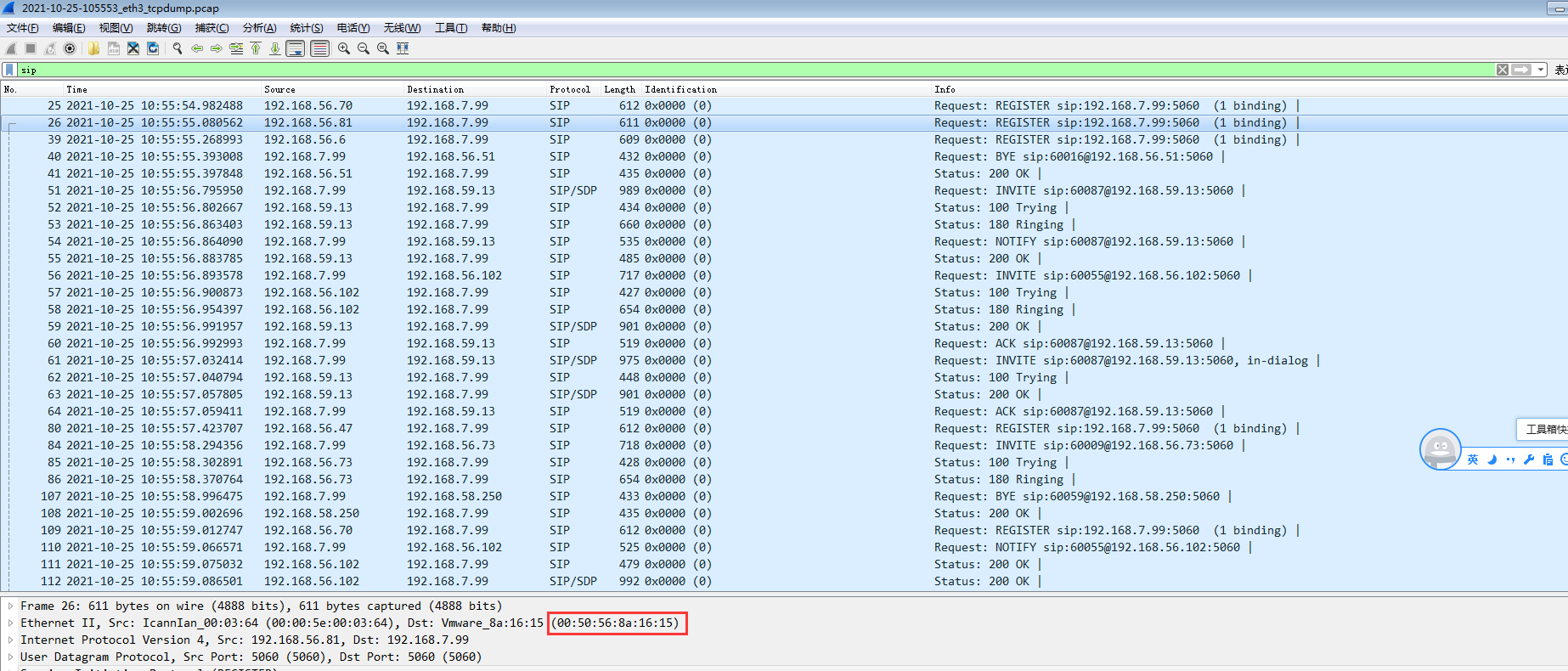
- Capture packets at the AF intranet port and find that the packets are forwarded to the MAC of Session Initiation Protocol at the AF intranet port.
- Find R&D to confirm that if the intranet device has a dual-machine environment, you need to check [Connect with other dual machines] in the Network parameters, and check [Respond to MAC Address changes of Network neighbors in a timely manner] in the High version.
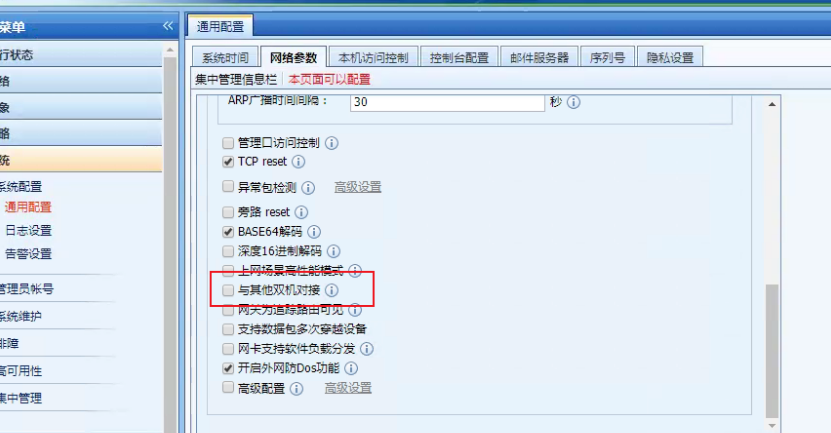
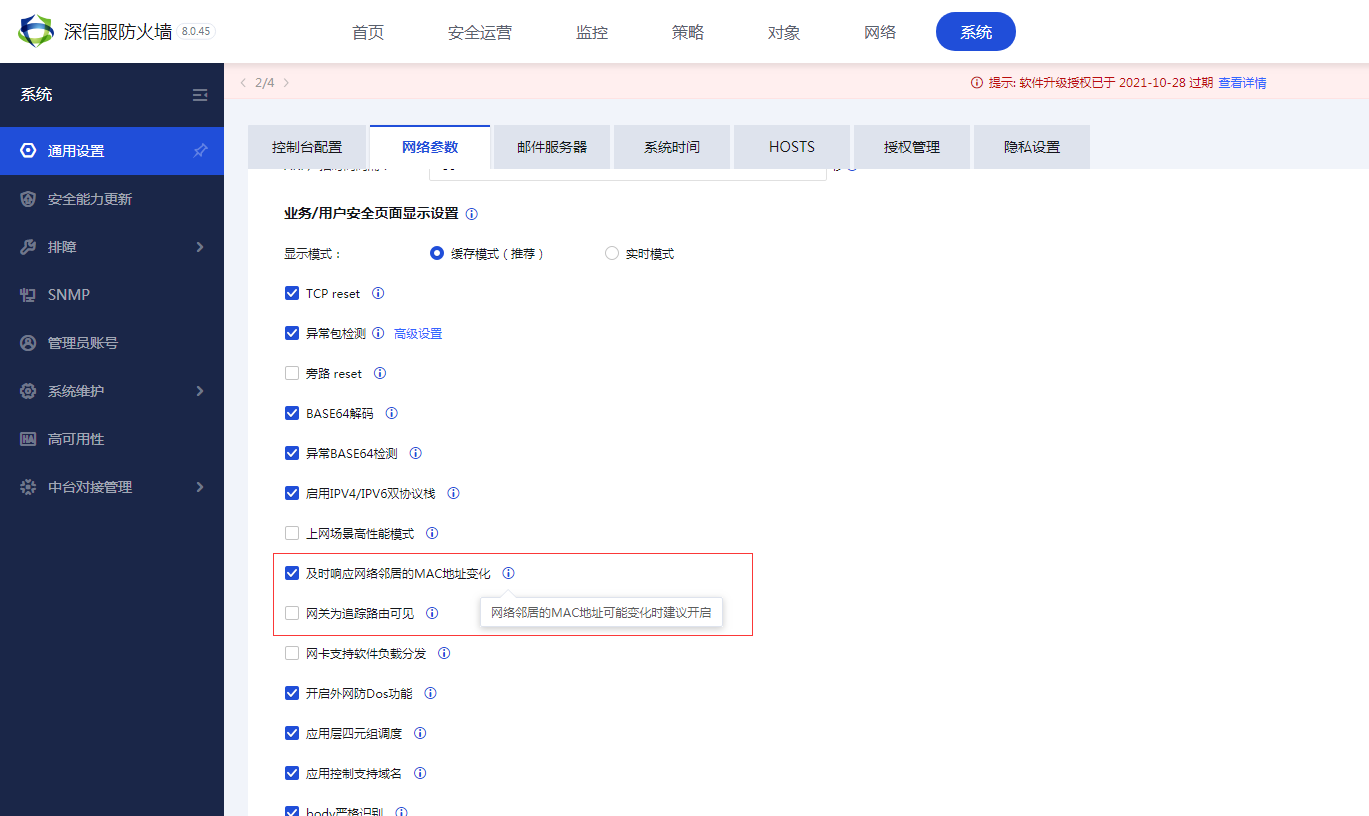
- After checking, test that all phones are registered normally
Root cause
After checking this option, AF will respond to the MAC address changes of the Network neighbor in MAC Address and reselect the MAC of the Interfaces.
solution
If the intranet device has a dual-machine environment, you need to check [Connect with other dual machines] in the Network parameters, and check [Respond to MAC Address changes of Network neighbors in a timely manner] in the High version.
Original Link
https://support.sangfor.com.cn/cases/list?product_id=13&type=1&category_id=1399&isOpen=true