
[AF] Failed to add an IPV6 Interfaces AF VLAN interface through API
Problem Description
When sending the configuration of the new VLAN interface to AF through the API, sending the IPV6 address fails and the message prompts that the destination IP format is incorrect.
Effective troubleshooting steps
-
Test that the IPv4 address is directly passed in and it is normal;
-
According to the API interface provided by the customer, the failure will only occur if the IPV6 address is entered in the linkcheck field. It is speculated that the corresponding field is the setting of the link Link State Detection condition.
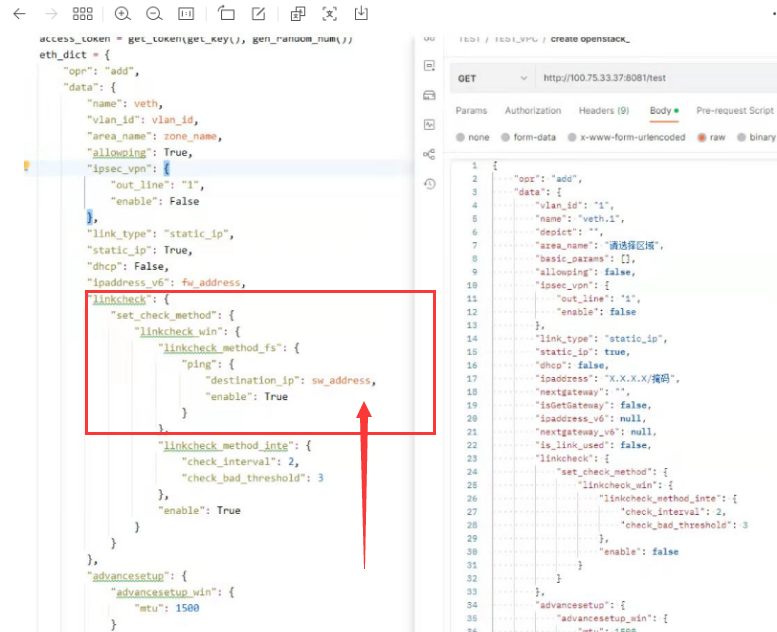
api.png (299.58 KB) -
Test by directly passing the IPV4 address in linkcheck. The link detection conditions are displayed in the AF web interface. Since AF link Link State Detection itself does not support the detection of IPV6 data, it cannot be transmitted through the API.
Root cause
AF Link State Detection itself does not support detection of IPV6 data, so it cannot be transmitted through the API.
solution
When adding a new Interfaces, do not transmit Link State Detection detection for IPv6 addresses.
Original Link
https://support.sangfor.com.cn/cases/list?product_id=13&type=1&category_id=2432&isOpen=true