
[AF] Failed to log in to the console via SSL VPN. The manageable IP Address is not available.
Problem Description
AFSSL VPN published the management address of AF as a resource. SSL VPN users cannot open the console to access ssl vpn resources, but can open direct access normally.
Warning Info
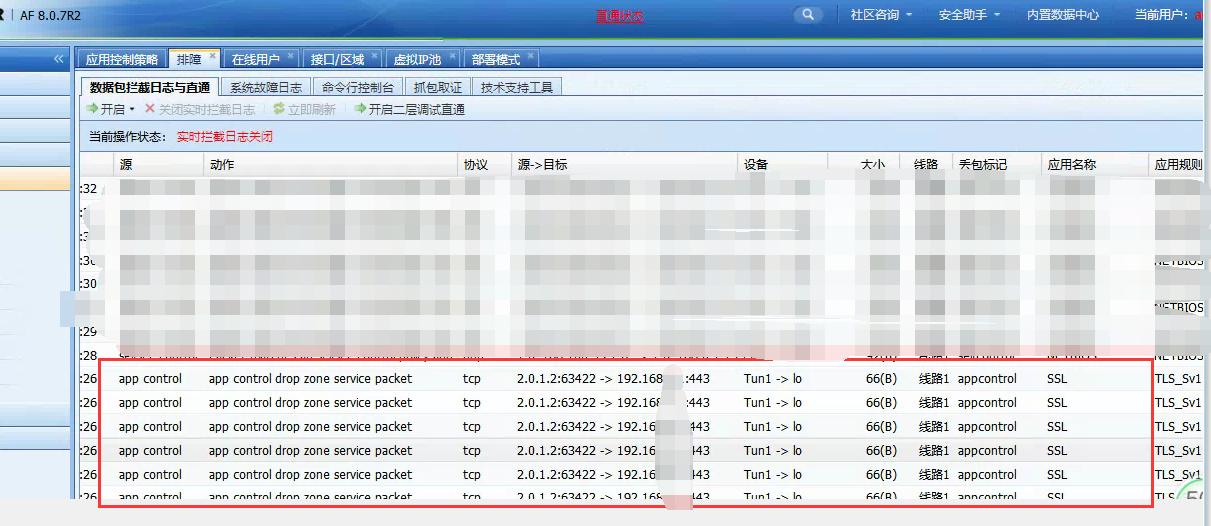
976375e4a152d954cd.png (356.58 KB)
Process——
1: Direct access to the intranet is normal
2: Telnet port 443 is blocked, port 80 is normal
3: The published resource is all ports of the l3vpn resource selected
4: Normal direct access, packet loss mark, indicating application control Policies interception
Root cause
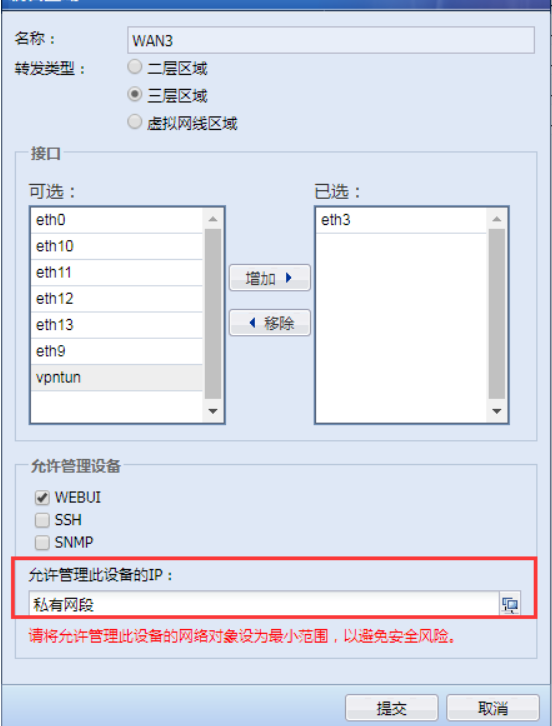
The IP address that allows management of this device is the intranet IP segment, and the virtual IP address used in SSL VPN is not added.
solution
As shown in the figure below, add the virtual IP segment of ssl vpn to the IP that allows the management device.
522935e4a15719cef3.png (87.82 KB)
Original Link
https://support.sangfor.com.cn/cases/list?product_id=13&type=1&category_id=781&isOpen=true