
[AF] Flow control does not work in scenarios with multiple lines.
Problem Description
The configured Bandwidth Management part fails
Warning Info
[Running Status] – [Traffic Sessions] – [Traffic Ranking] [IP Traffic Ranking]
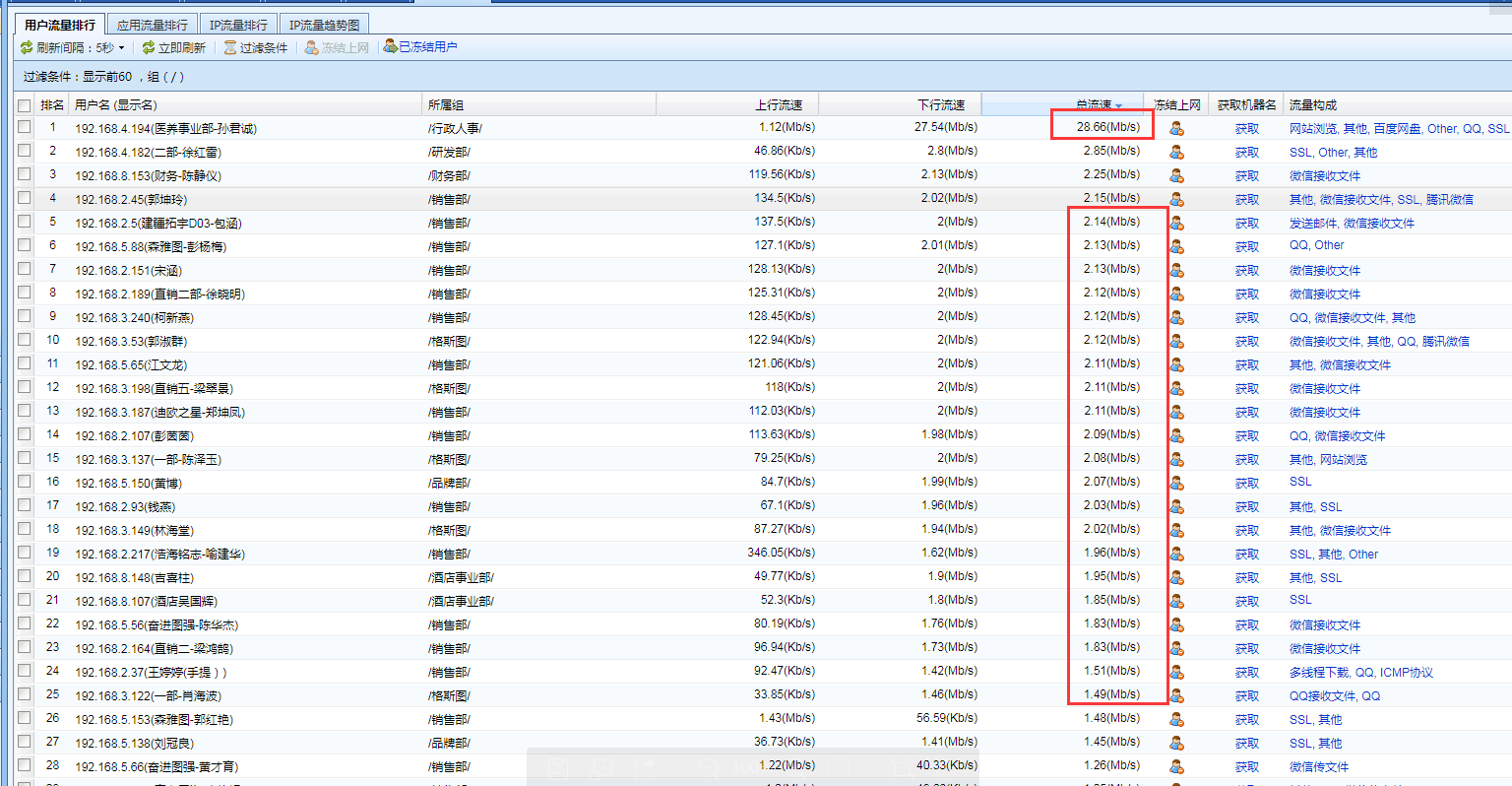
360485be954ee8c7f8.png (258.62 KB)
Process——
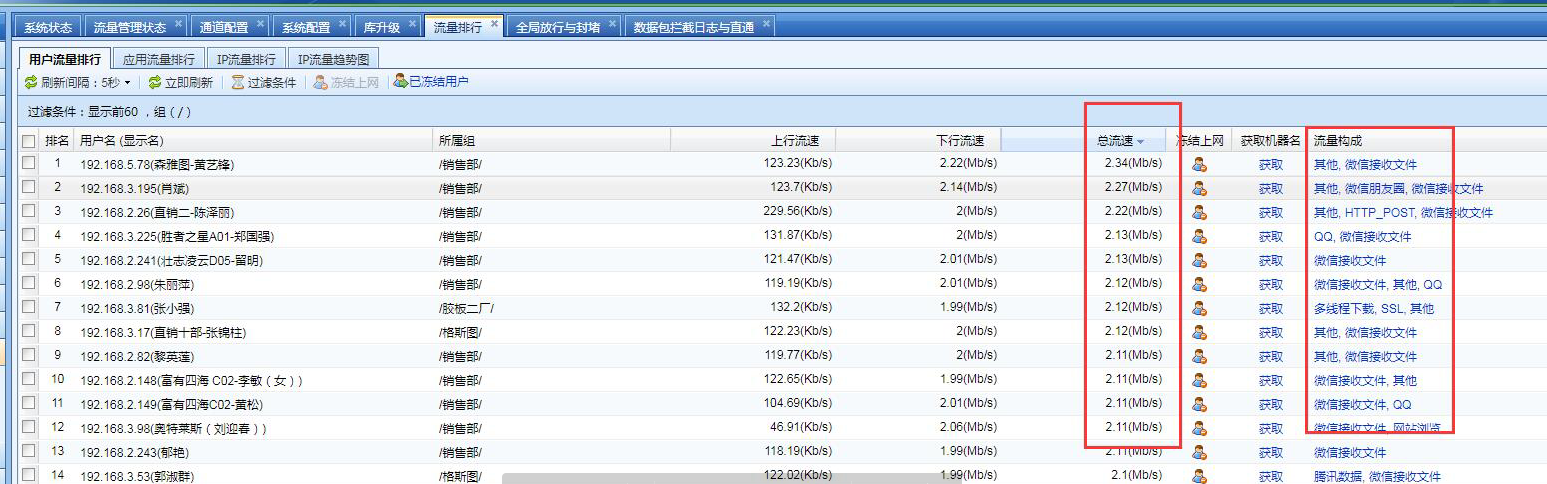
- Check and find multiple lines

182275bf2c4ec2d7f8.png (101.53 KB) - Configure the same restrictions for line 1 and line 2
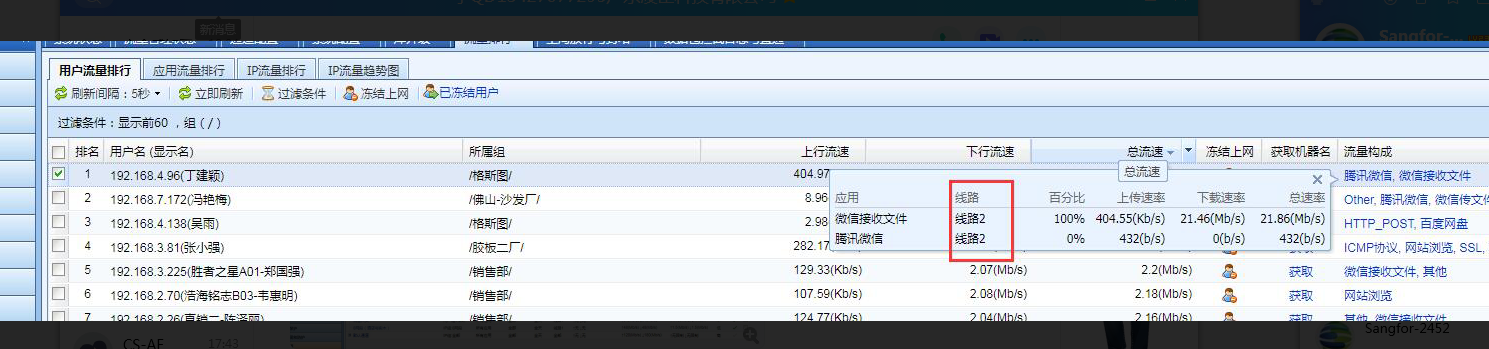
12965be95630859a9.png (673.65 KB) - Click on the corresponding route and you can see that most of the traffic went through another route
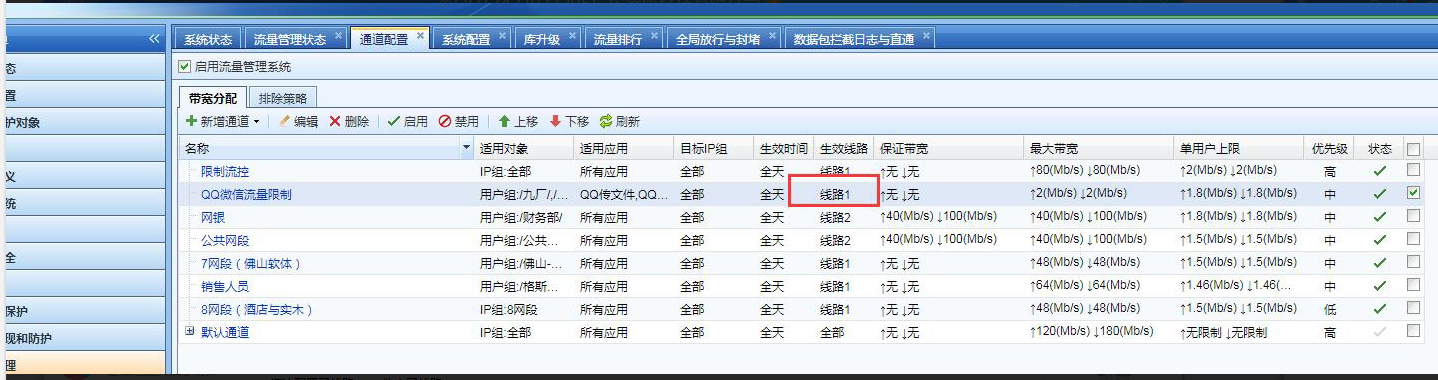
828095be955fcaad2a.png (383.42 KB) - Check the Bandwidth Management Policies
396985be9561fbc864.png (453.21 KB)
Root cause
No Bandwidth Management is performed on all export lines
solution
In the Bandwidth Management Policies, configure another Bandwidth Management Policies for another line.
① Take the standard version AF7.3 as an example of the operation path:
- In [Network Configuration] – [Interfaces/Zones] – the corresponding external network Interfaces check the WAN attribute properties
- Configure virtual lines and virtual line rules in [Traffic Management] – [Virtual Line Configuration]
- Configure the corresponding guaranteed Bandwidth Channel and restricted channel in [Traffic Management] – [Channel Configuration]
② Take the standard version AF7.4 as an example of the operation path: - Check the WAN Network Zones for the external network interface corresponding to [Network]-[Interfaces/Zone]
- Configure virtual lines and virtual line rules in [Policy] – [Traffic Management] – [Virtual Line Configuration]
- Configure the corresponding Policies channel and restricted channel in [Policy] – [Traffic Management] – [Limited channel]
Original Link
https://support.sangfor.com.cn/cases/list?product_id=13&type=1&category_id=469&isOpen=true