
[AF] Global blocking blacklist is not effective
Problem Description
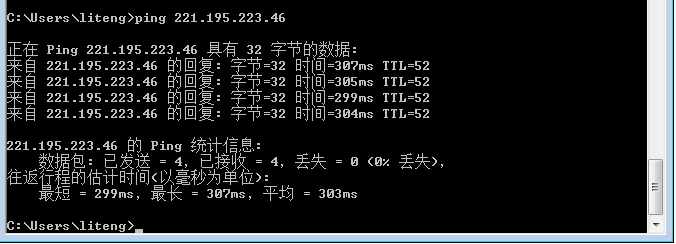
Add the IP address of the intranet PC to the blacklist in AF to prevent intranet users from accessing the external network, but it does not take effect
① In versions prior to AF standard version 6.8, you can add a Whitelist in [System] – [Global Exclusion Addresses]; Blacklist needs to be added in [Content Security] – [Application Control Policies]
② From AF standard version 6.8 and later, you can add whitelists and blacklists in [System] – [Global Release and Blocking]
③ Take the standard version AF7.4 as an example: you can add whitelists and blacklists in [Policies] – [Blacklist and Blacklist]

394715b606ce0d6e38.png (48 KB)
798975b606cfb68ab8.png (19.15 KB)
Process——
-
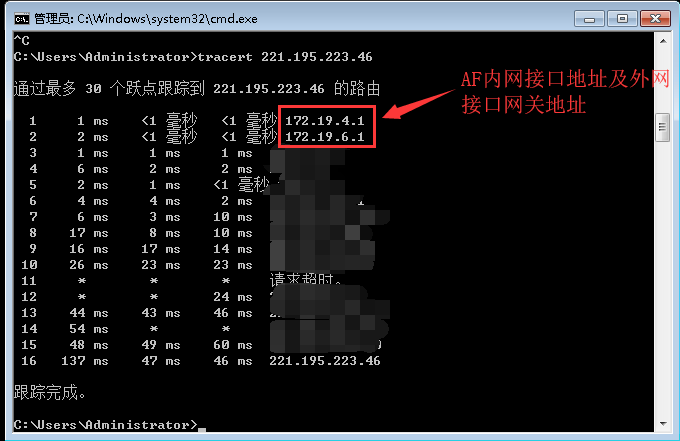
Use tracert command in PC DOS Command Line to trace Layer 3 and confirm that the access traffic passes through AF
646635c14bd36bc6e1.png (32.64 KB) -
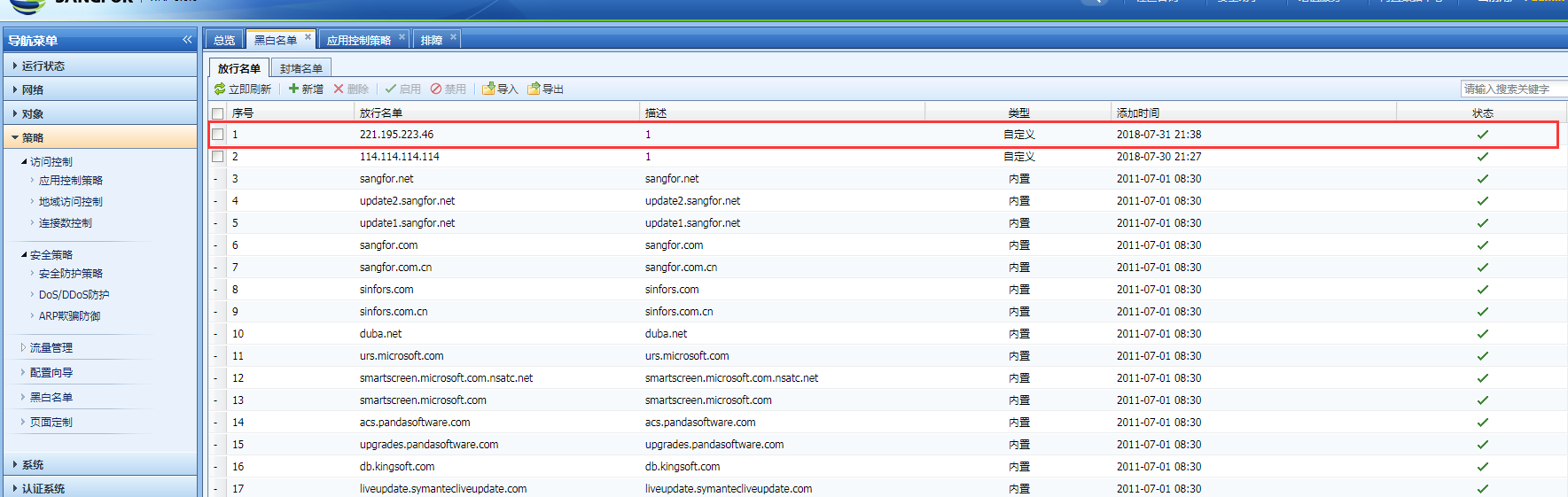
Check the Whitelist
101515b606d9c97c4b.png (125.91 KB)
Root cause
The Whitelist has Priority than Blacklist
solution
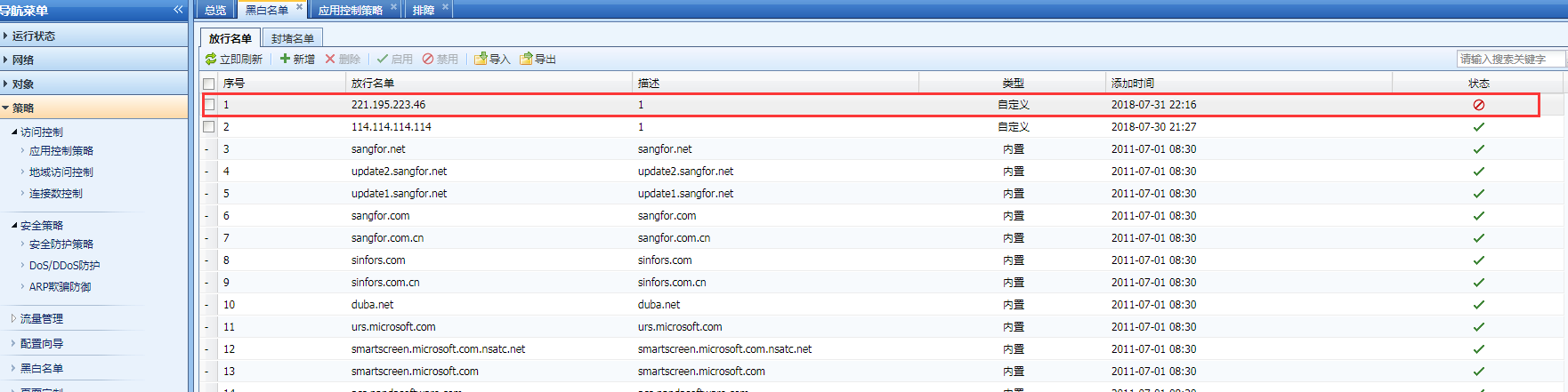
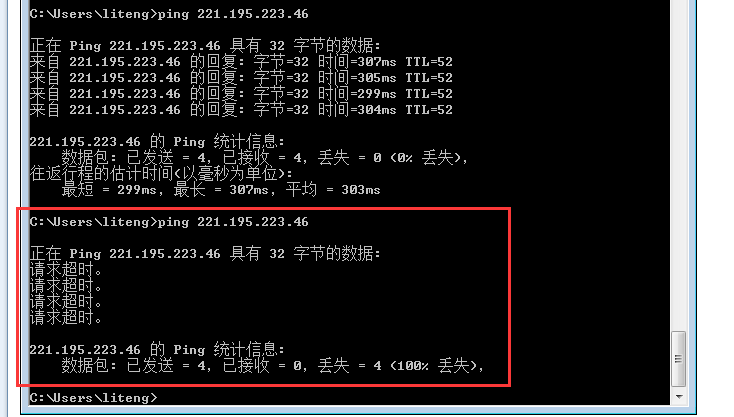
Disable the corresponding IP in Whitelist, and Blacklist will take effect
140325b606f737a5bf.png (90.93 KB)
99325b606f92bd655.png (30.16 KB)
Original Link
https://support.sangfor.com.cn/cases/list?product_id=13&type=1&category_id=220&isOpen=true